Gemini API Quota Exceeded in Apps Script: Backoff Plan

Fix gemini app script quota exceeded errors in Apps Script with practical checks for API limits, retries, batching, and the right Gemini project.
The ollama error max retries exceeded eof means a client stopped receiving data from Ollama before its request finished. The most common cause is Ollama’s local server closing or dropping the connection while loading a model, often because the PC runs out of available memory.
EOF means “end of file”: the connection ended unexpectedly. Repeated retries usually mean the client could not recover, but the message alone does not identify whether the server crashed, the model failed to load, or a network path broke.
On Windows, open PowerShell and run ollama list, then ollama run MODEL_NAME, replacing the placeholder with a model shown in the list. On macOS or Linux, run the same commands in Terminal. If the CLI works but a UI such as LM Studio or ComfyUI fails, Ollama is running and the problem is likely the client’s connection settings. If the CLI reports that it cannot connect, restart Ollama from its app or service and try again.
Reproduce the error and look for a crash, out-of-memory message, or model-loading failure in Ollama’s logs. On Windows, open %LOCALAPPDATA%\Ollama in File Explorer and inspect the log files there. On macOS or Linux, check the terminal running ollama serve, if you started it manually; service log locations vary by installation. A server process that exits at the same time as the EOF points to a server-side failure rather than a client timeout.
Close other GPU-heavy apps, including Stable Diffusion or ComfyUI, then retry the request. Alternatively, test a smaller model already listed by ollama list. If the smaller model works, the original model may exceed available system or graphics memory for its size and settings. Reduce the model’s context length in the client if that option is available; check your model’s menu because the setting name and supported options vary.
Run ollama list and check that the requested model appears. If a download was interrupted, rerun ollama pull MODEL_NAME and let it complete before making another request. Then test with ollama run MODEL_NAME. A successful interactive response confirms the local model can load; if it still fails, inspect the server log before repeatedly deleting or reinstalling model files.
For a client on the same PC, check its Ollama or OpenAI-compatible API connection settings and use Ollama’s local address, http://localhost:11434, unless you deliberately configured a different host or port. For a client on another device, localhost points to that device, not the PC running Ollama; enter the server PC’s reachable address and confirm Ollama is configured to accept that connection. If the client offers an API connection test, a successful result confirms it can reach the endpoint.
If a CLI request works but a browser-based UI fails, temporarily disable any reverse proxy or VPN between the client and Ollama, then retry. If the client provides a streaming response option, turn streaming off for one test. Success only when streaming is disabled suggests the connection path is interrupting a long-lived response; success after bypassing a proxy points to its timeout or streaming configuration.
| Possible cause | Typical symptom | Quick test |
|---|---|---|
| Server crash or memory pressure | EOF during model load or generation | Try a smaller model and check logs |
| Incomplete model download | One model fails to load | Check ollama list, then pull again |
| Wrong endpoint | CLI works; UI cannot connect | Check host and port in client settings |
| Proxy or streaming interruption | Short requests work; longer ones fail | Retry without proxy or streaming |
The client retried after its connection ended unexpectedly, then stopped after its retry limit. Ollama may have exited, failed to load the model, or lost a connection through a client or proxy.
First confirm ollama run MODEL_NAME works locally. If it does, check the client’s Ollama endpoint and use http://localhost:11434 only when the client and Ollama run on the same PC; for separate devices, use the server PC’s reachable address.
Yes. If the model and its context need more system or graphics memory than is available, the server may fail during loading or generation and the client can see EOF. Close other demanding apps and test with a smaller model to check.
Start with the CLI test, then use the logs to tell a server failure from a client connection problem. If none of these fixes works, record the failing model, client endpoint, and matching Ollama log entries, then use those details to investigate the specific setup.
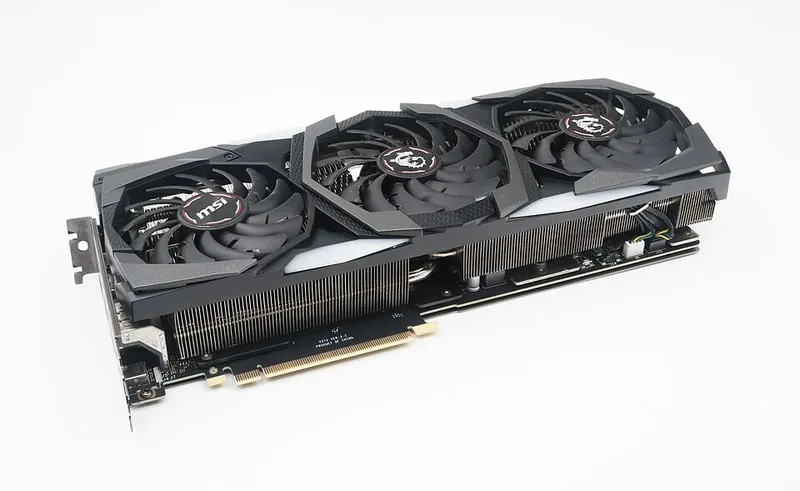
Photo: Jacek Halicki / CC BY-SA 4.0 (Wikimedia Commons)
Fix gemini app script quota exceeded errors in Apps Script with practical checks for API limits, retries, batching, and the right Gemini project.
ChatGPT export conversation missing? Learn what the archive includes, why messages may be absent, and how to check account, chat history, and export settings.
Copilot Excel pivot table help: fix source data, check Copilot access, and build a reliable PivotTable manually when AI can’t create it.
Fix teams transcript not showing issues by checking meeting policy, organizer controls, licensing, transcript access, and where Teams stores completed transcripts.
Fix whisper srt timing off by checking audio alignment, transcript edits, export settings, and manual SRT timestamps so subtitles stay in sync.
Fix chatgpt pdf table extraction wrong results with six practical prompts, source checks, and export steps for cleaner tables in ChatGPT and other AI assistants.
Fix chatgpt canvas not saving by checking save status, connection, browser cache, extensions, and workspace access, then recover or copy your latest edits safely.
Fix gemini deep research not available by checking your account type, plan, region, age eligibility, administrator controls, and temporary usage limits.
Fix gemini in google sheets not showing by checking Workspace eligibility, admin controls, smart features, file format, account selection, and browser issues.
Hit the notebooklm source limit? Learn how to combine files, split notebooks by project, and check current limits so you can use 300+ work documents effectively.