Gemini API Quota Exceeded in Apps Script: Backoff Plan

Fix gemini app script quota exceeded errors in Apps Script with practical checks for API limits, retries, batching, and the right Gemini project.
If stable diffusion error code 128 appears while AUTOMATIC1111 starts or installs, the launcher has usually failed to clone or update a Git repository. A frequent cause is an outdated or unavailable repository URL, though a broken download, network issue, or damaged local checkout can produce the same exit code.
Error 128 is Git’s general failure exit status; it does not identify one specific Stable Diffusion or GPU problem. Read the lines immediately above “Error code: 128” in the terminal: they name the Git command and often give the real clue, such as a missing repository, authentication prompt, or incomplete download.
Use the symptom to choose a first check:
| Likely cause | Typical clue | Quick test |
|---|---|---|
| Unavailable remote | “Repository not found” or HTTP 404 | Open the repository URL shown in the terminal in a browser. |
| Network interruption | “early EOF,” “RPC failed,” or connection reset | Retry once on a stable connection. |
| Bad local checkout | “not a git repository” or missing HEAD | Run git status inside the named repository folder. |
| Authentication or proxy | Username prompt, 401/403, or proxy error | Check the URL and Git/network settings for that remote. |
Keep the launch window open and scroll up to the first Git failure, not just the final traceback. Note the command (often git clone, git fetch, or git checkout) and the repository URL or folder it mentions. This confirms whether the failing component is the Web UI, an extension, or a dependency; it also prevents you from deleting the wrong folder.
Copy the URL from the terminal and open it in a browser. If the page reports that the repository cannot be found, the launcher may be configured to use an obsolete upstream. Look for an updated fix from the maintainer of your Web UI or installer, and follow its current instructions. Do not substitute a random repository URL: a clone succeeding does not prove it is the expected or trusted project.
Close the launcher, confirm that GitHub or the named Git host loads normally, then start the launcher again. If you use a VPN, proxy, managed network, or firewall, check whether it is blocking Git traffic; only change those settings if you control them. A successful retry that completes the clone or update and reaches the Web UI startup message confirms a temporary connection failure.
Open PowerShell in the repository path shown in the error and run git status, followed by git remote -v. If Git says the folder is not a repository, it may have been unpacked from a ZIP or left as a partial clone; ZIP downloads do not include Git history and remotes. If the folder is a valid repository, check whether the displayed remote matches the URL the launcher is trying to use.
First close the launcher and make a backup of any local changes in the affected repository. If git status shows changes you need, preserve them before proceeding. For a disposable dependency folder with no local work, move that specific folder aside, then relaunch so the installer can fetch it again. The fix is confirmed when Git recreates the folder and startup passes the same clone or update step.
Use the update option or instructions provided by your Web UI’s maintainer or installer. For AUTOMATIC1111, keep the launcher in its Git checkout and use the project’s documented update process; downloading a ZIP over an existing install can remove repository metadata needed for updates. A successful update should complete without repeating error 128. If a current project instruction identifies a changed dependency URL, apply that specific fix rather than editing unrelated configuration.
In a new terminal, run git --version. If the command is not recognized, install Git using its official installer and reopen the launcher so it can find Git. If the failing URL prompts for credentials or returns an access error, verify that it is public or that your account has access; do not paste access tokens into logs or public support posts. The check succeeds when the intended clone works without an unexpected credential prompt.
Usually not when the message shows a failed Git command such as git clone or git fetch. GPU memory issues typically appear later, during model loading or image generation, with a different error message. Follow the command named beside code 128.
Often you can avoid a full reinstall by repairing only the repository named in the log. Reinstalling may reproduce the problem if the configured remote is unavailable or your network blocks Git. Back up custom files and settings before replacing any install folder.
A restart cannot fix a remote URL that is still unavailable, a blocked connection, or a damaged checkout that the launcher keeps reusing. Compare the first Git error on each attempt and check whether it names the same repository. If it does, resolve that specific cause or check the current guidance from your Web UI’s maintainer.
Error 128 means Git stopped; the command and first error line point to the repair. If none of these fixes works, save the complete terminal output and share it with the maintainer of your Web UI or installer, including the failing command and repository name.
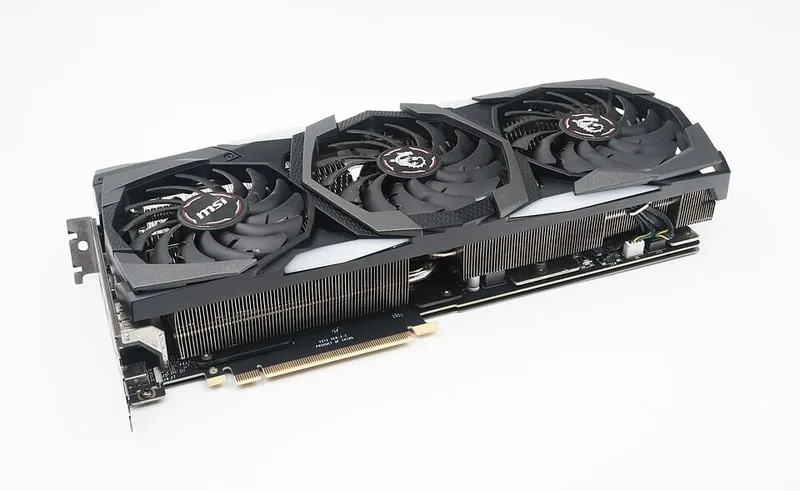
Photo: Jacek Halicki / CC BY-SA 4.0 (Wikimedia Commons)
Fix gemini app script quota exceeded errors in Apps Script with practical checks for API limits, retries, batching, and the right Gemini project.
ChatGPT export conversation missing? Learn what the archive includes, why messages may be absent, and how to check account, chat history, and export settings.
Copilot Excel pivot table help: fix source data, check Copilot access, and build a reliable PivotTable manually when AI can’t create it.
Fix teams transcript not showing issues by checking meeting policy, organizer controls, licensing, transcript access, and where Teams stores completed transcripts.
Fix whisper srt timing off by checking audio alignment, transcript edits, export settings, and manual SRT timestamps so subtitles stay in sync.
Fix chatgpt pdf table extraction wrong results with six practical prompts, source checks, and export steps for cleaner tables in ChatGPT and other AI assistants.
Fix chatgpt canvas not saving by checking save status, connection, browser cache, extensions, and workspace access, then recover or copy your latest edits safely.
Fix gemini deep research not available by checking your account type, plan, region, age eligibility, administrator controls, and temporary usage limits.
Fix gemini in google sheets not showing by checking Workspace eligibility, admin controls, smart features, file format, account selection, and browser issues.
Hit the notebooklm source limit? Learn how to combine files, split notebooks by project, and check current limits so you can use 300+ work documents effectively.