πŸš€ Fix Microsoft Teams Guest Access Not Working: Proven 2026 Solutions

Frustrated because your external collaborators can't join Microsoft Teams? You're not aloneβ€”Microsoft Teams Guest Access Not Working is a common headache that blocks seamless teamwork. But don't worry! This guide delivers quick, actionable fixes to get guests invited, authenticated, and chatting in minutes. Let's dive in and restore your collaboration flow. πŸ”§

Why Is Microsoft Teams Guest Access Failing? Top Causes

Before fixing, pinpoint the issue. Common culprits include misconfigured policies, Azure AD restrictions, or licensing gaps. Here's a quick checklist:

βœ… Issue Quick Check
Guest Access Disabled Teams Admin Center > Org-wide settings
Azure AD Guest Invite Restrictions Azure portal > External Identities
Licensing Mismatch Guests need valid licenses? Check user types
Federation Blocks External domain allow/block list
Network/Firewall Ports 443 open for *.teams.microsoft.com

Spot yours? Greatβ€”now let's solve it step-by-step. Follow along, and you'll be high-fiving your guests soon! πŸ‘

1️⃣ Step 1: Enable Guest Access in Teams Admin Center

The most frequent fix for Teams Guest Access Not Working. Head to Teams Admin Center:

  • Navigate to Teams > Manage teams > Org-wide settings.
  • Under Guest access, toggle it ON.
  • Save and wait 15-30 minutes for propagation.

Pro Tip: Also enable Allow guest access in Teams under the same section. Test by inviting a dummy guest email.

Microsoft Teams Admin Center Guest Access Settings

2️⃣ Step 2: Configure Azure AD External Collaboration Settings

Teams relies on Azure AD for guests. Mismatched settings? No access!

  1. Go to Azure Portal > Azure Active Directory > External Identities > External collaboration settings.
  2. Set Guest user access to Guest users have limited access to properties and memberships (or as needed).
  3. Under Collaboration restrictions, select Allow invitations only to the specified domains (most restrictive) and add your domainsβ€”or choose Deny invitations to the specified domains for security.
  4. Disable Guest invite settings restrictions if blocking all.

Sync changes: Run PowerShell if urgentβ€”Get-MgPolicyAuthorizationPolicy for verification (requires Microsoft.Graph module).

3️⃣ Step 3: Verify Licensing and Permissions

Guests don't need paid licenses for basic access, but ensure:

  • Inviter has Teams license (e.g., E3/E5).
  • Guest accepts invite via email (check spam! 😩).
  • Team settings: Allow guest access to the team toggled ON per team.

Quick audit: In Teams, go to team settings > Manage team > Settings tab.
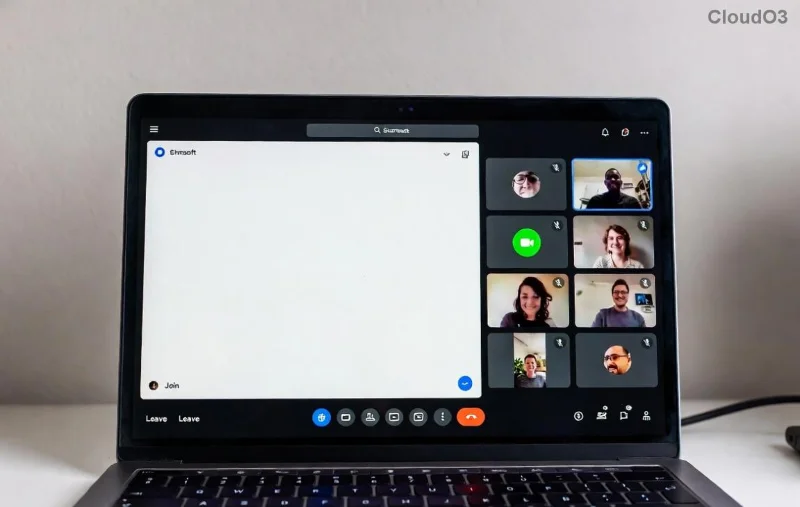
Azure AD Guest Collaboration Settings

4️⃣ Step 4: Tackle Federation and Network Blocks

External domains blocked? Fix in Teams Admin Center > Org-wide settings > External access:

  • Allow all external domains (test mode) or add specific ones.
  • Check Federation with Skype for Business if hybrid.

Network woes? Ensure firewalls allow Teams URLs (official Teams network guide). Use the Teams Network Assessment Tool for diagnostics.

5️⃣ Advanced Fixes: PowerShell and Logs

Still stuck? PowerShell to the rescue:

# Install module
Install-Module MicrosoftTeams -Force

# Connect
Connect-MicrosoftTeams

# Enable guest access
Set-CsTeamsGuestCallingConfiguration -AllowGuestCalling $true
Set-CsTeamsGuestMeetingConfiguration -AllowGuestMeeting $true

Check logs: Teams client > Help > Give feedback > Copy logs. Search for "guest" errors.

⭐ Test and Prevent Future Issues

Invite a test guest (e.g., your personal Gmail). Success? πŸŽ‰ Monitor with Teams Admin Center > Analytics & reports.

Prevent recurrence:

  • Document settings in your IT playbook.
  • Use Conditional Access policies for secure guest onboarding.
  • Stay updated via Microsoft Teams Blog.

Fixed your Microsoft Teams Guest Access Not Working issue? Share your win in the comments! Need more? Explore our guides on Teams federation or hybrid setups. Happy teaming! πŸš€


Leave a Comment

πŸš€ Fix Microsoft Teams Action Required Login Error in Minutes: Proven Steps

πŸš€ Fix Microsoft Teams Action Required Login Error in Minutes: Proven Steps

Stuck with Microsoft Teams "Action Required" login error? Discover step-by-step troubleshooting fixes for instant access. Clear cache, reset credentials, and more – updated for the latest versions. Get back to collaborating seamlessly!

πŸš€ Fix Microsoft Teams Network Error Offline: 10 Proven Steps to Get Back Online Fast!

πŸš€ Fix Microsoft Teams Network Error Offline: 10 Proven Steps to Get Back Online Fast!

Struggling with Microsoft Teams "Network Error" Offline? Discover proven, step-by-step fixes to resolve it quickly. From cache clearing to network resets, get Teams working smoothly againβ€”no tech skills needed!

Fix Microsoft Teams Password Error Recovery: Proven Steps to Regain Access Instantly

Fix Microsoft Teams Password Error Recovery: Proven Steps to Regain Access Instantly

Struggling with Microsoft Teams Password Error Recovery? Discover step-by-step fixes for password errors, cache clears, and account recovery to get back to seamless collaboration. Updated with the latest solutions.

Stuck on Microsoft Teams Welcome Screen? 7 Proven Fixes to Get Back Online Instantly!

Stuck on Microsoft Teams Welcome Screen? 7 Proven Fixes to Get Back Online Instantly!

Frustrated by the Microsoft Teams "Welcome" screen stuck error? Follow our step-by-step guide with proven solutions to fix it fastβ€”no tech skills needed. Get back to seamless collaboration today!

πŸ”§ Instant Fix: How to Fix Microsoft Teams Win 7 Error Compatibility Issues Fast!

πŸ”§ Instant Fix: How to Fix Microsoft Teams Win 7 Error Compatibility Issues Fast!

Tired of the Microsoft Teams 'Win 7 Error'? Discover proven, step-by-step fixes for compatibility problems. Get Teams running smoothly on older Windows setups without hassle. Updated with the latest solutions!

🚨 Fix Microsoft Teams Layout Error Sidebar FAST – Proven Troubleshooting Guide 2026

🚨 Fix Microsoft Teams Layout Error Sidebar FAST – Proven Troubleshooting Guide 2026

Master Troubleshooting Microsoft Teams "Layout Error" Sidebar with this ultimate guide. Step-by-step fixes for layout glitches, sidebar crashes, and more – get back to seamless collaboration in minutes!

🚨 Fix Microsoft Teams Wiki Error Formatting FAST: Ultimate 2026 Troubleshooting Guide

🚨 Fix Microsoft Teams Wiki Error Formatting FAST: Ultimate 2026 Troubleshooting Guide

Tired of Microsoft Teams Wiki Error ruining your formatting? Get instant fixes for bold, italics, lists & more. Step-by-step guide with proven solutions for seamless Teams Wiki editing.

πŸš€ Fix Microsoft Teams Installing Error on Windows Server: Proven 2026 Guide

πŸš€ Fix Microsoft Teams Installing Error on Windows Server: Proven 2026 Guide

Struggling with Microsoft Teams installing error on Windows Server? Discover proven step-by-step fixes, from prerequisites to advanced troubleshooting, to resolve it instantly and boost your productivity. Updated with the latest solutions.

Why Cant I See Breakout Rooms in Teams? 7 Proven Fixes to Unlock Them Now!

Why Cant I See Breakout Rooms in Teams? 7 Proven Fixes to Unlock Them Now!

Can't spot Breakout Rooms in your Microsoft Teams meeting? Uncover the top reasons why Breakout Rooms in Microsoft Teams are missing and follow our step-by-step fixes to enable them effortlessly for seamless collaboration.

πŸš€ Unlock Vacation Mode: How to Set Out of Office Status in Microsoft Teams Instantly

πŸš€ Unlock Vacation Mode: How to Set Out of Office Status in Microsoft Teams Instantly

Discover the easiest ways to set Out of Office status in Microsoft Teams. Sync from Outlook, custom messages, mobile tips & troubleshooting for seamless away time. Stay productive even when offline!








