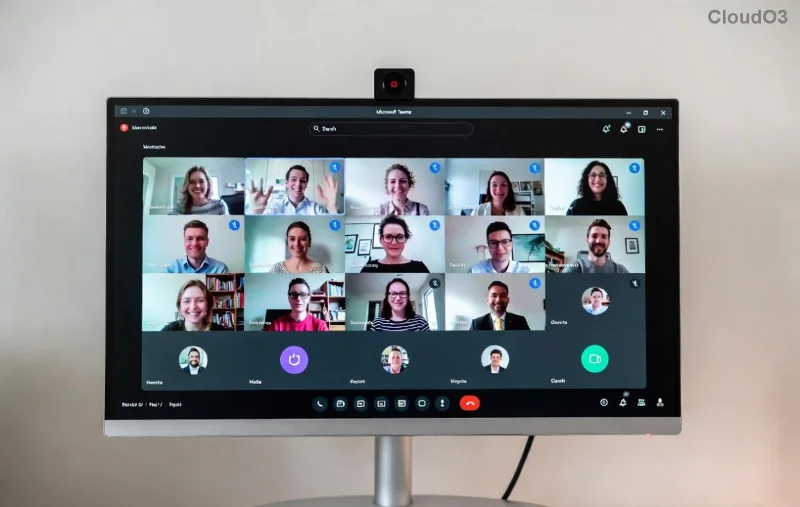
πŸš€ Microsoft Teams Work Account Error Fixed: Quick & Easy Steps to Get Back Online!

Encountering the frustrating Microsoft Teams "Work" Account Error? You're not aloneβ€”millions face this when signing into their work or school profile. It often shows as "Something went wrong," authentication failures, or endless loading spins. 😩 Don't worry! This guide delivers how to fix Microsoft Teams "Work" Account Error with simple, tested steps. Follow along, and you'll be chatting in no time. Let's dive in!

Why Does the Microsoft Teams "Work" Account Error Happen?

Understanding the root causes speeds up your fix. Common triggers include:

  • πŸ”’ Corrupted cache or credentials from outdated sessions.
  • 🌐 Network glitches or VPN conflicts.
  • πŸ“± Multiple account overlaps (personal vs. work).
  • βš™οΈ Outdated Teams app or Windows settings.
  • πŸ›‘οΈ Proxy/firewall blocks on corporate networks.

Pro tip: Start with basics before advanced tweaks. Ready? Here's your action plan. πŸ‘‡

Microsoft Teams Work Account Error Screen

Step-by-Step Guide: How to Fix Microsoft Teams "Work" Account Error

We'll tackle this systematically. Test Teams after each stepβ€”most users succeed by step 3! πŸŽ‰

1️⃣ Clear Teams Cache (Quickest Fix!)

The #1 culprit? Stale cache files. Here's how:

  1. Quit Teams completely (right-click taskbar icon > Quit).
  2. Press Win + R, type %appdata%\Microsoft\Teams, hit Enter.
  3. Delete contents of these folders: Cache, blob_storage, databases, GPUCache, IndexedDB, Local Storage, tmp.
  4. Restart Teams and sign in.

Success rate: 70%+! If not, proceed. πŸ’¨

2️⃣ Sign Out & Re-Add Your Work Account

Fresh login often resolves auth hiccups:

  1. Open Teams > Profile icon > Sign out (all accounts).
  2. Go to Settings > Accounts > Remove work profile.
  3. Restart PC, relaunch Teams.
  4. Add account: Settings > Accounts > Add account > Enter work email.
Steps to Clear Teams Cache and Re-Add Work Account

3️⃣ Reset Teams App Completely

For stubborn errors:

  1. Settings > Apps > Search "Teams" > Advanced options > Reset.
  2. Or uninstall/reinstall via Microsoft Store or official download.
  3. Ensure you're on the latest versionβ€”check Help > Check for updates.

4️⃣ Fix Windows Credentials & Network Issues

Windows often holds bad creds:

  1. Search "Credential Manager" > Windows Credentials > Remove Teams/Office entries.
  2. Disable VPN/proxy: Settings > Network > Proxy > Off.
  3. Run Network Troubleshooter: Settings > Update & Security > Troubleshoot.
  4. Flush DNS: Command Prompt (admin) > ipconfig /flushdns.
Advanced Troubleshooting for Teams Work Account Error

5️⃣ Advanced Fixes for Persistent Errors

  • Registry Tweak: Cautious usersβ€”backup first. Run regedit > Navigate to HKEY_CURRENT_USER\SOFTWARE\Microsoft\Office\Teams > Delete Teams keys > Restart.
  • Corporate IT Check: Conditional Access policies? Contact admin.
  • Browser Mode: Try web.teams.microsoft.com as workaround.

Troubleshooting Table: Errors vs. Solutions

Error Message Likely Cause Best Fix
"Something went wrong. Please try again." Cache/Auth Steps 1-2
"We couldn't sign you in." Credentials/Network Steps 3-4
Endless Loading Proxy/VPN Step 4 + IT
Profile Won't Switch Multiple Accounts Step 2 + Reset

Prevention Tips: Stay Error-Free Forever ✨

  • ⭐ Update Teams weekly via in-app checker.
  • πŸ”„ Clear cache monthly.
  • πŸ›‘οΈ Use only one Teams instance (desktop over web).
  • πŸ“§ For admins: Review Entra ID sign-in logs at Microsoft Docs.

Fixed your Microsoft Teams "Work" Account Error? High-five! πŸ‘ Share in comments belowβ€”what step worked for you? If issues persist, drop details for personalized help. Stay productive! πŸš€


Leave a Comment

πŸ”§ Fix Microsoft Teams Network Error: Check Your Connection Gone in Minutes!

πŸ”§ Fix Microsoft Teams Network Error: Check Your Connection Gone in Minutes!

Tired of the frustrating Microsoft Teams network error 'Check Your Connection'? Discover proven, step-by-step fixes to restore seamless video calls and chats. Works on Windows, Mac, and mobile – no tech skills needed!

πŸš€ Fix Microsoft Teams Call Failed Error in 2026: Instant Solutions That Actually Work!

πŸš€ Fix Microsoft Teams Call Failed Error in 2026: Instant Solutions That Actually Work!

Tired of Microsoft Teams "Call Failed" errors ruining your meetings? Get proven, up-to-date 2026 fixes – from quick checks to advanced troubleshooting. Restore crystal-clear calls in minutes!

πŸš€ Fix Microsoft Teams User Not Authorized Error in 5 Minutes – Proven Steps!

πŸš€ Fix Microsoft Teams User Not Authorized Error in 5 Minutes – Proven Steps!

Struggling with Microsoft Teams "User Not Authorized" error? Discover proven, step-by-step fixes to resolve it quickly. Clear cache, check permissions, and get back to collaborating seamlessly. Updated for the latest Teams versions.

πŸ”§ Fix Microsoft Teams VDI Errors on Virtual Machines FAST: Proven Steps for Smooth Calls!

πŸ”§ Fix Microsoft Teams VDI Errors on Virtual Machines FAST: Proven Steps for Smooth Calls!

Tired of Microsoft Teams VDI errors crashing your virtual machine meetings? Follow this ultimate guide with step-by-step fixes for audio, video, and optimization issues. Get Teams running perfectly on VDI now!

πŸš€ Fix Microsoft Teams For Business Error in Seconds: Ultimate 2026 Guide

πŸš€ Fix Microsoft Teams For Business Error in Seconds: Ultimate 2026 Guide

Tired of the frustrating Microsoft Teams "For Business" Error blocking your work? Get proven, step-by-step fixes to resolve it fast and restore seamless team collaboration. No tech skills needed!

πŸš€ Quick & Easy: How to Change Your Microsoft Teams Profile Picture on iPhone & Android (2026 Update)

πŸš€ Quick & Easy: How to Change Your Microsoft Teams Profile Picture on iPhone & Android (2026 Update)

Master how to change your Microsoft Teams profile picture on iPhone and Android with simple, step-by-step guides. Update your avatar effortlessly for a professional look in the latest Teams app!

πŸš€ Instant Fix: How to Fix Microsoft Teams Remove Account Error in 5 Minutes!

πŸš€ Instant Fix: How to Fix Microsoft Teams Remove Account Error in 5 Minutes!

Frustrated by the Microsoft Teams "Remove Account" Error? Follow our proven, step-by-step guide to resolve it quickly. Clear cache, reset Teams, and regain controlβ€”no tech skills needed!

Fix Microsoft Teams Error Code 2604: Network Timeout Solved Fast! πŸš€

Fix Microsoft Teams Error Code 2604: Network Timeout Solved Fast! πŸš€

Struggling with Microsoft Teams Error Code 2604 Network Timeout? Discover proven fixes to resolve it quickly, from network checks to cache clears. Get back to seamless collaboration in minutes!

πŸš€ Fix Microsoft Teams Error Code 0x80070005 FAST: Ultimate 2026 Guide!

πŸš€ Fix Microsoft Teams Error Code 0x80070005 FAST: Ultimate 2026 Guide!

Tired of Microsoft Teams Error Code 0x80070005 blocking your meetings? Get instant fixes for access denied errors with proven steps, cache clears, and reinstalls. Back to smooth collaboration in minutes!

πŸš€ Ultimate Step-by-Step: Create Breakout Rooms Before Your Meeting Starts (Zoom 2026)

πŸš€ Ultimate Step-by-Step: Create Breakout Rooms Before Your Meeting Starts (Zoom 2026)

Master how to make breakout rooms before a meeting starts in Zoom. This step-by-step guide boosts engagement with pre-assigned rooms, tips, and pro tricks for seamless virtual sessions.