πŸš€ Ultimate Step-by-Step Guide: Install Microsoft Teams on Mac & MacBook in Minutes!

Ready to supercharge your productivity? Installing Microsoft Teams on Mac and MacBook is a breeze, unlocking seamless video calls, chats, and file sharing. Whether you're working remotely or collaborating with your team, Teams brings everything together in one app. Follow this straightforward guide to get up and running fast – no tech headaches involved! 😊

Why Choose Microsoft Teams for Mac?

  • ✨ Native macOS integration for smooth performance on Apple Silicon (M1/M2/M3) and Intel chips.
  • ⭐ Real-time collaboration with chat, meetings, and channels.
  • βœ… Free for personal use; enterprise-ready for pros.

Let's dive right in! We'll cover the easiest methods using the official sources.

πŸ“‹ Quick System Requirements for Teams on MacBook

Before starting, ensure your Mac meets these specs for the smoothest experience:

Requirement Minimum
macOS Version macOS 11.0 (Big Sur) or later
Processor Apple M1 or Intel Core i3+
RAM 4 GB (8 GB recommended)
Storage 3 GB free space

Pro Tip: Update to the latest macOS for optimal Microsoft Teams MacBook performance. πŸ‘†

1️⃣ Method 1: Download & Install from Official Microsoft Website (Recommended)

The most reliable way for the newest Teams for Mac version. Head to the source for security and updates.

  1. Visit the Official Site: Open Safari (or your browser) and go to Microsoft Teams Download. Click Download for Mac.
  2. Choose Your Version: Select the free personal app or work/school edition. For most users, pick the standard installer (.pkg file).
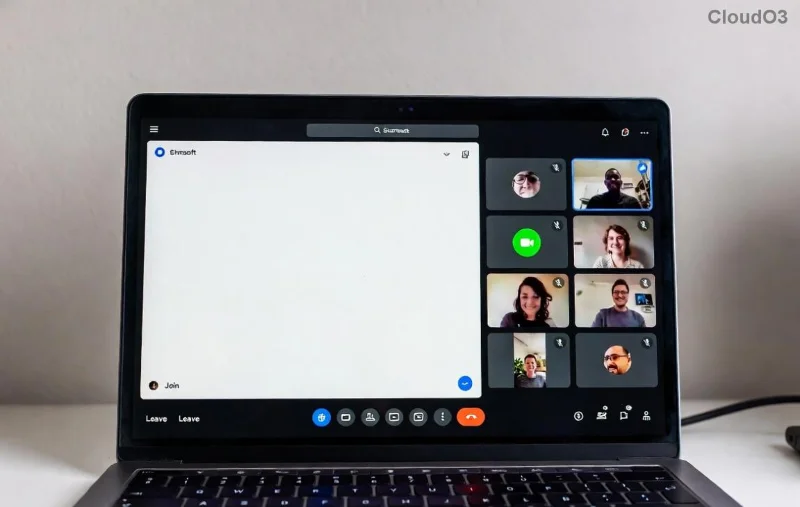
Microsoft Teams download screen on Mac
  1. Launch the Installer: Open the downloaded Teams.pkg from your Downloads folder. Double-click it. πŸš€
  2. Follow On-Screen Prompts:
    • Enter your Mac password if prompted (for admin privileges).
    • Agree to the license terms. βœ…
    • Click Install and wait 1-2 minutes.
  3. Finish Installation: Click Close. Teams is now in your Applications folder!
Installing Microsoft Teams on MacBook step
  1. Launch Teams: Open from Applications or Spotlight (⌘ + Space, type "Teams"). Sign in with your Microsoft account. πŸŽ‰

Done! You're ready for meetings in under 5 minutes. Keep reading for more options and fixes. πŸ‘‡

2️⃣ Method 2: Install via Mac App Store (Super Simple)

Prefer one-click ease? Use the App Store for automatic updates.

  1. πŸ” Open App Store on your Mac.
  2. Search for "Microsoft Teams".
  3. Click Get or the cloud icon. Enter Apple ID if needed.
  4. Launch from Launchpad once installed. Sign in and go! ✨

App Store vs. Direct Download: Direct gives the latest features faster; App Store handles updates hands-free.

πŸ”§ Common Issues & Quick Fixes for Teams Installation on Mac

Hit a snag? We've got you covered:

Issue Fix
"Teams can't be opened" (Gatekeeper block) Right-click app > Open > Allow. Or System Settings > Privacy & Security > Allow.
Slow install or crashes Close other apps, free up space, or restart Mac.
Sign-in fails Check internet; try incognito mode or reset password at account.microsoft.com.
Outdated version Teams > Check for Updates (or App Store).

πŸ’‘ Bonus Tip: Enable Teams Auto-Start in Settings for instant access on boot.

⭐ Pro Tips to Maximize Microsoft Teams on MacBook

  • πŸ“± Use keyboard shortcuts: ⌘ + Shift + M to mute/unmute.
  • πŸŽ₯ Optimize for M-series chips – Teams runs buttery smooth.
  • πŸ”’ Keep it secure: Enable two-factor authentication.
  • πŸ“‚ Integrate with Finder for easy file sharing.

Now that installing Microsoft Teams on Mac is complete, dive into channels, schedule meetings, and boost your workflow. Questions? Drop a comment below – happy teaming! 🎊

For the absolute latest, always check Microsoft's Teams page.


Leave a Comment

πŸ”§ Instant Fix: How to Fix Microsoft Teams Proxy Error Connection in 2026

πŸ”§ Instant Fix: How to Fix Microsoft Teams Proxy Error Connection in 2026

Struggling with Microsoft Teams Proxy Error? Discover proven steps to fix Microsoft Teams "Proxy Error" Connection instantly. Get seamless collaboration back online with our expert guide.

πŸš€ Fix Microsoft Teams Unexpected Error on Startup: Quick & Proven Solutions

πŸš€ Fix Microsoft Teams Unexpected Error on Startup: Quick & Proven Solutions

Tired of the frustrating Microsoft Teams Unexpected Error at startup? Follow our step-by-step guide to solve Microsoft Teams Unexpected Error Startup issues fast and get back to productive meetings. Works with latest updates!

πŸš€ Instant Fix: Banish Microsoft Teams Error AADSTS70011 Forever – Proven Steps!

πŸš€ Instant Fix: Banish Microsoft Teams Error AADSTS70011 Forever – Proven Steps!

Tired of Microsoft Teams Error AADSTS70011 blocking your login? Follow our expert, step-by-step guide to fix this Azure AD invalid scope error fast and resume seamless collaboration. Works on Windows, Mac & Web!

Stuck on Microsoft Teams Welcome Screen Startup Loop? Fix It in Minutes! πŸš€

Stuck on Microsoft Teams Welcome Screen Startup Loop? Fix It in Minutes! πŸš€

Frustrated by the Microsoft Teams welcome screen startup loop? Follow our proven troubleshooting guide with quick fixes for Windows, Mac, and web. Get back to productive chats instantlyβ€”no tech expertise needed.

Troubleshoot Microsoft Teams Version History Errors: Proven Fixes for Instant Relief

Troubleshoot Microsoft Teams Version History Errors: Proven Fixes for Instant Relief

Facing Microsoft Teams version history errors? This ultimate troubleshooting guide delivers step-by-step solutions to common issues like missing versions, sync failures, and access denied errors for seamless file recovery.

Fix Microsoft Teams Error 53003 Access Denied: Ultimate 2026 Troubleshooting Guide

Fix Microsoft Teams Error 53003 Access Denied: Ultimate 2026 Troubleshooting Guide

Stuck with Microsoft Teams Error 53003 Access Denied? Discover proven step-by-step fixes to resolve access issues fast. Clear cache, check policies, and more for seamless teamwork.

Fix Microsoft Teams Rooms Console Disconnected Error Fast – Proven 2026 Solutions

Fix Microsoft Teams Rooms Console Disconnected Error Fast – Proven 2026 Solutions

Struggling with Microsoft Teams Rooms Console Disconnected error? Discover step-by-step fixes, troubleshooting tips, and prevention strategies to get your meeting room back online instantly. Expert guide for IT admins.

How to Set Out of Office in Microsoft Teams: Easy Guide for Desktop & Mobile πŸš€

How to Set Out of Office in Microsoft Teams: Easy Guide for Desktop & Mobile πŸš€

Planning a well-deserved vacation or just stepping away for a few days? Don't let work notifications ruin your break! 🌴 Microsoft Teams makes it super simple to set an out of office status

Fix Microsoft Teams Incorrect Credentials Password Error in Minutes – Ultimate 2026 Guide!

Fix Microsoft Teams Incorrect Credentials Password Error in Minutes – Ultimate 2026 Guide!

Tired of the frustrating Microsoft Teams password error: incorrect credentials? Discover proven, step-by-step solutions to solve Microsoft Teams password error quickly and regain seamless access. Updated for the latest features.

πŸš€ Ultimate Step-by-Step Guide: Install Microsoft Teams on Mac & MacBook in Minutes!

πŸš€ Ultimate Step-by-Step Guide: Install Microsoft Teams on Mac & MacBook in Minutes!

Master installing Microsoft Teams on Mac and MacBook with this foolproof step-by-step guide. Download, install, and start collaborating seamlessly – updated for the latest version!








