🚀 Fix Microsoft Edge WebView2 Runtime Error in Citrix – Proven Steps to Resolve It Fast!

Encountering the dreaded WebView2 Runtime Error in Microsoft Edge while using Citrix? You're not alone. This glitch often disrupts virtual apps, causing crashes, blank screens, or failed embeds. But don't worry – we've got your back with a straightforward, battle-tested troubleshooting guide. Follow these steps, and you'll be back to productivity in minutes. Let's dive in! 😊

🕵️‍♂️ What Causes WebView2 Runtime Error in Citrix?

WebView2 is the powerhouse behind modern web views in apps hosted on Citrix Virtual Apps and Desktops. Common culprits include:

  • Missing or outdated WebView2 Runtime.
  • Version mismatches between Edge and WebView2.
  • Citrix Workspace compatibility issues.
  • Permissions, registry corruption, or group policy blocks.
  • Conflicts from antivirus or VDI environments.
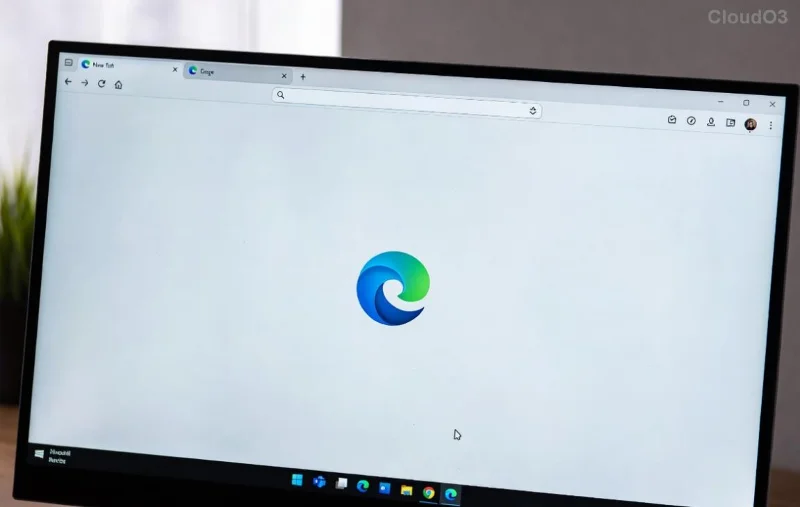
Screenshot of Microsoft Edge WebView2 Runtime Error in Citrix session

Spot this error screen? It's a classic sign of runtime failure in Citrix sessions.

✅ Step-by-Step Troubleshooting Microsoft Edge "WebView2 Runtime Error" (Citrix)

Start with the basics and escalate as needed. Test after each step!

1️⃣ Verify and Install/Update WebView2 Runtime

Ensure the Evergreen Bootstrapper or Fixed Version is installed correctly.

  1. Download the latest WebView2 Runtime from Microsoft's official page.
  2. Run as admin: MicrosoftEdgeWebView2RuntimeInstallerX64.exe.
  3. Restart your Citrix session.

Pro Tip: In VDI, push via Intune or SCCM for enterprise fixes.

2️⃣ Update Microsoft Edge and Citrix Workspace

  • Edge: Go to edge://settings/help → Update.
  • Citrix: Download latest from Citrix Workspace.

Version sync prevents 80% of runtime crashes!

3️⃣ Clear Cache and Reset Edge in Citrix

  1. In Edge: edge://settings/reset → Restore settings.
  2. Delete WebView2 user data: %LOCALAPPDATA%\Microsoft\EdgeWebView\User Data\Default.
  3. Reconnect Citrix session.
Step-by-step fix for WebView2 Runtime Error showing update process in Citrix

Visual guide to updating – follow along for instant relief!

4️⃣ Advanced Fixes: Registry and Permissions

Issue Fix Registry Key
Runtime Not Detected Enable via regedit (Admin) HKEY_LOCAL_MACHINE\SOFTWARE\WOW6432Node\Microsoft\EdgeUpdate\Clients\{F3017226-FE2A-4295-8BDF-00C3A9A7E4C5}
Policy Block Set to 0: AllowWebView2 HKEY_LOCAL_MACHINE\SOFTWARE\Policies\Microsoft\Edge\WebView2\Runtime
Citrix-Specific Reinstall ICA client N/A – Use Citrix Studio

Warning: Backup registry first. For Citrix admins, deploy GPO templates from Citrix docs.

5️⃣ Reinstall and Enterprise Tools

  • Full Edge reinstall: Download MSI from Microsoft Volume Licensing.
  • Citrix Director: Check session logs for Event ID 1000/1001.
  • SFC / DISM scans: sfc /scannow in elevated CMD.

⭐ Quick Wins for Citrix Users

  • ✅ Switch to WebView2 Fixed Version runtime for stability.
  • ✅ Disable hardware acceleration in Edge: edge://settings/system.
  • ✅ Test in HDX browser redirection mode.

Still stuck? Join Citrix forums or check Microsoft WebView2 troubleshooting for edge cases.

🎉 You're Fixed – Next Steps for Bulletproof Setup

Congrats! Your Microsoft Edge "WebView2 Runtime Error" (Citrix) should be history. To prevent recurrence:

  1. Automate updates via WSUS or Citrix Cloud.
  2. Monitor with Citrix Analytics.
  3. Bookmark this guide for quick reference. 👆

Share your success story in comments – did Step 1 save the day? Stay smooth, and happy browsing! 🚀
Leave a Comment

🚀 Fix Microsoft Edge Application Error 0xc000007b Instantly – Proven 2026 Solutions

🚀 Fix Microsoft Edge Application Error 0xc000007b Instantly – Proven 2026 Solutions

Tired of Microsoft Edge crashing with Application Error 0xc000007b? Follow our expert troubleshooting guide for quick, reliable fixes that work on Windows 11/10. Restore smooth browsing now!

Why Microsoft Edge Dominates Chrome in 2026: 8 Unbeatable Advantages

Why Microsoft Edge Dominates Chrome in 2026: 8 Unbeatable Advantages

Unlock why Microsoft Edge is better than Chrome in 2026: faster speeds, epic battery life, smart AI, ironclad privacy, and exclusive features. Ditch Chrome today for a superior browsing revolution!

🚀 Fix Microsoft Edge Untitled Page Error on Startup: Proven Solutions That Work Instantly!

🚀 Fix Microsoft Edge Untitled Page Error on Startup: Proven Solutions That Work Instantly!

Tired of Microsoft Edge launching with an annoying "Untitled" page on startup? Discover proven, step-by-step fixes for the Microsoft Edge "Untitled" page error on startup. Quick solutions for Windows users – no tech skills required!

Fix Microsoft Edge OBS Studio Black Screen: Proven Solutions That Work Instantly!

Fix Microsoft Edge OBS Studio Black Screen: Proven Solutions That Work Instantly!

Struggling with Microsoft Edge OBS Studio black screen? Discover step-by-step fixes to resolve the black screen issue in OBS when capturing Edge tabs. Quick, reliable solutions for streamers and creators.

🚀 Unlock Blazing Speed: Fix & Master Microsoft Edge Ultimate Performance Settings Today!

🚀 Unlock Blazing Speed: Fix & Master Microsoft Edge Ultimate Performance Settings Today!

Struggling with slow Microsoft Edge? Discover how to enable and solve Ultimate Performance settings for lightning-fast browsing, reduced lag, and peak efficiency. Step-by-step guide with pro tips.

Dive Into Endless Waves: How to Play Microsoft Edge Surf Game Without Internet

Dive Into Endless Waves: How to Play Microsoft Edge Surf Game Without Internet

Master the addictive Microsoft Edge Surf game offline with our step-by-step guide. No Wi-Fi needed – perfect for flights, commutes, or anytime fun. Unlock high scores today!

🚀 Fix Microsoft Edge DNS Probe Finished No Internet Error FAST – Proven 2026 Solutions!

🚀 Fix Microsoft Edge DNS Probe Finished No Internet Error FAST – Proven 2026 Solutions!

Struggling with Microsoft Edge "DNS Probe Finished No Internet" error? Discover step-by-step fixes to restore your connection instantly. Quick, easy solutions that work!

🚀 Stop Microsoft Edge Auto-Start on Windows 10/11: Fastest Fixes for Snappier Boot Times!

🚀 Stop Microsoft Edge Auto-Start on Windows 10/11: Fastest Fixes for Snappier Boot Times!

Tired of Microsoft Edge launching at startup and slowing your Windows 10/11 PC? Discover proven methods to disable Microsoft Edge auto-start, reclaim resources, and boost performance instantly. Step-by-step guide with screenshots.

Fix Microsoft Edge Remote Desktop 0x204 Error FAST – 100% Working Solutions!

Fix Microsoft Edge Remote Desktop 0x204 Error FAST – 100% Working Solutions!

Struggling with Microsoft Edge Remote Desktop 0x204 Error? Get proven, step-by-step fixes to resolve it instantly. Clear cache, update Edge, and more for seamless RDP access. Works on latest Windows versions!

🚀 Ultimate Fix: Banish Microsoft Edge 15 Access Denied Error in Minutes!

🚀 Ultimate Fix: Banish Microsoft Edge 15 Access Denied Error in Minutes!

Tired of Microsoft Edge "15 Access Denied" error blocking your browsing? Follow our proven, step-by-step guide to fix it fast—clear cache, reset settings, disable extensions, and more for instant relief.