🚀 Set Microsoft Edge as Default PDF Viewer in 2 Minutes: Ultimate Windows Guide

Are you tired of sluggish PDF readers that slow down your workflow? Microsoft Edge is your built-in powerhouse for lightning-fast PDF viewing, annotation, and printing. No extra downloads needed—it's already on your Windows PC! Follow this simple guide to make Microsoft Edge your default PDF viewer and enjoy a smoother experience today. 😊
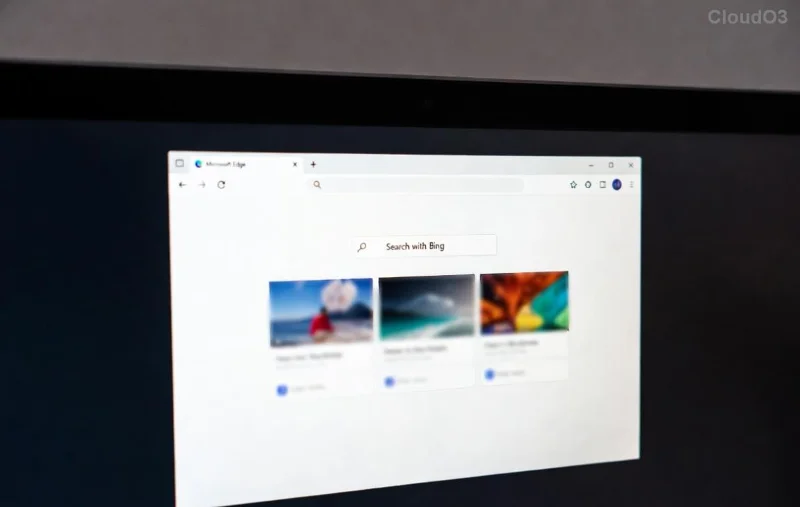
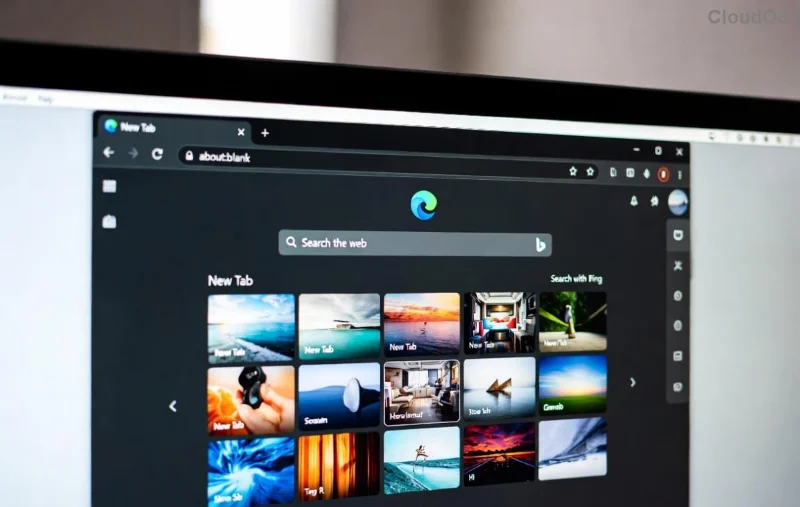
Microsoft Edge PDF viewer interface

Why Choose Microsoft Edge as Your Default PDF Viewer? ✨

  • Super Speed: Renders PDFs instantly without lag.
  • Built-in Tools: Highlight, draw, fill forms, and sign digitally.
  • Security First: Protected by Edge's latest defenses against malicious files.
  • Seamless Integration: Syncs with your Microsoft account for cross-device access.

Ready to switch? Let's dive into the steps. These work on the latest Windows versions, including Windows 11.

👉 Method 1: Quick Settings App (Easiest Way)

The fastest path to set Microsoft Edge as default PDF viewer—no hunting required!

  1. Press Windows + I to open Settings.
  2. Click Apps > Default apps.
  3. Scroll or search for .pdf in the "Set defaults for file types" section.
  4. Click the current app next to .pdf (e.g., Adobe Reader).
  5. Select Microsoft Edge from the list. Done! 🎉
Windows Default Apps settings for PDF

👉 Method 2: Right-Click Any PDF File

Got a PDF handy? Right-click magic incoming!

  1. Right-click a PDF file in File Explorer.
  2. Hover over Open with > Select Choose another app.
  3. Pick Microsoft Edge, check "Always use this app," and hit OK.

👉 Method 3: Advanced Control Panel (For Power Users)

Prefer the classic interface? Here's how:

  1. Search for Control Panel in the Start menu.
  2. Go to Default Programs > Set your default programs.
  3. Select Microsoft Edge > Click Set this program as default.

Troubleshooting Common Issues ❌

Edge not showing up? No worries—fix it fast:

Problem Quick Fix
Edge missing from list Update Edge via Settings > Apps > Microsoft Edge > Advanced options > Repair.
Changes not sticking Run sfc /scannow in Command Prompt (Admin).
Third-party app overrides Uninstall conflicting apps like old Adobe versions.
Troubleshooting Default PDF viewer in Edge

Pro Tips to Maximize Your Edge PDF Experience 💡

  • Use Edge's Reading View (F9) for distraction-free reading.
  • Enable Dark Mode in Edge settings for eye comfort.
  • Print to PDF or export annotations effortlessly.
  • Sync tabs across devices for on-the-go access.

FAQ: Your Burning Questions Answered

Q: Will this work on Mac?
A: Edge supports PDFs on Mac, but default settings are Windows-focused. Use System Preferences > Extensions for similar tweaks.

Q: Is Edge safer than Adobe for PDFs?
Yes! Microsoft's sandboxing blocks exploits better. For official details, check Microsoft's Edge support.

Congrats—you're now a Microsoft Edge PDF pro! PDFs will open blazingly fast every time. Share this guide if it helped, and drop a comment below for more tips. What's your favorite Edge feature? 👇
Leave a Comment

Fix Microsoft Edge OBS Studio Black Screen: Proven Solutions That Work Instantly!

Fix Microsoft Edge OBS Studio Black Screen: Proven Solutions That Work Instantly!

Struggling with Microsoft Edge OBS Studio black screen? Discover step-by-step fixes to resolve the black screen issue in OBS when capturing Edge tabs. Quick, reliable solutions for streamers and creators.

🚀 Unlock Blazing Speed: Fix & Master Microsoft Edge Ultimate Performance Settings Today!

🚀 Unlock Blazing Speed: Fix & Master Microsoft Edge Ultimate Performance Settings Today!

Struggling with slow Microsoft Edge? Discover how to enable and solve Ultimate Performance settings for lightning-fast browsing, reduced lag, and peak efficiency. Step-by-step guide with pro tips.

Dive Into Endless Waves: How to Play Microsoft Edge Surf Game Without Internet

Dive Into Endless Waves: How to Play Microsoft Edge Surf Game Without Internet

Master the addictive Microsoft Edge Surf game offline with our step-by-step guide. No Wi-Fi needed – perfect for flights, commutes, or anytime fun. Unlock high scores today!

🚀 Fix Microsoft Edge DNS Probe Finished No Internet Error FAST – Proven 2026 Solutions!

🚀 Fix Microsoft Edge DNS Probe Finished No Internet Error FAST – Proven 2026 Solutions!

Struggling with Microsoft Edge "DNS Probe Finished No Internet" error? Discover step-by-step fixes to restore your connection instantly. Quick, easy solutions that work!

🚀 Stop Microsoft Edge Auto-Start on Windows 10/11: Fastest Fixes for Snappier Boot Times!

🚀 Stop Microsoft Edge Auto-Start on Windows 10/11: Fastest Fixes for Snappier Boot Times!

Tired of Microsoft Edge launching at startup and slowing your Windows 10/11 PC? Discover proven methods to disable Microsoft Edge auto-start, reclaim resources, and boost performance instantly. Step-by-step guide with screenshots.

Fix Microsoft Edge Remote Desktop 0x204 Error FAST – 100% Working Solutions!

Fix Microsoft Edge Remote Desktop 0x204 Error FAST – 100% Working Solutions!

Struggling with Microsoft Edge Remote Desktop 0x204 Error? Get proven, step-by-step fixes to resolve it instantly. Clear cache, update Edge, and more for seamless RDP access. Works on latest Windows versions!

🚀 Ultimate Fix: Banish Microsoft Edge 15 Access Denied Error in Minutes!

🚀 Ultimate Fix: Banish Microsoft Edge 15 Access Denied Error in Minutes!

Tired of Microsoft Edge "15 Access Denied" error blocking your browsing? Follow our proven, step-by-step guide to fix it fast—clear cache, reset settings, disable extensions, and more for instant relief.

🚀 Fix Microsoft Edge Windows Hello PIN Reset Error Instantly – 2026 Proven Guide

🚀 Fix Microsoft Edge Windows Hello PIN Reset Error Instantly – 2026 Proven Guide

Stuck with Microsoft Edge "Windows Hello PIN" reset error? Discover step-by-step fixes to resolve Windows Hello PIN issues quickly, restore secure browsing, and prevent future glitches. Works on latest Windows updates!

🚀 Lost Edge Favorites? Restore Microsoft Edge Favorites After Sync Error in Minutes!

🚀 Lost Edge Favorites? Restore Microsoft Edge Favorites After Sync Error in Minutes!

Stuck with a Microsoft Edge favorites sync error? Discover proven, step-by-step methods to restore your lost bookmarks fast—no tech skills needed. Backup, re-sync, and recover everything!

🚀 Fix Microsoft Edge Motherboard Driver Compatibility Issues in Minutes – Proven Solutions!

🚀 Fix Microsoft Edge Motherboard Driver Compatibility Issues in Minutes – Proven Solutions!

Tired of Microsoft Edge crashing due to "Motherboard Driver" compatibility errors? Follow our step-by-step guide to resolve issues fast, boost performance, and enjoy smooth browsing. Updated with the latest fixes!