NTLite를 사용하여 업데이트로 Windows 사용자 지정 ISO를 만드는 방법

NTLite를 사용하여 Vultr 시스템과 호환되는 Windows 사용자 지정 ISO를 만드는 방법을 단계별로 설명합니다. 최신 드라이버와 업데이트 통합을 포함한 완벽 가이드.
AlternC는 웹 서버용으로 설계된 무료 제어판입니다. AlternC는 2000 년에 문을 닫을 때까지 무료 호스트 Altern이 사용하는 제어판의 포크입니다. 이제는 많은 비영리 호스팅 제공 업체가 유지 관리합니다.
AlternC는 오픈 소스이며 GitHub의 Git 저장소에서 찾을 수 있습니다. Debian Squeeze, Wheezy 또는 Jessie 서버에 Git을 설치해야합니다.
apt-get install git
다음으로 Git 저장소를 복제하자 :
git clone https://www.github.com/AlternC/easy-install.git
이제 설치 스크립트를 실행할 수 있습니다. 먼저 easy-install폴더 로 이동하십시오 .
cd easy-install
설치 스크립트를 실행 가능하게 만드십시오.
chmod +x install.sh
마지막으로 설치 스크립트를 실행하십시오.
./install.sh
=====                           Warning                            =====

This installation script helps to test or install AlternC for
the first time and / or don't know so much about Linux, network etc.

Using this script will provide a working installation, but if you need
something more specific you might prefer a custom installation.

To learn more about the choices made for this installer, please read
http://www.alternc.org/simpleInstaller

Do you want to continue the installation? (Y/n)
'Y'를 입력하고 Enter를 눌러 계속하십시오.
=====        Your AlternC server needs a public IP Address         =====

This makes it available on the web from everywhere in the world.

For your information, here are the internet addresses of this machine:

[YourServerIP]

Please provide the public IP address
AlternC는 이제 Vultr 서버의 퍼블릭 IP 주소가 필요합니다. 인터넷 주소가 하나만 표시되면 아마도 공용 IP 일 것입니다. my.vultr.com에서 다시 확인하십시오.
IP를 입력하고 Enter를 누르십시오.
=====              Your AlternC needs a domain name                =====

This domain name will be used to access the panel and send/receive mail.

You must use an original domain name dedicated for this purpose.
In other words, do not use a domain name intended to be your company or
personal website.
For example, 'example.com' is not good, unless your company is the
hosting service by itself. 'panel.example.com' will work better,
allowing you to still have your website on 'www.example.com'

If you are unsure, here are a few solutions:
1.  Create a subdomain dedicated to AlternC on a domain name you own
2.  Use the free AlternC.net domain name service

We recommand using the AlternC.net subdomain name if you are new to this.
You'll only need to request your subdomain on http://www.alternc.net and
point it to the IP address you just provided.
Your AlternC domain name might then look like 'example.alternc.net'

Do you want to use AlternC.net domain name service? (Y/n)
AlternC는 실행할 수있는 도메인 이름이 필요합니다. 이는 같은 하위 도메인 일 수도 있습니다 panel.example.com. AlternC는 무료 하위 도메인 서비스를 제공하지만 자체 (하위) 도메인을 설정하는 것이 좋습니다. Vultr 서버를 가리켜 야합니다.
(서브) 도메인을 직접 설정할 예정이므로 이제 'n'을 입력합니다.
  For your information, this server hostname is :
  alternc

  Please provide your AlternC domain name
AlternC의 (하위) 도메인을 여기에 입력하십시오 (예 : panel.example.com또는) example.com. AlternC 서버에서 호스팅하려는 (하위) 도메인이 될 수 없습니다.
=====              Your AlternC needs DNS Servers                =====

Domain Name Servers announce addresses of the domain names on the web.

If you don't have at least two name servers with minimal redundancy, we
highly recommand you the free service we provide (see http://alternc.net )

Do you want to use AlternC.net name servers ?(Y/n)
AlternC에는 DNS 서버가 필요합니다. 자체 DNS 서버가없는 경우 AlternC는 DNS 서버를 제공 할 수 있습니다. 이를 사용하려면 'Y'를 입력하고, 그렇지 않으면 'n'을 입력하십시오. 그들의 DNS 서버를 사용할 것입니다.
=====           Optional installation: roundcube webmail           =====

Roundcube is the webmail software proposed by AlternC.

We recommand adding it to your installation.

Would you like to install Roundcube? (Y/n)
Roundcube는 웹 메일에 널리 사용되는 소프트웨어입니다. 웹 메일을 사용하려는 경우 Roundcube를 사용하는 것이 좋습니다.
=====      Optional installation: mailman mailing list manager     =====

Mailman is the mailing list software proposed by AlternC.

Would you like to install Mailman? (Y/n)
AlternC는 메일 링리스트를 지원하므로 Mailman을 설치하는 옵션을 제공합니다. 메일 링리스트 나 Mailman을 사용하지 않을 것입니다.
AlternC는 필수 구성 요소 다운로드 및 설치가 시작됩니다. LAMP 스택과 AlternC가 의존하는 다른 모든 소프트웨어를 설치해야하므로 시간이 걸릴 수 있습니다.
설치 후 AlternC는 MySQL뿐만 아니라 제어판 자체의 사용자 이름과 비밀번호를 제공합니다. 예:
************************************************************
*                                                                         *
*               Admin account                               *
*               ------------                                      *
*                                                                         *
* user: admin             password: admin        *
*                                                                         *
* Please change this as soon as possible! *
*                                                                         *
************************************************************
MySQL의 경우 :
An important password has just been generated.

It is the mysql root (or master) password.

This password has been stored in the root directory : /root/.my.cnf

For your information this password is :

  x

Service apache2 is running OK

Service master is running OK

Service mysqld is running OK
이제 사용한 (서브) 도메인을 통해 AlternC에 액세스 할 수 있습니다.
관리자 패널 :
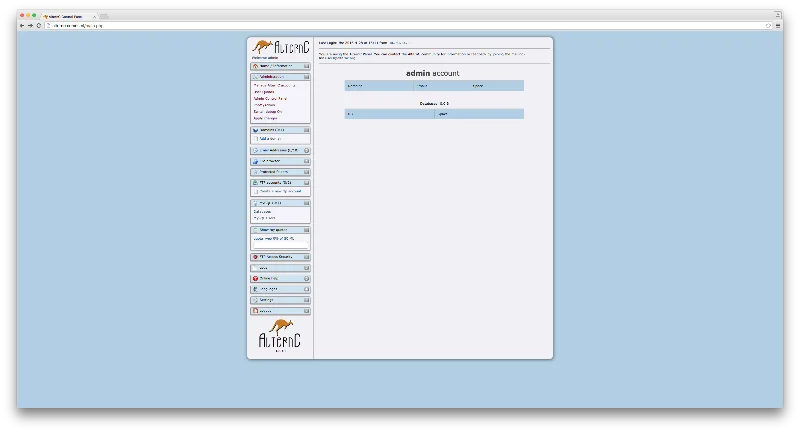
축하합니다. 이제 Vultr 서버에 AlternC를 성공적으로 설치했습니다!
NTLite를 사용하여 Vultr 시스템과 호환되는 Windows 사용자 지정 ISO를 만드는 방법을 단계별로 설명합니다. 최신 드라이버와 업데이트 통합을 포함한 완벽 가이드.
Vultr BGP 설정을 위한 단계별 튜토리얼. ASN 할당부터 IP 라우팅 구성, BIRD 데몬 설정, FreeBSD 특이사항 및 실전 문제 해결 팁 7가지 포함한 최종 가이드
WebDAV (Web Distributed Authoring and Versioning)를 이용한 원격 파일 작성을 위한 프레임워크로, WsgiDAV 설치 및 구성 방법을 안내합니다.
Mailcow는 DoveCot, Postfix 및 기타 여러 오픈 소스 패키지를 기반으로 하는 경량 메일 서버입니다. 데비안에서 Mailcow 설치 방법을 안내합니다.
랜섬웨어 공격이 증가하고 있지만 AI가 최신 컴퓨터 바이러스를 처리하는 데 도움이 될 수 있습니까? AI가 답인가? AI boone 또는 bane인지 여기에서 읽으십시오.
오픈 소스이자 무료 운영 체제인 ReactOS가 최신 버전과 함께 제공됩니다. 현대 Windows 사용자의 요구 사항을 충족하고 Microsoft를 무너뜨릴 수 있습니까? 이 구식이지만 더 새로운 OS 환경에 대해 자세히 알아보겠습니다.
Whatsapp은 마침내 Mac 및 Windows 사용자용 데스크톱 앱을 출시했습니다. 이제 Windows 또는 Mac에서 Whatsapp에 쉽게 액세스할 수 있습니다. Windows 8 이상 및 Mac OS 10.9 이상에서 사용 가능
인공 지능이 소규모 회사에서 어떻게 인기를 얻고 있으며 어떻게 인공 지능이 성장할 가능성을 높이고 경쟁자가 우위를 점할 수 있는지 알아보려면 이 기사를 읽으십시오.
최근 Apple은 문제를 해결하기 위해 macOS Catalina 10.15.4 추가 업데이트를 출시했지만 이 업데이트로 인해 Mac 컴퓨터의 브릭킹으로 이어지는 더 많은 문제가 발생하는 것 같습니다. 자세히 알아보려면 이 기사를 읽어보세요.
빅데이터의 13가지 상용 데이터 추출 도구