CO2 Regulator Bubble Counter Not Working: Setup

Fix an aquarium co2 regulator bubble counter that stays still, empties, or bubbles unevenly. Check assembly, leaks, pressure, tubing, and safe CO2 flow.
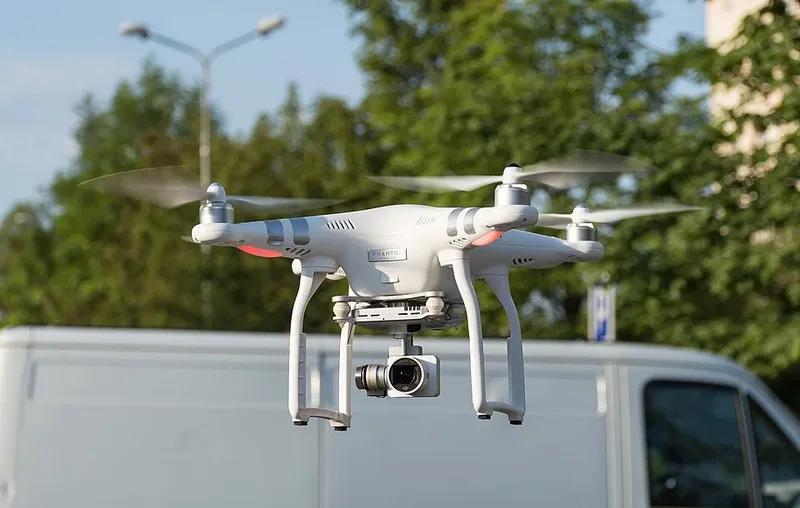
A dji mini 3 gimbal stuck after crash often points to a displaced camera mount, trapped debris, or damage to the gimbal arm. The most common cause is a bent or cracked gimbal support that prevents the camera from moving freely; calibration cannot straighten damaged parts.
The gimbal uses small motors and delicate suspension parts to stabilize the camera. A hard landing can jam that movement, damage a support, or pull a cable out of position. Avoid pushing the camera by hand: forcing it can worsen the damage.
| Possible cause | Typical symptom | Quick test |
|---|---|---|
| Debris or obstruction | Gimbal stops partway or clicks | With power off, inspect its travel area under good light. |
| Cracked or bent support | Camera hangs at an angle or sags | Look for cracks, gaps, or a visibly uneven arm. |
| Calibration issue | No visible damage; horizon is tilted | Run gimbal calibration while the aircraft is level. |
Turn off the aircraft and remove the battery before inspection. Check the camera, gimbal arms, suspension points, and surrounding shell for cracks, loose parts, sand, grass, or a cable that appears pinched. Use a flashlight and a soft brush for loose debris. If anything is visibly bent, cracked, or detached, stop here and arrange service; do not bend it back.
Take off the gimbal protector and any transport cover before powering on. Confirm that no tape, accessory, or loose piece touches the camera or restricts the arms. Place the drone on a flat, stable surface with open space around the camera, then start it normally. A complete startup movement without contact or repeated clicking confirms that an obstruction was likely the issue.
With the aircraft level, power it on and watch the gimbal without touching it. Note whether it moves through its normal startup check, stays limp, vibrates, or stops at the same point. A brief restart can clear a transient control fault, but repeated power cycling is not a repair for a jam. If it strains, clicks, or heats, switch it off.
Connect to the aircraft in DJI Fly and open the camera view. In the settings, look under Control for Gimbal Calibration; menu wording and location can vary, so check your model’s menu. Keep the aircraft motionless and level until calibration completes. A completion message and a level, responsive horizon confirm success. If calibration fails or the gimbal cannot move, do not keep retrying against resistance.
In the camera view, use the gimbal dial to tilt the camera gently through its range. Check whether the image responds smoothly and whether the horizon stays level. Smooth movement and a corrected horizon after calibration suggest the gimbal is working. Jerky motion, a persistent tilt, or no response suggests a mechanical or electrical fault; land immediately if the aircraft is already airborne.
With a stable connection and adequate battery charge, check DJI Fly for an aircraft or remote-controller firmware prompt. Follow the in-app instructions if an update or refresh is offered, and keep the aircraft stationary during the process. When it finishes, restart and repeat the startup check. Do not use unofficial firmware tools or interrupt an update to try to recover a jammed gimbal.
Choose professional inspection if the arms or mount are cracked, the camera hangs loose, calibration fails repeatedly, or the motors strain after the checks above. Share the crash details and any DJI Fly warning with DJI Support or an authorized service provider. Ask for an assessment before replacing the aircraft: a damaged gimbal assembly may be repairable, while a damaged aircraft frame or internal connection can change the repair choice. Avoid opening the assembly unless you have the right repair experience and tools.
No. Power the aircraft off and inspect for an obstruction without forcing the camera through its range. If it remains stuck, let a service provider assess it.
Calibration may fail if the aircraft is not level, the gimbal is obstructed, or impact damage prevents the camera from moving correctly. Clear only loose debris with the aircraft powered off, then try once on a level surface; stop if it still fails.
That depends on whether damage is limited to the gimbal or also affects the frame, wiring, or camera. Get a repair assessment before buying parts, since the impact may have caused damage that is not visible from the outside.
Remove any obstruction, run one careful calibration, and stop if the gimbal strains or shows impact damage. If it still will not move smoothly, contact DJI Support or an authorized repair provider and give them the crash details and calibration result.
Photo: Jacek Halicki / CC BY-SA 4.0 (Wikimedia Commons)
Fix an aquarium co2 regulator bubble counter that stays still, empties, or bubbles unevenly. Check assembly, leaks, pressure, tubing, and safe CO2 flow.
Fix an aquarium ato float switch stuck by checking buildup, movement, wiring, and controller status, then add safe ATO limits to reduce overflow risk.
Fix reef tank dosing pump calibration with a measured three-point check, tubing inspection, priming, controller steps, and a safe verification run.
Fix apex controller not connecting to wifi by checking AquaBus communication, network compatibility, signal, and Fusion status with practical steps you can try today.
Fix tractive not charging red light issues by checking the charger, contacts, power source, and battery condition, with practical tests to identify the cause.
Fix a tractive tracker not connected to network issue by checking coverage, charging, SIM status, and LTE compatibility before contacting Tractive support.
Fix a petlibro feeder not dispensing by checking food flow, portion settings, the motor, and app connection, with safe steps to confirm the cause.
Fix a Petlibro feeder camera icon that keeps flashing: check Wi-Fi, power, app status, and setup steps to bring the camera back online today.
Petlibro feeder won t connect to wifi? Check your model’s Wi-Fi band, router settings, app permissions, and pairing mode with these practical fixes.
Fix the litter robot 4 pinch detect error by checking the waste drawer, cleaning pinch contacts, reseating the bonnet, and safely testing the cycle.








