CO2 Regulator Bubble Counter Not Working: Setup

Fix an aquarium co2 regulator bubble counter that stays still, empties, or bubbles unevenly. Check assembly, leaks, pressure, tubing, and safe CO2 flow.
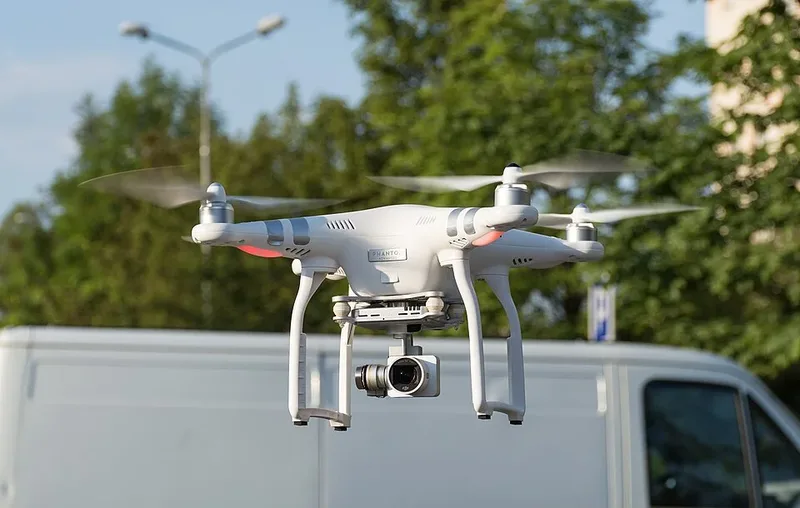
The DJI Mini 3 may show a “Power system hardware error” warning during startup or in flight, sometimes with a prompt to restart the aircraft. A poorly seated, damaged, or incompatible battery is a common cause, so check the battery and contacts before trying software resets.
The aircraft checks its battery and power components as it starts and while it operates. A warning can come from a connection problem or a fault the aircraft detects internally; restarting may clear a temporary issue, but it cannot repair damaged hardware.
If the warning appears in flight, prioritize a safe landing in a clear area. Do not continue a mission or take off again to see whether the warning returns. Once landed, switch off the aircraft and controller, and let the aircraft cool if it is warm. If you see smoke, smell burning, or notice a swollen battery, keep clear of it and follow local battery safety guidance.
Remove the battery only after the aircraft is powered off. Check for cracks, swelling, moisture, debris, or bent or discolored contacts on the battery and in the aircraft bay. Do not scrape, bend, or probe the contacts. Reinsert the battery firmly until it is latched, then power on and check whether the warning clears. Do not use a battery that looks damaged or has been exposed to liquid.
If you have another genuine battery listed as compatible with your Mini 3, test it after inspecting it and the battery bay. Do not force a battery that does not fit or rely on a third-party pack to diagnose the aircraft. If the warning appears only with one battery, stop using that pack and contact the seller or DJI support. If it appears with multiple known-good batteries, suspect an aircraft-side issue.
With a normal-looking battery installed, restart the aircraft and controller, then reconnect in the DJI Fly app. Read the complete alert and any troubleshooting prompt shown in the app; wording can vary by app and firmware version. If the warning is gone, check the aircraft status before a short, low-risk test flight in a permitted area. If it returns, land and stop flying until the cause is resolved.
In DJI Fly, connect to the aircraft and open the device or firmware update prompt if one appears. Follow the app’s instructions to check and install available firmware for the aircraft and controller. Keep the devices powered and connected as directed, and do not interrupt an update. Menu labels and update options can vary by controller and current versions. After the update completes, restart and see whether the warning returns.
Allow the aircraft and battery to return to a normal operating temperature before another check. Consider whether the warning began after a hard landing, impact, water exposure, battery change, or interrupted update. Do not open the aircraft, try to dry it with heat, or continue testing after an impact or liquid exposure; those conditions warrant professional inspection. Record when the alert appears and what changed beforehand.
If the warning remains with a compatible, undamaged battery after a restart and firmware check, stop flying and contact DJI support or an authorized service provider. Provide the exact alert text, aircraft and controller details, app and firmware versions shown in DJI Fly, and whether other batteries produce the same result. Share flight logs only through DJI’s requested support process. Avoid disassembly or unofficial repair, which can complicate diagnosis and create additional risk.
| Possible cause | Typical clue | Quick test |
|---|---|---|
| Battery not seated | Warning follows a battery change | Power off, reseat, and latch it |
| One battery is faulty | Warning appears with one pack only | Compare with a known-good compatible battery |
| Aircraft-side fault | Warning persists across batteries | Stop flying and request service |
No. Land safely if airborne, then stop flying while the warning persists. A restart clearing it is not proof that an underlying fault is repaired.
A restart or official firmware update may clear a temporary software issue, but it cannot fix a damaged battery, connector, or internal component. Try the checks above and seek service if the warning returns.
Inspect it for damage and confirm it is seated correctly with the aircraft powered off. If a known-good compatible battery works and the warning stays away, the original battery may be the cause; stop using it and ask DJI or the seller for guidance.
The dji mini 3 power system hardware error calls for a cautious battery check, one restart, and an official firmware check. If the alert persists or returns, keep the drone grounded and have DJI support or an authorized service provider inspect it.
Photo: Jacek Halicki / CC BY-SA 4.0 (Wikimedia Commons)
Fix an aquarium co2 regulator bubble counter that stays still, empties, or bubbles unevenly. Check assembly, leaks, pressure, tubing, and safe CO2 flow.
Fix an aquarium ato float switch stuck by checking buildup, movement, wiring, and controller status, then add safe ATO limits to reduce overflow risk.
Fix reef tank dosing pump calibration with a measured three-point check, tubing inspection, priming, controller steps, and a safe verification run.
Fix apex controller not connecting to wifi by checking AquaBus communication, network compatibility, signal, and Fusion status with practical steps you can try today.
Fix tractive not charging red light issues by checking the charger, contacts, power source, and battery condition, with practical tests to identify the cause.
Fix a tractive tracker not connected to network issue by checking coverage, charging, SIM status, and LTE compatibility before contacting Tractive support.
Fix a petlibro feeder not dispensing by checking food flow, portion settings, the motor, and app connection, with safe steps to confirm the cause.
Fix a Petlibro feeder camera icon that keeps flashing: check Wi-Fi, power, app status, and setup steps to bring the camera back online today.
Petlibro feeder won t connect to wifi? Check your model’s Wi-Fi band, router settings, app permissions, and pairing mode with these practical fixes.
Fix the litter robot 4 pinch detect error by checking the waste drawer, cleaning pinch contacts, reseating the bonnet, and safely testing the cycle.








