CO2 Regulator Bubble Counter Not Working: Setup

Fix an aquarium co2 regulator bubble counter that stays still, empties, or bubbles unevenly. Check assembly, leaks, pressure, tubing, and safe CO2 flow.
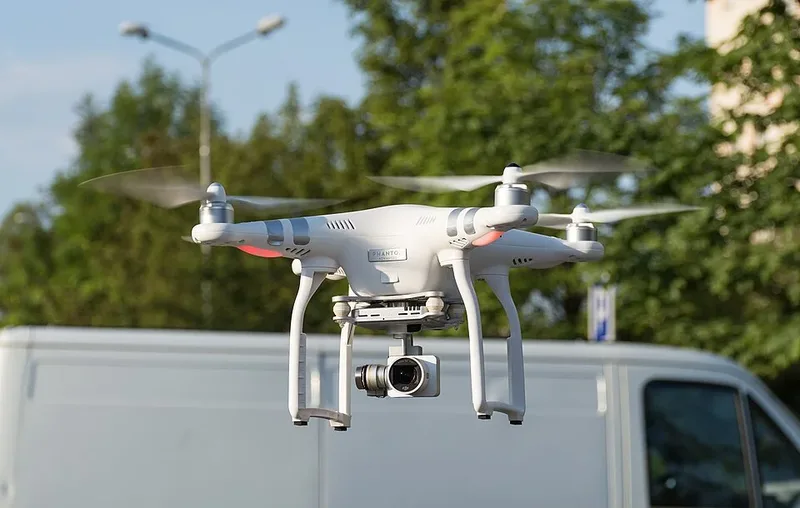
If your DJI RC 2 controller not charging, the most common cause is a USB-C cable or power source that is not delivering a compatible, steady charge. A loose connection or a power bank that has gone to sleep can make the controller appear unresponsive even when its battery is fine.
The RC 2 charges through its USB-C port, but the cable, adapter, and power source all need to maintain a reliable connection. USB-C connectors can fit physically without providing the charging behavior you expect.
| Possible cause | What you may notice | Quick test |
|---|---|---|
| Cable or adapter issue | No charging indication or intermittent response | Try a known-good USB-C cable and wall adapter |
| Power bank behavior | Charging stops after a short time | Use a wall outlet and adapter instead |
| Port obstruction or damage | Plug feels loose or works only at an angle | Inspect the port with a light; do not force the plug |
| Battery or internal fault | No response with multiple reliable chargers | Leave it connected briefly, then contact DJI support if unchanged |
Disconnect the controller, then inspect both cable ends for damage or looseness. Connect it directly to a wall adapter using a cable that you have confirmed charges another device. Avoid USB hubs, laptop ports, and extension adapters for this first test. Leave it connected for several minutes and look for a charging indicator or a battery-level change. If that works, replace the original cable or adapter.
Use a reputable USB-C PD wall charger if available, or test another suitable USB-C adapter. Some chargers and power banks do not maintain a stable output with every device; a power bank may also turn itself off. Test with the wall adapter directly, and make sure the controller is not being used as a power source for another device. A charging indicator that remains on and a rising battery level confirm the source is working.
Unplug the cable and reconnect it straight, without pressure on the connector. Check the RC 2 USB-C port for lint, dirt, moisture, or visible damage using a light. Do not insert metal tools or apply liquid; if debris is lodged inside, have it cleaned safely. A plug that seats firmly and charges without being held at an angle points to a resolved connection problem.
If the RC 2 is unusually hot or cold, disconnect it and let it reach room temperature before charging. Keep it out of direct sunlight and away from heaters while it cools. Then reconnect the charger and check whether charging begins. If it only charges after cooling, temperature was likely preventing normal battery charging.
If the battery was fully drained, connect the controller to a reliable wall charger and leave it undisturbed for a while before checking again. Avoid repeatedly unplugging it or trying to power it on during this period. If a charging indicator appears or the controller starts normally after remaining connected, the battery was likely deeply discharged. If there is still no response after a reasonable wait with a verified charger and cable, continue to the final checks.
Once the controller has enough charge to turn on, restart it normally. Check the battery indicator on the home screen, then leave it connected and see whether the displayed level increases. On current versions, menus and battery details can vary, so check your model's menu if you want a more detailed battery view. A rising level confirms that charging is occurring even if the initial indicator was easy to miss.
Do not continue charging if the controller or connector smells burnt, becomes unusually hot, shows swelling, or has a visibly damaged port. Disconnect it and contact DJI support or an authorized service provider. If several known-good cables and adapters produce no charging response, service can determine whether the port or battery needs repair.
The bank may not maintain a compatible output or may shut off when it detects low power draw. Test with a wall charger and a known-good USB-C cable. If the wall charger works, the power bank is the likely cause.
A suitable USB-C PD charger is a practical option, but charging depends on a reliable cable and power negotiation. Try another adapter if the controller does not show a charging indication. Check DJI's current guidance for your controller if you need model-specific charger requirements.
Repeat the test with a different known-good cable and wall adapter, and inspect the USB-C port for damage or obstruction. If there is still no response, stop charging and contact DJI support or an authorized service provider. Include which cables and adapters you tested.
Most DJI RC 2 charging problems come down to the cable, adapter, or an unreliable power bank, so test those first and confirm that the battery level rises. If multiple verified chargers fail or you see signs of damage, stop and arrange service.
Photo: Jacek Halicki / CC BY-SA 4.0 (Wikimedia Commons)
Fix an aquarium co2 regulator bubble counter that stays still, empties, or bubbles unevenly. Check assembly, leaks, pressure, tubing, and safe CO2 flow.
Fix an aquarium ato float switch stuck by checking buildup, movement, wiring, and controller status, then add safe ATO limits to reduce overflow risk.
Fix reef tank dosing pump calibration with a measured three-point check, tubing inspection, priming, controller steps, and a safe verification run.
Fix apex controller not connecting to wifi by checking AquaBus communication, network compatibility, signal, and Fusion status with practical steps you can try today.
Fix tractive not charging red light issues by checking the charger, contacts, power source, and battery condition, with practical tests to identify the cause.
Fix a tractive tracker not connected to network issue by checking coverage, charging, SIM status, and LTE compatibility before contacting Tractive support.
Fix a petlibro feeder not dispensing by checking food flow, portion settings, the motor, and app connection, with safe steps to confirm the cause.
Fix a Petlibro feeder camera icon that keeps flashing: check Wi-Fi, power, app status, and setup steps to bring the camera back online today.
Petlibro feeder won t connect to wifi? Check your model’s Wi-Fi band, router settings, app permissions, and pairing mode with these practical fixes.
Fix the litter robot 4 pinch detect error by checking the waste drawer, cleaning pinch contacts, reseating the bonnet, and safely testing the cycle.








