CO2 Regulator Bubble Counter Not Working: Setup

Fix an aquarium co2 regulator bubble counter that stays still, empties, or bubbles unevenly. Check assembly, leaks, pressure, tubing, and safe CO2 flow.
If your e-bike or scooter suddenly shuts off, shows a full battery but will not power the motor, or will not accept a charge, an e bike bms reset may seem like the obvious fix. The most common cause is a battery protection circuit temporarily disconnecting the output after detecting a low-voltage, overload, temperature, or charging condition—not a BMS that simply needs a generic reset.
A battery management system (BMS) monitors cell groups and controls charging and discharge. When a reading crosses a safety limit, the BMS may open its electronic switches and cut power. Some packs recover when the triggering condition clears; others require the charger or bike to wake them, and a persistent fault can indicate damaged cells, wiring, or electronics.
Turn the bike or scooter off and remove the battery only if the manufacturer designed it to be user-removable. Do not charge or attempt a reset if the pack is swollen, cracked, wet, unusually hot, leaking, smoking, or smells burnt. Keep it away from combustible materials and contact the manufacturer or a qualified battery service provider; do not open the sealed pack.
If the bike was used in extreme cold or after a hard climb, switch it off and let the battery rest indoors in a dry place. Do not use a heater or put a cold battery straight on charge. Once it reaches the manufacturer’s permitted charging temperature, retry; charging or operation that resumes normally suggests temperature protection was involved.
Confirm the charger is the specified type for your exact battery, then inspect the plug and charging port for dirt, bent contacts, looseness, or moisture. With the system off, connect the charger as the manual directs and observe its indicator. A normal charging indication and a battery display that begins to rise support a temporary cutoff or connection issue; an unexpected indicator pattern, no response, or a hot connector means stop and consult the model manual or service support.
Turn the system off, remove the battery if permitted, and check its external contacts and mount for debris, corrosion, or visible damage. Wipe dry accessible surfaces with a clean, dry cloth; do not scrape contacts or spray cleaner into the pack. Reinstall and lock the battery fully, then power on. A stable display and motor assist indicate the battery connection may have been the issue.
Switch the bike or scooter off, disconnect the charger, and wait briefly before turning it back on. If the battery has an external power button, use it only as described in the manual. Some systems also require the display or controller to be switched off separately; check your model’s instructions. If the display returns and stays on under light use, the system may have cleared a temporary state. This is a power cycle, not a universal BMS factory reset.
Use the normal display or companion app for your model to compare the battery level before and after charging, and note any message it reports. For example, use the official eBike Flow app only if your Bosch-equipped system supports it; Xiaomi and Ninebot owners should check the official app and manual for their specific model. On current versions, menus and available battery details vary. If the reading stays at zero, disappears, or the same warning returns, record the exact message for support rather than trying an undocumented reset.
If the bike has a manufacturer-supported diagnostic tool or service center, ask them to read battery and controller status for the exact model. Bafang displays and controllers vary by system, while Rad Power models may have model-specific troubleshooting steps; do not assume one brand’s reset procedure applies to another. A diagnostic result that identifies a battery fault or communication loss is evidence to service the pack, wiring, or controller rather than repeatedly cycling power.
| Possible cause | Typical symptom | Quick test |
|---|---|---|
| Temperature protection | Charging or assist stops after cold storage or heavy use | Let the battery reach its permitted operating range, then retry |
| Loose external connection | Display cuts out over bumps or battery reading vanishes | With power off, reseat the removable battery and inspect accessible contacts |
| Charger or port issue | Battery will not charge or charger indicator behaves unexpectedly | Verify the specified charger and inspect the dry, undamaged port |
| Cell or BMS fault | Cutoff returns, charge remains unavailable, or status stays abnormal | Request model-specific diagnostics; do not open the pack |
There is no universal reset sequence for e-bike batteries. Follow the manual for your exact battery and try only normal steps such as allowing it to reach a safe temperature, charging with its specified charger, and power cycling the bike. If the cutoff returns, arrange service.
Removing a user-removable battery and reinstalling it may clear a connection or system state, but it does not repair a cell fault. Do not disconnect internal battery wiring or open a sealed pack; that can cause shock, short circuit, fire, or further damage.
The display may show an earlier or estimated charge level while the BMS, battery connection, controller, or communication path prevents power delivery. Reseat accessible connections with the system off and check the model’s display or app for current battery status. If the symptom persists, request diagnostics.
An e bike bms reset can help only when the battery is in a recoverable protection or wake state; repeated cutoffs point to a fault that needs diagnosis. If these checks do not restore stable charging and assist, stop using the battery and contact the bike maker or a qualified service center with the model and observed symptoms.
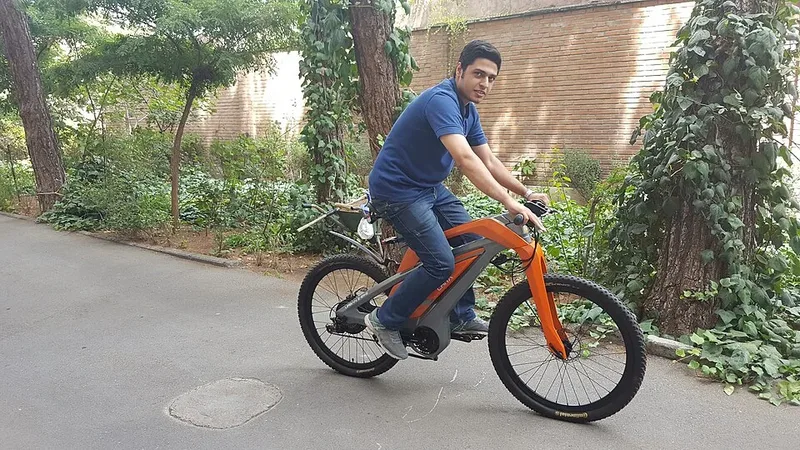
Photo: Freshman404 / CC BY-SA 4.0 (Wikimedia Commons)
Fix an aquarium co2 regulator bubble counter that stays still, empties, or bubbles unevenly. Check assembly, leaks, pressure, tubing, and safe CO2 flow.
Fix an aquarium ato float switch stuck by checking buildup, movement, wiring, and controller status, then add safe ATO limits to reduce overflow risk.
Fix reef tank dosing pump calibration with a measured three-point check, tubing inspection, priming, controller steps, and a safe verification run.
Fix apex controller not connecting to wifi by checking AquaBus communication, network compatibility, signal, and Fusion status with practical steps you can try today.
Fix tractive not charging red light issues by checking the charger, contacts, power source, and battery condition, with practical tests to identify the cause.
Fix a tractive tracker not connected to network issue by checking coverage, charging, SIM status, and LTE compatibility before contacting Tractive support.
Fix a petlibro feeder not dispensing by checking food flow, portion settings, the motor, and app connection, with safe steps to confirm the cause.
Fix a Petlibro feeder camera icon that keeps flashing: check Wi-Fi, power, app status, and setup steps to bring the camera back online today.
Petlibro feeder won t connect to wifi? Check your model’s Wi-Fi band, router settings, app permissions, and pairing mode with these practical fixes.
Fix the litter robot 4 pinch detect error by checking the waste drawer, cleaning pinch contacts, reseating the bonnet, and safely testing the cycle.








