CO2 Regulator Bubble Counter Not Working: Setup

Fix an aquarium co2 regulator bubble counter that stays still, empties, or bubbles unevenly. Check assembly, leaks, pressure, tubing, and safe CO2 flow.
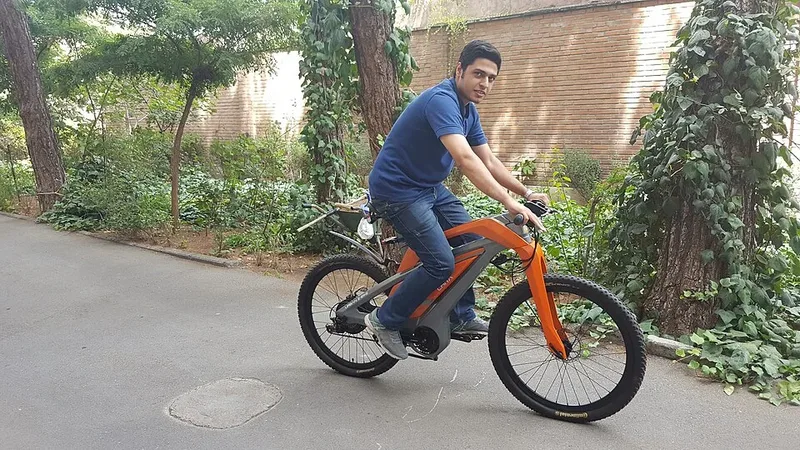
If your electric scooter throttle is not working, the most common cause is an engaged brake cutoff: the controller stops motor output while it detects braking. A loose throttle connector is another frequent cause, especially after a fall, transport, or handlebar adjustment.
The throttle sends a signal to the controller, which allows motor power only when the system is ready. A brake sensor, low battery, startup condition, wiring fault, or incompatible setting can prevent that signal from producing movement.
With the scooter powered off, release both brake levers and check that they return fully. Look for a lever that sticks, a displaced magnet, or a loose brake-sensor wire near the handlebar. If the display shows a brake indicator when neither lever is pulled, that points to an active cutoff. Do not bypass the sensor; repair or replace the faulty lever or sensor using the model's service instructions.
Turn it on and read the display for startup prompts, a lock state, or a warning. Some scooters require a push start before the throttle engages; others have model-specific unlock or ride-mode steps. Follow the owner's manual or the instructions in the manufacturer's app, if supported. If the throttle works after the required startup step or the display leaves its locked state, the motor was being inhibited as designed.
Charge the battery with the specified charger, then check that the battery is seated and its external connector is fully engaged. Inspect accessible wiring for pinched, frayed, wet, or burnt areas; do not open a battery pack. If the display dims, resets, or shuts off when you attempt to accelerate, battery voltage may be dropping under load or a power connection may be poor. Stop using it and have the battery or connection inspected if you see heat, swelling, or damage.
Power the scooter off and remove the key or disconnect the battery only if the manual describes that procedure. Find the throttle cable where it joins the handlebar harness or controller harness; connector locations vary by model. Check for a plug that has backed out, bent pins, corrosion, or a cable pulled tight at the steering stem. Reconnect only matching plugs, aligned correctly and without force. If the connector was loose and the throttle works after reseating it, that confirms the likely fault.
Open the manufacturer's app, if your scooter supports one, and check whether it is locked, in a mode that limits acceleration, or showing a service alert. Use the scooter's own display controls to select a permitted riding mode; menu names differ, so consult the model manual rather than guessing a path. On Bafang systems, check the display's assist level and whether the system is in a walk-assist or other mode that does not use the throttle as expected. If changing a documented setting restores throttle response, the configuration was the cause.
Note any warning shown on the display or in the app, and record it exactly before switching the scooter off. Check the owner's manual or manufacturer support for that specific indication. On an e-bike with a Bafang display, use its documented error display and troubleshooting procedure; do not assume codes are identical across displays or firmware. If a warning returns after a restart, share its exact wording and when it appears with a qualified technician.
| Possible cause | Typical symptom | Quick test |
|---|---|---|
| Brake cutoff | Brake indicator remains on or motor does not respond | Check lever return and brake status on the display |
| Loose throttle plug | Throttle stopped after impact or handlebar work | Inspect the accessible connector with power off |
| Low or weak battery | Display resets or power cuts out under load | Charge fully and observe whether the display stays on |
| Throttle or controller fault | Other checks pass but throttle still has no response | Ask a shop to test signals and controller safely |
If the scooter has a walk-assist function, use it only as described in the manual and with the drive wheel safely clear of the ground; never test a raised wheel while holding the throttle near it. A technician can measure the throttle signal and controller input without guessing or swapping parts.
An intermittent brake sensor, loose connector, or damaged cable can make the signal come and go as the handlebar turns or the scooter vibrates. Stop riding if the response is unpredictable, and have the wiring and sensor checked.
The display can power up even when a brake cutoff, startup requirement, locked state, or battery problem prevents motor output. Check the brake indication, startup instructions, and battery charge first.
Do not ride if acceleration is unreliable or the scooter starts unexpectedly. Use only an alternate riding control if the manufacturer explicitly supports it and the scooter remains safe to operate.
Work through the checks in order and stop if you find damaged wiring, a hot connector, or battery damage. If the electric scooter throttle is still not working, give a repair shop your model, the symptoms, and any exact display warning so it can test the throttle, brake sensor, battery, and controller.
Photo: Freshman404 / CC BY-SA 4.0 (Wikimedia Commons)
Fix an aquarium co2 regulator bubble counter that stays still, empties, or bubbles unevenly. Check assembly, leaks, pressure, tubing, and safe CO2 flow.
Fix an aquarium ato float switch stuck by checking buildup, movement, wiring, and controller status, then add safe ATO limits to reduce overflow risk.
Fix reef tank dosing pump calibration with a measured three-point check, tubing inspection, priming, controller steps, and a safe verification run.
Fix apex controller not connecting to wifi by checking AquaBus communication, network compatibility, signal, and Fusion status with practical steps you can try today.
Fix tractive not charging red light issues by checking the charger, contacts, power source, and battery condition, with practical tests to identify the cause.
Fix a tractive tracker not connected to network issue by checking coverage, charging, SIM status, and LTE compatibility before contacting Tractive support.
Fix a petlibro feeder not dispensing by checking food flow, portion settings, the motor, and app connection, with safe steps to confirm the cause.
Fix a Petlibro feeder camera icon that keeps flashing: check Wi-Fi, power, app status, and setup steps to bring the camera back online today.
Petlibro feeder won t connect to wifi? Check your model’s Wi-Fi band, router settings, app permissions, and pairing mode with these practical fixes.
Fix the litter robot 4 pinch detect error by checking the waste drawer, cleaning pinch contacts, reseating the bonnet, and safely testing the cycle.








