CO2 Regulator Bubble Counter Not Working: Setup

Fix an aquarium co2 regulator bubble counter that stays still, empties, or bubbles unevenly. Check assembly, leaks, pressure, tubing, and safe CO2 flow.
If your HDZero goggles show a black screen or “No Signal,” the most common cause is a mismatch between the goggles’ selected channel and the video transmitter’s channel. A wrong band or channel can look like a failed camera, even when the quad is powered and transmitting.
The video path runs from camera to HDZero VTX, then over radio to the goggles’ receiver. A break at any point can leave the display blank, and a receiver bind alone does not confirm that video is arriving.
Power the quad with its antenna attached, then open the goggles’ video receiver or channel menu. Select the same band and channel configured on the VTX; use the VTX’s button, display, or the configurator supported by your model to check its current setting. Menu labels vary, so check your model’s menu. A stable image after matching confirms a channel mismatch was the problem.
Use the goggles’ receiver or bind menu and follow the bind procedure for your HDZero receiver and goggles. Check the receiver’s status indicator or the goggles’ displayed link state, as described in that model’s manual. A successful bind confirms the control link between goggles and receiver, but video still requires the correct channel and a working VTX.
Disconnect the battery before inspecting wiring. Verify that the VTX is connected to the correct regulated voltage output for that model, and that ground and camera signal connections are secure. Do not assume every VTX accepts the same voltage. Reconnect power and check for the VTX’s normal status indication; if it has no sign of power, investigate the supply and wiring before changing channels.
Make sure the VTX antenna is firmly attached before powering the quad, and check the goggles’ receiver antennas are connected and undamaged. Use antennas intended for the relevant frequency band and connector. A damaged or missing antenna can weaken reception or risk damaging a transmitting VTX; a clear image at close range that breaks up as you move away points toward an antenna or reception issue.
With power disconnected, inspect the camera plug and signal wire between the camera and VTX. Confirm the camera is receiving its required power and that its video output goes to the VTX camera input, following the wiring diagram for your hardware. If the VTX is detected or shows normal status but the goggles remain blank, reseat the camera connection. A visible image after reseating suggests a loose connection; a known-good compatible camera can help isolate a failed camera.
Check the VTX status using its supported display, button, or configuration method. Confirm it is not in pit mode or another low-range state, and that its configured band and channel match the goggles. Follow the manufacturer’s guidance for power level and cooling; do not leave a VTX powered on without an antenna. A normal status and a picture at short range confirm transmission, while no status or no picture even with a matched channel suggests a power, setup, or hardware fault.
If available, test the goggles with a known-good compatible HDZero VTX, or test the quad with known-good compatible goggles. Change one component at a time and keep the channel consistent. If the known-good VTX displays correctly, focus on the quad’s original VTX, camera, and wiring; if neither setup works, check receiver compatibility and goggles configuration against the manuals.
| Possible cause | Typical symptom | Quick test |
|---|---|---|
| Channel mismatch | Blank screen despite powered quad | Set goggles to the VTX’s band and channel |
| Unbound receiver | No usable receiver link state | Run the model-specific bind procedure |
| Loose camera or VTX wiring | VTX appears powered, no picture | Reseat plugs with battery disconnected |
| Antenna or range issue | Intermittent image or short usable range | Inspect antennas and test nearby |
The goggles may be tuned to a different band or channel than the VTX, or the VTX may not be powered. Match the settings first, then check the antenna and camera-to-VTX wiring.
Binding applies to compatible receiver and goggles combinations and is separate from selecting the VTX channel. Follow the procedure for your specific hardware, then verify the channel independently.
A successful bind does not prove that the camera is sending video or that the VTX is transmitting on the selected channel. Check the channel, VTX power, camera signal wiring, and antennas in that order.
Most “No Signal” problems come down to a channel mismatch, an unpowered VTX, or a loose video connection. If these checks do not restore video, compare each component with a known-good compatible setup and consult the manuals for your exact goggles, receiver, camera, and VTX.
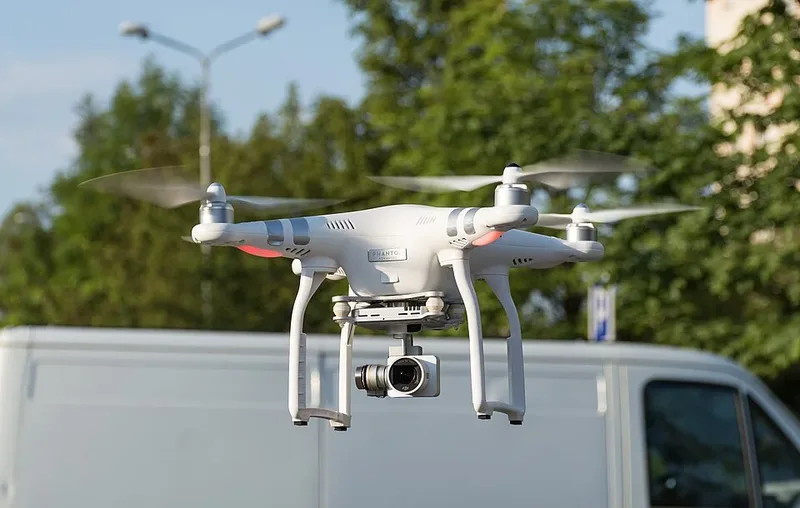
Photo: Jacek Halicki / CC BY-SA 4.0 (Wikimedia Commons)
Fix an aquarium co2 regulator bubble counter that stays still, empties, or bubbles unevenly. Check assembly, leaks, pressure, tubing, and safe CO2 flow.
Fix an aquarium ato float switch stuck by checking buildup, movement, wiring, and controller status, then add safe ATO limits to reduce overflow risk.
Fix reef tank dosing pump calibration with a measured three-point check, tubing inspection, priming, controller steps, and a safe verification run.
Fix apex controller not connecting to wifi by checking AquaBus communication, network compatibility, signal, and Fusion status with practical steps you can try today.
Fix tractive not charging red light issues by checking the charger, contacts, power source, and battery condition, with practical tests to identify the cause.
Fix a tractive tracker not connected to network issue by checking coverage, charging, SIM status, and LTE compatibility before contacting Tractive support.
Fix a petlibro feeder not dispensing by checking food flow, portion settings, the motor, and app connection, with safe steps to confirm the cause.
Fix a Petlibro feeder camera icon that keeps flashing: check Wi-Fi, power, app status, and setup steps to bring the camera back online today.
Petlibro feeder won t connect to wifi? Check your model’s Wi-Fi band, router settings, app permissions, and pairing mode with these practical fixes.
Fix the litter robot 4 pinch detect error by checking the waste drawer, cleaning pinch contacts, reseating the bonnet, and safely testing the cycle.








