CO2 Regulator Bubble Counter Not Working: Setup

Fix an aquarium co2 regulator bubble counter that stays still, empties, or bubbles unevenly. Check assembly, leaks, pressure, tubing, and safe CO2 flow.
If your Ninebot scooter shows error 21, the controller is not communicating properly with the battery or its battery management system (BMS). A loose, contaminated, or damaged battery connector is a common cause; a failed BMS or wiring fault can produce the same message.
The battery and controller exchange information about battery status and operation. Error 21 indicates that this communication has failed, but it does not identify which component is at fault. The likely mechanisms are:
Turn the scooter off and disconnect the charger. If the battery is unusually hot, swollen, leaking, smells chemical, or has been damaged in a crash, do not ride or charge it. Keep it away from combustible materials and arrange professional battery service.
If there are no warning signs, let the scooter cool and dry completely if it was recently wet. Restart it once. If error 21 returns, continue with the checks below rather than repeatedly cycling power.
Follow your model's manual for battery access. Do not open a sealed battery pack. With the scooter off and unplugged, inspect only accessible connectors for a gap, corrosion, dirt, moisture, bent pins, or a pin pushed back into the housing. Do not probe contacts with metal tools.
If the connector is designed to be user-removable, reseat it firmly according to the manual. A clean restart with no error is evidence that the connection was the issue. If the connector is damaged or the error remains, stop and seek service.
Check the charging-port cover, battery compartment area, and visible cable routing for moisture or signs of a hard impact. Do not use heat, sprays, or solvents to dry or clean electrical contacts. Allow exterior moisture to dry naturally, then retry once. If water may have entered the battery or controller compartment, leave the scooter off and have it inspected.
Open the official app for your scooter and connect over Bluetooth. Check the device page for battery status, warnings, or diagnostic details; labels and available information vary by model and app version. If the app cannot read battery status or repeats a communication warning, note that result for service. Do not change regional, firmware, or battery settings to try to clear the code.
Use these observations to decide whether the issue is likely a connection, charging, or battery problem. They are clues, not a substitute for model-specific diagnosis.
| Possible cause | Typical symptom | Quick test |
|---|---|---|
| Loose accessible connector | Error began after transport or service | Inspect and reseat only if the manual permits |
| Moisture or contamination | Error followed rain, washing, or damp storage | Power off; inspect for visible moisture without opening sealed parts |
| Battery or BMS fault | Battery status is unavailable or error persists after checks | Check diagnostics in the official app |
| Harness or controller fault | Error persists despite a sound visible connection | Have a technician inspect wiring and controller communication |
Check that the charger is intended for your exact scooter model, and inspect its cable and plug for damage. Charge in a dry, ventilated place while you can monitor it. If the charger indicates a fault, the battery becomes hot, or error 21 appears during charging, disconnect it and stop. Do not use another battery or charger as a test unless the manufacturer specifically approves the procedure.
If the code remains after the safe checks, contact Ninebot support or a qualified scooter technician. Provide the exact model, serial number, when the error started, any recent water exposure or repair, and what the app reports. Ask them to check the battery communication harness, connector, BMS response, and controller before replacing parts. The ninebot scooter error code 21 points to a communication problem, but it does not prove the battery itself needs replacement.
It indicates a communication problem between the scooter controller and battery system. The code alone cannot tell whether the cause is a connector, wiring, BMS, or controller issue.
Do not ride it while the error is active because the scooter may not be able to read battery information reliably. Turn it off and follow the safe checks in this guide.
A restart may clear a temporary communication interruption, but a recurring error needs diagnosis. Use only official app options for your model, and do not install unofficial firmware or reset battery settings to mask the warning.
Error 21 that clears after a permitted connector reseat may have been caused by a poor connection, but return of the code calls for inspection. If the safe checks do not resolve it, keep the scooter off and have a qualified technician diagnose the battery, wiring, and controller communication.
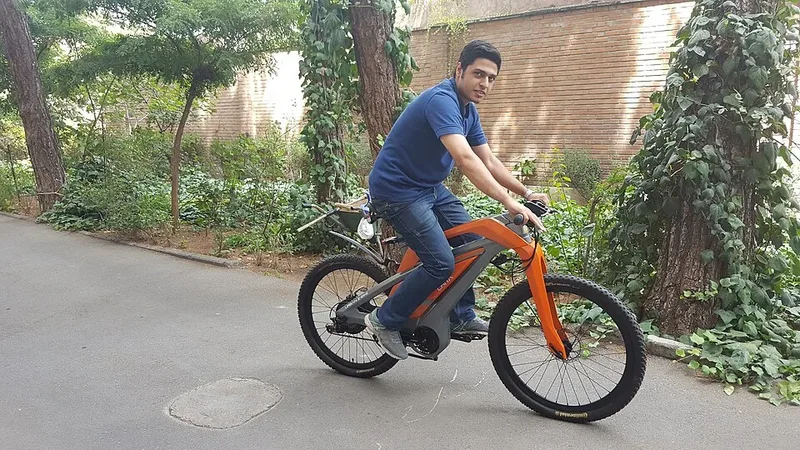
Photo: Freshman404 / CC BY-SA 4.0 (Wikimedia Commons)
Fix an aquarium co2 regulator bubble counter that stays still, empties, or bubbles unevenly. Check assembly, leaks, pressure, tubing, and safe CO2 flow.
Fix an aquarium ato float switch stuck by checking buildup, movement, wiring, and controller status, then add safe ATO limits to reduce overflow risk.
Fix reef tank dosing pump calibration with a measured three-point check, tubing inspection, priming, controller steps, and a safe verification run.
Fix apex controller not connecting to wifi by checking AquaBus communication, network compatibility, signal, and Fusion status with practical steps you can try today.
Fix tractive not charging red light issues by checking the charger, contacts, power source, and battery condition, with practical tests to identify the cause.
Fix a tractive tracker not connected to network issue by checking coverage, charging, SIM status, and LTE compatibility before contacting Tractive support.
Fix a petlibro feeder not dispensing by checking food flow, portion settings, the motor, and app connection, with safe steps to confirm the cause.
Fix a Petlibro feeder camera icon that keeps flashing: check Wi-Fi, power, app status, and setup steps to bring the camera back online today.
Petlibro feeder won t connect to wifi? Check your model’s Wi-Fi band, router settings, app permissions, and pairing mode with these practical fixes.
Fix the litter robot 4 pinch detect error by checking the waste drawer, cleaning pinch contacts, reseating the bonnet, and safely testing the cycle.








