CO2 Regulator Bubble Counter Not Working: Setup

Fix an aquarium co2 regulator bubble counter that stays still, empties, or bubbles unevenly. Check assembly, leaks, pressure, tubing, and safe CO2 flow.
Xiaomi scooter error 18 usually means the throttle signal is outside the range the controller expects. The most common cause is a throttle that is stuck, damaged, or not returning fully to its resting position—not a setting that needs adjustment.
The throttle sends a changing electrical signal to the controller. If the signal is implausible at startup or changes unpredictably, the controller may report an error and limit or prevent riding. Error definitions can differ across Xiaomi models and firmware, so check your model’s manual or app before replacing parts.
Park on level ground, switch the scooter off, and keep the rear wheel clear of people and objects. Do not hold or twist the throttle while powering on. Wait briefly, then switch it on and note whether error 18 returns before you touch the throttle. If it does, the fault may be in the signal, wiring, or controller rather than a riding setting. Do not ride if the scooter accelerates unexpectedly or the error persists.
With the scooter off, move the throttle through its normal travel and release it. It should move smoothly and return to its resting position without catching. Check for a displaced grip, debris, impact damage, or a cable or accessory pressing against the control. Do not force the throttle or open the handlebar assembly. If it sticks, correct an obvious external obstruction; a smooth, full return is the result that clears this check.
Turn the scooter off before inspecting it. Look along the handlebar and stem for pinched, cut, stretched, or exposed wires, especially near folding joints and places where the handlebar turns. Check only connectors that are designed to be user-accessible in your model’s manual; make sure they are seated and dry. Do not pull wires, probe pins, or disconnect a powered scooter. No visible damage and a firmly seated connector make a wiring fault less likely, but do not rule one out.
Open the official Xiaomi app paired with your scooter and look for the vehicle’s error details, device status, or firmware information. Compare the reported code with the manual for your exact model; do not assume every Xiaomi scooter uses the same code definition. If the manual identifies a throttle signal fault, follow its prescribed checks. A matching description confirms that throttle troubleshooting is relevant; an app showing normal status does not by itself prove the throttle is safe.
After the physical checks, switch the scooter off, wait a short time, and restart it with the throttle untouched. Avoid repeated rapid power cycling. If the code clears and does not return when the throttle is gently operated while stationary, the issue may have been temporary. If the code returns immediately, stop here and arrange diagnosis rather than attempting to ride through it.
| Possible cause | Typical symptom | Quick test |
|---|---|---|
| Throttle not at rest | Error appears at startup | Release it fully before restarting |
| Pinched or loose wiring | Intermittent code after handlebar movement | Inspect visible wiring with scooter off |
| Throttle sensor fault | Code returns despite free movement | Check model manual and app diagnostics |
| Controller input fault | Code persists after basic checks | Have a qualified technician diagnose it |
Do not use button combinations, unofficial apps, or undocumented calibration steps found for another Xiaomi model. A reset cannot repair a damaged sensor or wire, and an incorrect procedure can complicate diagnosis. Use a calibration option only if the official app or your exact model’s manual explicitly provides one, and follow its on-screen instructions. A completed official procedure with no returning code is the confirmation; if no such option is documented, skip this step.
If the code persists after the throttle returns freely, the visible wiring looks intact, and a safe restart changes nothing, contact Xiaomi support or a repairer familiar with your scooter model. Provide the exact model, the code, when it appears, and any recent impact, water exposure, or repair. Ask them to inspect the throttle signal and connector before considering controller replacement. Stop using the scooter until the fault is diagnosed.
On affected models, error 18 is associated with a throttle signal problem, but code definitions can vary by model or firmware. Confirm the meaning in your scooter’s manual or official app before ordering parts.
No, not if the code persists or the throttle behaves unpredictably. A throttle or controller signal fault can affect acceleration, so keep the scooter parked until the cause is resolved.
Try one safe restart with the throttle released after checking for an obstruction. If the code returns, do not rely on repeated resets; use only an official, model-specific calibration procedure or arrange service.
Check throttle return, visible wiring, and your exact model’s error description before deciding whether the fault needs a replacement part. If error 18 remains or the scooter’s response is abnormal, stop riding and have a qualified technician inspect it.
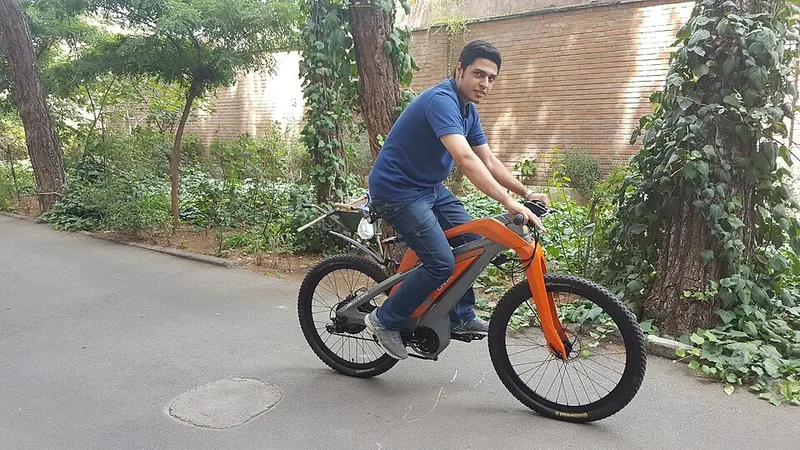
Photo: Freshman404 / CC BY-SA 4.0 (Wikimedia Commons)
Fix an aquarium co2 regulator bubble counter that stays still, empties, or bubbles unevenly. Check assembly, leaks, pressure, tubing, and safe CO2 flow.
Fix an aquarium ato float switch stuck by checking buildup, movement, wiring, and controller status, then add safe ATO limits to reduce overflow risk.
Fix reef tank dosing pump calibration with a measured three-point check, tubing inspection, priming, controller steps, and a safe verification run.
Fix apex controller not connecting to wifi by checking AquaBus communication, network compatibility, signal, and Fusion status with practical steps you can try today.
Fix tractive not charging red light issues by checking the charger, contacts, power source, and battery condition, with practical tests to identify the cause.
Fix a tractive tracker not connected to network issue by checking coverage, charging, SIM status, and LTE compatibility before contacting Tractive support.
Fix a petlibro feeder not dispensing by checking food flow, portion settings, the motor, and app connection, with safe steps to confirm the cause.
Fix a Petlibro feeder camera icon that keeps flashing: check Wi-Fi, power, app status, and setup steps to bring the camera back online today.
Petlibro feeder won t connect to wifi? Check your model’s Wi-Fi band, router settings, app permissions, and pairing mode with these practical fixes.
Fix the litter robot 4 pinch detect error by checking the waste drawer, cleaning pinch contacts, reseating the bonnet, and safely testing the cycle.








