πŸš€ Instant Fix: How to Fix Microsoft Teams Web App Browser Error in 2026

Encountering the dreaded Microsoft Teams "Web App" Browser Error? 😩 You're not aloneβ€”millions face this glitch when Teams fails to load in browsers like Chrome, Edge, or Firefox. It blocks meetings, chats, and productivity. But don't worry! This guide delivers quick, reliable fixes to resolve it fast. Follow these steps, and you'll be back online in minutes. Let's dive in! πŸ‘‡

πŸ•΅οΈβ€β™‚οΈ What Causes the Microsoft Teams "Web App" Browser Error?

Teams Web App relies on your browser for smooth performance. Common culprits include:

  • Corrupted browser cache and cookies.
  • Outdated browser versions.
  • Conflicting extensions (ad blockers, VPNs).
  • Site permissions issues.
  • Network glitches or firewalls.
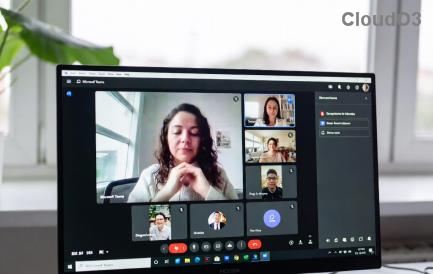
Microsoft Teams Web App Browser Error screenshot showing loading failure

Spot the error? It often shows as a blank screen, infinite loading, or "Something went wrong" message. Now, let's fix it! ⭐

1️⃣ Step-by-Step Guide: How to Fix Microsoft Teams "Web App" Browser Error

Start with the simplest fixesβ€”they work 80% of the time. Test Teams after each step. Ready? Go!

Step 1: Clear Browser Cache & Cookies πŸ‘†

The #1 fix! Stale data clogs Teams.

  1. Open browser settings (Chrome: three dots β†’ Settings β†’ Privacy β†’ Clear browsing data).
  2. Select All time for Cookies and Cached images/files.
  3. Click Clear data.
  4. Restart browser and reload teams.microsoft.com.

Pro tip: Do this weekly for peak performance! 😊

Step 2: Try Incognito/Private Mode

Extensions causing chaos? Bypass them!

  1. Chrome: Ctrl+Shift+N (Windows) or Cmd+Shift+N (Mac).
  2. Load Teams Web App.
  3. If it works, disable extensions one-by-one (Settings β†’ Extensions).

Step 3: Update Your Browser

Outdated browsers = errors. Ensure you're on the latest version:

Browser Update Steps
Google Chrome Three dots β†’ Help β†’ About Google Chrome (auto-updates).
Microsoft Edge Three dots β†’ Help & feedback β†’ About Microsoft Edge.
Firefox Menu β†’ Help β†’ About Firefox.
Step-by-step browser cache clearing for fixing Microsoft Teams Web App error

Step 4: Check Site Permissions & Notifications

Teams needs camera/mic access:

  1. Click lock icon in address bar β†’ Site settings.
  2. Enable Camera, Microphone, Notifications.
  3. Allow autoplay if blocked.

Step 5: Switch Browsers or Disable VPN/Firewall

Chrome issues? Try Edge (Teams' favorite). VPN slowing you? Turn it off temporarily. Firewall blocking? Whitelist teams.microsoft.com via Microsoft's official troubleshooter.

2️⃣ Advanced Fixes for Stubborn Microsoft Teams "Web App" Browser Error

If basics fail:

  • Reset Browser Settings: Chrome β†’ Advanced β†’ Reset (keeps bookmarks).
  • Disable Hardware Acceleration: Settings β†’ System β†’ Turn off "Use hardware acceleration."
  • Check Network: Run ipconfig /flushdns (Windows CMD) or restart router.
  • Teams-Specific: Log out everywhere, clear Teams cache (AppData\Roaming\Microsoft\Teams).

Still stuck? Microsoft recommends their browser troubleshooting page. πŸ‘

πŸ›‘οΈ Prevention Tips: Say Goodbye to Errors Forever!

  1. ⭐ Use Microsoft Edge or Chrome for best compatibility.
  2. Keep browsers auto-updated.
  3. Limit extensions to essentials.
  4. Regular cache clears (monthly).
  5. Stable internetβ€”no spotty Wi-Fi! πŸ“Ά

Bonus: Pin Teams Web App to taskbar for app-like feel (Chrome: three dots β†’ More tools β†’ Create shortcut β†’ Open as window).

πŸŽ‰ You're Fixedβ€”What's Next?

Congrats! Your Microsoft Teams "Web App" Browser Error is history. 🎊 Now crush those meetings. If issues persist, drop a comment belowβ€”we reply fast! Share this guide to help a colleague. Questions? We've got more tips on Teams optimization coming soon. Stay productive! πŸš€


Leave a Comment

πŸš€ Microsoft Teams Wiki Tab Not Loading? Fix It in 5 Minutes Flat!

πŸš€ Microsoft Teams Wiki Tab Not Loading? Fix It in 5 Minutes Flat!

Tired of the Microsoft Teams Wiki Tab Not Loading Error? Discover proven, step-by-step fixes to get your wiki tabs working instantly. No tech skills needed – updated for the latest Teams version.

πŸ”§ Fix Microsoft Teams Error 4oggx Instantly: Proven 2026 Solutions That Work!

πŸ”§ Fix Microsoft Teams Error 4oggx Instantly: Proven 2026 Solutions That Work!

Tired of Microsoft Teams Error 4oggx crashing your meetings? Discover step-by-step fixes to solve Microsoft Teams Error 4oggx fast. Clear cache, reset, reinstall & more for seamless teamwork. Updated with latest patches!

πŸ”§ Ultimate Fix: How to Fix Microsoft Teams Proxy Error on Windows 10 in Minutes!

πŸ”§ Ultimate Fix: How to Fix Microsoft Teams Proxy Error on Windows 10 in Minutes!

Struggling with Microsoft Teams proxy error on Windows 10? Discover proven, step-by-step solutions to fix proxy issues fast and restore seamless team collaboration. Works on the latest updates!

Where is Microsoft Teams in Outlook? Unlock the Missing Icon in Seconds! πŸ‘†

Where is Microsoft Teams in Outlook? Unlock the Missing Icon in Seconds! πŸ‘†

Frustrated because the Microsoft Teams icon vanished from Outlook? Learn exactly where is Microsoft Teams in Outlook, why it's missing, and how to locate the missing icon fast with our step-by-step guide for the latest versions. Fix it now!

Why Is Microsoft Teams So Slow? 10 Proven Tips to Speed It Up in 2026

Why Is Microsoft Teams So Slow? 10 Proven Tips to Speed It Up in 2026

Frustrated by laggy Microsoft Teams? Uncover why Microsoft Teams is so slow and unlock 10 battle-tested tips to speed it up in 2026 for buttery-smooth meetings and chats. Boost productivity now!

πŸš€ Instant Fix: Banish Administrator Has Disabled Chat Error in Microsoft Teams Forever!

πŸš€ Instant Fix: Banish Administrator Has Disabled Chat Error in Microsoft Teams Forever!

Struggling with the "Administrator Has Disabled Chat" error in Microsoft Teams? Discover proven, step-by-step fixes to restore your chats instantly. No tech skills needed – get back to seamless collaboration today!

Revolutionize Meetings: Ultimate Guide to Using Microsoft Teams Copilot for AI-Powered Magic

Revolutionize Meetings: Ultimate Guide to Using Microsoft Teams Copilot for AI-Powered Magic

Master Microsoft Teams Copilot for AI-powered meetings. Step-by-step guide to recaps, real-time insights, notes, and productivity boosts that transform your Teams experience. Unlock smarter collaboration now!

πŸš€ Fix Microsoft Teams Planner Error Tab: Ultimate Troubleshooting Guide 2026

πŸš€ Fix Microsoft Teams Planner Error Tab: Ultimate Troubleshooting Guide 2026

Stuck with Microsoft Teams "Planner Error" Tab? Discover proven steps to troubleshoot and resolve Planner tab issues in Teams quickly. Get back to seamless collaboration today!

πŸ”§ Instant Fix: Banish Microsoft Teams Win 7 Compatibility Error Forever!

πŸ”§ Instant Fix: Banish Microsoft Teams Win 7 Compatibility Error Forever!

Tired of the frustrating Microsoft Teams "Win 7" compatibility error blocking your meetings? Discover proven, step-by-step solutions to fix it quickly and restore smooth collaboration on any modern Windows PC. No tech expertise needed!

πŸš€ Fix Microsoft Teams Joining Error Meeting Full Instantly | Proven 2026 Guide

πŸš€ Fix Microsoft Teams Joining Error Meeting Full Instantly | Proven 2026 Guide

Stuck with Microsoft Teams "Joining Error" Meeting Full? Discover quick, proven fixes to resolve the issue in minutes. Step-by-step guide with tips to join meetings smoothly. No more frustration!