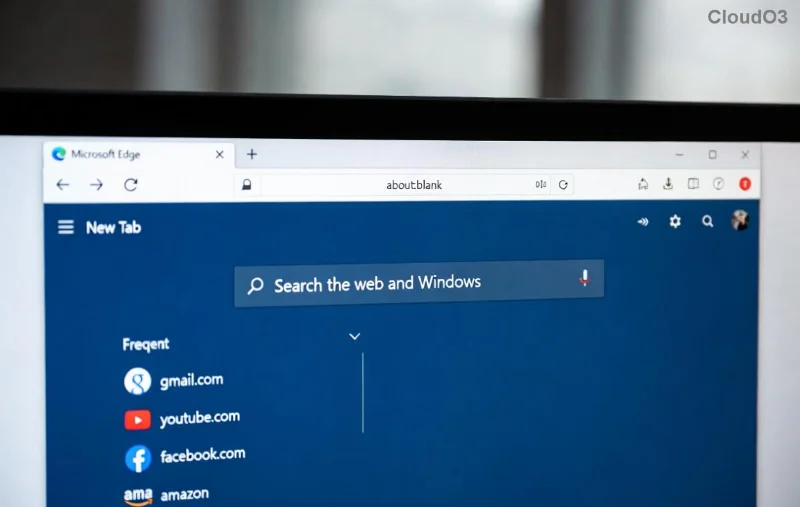
πŸ”’ Ultimate 2026 Guide: How to Set Up Microsoft Edge Parental Controls in Minutes!

Is your child spending hours on Microsoft Edge? In today's digital world, protecting young eyes from inappropriate content is a must. Microsoft Edge parental controls via Microsoft Family Safety make it simple to create a safe online space. This guide walks you through how to set up Microsoft Edge parental controls for 2026 with the newest features like enhanced AI filtering and real-time activity reports. Ready to safeguard your family? Let's dive in! πŸš€

Why Choose Microsoft Edge Parental Controls in 2026?

Microsoft's latest updates bring smarter tools: automatic site blocking, screen time limits, and app restrictionsβ€”all synced across devices. No more worrying about cyberbullying or adult sites. Parents love the intuitive dashboard for monitoring without invading privacy. Edge parental controls integrate seamlessly with Windows 11 and mobile apps, giving you peace of mind. πŸ’ͺ

<strong>Microsoft Edge Parental Controls</strong> dashboard overview

Prerequisites Before Setup

  • βœ… A Microsoft account for the parent (free at account.microsoft.com).
  • βœ… Child's Microsoft account (create one if needed).
  • βœ… Latest Microsoft Edge browser (version 2026+).
  • βœ… Family Safety app on Windows, iOS, or Android.

Step-by-Step: How to Set Up Microsoft Edge Parental Controls

Follow these numbered steps for a quick setup. It'll take under 10 minutes! πŸ‘†

1️⃣ Create or Join a Microsoft Family Group

  1. Sign in to your Microsoft account at account.microsoft.com/family.
  2. Click "Create a family group" or "Add a family member."
  3. Enter your child's email and send an invite. Approve from their side.

Pro tip: Use an child account under 13 for automatic restrictions. This unlocks full Edge parental controls.

2️⃣ Download and Link Family Safety App

  1. Install Microsoft Family Safety from Microsoft Store, App Store, or Google Play.
  2. Sign in with your parent account.
  3. Add your child's accountβ€”watch it sync instantly! ✨
Setting up <strong>Microsoft Family Safety</strong> for Edge controls

3️⃣ Enable Web & Search Filters in Edge

Feature How to Enable Benefit
Web Filtering Family Safety dashboard > Content filters > Web and search > Only filtered sites Blocks adult, violent content automatically.
SafeSearch Edge Settings > Privacy > Enable via Family Safety toggle Forces Google/Bing safe results. No explicit images!
Site Restrictions Add custom blocks: Dashboard > More options > Blocked sites Target specific sites like social media during homework.

Bonus: 2026's AI-powered filtering detects emerging threats in real-time. Test it by searching risky termsβ€”nothing slips through! 😎

4️⃣ Set Screen Time and App Limits

  1. In Family Safety: Activity > Screen time.
  2. Set daily limits (e.g., 2 hours browsing).
  3. Schedule downtime: Bedtime mode pauses Edge access.

Visual reports show usage graphsβ€”perfect for family discussions. πŸ“Š

5️⃣ Activate Location and Activity Reporting

  • Enable Location alerts for when kids leave safe zones.
  • Track Edge browsing history (opt-in onlyβ€”respect privacy!).
  • Get email summaries weekly. πŸ“§

Advanced Tips for 2026 Microsoft Edge Parental Controls

Want more power?

  • Multi-Device Sync: Controls work on PC, Xbox, Android/iOS Edge.
  • Passcode Protection: Kids can't disable via Settings > Accounts > Family.
  • YouTube & App Filters: Extend to apps beyond Edge.
  • Troubleshoot: If sync fails, restart Family Safety app or check Microsoft support.

Common Mistakes to Avoid ⭐

❌ Mistake βœ… Fix
Forgetting child account approval Check email invites promptly.
Not updating Edge Edge > Help > Aboutβ€”auto-updates to 2026 builds.
Ignoring reports Review weekly for patterns.

Final Thoughts: Empower Your Family Today!

Setting up Microsoft Edge parental controls for 2026 isn't just techβ€”it's parenting supercharged. With these steps, your kids explore safely while you stay informed. Start now, and enjoy worry-free browsing! Questions? Drop them in the comments. πŸ‘¨β€πŸ‘©β€πŸ‘§β€πŸ‘¦

Stay tuned for our next guide on advanced Family Safety customizations.


Leave a Comment

πŸš€ Fix Microsoft Edge Context Menu Slow Error: Ultimate Speed Boost Guide

πŸš€ Fix Microsoft Edge Context Menu Slow Error: Ultimate Speed Boost Guide

Tired of the Microsoft Edge "Context Menu Slow" error ruining your browsing? Discover proven, step-by-step troubleshooting fixes to restore lightning-fast right-click menus. Works on the latest Edge versions!

πŸš€ Fix Microsoft Edge Stream Deck App Not Opening: Ultimate Troubleshooting Guide 2026

πŸš€ Fix Microsoft Edge Stream Deck App Not Opening: Ultimate Troubleshooting Guide 2026

Struggling with Microsoft Edge Stream Deck App Not Opening? Discover proven troubleshooting steps to resolve crashes, freezes, and launch failures instantly. Get your Elgato Stream Deck integration back online fast!

πŸ”’ Ultimate 2026 Guide: How to Set Up Microsoft Edge Parental Controls in Minutes!

πŸ”’ Ultimate 2026 Guide: How to Set Up Microsoft Edge Parental Controls in Minutes!

Step-by-step tutorial on how to set up Microsoft Edge parental controls for 2026. Empower parents with Microsoft Family Safety to block harmful content, track activity, and ensure safe browsing for kids. Latest features included!

πŸš€ Fix Microsoft Edge Status_Stack_Overflow Error in Seconds – Ultimate 2026 Guide!

πŸš€ Fix Microsoft Edge Status_Stack_Overflow Error in Seconds – Ultimate 2026 Guide!

Tired of Microsoft Edge crashing with Status_Stack_Overflow? Follow our proven, step-by-step fixes to resolve the error fast, restore smooth browsing, and prevent future issues. Latest solutions included.

πŸ”§ Instant Fix: Banish Microsoft Edge PowerShell ISE Error 2026 Forever!

πŸ”§ Instant Fix: Banish Microsoft Edge PowerShell ISE Error 2026 Forever!

Tired of the frustrating Microsoft Edge 'PowerShell ISE' Error 2026 blocking your workflow? Discover proven, step-by-step fixes that work on the latest Windows builds. Get your browser running smoothly in minutesβ€”no tech expertise needed!

Fix Microsoft Edge Privacy Error & Connection Not Private Instantly – Proven 2026 Guide

Fix Microsoft Edge Privacy Error & Connection Not Private Instantly – Proven 2026 Guide

Struggling with Microsoft Edge "Privacy Error" or "Connection Not Private"? Discover step-by-step fixes to resolve these issues quickly and securely. Get back online without frustration.

πŸš€ Fix Error Code 403 Forbidden in Microsoft Edge: Proven Solutions That Work Instantly!

πŸš€ Fix Error Code 403 Forbidden in Microsoft Edge: Proven Solutions That Work Instantly!

Stuck with Error Code 403 Forbidden in Microsoft Edge? Follow our step-by-step guide to quickly resolve this issue. Clear cache, disable extensions, and more for seamless browsing. Updated with the latest fixes.

πŸš€ Uninstall Microsoft Edge via CMD: Fastest Step-by-Step Guide to Remove It Completely!

πŸš€ Uninstall Microsoft Edge via CMD: Fastest Step-by-Step Guide to Remove It Completely!

Master how to uninstall Microsoft Edge via Command Prompt (CMD) on Windows. Detailed, safe CMD commands to fully remove Edge – no bloatware left behind. Quick fixes for stubborn installs!

πŸš€ Fix WebView2 Error 0x80040c01 in Microsoft Edge: Proven Steps to Resolve It Fast!

πŸš€ Fix WebView2 Error 0x80040c01 in Microsoft Edge: Proven Steps to Resolve It Fast!

Struggling with WebView2 Error Code 0x80040c01 in Microsoft Edge? Discover proven troubleshooting steps, common causes, and quick fixes to get your apps running smoothly again. Step-by-step guide updated with the latest solutions.

How to Fix Microsoft Edge Bad Image Error on Windows 11: 7 Proven Steps

How to Fix Microsoft Edge Bad Image Error on Windows 11: 7 Proven Steps

Tired of the frustrating Microsoft Edge "Bad Image" Error on Windows 11 crashing your browser? Follow our step-by-step guide with proven fixes to resolve it fast and browse without interruptions. Works on the latest updates!