🚀 Fix Edge Browser Security Plugin Errors Instantly: Ultimate Troubleshooting Guide

Encountering frustrating Edge browser security plugin errors? You're not alone. These glitches—like blocked sites, crashes, or nagging warnings—can disrupt your browsing and compromise security. But don't worry! This guide delivers quick, reliable fixes to get your Microsoft Edge back on track. Follow these steps, and you'll be surfing securely in minutes. Let's dive in! 😊
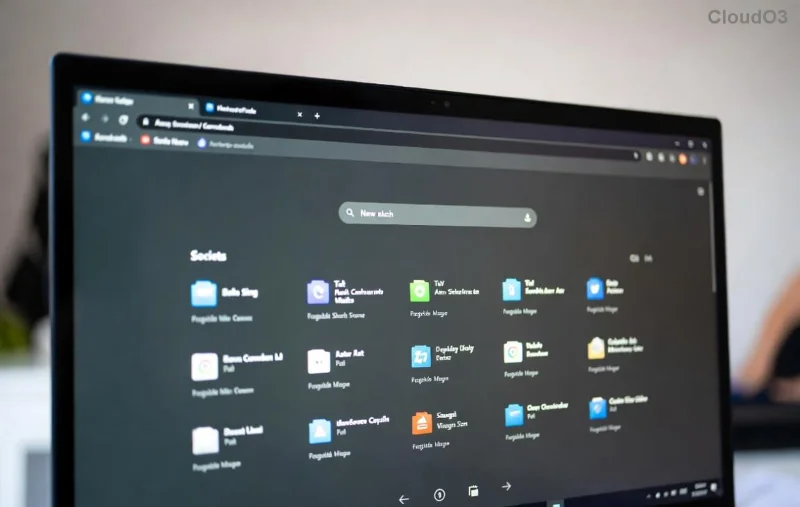
Visual of common Edge browser security plugin error popup

⚠️ Common Causes of Edge Browser Security Plugin Errors

Understanding the root issues speeds up resolution. Here's a breakdown:

Error Type Symptoms Likely Cause
Plugin Crash Edge freezes or extension icon shows error Outdated extension or conflicts
Site Block "Blocked by security plugin" message Over-aggressive filtering or false positives
Warning Popups Constant alerts despite safe sites Cache buildup or permission issues
Load Failure Plugin won't load after Edge update Incompatibility with latest Edge version

Pro tip: Security plugins (e.g., antivirus extensions like Norton or Avast) often clash with Edge's built-in defenses. Spot your issue? Great—now let's fix it! 👆

1️⃣ Step-by-Step Troubleshooting Edge Browser Security Plugin Errors

Start with basics and escalate. Test after each step to confirm resolution.

Step 1: Quick Restart and Refresh

  1. Close all Edge windows (use Task Manager: Ctrl+Shift+Esc, end "msedge.exe" tasks).
  2. Reopen Edge and reload the page (Ctrl+F5).
  3. Why it works: Clears temporary glitches.

Step 2: Clear Cache and Data

Corrupted data is a top culprit.

  1. Go to edge://settings/clearBrowserData.
  2. Select "All time" for Cached images/files and Cookies.
  3. Click Clear now.

Edge will restart fresh—many users report instant fixes here! ✨

Screenshot guide for clearing Edge browser cache to fix security plugin errors

Step 3: Update Edge and Plugins

Edge's latest builds (Chromium-based) include security patches that resolve plugin conflicts.

  1. Update Edge: edge://settings/help → Check for updates.
  2. Update Extensions: edge://extensions/ → Toggle Developer mode → Update.

Step 4: Disable and Re-enable Plugins

  1. Navigate to edge://extensions/.
  2. Toggle off your security plugin → Restart Edge → Test browsing.
  3. If smooth, re-enable and check for updates.

💡 Isolate conflicts: Disable all extensions, then re-enable one-by-one.

Step 5: Reset Extension Permissions

For stubborn blocks:

  1. Right-click extension icon → Manage → Site access → Reset to "Ask".
  2. Visit affected sites and grant permissions selectively.

🔧 Advanced Fixes for Persistent Edge Browser Security Plugin Errors

If basics fail, level up:

  • Run Edge in InPrivate Mode: Ctrl+Shift+N. If no errors, it's profile data—create a new profile via edge://settings/profiles.
  • Reset Edge Settings: edge://settings/reset → Restore settings to defaults (keeps bookmarks).
  • Check Antivirus Conflicts: Temporarily disable desktop AV software—many integrate with Edge plugins.
  • Safe Mode Boot: Restart Windows in Safe Mode to rule out system interference.
Quick Command-Line Fix What It Does
edge://extensions/ Manage all plugins
--disable-extensions (Run Edge with flag) Bypass plugins for testing

For official guidance, visit Microsoft Edge Support.

🛡️ Prevention Tips: Stay Error-Free Long-Term

Lock in security without headaches:

  • ⭐ Enable auto-updates for Edge and extensions.
  • ⭐ Use only trusted plugins from Microsoft Edge Add-ons store.
  • ⭐ Regularly scan for malware via Windows Security.
  • ⭐ Backup important extensions before major updates.

Bonus: Edge's built-in Enhanced Security Mode (edge://settings/privacy) often outperforms third-party plugins—try it!

Still Stuck? Next Steps

If errors persist, share details in Edge forums or contact plugin support. You've got this—your secure browsing awaits! Questions? Drop a comment below. Happy browsing! 🎉
Leave a Comment

🚨 Lost Edge Favorites? Restore Microsoft Edge Favorites After Sync Error in Minutes!

🚨 Lost Edge Favorites? Restore Microsoft Edge Favorites After Sync Error in Minutes!

Facing a Microsoft Edge sync error with missing favorites? Discover proven steps to restore Microsoft Edge favorites fast—no tech skills needed. Fix Edge bookmarks sync issues today!

🚀 Fix Microsoft Edge Unable to Connect to Proxy Server Error in Minutes – 100% Working Fixes!

🚀 Fix Microsoft Edge Unable to Connect to Proxy Server Error in Minutes – 100% Working Fixes!

Tired of the frustrating Microsoft Edge "Unable to Connect to Proxy Server" error blocking your browsing? Discover simple, proven step-by-step fixes to resolve it fast – no tech expertise required. Get back online now!

How to Permanently Disable Microsoft Edge WebView2 Runtime Forever – Proven 2026 Guide

How to Permanently Disable Microsoft Edge WebView2 Runtime Forever – Proven 2026 Guide

Struggling with Microsoft Edge WebView2 Runtime hogging resources? Discover proven steps to permanently disable Microsoft Edge WebView2 Runtime on Windows. Stop reinstalls, reclaim performance – expert guide inside!

🚀 Fix Microsoft Edge WebSocket Error FAST: Unlock Real-Time Apps Like Chat & Gaming!

🚀 Fix Microsoft Edge WebSocket Error FAST: Unlock Real-Time Apps Like Chat & Gaming!

Tired of Microsoft Edge WebSocket Error crashing your real-time apps? Follow our step-by-step guide to fix WebSocket connection issues in Edge for smooth live chats, gaming, and updates—no tech skills needed!

Fix Sync is Not Available for Your Account in Edge Browser – Proven Solutions That Work Instantly!

Fix Sync is Not Available for Your Account in Edge Browser – Proven Solutions That Work Instantly!

Tired of the frustrating "Sync is Not Available for Your Account" error in Microsoft Edge? Discover step-by-step fixes to restore seamless syncing, from quick checks to advanced resets. Get your bookmarks, passwords, and settings back online today!

🚀 Effortless Guide: How to Transfer Microsoft Edge Bookmarks to a New Computer in Minutes

🚀 Effortless Guide: How to Transfer Microsoft Edge Bookmarks to a New Computer in Minutes

Discover simple, step-by-step methods to transfer Microsoft Edge bookmarks to a new computer. Use sync, export/import, or backups for seamless migration—no data loss guaranteed!

Stop Microsoft Edge Battery Drain in 2026: Proven Fixes to Save Your Laptop Battery Life

Stop Microsoft Edge Battery Drain in 2026: Proven Fixes to Save Your Laptop Battery Life

Struggling with Microsoft Edge laptop battery drain in 2026? Discover step-by-step troubleshooting for Microsoft Edge battery drain, efficiency mode tweaks, and tips to extend battery life by hours. Fix it now!

🚀 Ultimate Guide: How to Fix Microsoft Edge Safe Mode Networking Error Instantly!

🚀 Ultimate Guide: How to Fix Microsoft Edge Safe Mode Networking Error Instantly!

Struggling with Microsoft Edge "Safe Mode Networking" Error? Discover proven, step-by-step fixes to restore full browsing in minutes. No tech skills needed – get back online fast!

🚀 Fix Microsoft Edge Winaero Tweaker Settings Error in Minutes – Proven 2026 Guide!

🚀 Fix Microsoft Edge Winaero Tweaker Settings Error in Minutes – Proven 2026 Guide!

Tired of the frustrating Microsoft Edge Winaero Tweaker Settings Error? Discover step-by-step fixes to solve Microsoft Edge "Winaero Tweaker" Settings Error quickly. Restore smooth browsing without losing data – works on latest Windows!

🚀 Ultimate 2026 Guide: Fix Microsoft Edge Protocol Errors in Minutes – No Tech Skills Needed!

🚀 Ultimate 2026 Guide: Fix Microsoft Edge Protocol Errors in Minutes – No Tech Skills Needed!

Tired of Microsoft Edge protocol errors crashing your browsing in 2026? Get proven, step-by-step fixes for ERR_PROTOCOL_ERROR, connection resets, and more. Restore smooth surfing today!