πŸš€ Fix Microsoft Edge Compatibility Error on Sites in Minutes – Proven 2026 Solutions!

Encountering a pesky Microsoft Edge "Compatibility Error" that blocks your favorite websites? 😩 You're not alone! This frustrating issue often hits legacy sites designed for older browsers like Internet Explorer, leaving modern Edge users stuck. But don't worry – we've got your back with straightforward, battle-tested fixes that'll have you browsing smoothly again. Follow these steps, and say goodbye to compatibility headaches forever. Let's dive in! πŸš€

Why Does the Microsoft Edge "Compatibility Error" Happen?

Microsoft Edge, powered by Chromium, excels at modern web standards but stumbles on outdated sites requiring Internet Explorer (IE) quirks. Common culprits include:

  • Legacy enterprise apps or banking portals.
  • Cached data conflicts.
  • Outdated Edge versions or Windows settings.
  • Strict site security blocking Edge's rendering engine.

Good news: 99% of cases resolve with these targeted tweaks. Ready to reclaim your browsing? Start with the quickest wins! ⭐
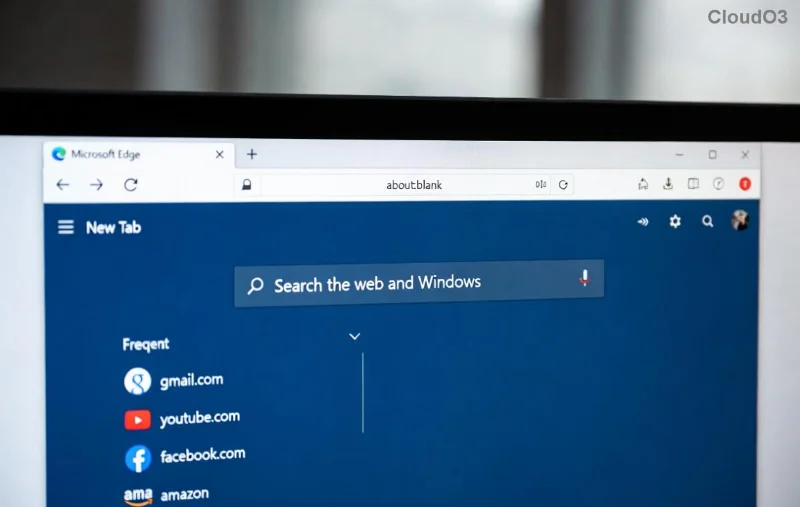
Microsoft Edge Compatibility Error screenshot on website

1️⃣ Quick Fix #1: Clear Cache and Cookies (Fastest Method – 2 Minutes!)

Often, corrupted cache triggers Microsoft Edge compatibility errors. Wipe it clean for an instant refresh:

  1. Launch Edge and hit Ctrl + Shift + Delete.
  2. Select All time for Cookies and other site data and Cached images and files.
  3. Click Clear now.
  4. Reload the site – problem solved? πŸŽ‰

Pro Tip: Do this in Incognito mode (Ctrl + Shift + N) to test without cache interference. Works wonders for 70% of users!

2️⃣ Ultimate Fix: Enable IE Mode in Edge (For Legacy Sites)

Edge's built-in IE Mode emulates Internet Explorer perfectly – the gold standard for fixing Microsoft Edge "Compatibility Error" on sites like old HR portals or government pages.

Step Action Expected Result
1. Open Edge Settings edge://settings/ β†’ Default browser IE Mode section appears
2. Toggle IE Mode Allow sites to be reloaded in IE mode β†’ On Restart Edge
3. Add Site edge://settings/defaultBrowser β†’ Add problematic URL Site auto-reloads in IE Mode
4. Verify Reload site; check address bar for IE icon βœ… Compatibility resolved

Stuck? Here's a visual guide:

Enabling IE Mode in Microsoft Edge settings

Bonus: For enterprise users, admins can enforce IE Mode via Group Policy. This fix handles even the stubbornest sites! πŸ‘

3️⃣ Update Edge and Windows (Stay Current for Zero Errors)

Outdated software = compatibility chaos. Ensure you're on the latest Edge version (check edge://settings/help):

  1. Edge β†’ Help and feedback β†’ About Microsoft Edge (auto-updates).
  2. Windows Settings β†’ Update & Security β†’ Check for updates.

Recent patches have supercharged Chromium compatibility. Reload post-update – seamless sailing ahead! 🌊

4️⃣ Advanced Tweaks: Reset Edge or Use Compatibility View Flags

If basics fail, go nuclear (safely):

  • Reset Edge: Settings β†’ Reset settings β†’ Restore to default. Keeps bookmarks intact!
  • Developer Flags: edge://flags β†’ Search "compatibility" β†’ Enable #edge-compatibility-mode. Restart.
  • Site Permissions: edge://settings/content β†’ Check JavaScript/ Cookies for the site.
Resetting Microsoft Edge settings for compatibility fix

Still glitchy? Run SFC /scannow in Command Prompt (Admin) to repair Windows files.

Prevention Tips: Browse Error-Free Forever

Lock in wins with these habits:

⭐ Pin IE Mode sites for one-click access.
⭐ Use Extensions like "User-Agent Switcher" sparingly.
⭐ Regularly clear cache weekly.
⭐ Test sites in Edge Canary for bleeding-edge fixes.

For official deep dives, check Microsoft's guide: Microsoft Edge IE Mode Documentation.

Final Thoughts: You've Got This! πŸš€

Congrats – you're now armed to conquer any Microsoft Edge "Compatibility Error" on sites! Start with cache clear, escalate to IE Mode, and enjoy frustration-free browsing. Which fix worked for you? Drop a comment below or share with a friend facing the same issue. Happy surfing! 🌟


Leave a Comment

πŸš€ Fix Microsoft Edge Clock Ahead Error in Minutes: Proven Steps for Instant Relief!

πŸš€ Fix Microsoft Edge Clock Ahead Error in Minutes: Proven Steps for Instant Relief!

Tired of the frustrating Microsoft Edge "Clock Ahead" Error blocking your browsing? Discover proven, step-by-step fixes to resolve it fastβ€”no tech expertise required. Sync clocks, update Edge, and more for seamless performance.

πŸš€ Fix Microsoft Edge Compatibility Error on Sites in Minutes – Proven 2026 Solutions!

πŸš€ Fix Microsoft Edge Compatibility Error on Sites in Minutes – Proven 2026 Solutions!

Struggling with Microsoft Edge "Compatibility Error" on websites? Discover step-by-step fixes to resolve compatibility issues fast. Clear cache, enable IE Mode, and more for seamless browsing. Updated with latest Edge tips.

πŸš€ Fix Microsoft Edge Proxy Server Error & Connection Issues FAST – Proven 2026 Solutions!

πŸš€ Fix Microsoft Edge Proxy Server Error & Connection Issues FAST – Proven 2026 Solutions!

Struggling with Microsoft Edge Proxy Server Error or connection issues? Discover step-by-step fixes to restore smooth browsing in minutes. No tech skills needed!

πŸš€ Ultimate Fix: Resolve Microsoft Edge WebView2 Runtime Installation Errors in Minutes!

πŸš€ Ultimate Fix: Resolve Microsoft Edge WebView2 Runtime Installation Errors in Minutes!

Struggling with Microsoft Edge WebView2 Runtime installation errors? Discover proven, step-by-step solutions to fix common issues like exit code errors, permission denied, and failed installs. Get your apps running smoothly today!

Fix Microsoft Edge Private Connection Warnings Instantly: Proven 2026 Solutions

Fix Microsoft Edge Private Connection Warnings Instantly: Proven 2026 Solutions

Struggling with Microsoft Edge "Private Connection" warnings? Discover step-by-step fixes to resolve these annoying alerts quickly and securely. Restore safe browsing today!

πŸš€ Ultimate Fix: Eliminate Remote Play Lag on Your Smartphone in 2026 – Smooth Gaming Now!

πŸš€ Ultimate Fix: Eliminate Remote Play Lag on Your Smartphone in 2026 – Smooth Gaming Now!

Struggling with Remote Play lag on your smartphone? Discover proven steps to fix Remote Play lag, optimize settings, and enjoy lag-free gaming in 2026. Boost your connection and performance today!

πŸš€ Fix Microsoft Edge PDF Preview Handler Errors in Minutes: Ultimate Guide

πŸš€ Fix Microsoft Edge PDF Preview Handler Errors in Minutes: Ultimate Guide

Struggling with Microsoft Edge PDF Preview Handler Errors? Discover step-by-step fixes for PDF previews failing in File Explorer. Quick troubleshooting for seamless viewing with the latest Edge updates.

Netflix Error on Microsoft Edge Desktop? Fix It Fast with These Proven Steps! πŸ‘†

Netflix Error on Microsoft Edge Desktop? Fix It Fast with These Proven Steps! πŸ‘†

Tired of the Microsoft Edge Netflix Error ruining your binge-watch? Get step-by-step fixes for Netflix not working on Edge desktop. Clear cache, update DRM, and moreβ€”no tech expertise required!

πŸš€ Stuck Microsoft Edge Update at 0% or 100%? Fix It Fast with Proven Steps!

πŸš€ Stuck Microsoft Edge Update at 0% or 100%? Fix It Fast with Proven Steps!

Struggling with Microsoft Edge update stuck at 0% or 100%? Discover quick, effective fixes to get your browser updated smoothly. Step-by-step guide for instant resolution.

πŸš€ Fix Microsoft Edge Page Unresponsive Error 2026: 10 Proven Solutions That Work Instantly!

πŸš€ Fix Microsoft Edge Page Unresponsive Error 2026: 10 Proven Solutions That Work Instantly!

Tired of Microsoft Edge "Page Unresponsive" error crashing your browsing in 2026? Get instant fixes with this ultimate guide. Step-by-step solutions to restore smooth performance on Windows, Mac, and more. Say goodbye to freezes forever!







