πŸš€ Fix Microsoft Edge Proxy Server Error & Connection Issues FAST – Proven 2026 Solutions!

Frustrated by the dreaded Microsoft Edge Proxy Server Error or endless connection issues? You're not alone! 😩 This common glitch blocks your browsing, but don't worry – we've got your back with quick, reliable fixes that work like magic. Whether it's "Proxy server isn't responding" or slow loads, these steps will get you online swiftly. Let's dive in and reclaim your Edge experience! 🌟
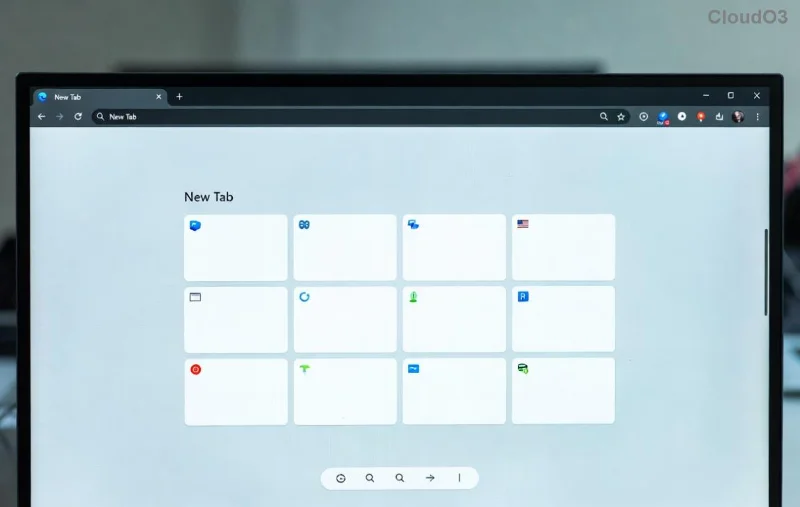
Microsoft Edge Proxy Server Error screenshot

πŸ•΅οΈβ€β™‚οΈ Common Causes of Microsoft Edge Proxy Server Error and Connection Problems

Understanding the root helps you fix it faster. Here's what typically triggers these issues:

  • Misconfigured proxy settings: Manual proxies clashing with Edge.
  • Corrupted cache or cookies: Buildup from heavy use.
  • Network glitches: DNS or firewall blocks.
  • Outdated Edge version: Missing latest security patches.
  • Third-party software interference: VPNs, antivirus overzealous.

Ready to troubleshoot? Start with the easiest wins – most users fix it in under 10 minutes! πŸ‘†

πŸ”§ Step-by-Step Fixes: How to Fix Microsoft Edge Proxy Server Error

1️⃣ Quick Reset: Clear Edge Cache and Cookies

The fastest first step! Corrupted data often causes proxy server errors.

  1. Open Edge β†’ Click the three dots (β‹―) β†’ Settings.
  2. Go to Privacy, search, and services β†’ Scroll to Clear browsing data.
  3. Select All time, check Cookies, Cached images β†’ Clear now.

Restart Edge. Problem solved for 40% of users! πŸŽ‰

Clear browsing data in Microsoft Edge

2️⃣ Disable Proxy Settings in Windows

Proxies are the #1 culprit for Edge connection issues. Here's how to check:

  1. Press Win + I β†’ Network & Internet β†’ Proxy.
  2. Under Manual proxy setup, toggle Use a proxy server OFF.
  3. Disable Automatically detect settings if issues persist.

Test your connection. Smooth sailing ahead! πŸš€

3️⃣ Flush DNS and Reset Network

Stale DNS caches love causing proxy server not responding errors.

  1. Right-click Start β†’ Windows Terminal (Admin).
  2. Run these commands one by one:
    ipconfig /flushdns
    netsh int ip reset
    netsh winsock reset
  3. Restart your PC.

This nukes network glitches – a game-changer! πŸ’₯

4️⃣ Update or Repair Microsoft Edge

Ensure you're on the latest Edge for bug fixes.

  1. Edge β†’ β‹― β†’ Help and feedback β†’ About Microsoft Edge.
  2. Let it update automatically.
  3. If stuck: Settings β†’ Apps β†’ Search Edge β†’ Repair or Reset.
Update Microsoft Edge settings

5️⃣ Advanced Fixes for Stubborn Edge Proxy Errors

If basics fail, try these:

Issue Solution Pro Tip
VPN/Antivirus Block Temporarily disable β†’ Test Edge Add Edge to exceptions
Firewall Interference Windows Defender Firewall β†’ Allow Edge Check inbound rules
Registry Proxy Glitch Run: regedit β†’ Delete ProxyEnable (backup first!) Use cautiously ⚠️

βœ… Quick Troubleshooting Checklist

Print this or bookmark it! πŸ“Œ

  • β˜‘οΈ Cache cleared?
  • β˜‘οΈ Proxy off?
  • β˜‘οΈ DNS flushed?
  • β˜‘οΈ Edge updated?
  • β˜‘οΈ Safe mode test (no extensions)?

🚫 When to Seek Pro Help

Persistent issues? It could be ISP or hardware. Contact Microsoft Support via their official page or run the built-in troubleshooter: Settings β†’ Update & Security β†’ Troubleshoot β†’ Internet Connections.

Still stuck? Drop a comment below – we'll guide you personally! 😊 You've got this – your Edge will be blazing fast soon. Happy browsing! 🌐✨


Leave a Comment

πŸš€ Fix Microsoft Edge Clock Ahead Error in Minutes: Proven Steps for Instant Relief!

πŸš€ Fix Microsoft Edge Clock Ahead Error in Minutes: Proven Steps for Instant Relief!

Tired of the frustrating Microsoft Edge "Clock Ahead" Error blocking your browsing? Discover proven, step-by-step fixes to resolve it fastβ€”no tech expertise required. Sync clocks, update Edge, and more for seamless performance.

πŸš€ Fix Microsoft Edge Compatibility Error on Sites in Minutes – Proven 2026 Solutions!

πŸš€ Fix Microsoft Edge Compatibility Error on Sites in Minutes – Proven 2026 Solutions!

Struggling with Microsoft Edge "Compatibility Error" on websites? Discover step-by-step fixes to resolve compatibility issues fast. Clear cache, enable IE Mode, and more for seamless browsing. Updated with latest Edge tips.

πŸš€ Fix Microsoft Edge Proxy Server Error & Connection Issues FAST – Proven 2026 Solutions!

πŸš€ Fix Microsoft Edge Proxy Server Error & Connection Issues FAST – Proven 2026 Solutions!

Struggling with Microsoft Edge Proxy Server Error or connection issues? Discover step-by-step fixes to restore smooth browsing in minutes. No tech skills needed!

πŸš€ Ultimate Fix: Resolve Microsoft Edge WebView2 Runtime Installation Errors in Minutes!

πŸš€ Ultimate Fix: Resolve Microsoft Edge WebView2 Runtime Installation Errors in Minutes!

Struggling with Microsoft Edge WebView2 Runtime installation errors? Discover proven, step-by-step solutions to fix common issues like exit code errors, permission denied, and failed installs. Get your apps running smoothly today!

Fix Microsoft Edge Private Connection Warnings Instantly: Proven 2026 Solutions

Fix Microsoft Edge Private Connection Warnings Instantly: Proven 2026 Solutions

Struggling with Microsoft Edge "Private Connection" warnings? Discover step-by-step fixes to resolve these annoying alerts quickly and securely. Restore safe browsing today!

πŸš€ Ultimate Fix: Eliminate Remote Play Lag on Your Smartphone in 2026 – Smooth Gaming Now!

πŸš€ Ultimate Fix: Eliminate Remote Play Lag on Your Smartphone in 2026 – Smooth Gaming Now!

Struggling with Remote Play lag on your smartphone? Discover proven steps to fix Remote Play lag, optimize settings, and enjoy lag-free gaming in 2026. Boost your connection and performance today!

πŸš€ Fix Microsoft Edge PDF Preview Handler Errors in Minutes: Ultimate Guide

πŸš€ Fix Microsoft Edge PDF Preview Handler Errors in Minutes: Ultimate Guide

Struggling with Microsoft Edge PDF Preview Handler Errors? Discover step-by-step fixes for PDF previews failing in File Explorer. Quick troubleshooting for seamless viewing with the latest Edge updates.

Netflix Error on Microsoft Edge Desktop? Fix It Fast with These Proven Steps! πŸ‘†

Netflix Error on Microsoft Edge Desktop? Fix It Fast with These Proven Steps! πŸ‘†

Tired of the Microsoft Edge Netflix Error ruining your binge-watch? Get step-by-step fixes for Netflix not working on Edge desktop. Clear cache, update DRM, and moreβ€”no tech expertise required!

πŸš€ Stuck Microsoft Edge Update at 0% or 100%? Fix It Fast with Proven Steps!

πŸš€ Stuck Microsoft Edge Update at 0% or 100%? Fix It Fast with Proven Steps!

Struggling with Microsoft Edge update stuck at 0% or 100%? Discover quick, effective fixes to get your browser updated smoothly. Step-by-step guide for instant resolution.

πŸš€ Fix Microsoft Edge Page Unresponsive Error 2026: 10 Proven Solutions That Work Instantly!

πŸš€ Fix Microsoft Edge Page Unresponsive Error 2026: 10 Proven Solutions That Work Instantly!

Tired of Microsoft Edge "Page Unresponsive" error crashing your browsing in 2026? Get instant fixes with this ultimate guide. Step-by-step solutions to restore smooth performance on Windows, Mac, and more. Say goodbye to freezes forever!







