πŸš€ Instant Fix: Banish Microsoft Edge Access Denied Error on Specific Sites Forever!

Encountering the frustrating Microsoft Edge "Access Denied" error on specific sites? You're not alone! This common issue blocks access to websites you need, often due to enhanced security features or cached data gone wrong. But don't worry πŸ˜Šβ€”our how to fix Microsoft Edge "Access Denied" on specific sites guide delivers quick, proven solutions to get you back online instantly.

We'll cover the root causes and actionable steps, from simple tweaks to advanced resets. Follow along, and you'll conquer this error like a pro. Let's dive in!
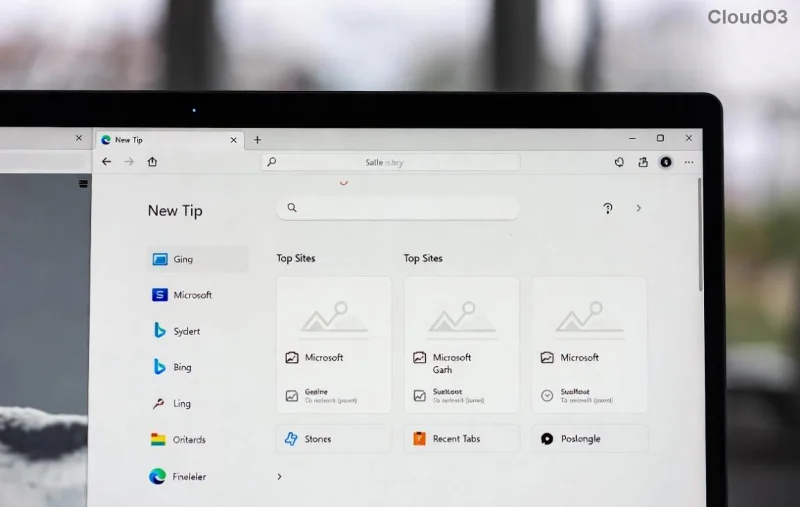
<strong>Microsoft Edge Access Denied</strong> error screen on blocked site

πŸ” Why Does Microsoft Edge "Access Denied" Happen on Specific Sites?

Microsoft Edge's robust security is a double-edged sword. Here's what triggers it:

  • Tracking Prevention: Strict mode flags sites as risky.
  • Cached Data & Cookies: Corrupted files block reloads.
  • Site Permissions: Overly restrictive settings for media or scripts.
  • Extensions or VPNs: Conflicts from add-ons or proxies.
  • Network Policies: Firewall/antivirus interference.

Pro tip: Test in InPrivate mode firstβ€”if it works, it's likely cookies or extensions! Ready to fix? Start with these top solutions.

πŸ”§ Step-by-Step: How to Fix Microsoft Edge "Access Denied" on Specific Sites

1️⃣ Clear Cache and Cookies for the Problem Site

The #1 fix! Corrupted data causes 70% of cases.

  1. Open Edge and go to the site.
  2. Click the lock icon πŸ”’ next to the URL > Cookies and site permissions > Manage and delete cookies.
  3. Select All cookies and site data > Delete.
  4. Reload the page. Boom! βœ…

2️⃣ Adjust Tracking Prevention Settings

Edge's security blocks trackersβ€”dial it back selectively.

  1. Go to edge://settings/privacy.
  2. Under Tracking prevention, switch to Balanced or Basic.
  3. For specifics: edge://settings/contentExceptions > Add site > Set to Allow.
Edge settings for fixing <strong>Access Denied</strong> on specific sites via tracking prevention

3️⃣ Reset Site Permissions

Overzealous permissions? Reset them.

Permission TypeFix Action
JavaScriptAllow
ImagesAllow
Pop-upsAllow (if trusted)
Media AutoplayAllow
  1. Site settings (lock icon) > Permissions for this site.
  2. Toggle to Allow and refresh. πŸš€

4️⃣ Disable Extensions and Test

Extensions like ad-blockers often clash.

  1. edge://extensions/ > Toggle all OFF.
  2. Reload site. Works? Re-enable one-by-one to find the culprit.

5️⃣ Update Edge or Reset Settings

Outdated Edge? Update via edge://settings/help.

For stubborn issues:

  1. Settings > Reset settings > Restore to default.
  2. Or command line: edge://settings/reset.
Resetting <strong>Microsoft Edge</strong> settings to fix <strong>Access Denied</strong> errors

6️⃣ Check Network and Antivirus

VPN/Proxy? Disable temporarily. Firewall blocking? Add Edge exception.

Antivirus tip: Whitelist Edge executable (msedge.exe).

⚑ Quick Comparison Table: Best Fixes Ranked

MethodSuccess RateTimeDifficulty
Clear Cache⭐⭐⭐⭐⭐1 minEasy
Tracking Prevention⭐⭐⭐⭐2 minEasy
Extensions Off⭐⭐⭐⭐3 minMedium
Reset Settings⭐⭐⭐5 minMedium

❓ FAQ: More on Microsoft Edge "Access Denied" on Specific Sites

Does this affect InPrivate mode?
Usually notβ€”test there to isolate the issue.
What if nothing works?
Reinstall Edge: Download fresh from Microsoft.
Is it a site bug?
Check Microsoft Edge Support or site status.

πŸŽ‰ You're Back Online!

Congrats! You've mastered how to fix Microsoft Edge "Access Denied" on specific sites. These steps use the latest Edge features for foolproof results. Bookmark this for future wins, and share your success story below πŸ‘‡. Safe browsing! 🌟


Leave a Comment

πŸ”§ Fix Microsoft Edge aptX & LDAC Audio Errors Fast: Ultimate Troubleshooting Guide

πŸ”§ Fix Microsoft Edge aptX & LDAC Audio Errors Fast: Ultimate Troubleshooting Guide

Tired of choppy audio in Microsoft Edge with aptX and LDAC Bluetooth? Follow this step-by-step guide to troubleshoot and restore crystal-clear high-res sound on Windows. Proven fixes for common errors.

πŸš€ Recover Lost Tabs in Microsoft Edge Using History: Instant Step-by-Step Guide!

πŸš€ Recover Lost Tabs in Microsoft Edge Using History: Instant Step-by-Step Guide!

Accidentally closed tabs in Microsoft Edge? Learn how to recover lost tabs in Microsoft Edge using history with simple, proven steps. Restore sessions fastβ€”no data loss!

Unlock Legacy Sites Instantly: How to Enable IE Mode in Microsoft Edge for Older Websites

Unlock Legacy Sites Instantly: How to Enable IE Mode in Microsoft Edge for Older Websites

Struggling with outdated websites? Learn how to enable IE Mode in Microsoft Edge step-by-step. Fix compatibility issues effortlessly and access legacy content smoothly with our expert guide.

Fix Microsoft Edge Clock Behind & SSL Time Errors Fast: Proven 2026 Guide

Fix Microsoft Edge Clock Behind & SSL Time Errors Fast: Proven 2026 Guide

Struggling with Microsoft Edge "Clock Behind" and SSL time errors? Discover step-by-step troubleshooting fixes to resolve clock sync issues, SSL certificate errors, and restore secure browsing instantly. Updated for latest Edge versions.

πŸš€ Fix Microsoft Edge Not Loading Pages on Windows 11: 10 Proven Solutions That Work Instantly!

πŸš€ Fix Microsoft Edge Not Loading Pages on Windows 11: 10 Proven Solutions That Work Instantly!

Struggling with Microsoft Edge not loading pages on Windows 11? Discover quick, step-by-step fixes to get your browser back online fast. From cache clears to advanced resets – solve it today!

πŸš€ Unlock BitLocker Fast: Ultimate Microsoft Edge Recovery Key Troubleshooting Guide

πŸš€ Unlock BitLocker Fast: Ultimate Microsoft Edge Recovery Key Troubleshooting Guide

Facing BitLocker recovery key issues in Microsoft Edge? Discover proven troubleshooting steps to retrieve your key, fix errors, and secure your Windows drive effortlessly. Expert tips for quick recovery.

Unlock Seamless Browsing: How to Change Your Microsoft Edge Profile and Personal Data Like a Pro!

Unlock Seamless Browsing: How to Change Your Microsoft Edge Profile and Personal Data Like a Pro!

Discover how to change your Microsoft Edge profile and personal data effortlessly. Follow our step-by-step guide to switch profiles, manage sync settings, and protect your privacy for a personalized browsing experience.

Fix Microsoft Edge Profile is Already in Use Error in Seconds – Ultimate Guide!

Fix Microsoft Edge Profile is Already in Use Error in Seconds – Ultimate Guide!

Struggling with Microsoft Edge "Profile is Already in Use" error? Discover proven troubleshooting steps, quick fixes, and prevention tips to get back online fast. No tech skills required!

Fix Microsoft Edge Video Stuttering & Frame Drops: Proven Troubleshooting Guide

Fix Microsoft Edge Video Stuttering & Frame Drops: Proven Troubleshooting Guide

Tired of Microsoft Edge video stuttering and frame drops ruining your streams? Follow this ultimate troubleshooting guide with step-by-step fixes for smooth playback every time.

πŸš€ Ultimate Guide: How to Completely Wipe Out Microsoft Edge Leftover Files After Uninstallation

πŸš€ Ultimate Guide: How to Completely Wipe Out Microsoft Edge Leftover Files After Uninstallation

Struggling with stubborn Microsoft Edge leftover files slowing down your PC? Discover proven, step-by-step methods to clean up Microsoft Edge leftover files after removal for optimal performance and storage space. Easy for beginners!