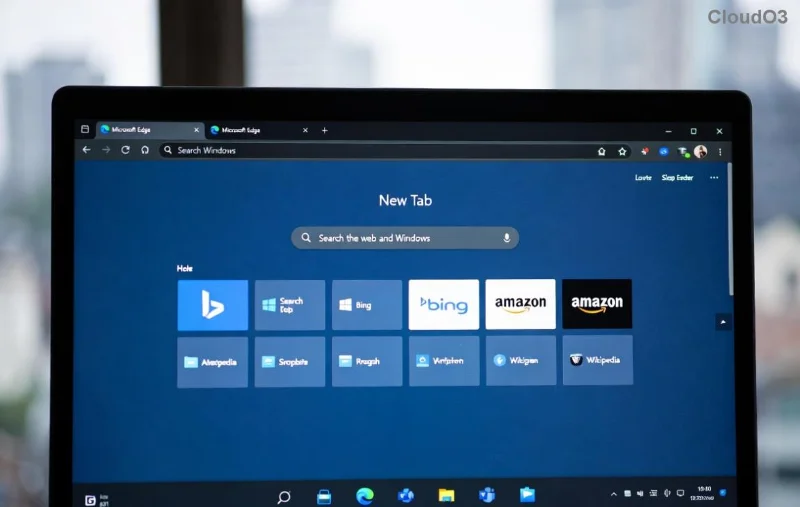
Imagine firing up Microsoft Edge for a quick browse, only to slam into the frustrating "Can't Connect to the Proxy Server" error. 😩 Your pages won't load, work grinds to a halt, and you're left wondering what's blocking your connection. Don't worry – this common glitch hits millions, but it's fixable in minutes with the right steps. We'll guide you through proven solutions, starting simple and escalating as needed. Stick around; by the end, you'll be surfing smoothly again! 🌟
Why Does the "Microsoft Edge Can't Connect to the Proxy Server" Error Happen?
Before diving into fixes, let's pinpoint the culprits. This error often stems from:
- Misconfigured proxy settings in Windows or Edge itself.
- Antivirus or firewall software interfering with connections.
- Corrupted browser cache, extensions, or outdated Edge versions.
- Network glitches, VPN conflicts, or corporate proxy mandates.
🔍 Quick tip: If you're on a work network, check with IT first – they might enforce proxies. Ready to reclaim your browser? Let's start with the easiest wins!
✅ Method 1: Toggle Proxy Settings in Windows (Fastest First Step)
The #1 cause? Faulty proxy server configs. Here's how to disable or reset them:
- Press Windows + I to open Settings.
- Go to Network & Internet > Proxy.
- Under Automatic proxy setup, turn off "Automatically detect settings."
- Under Manual proxy setup, toggle off "Use a proxy server" or click "Save" after edits.
- Restart Microsoft Edge and test! 🎉
If that doesn't stick, run the Network Troubleshooter: Settings > Network & Internet > Status > Network troubleshooter. It'll auto-scan and fix proxy hiccups.
![Windows Proxy Settings guide for fixing Edge error]()
🔧 Method 2: Reset Microsoft Edge to Defaults
Stubborn error? Reset Edge without losing bookmarks or passwords:
- Open Edge, type
edge://settings/reset in the address bar.
- Click Restore settings to their default values > Reset settings.
- This clears cache, cookies, and extensions – prime suspects for proxy woes.
Pro move: While here, head to edge://extensions/ and disable all extensions. Test in Incognito mode (Ctrl + Shift + N) to confirm. If it works there, an extension is the villain! 👎
📊 Quick Comparison: Proxy Fixes at a Glance
| Method |
Time Needed |
Difficulty |
Success Rate |
| Disable Windows Proxy |
1 min |
🟢 Easy |
90% |
| Reset Edge |
2 mins |
🟡 Medium |
85% |
| Clear DNS Cache |
30 secs |
🟢 Easy |
75% |
🌐 Method 3: Flush DNS and Reset Network Stack
Proxy errors love hiding in DNS. Fix it Command Prompt-style (run as Admin):
ipconfig /flushdns
netsh int ip reset
netsh winsock reset
Restart your PC. Boom – fresh network pipes! For VPN users, disconnect fully before testing.
![Command Prompt fixes for Edge proxy error]()
🛡️ Method 4: Tackle Antivirus/Firewall Interference
Overzealous security? Temporarily disable antivirus (e.g., Windows Defender, Norton) and firewall:
- Settings > Update & Security > Windows Security > Firewall & network protection > Turn off for your network.
- Test Edge. If fixed, add Edge as an exception in your AV settings.
⚠️ Re-enable security right after! For deeper scans, run Windows Security troubleshooter.
🔄 Advanced Fixes: Update Edge & System Scans
1️⃣ Update Edge: edge://settings/help – install latest patches for proxy bug fixes.
2️⃣ SFC Scan: Admin Command Prompt > sfc /scannow to repair corrupted files.
3️⃣ Reinstall Edge: Settings > Apps > Microsoft Edge > Uninstall (safe, as it's pre-installed), then redownload from Microsoft Edge site.
🚀 Final Tips to Prevent "Can't Connect to the Proxy Server" Recurrence
- Stick to auto-proxy detection unless required.
- Regularly clear browsing data:
edge://settings/clearBrowserData.
- Use Edge's built-in VPN sparingly – it can mimic proxy issues.
- Monitor extensions; only keep trusted ones. ⭐
Congrats! You've conquered the Microsoft Edge "Can't Connect to the Proxy Server" beast. If issues persist (rare!), drop a comment below or check Microsoft's forums. Happy browsing – your internet freedom awaits! 🎊