πŸš€ Set Microsoft Edge as Default PDF Viewer in 2 Minutes: Ultimate Windows Guide

Are you tired of sluggish PDF readers that slow down your workflow? Microsoft Edge is your built-in powerhouse for lightning-fast PDF viewing, annotation, and printing. No extra downloads neededβ€”it's already on your Windows PC! Follow this simple guide to make Microsoft Edge your default PDF viewer and enjoy a smoother experience today. 😊
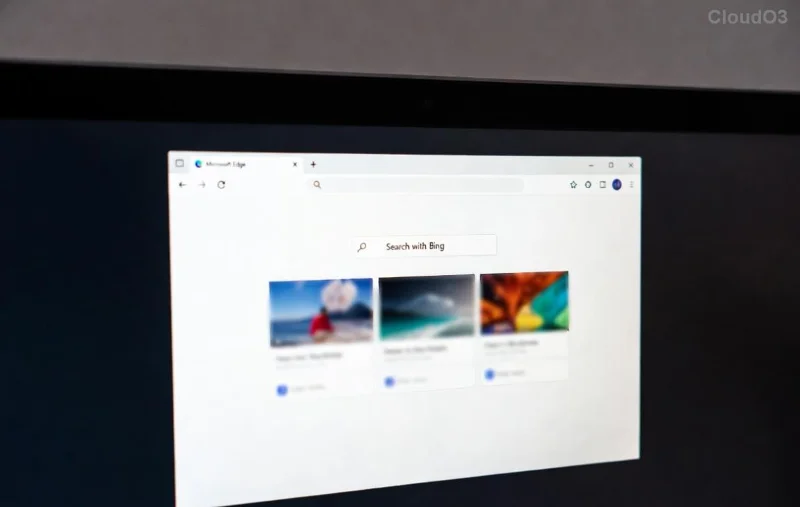
Microsoft Edge PDF viewer interface

Why Choose Microsoft Edge as Your Default PDF Viewer? ✨

  • ⭐ Super Speed: Renders PDFs instantly without lag.
  • ⭐ Built-in Tools: Highlight, draw, fill forms, and sign digitally.
  • ⭐ Security First: Protected by Edge's latest defenses against malicious files.
  • ⭐ Seamless Integration: Syncs with your Microsoft account for cross-device access.

Ready to switch? Let's dive into the steps. These work on the latest Windows versions, including Windows 11.

πŸ‘‰ Method 1: Quick Settings App (Easiest Way)

The fastest path to set Microsoft Edge as default PDF viewerβ€”no hunting required!

  1. Press Windows + I to open Settings.
  2. Click Apps > Default apps.
  3. Scroll or search for .pdf in the "Set defaults for file types" section.
  4. Click the current app next to .pdf (e.g., Adobe Reader).
  5. Select Microsoft Edge from the list. Done! πŸŽ‰
Windows Default Apps settings for PDF

πŸ‘‰ Method 2: Right-Click Any PDF File

Got a PDF handy? Right-click magic incoming!

  1. Right-click a PDF file in File Explorer.
  2. Hover over Open with > Select Choose another app.
  3. Pick Microsoft Edge, check "Always use this app," and hit OK.

πŸ‘‰ Method 3: Advanced Control Panel (For Power Users)

Prefer the classic interface? Here's how:

  1. Search for Control Panel in the Start menu.
  2. Go to Default Programs > Set your default programs.
  3. Select Microsoft Edge > Click Set this program as default.

Troubleshooting Common Issues ❌

Edge not showing up? No worriesβ€”fix it fast:

Problem Quick Fix
Edge missing from list Update Edge via Settings > Apps > Microsoft Edge > Advanced options > Repair.
Changes not sticking Run sfc /scannow in Command Prompt (Admin).
Third-party app overrides Uninstall conflicting apps like old Adobe versions.
Troubleshooting Default PDF viewer in Edge

Pro Tips to Maximize Your Edge PDF Experience πŸ’‘

  • Use Edge's Reading View (F9) for distraction-free reading.
  • Enable Dark Mode in Edge settings for eye comfort.
  • Print to PDF or export annotations effortlessly.
  • Sync tabs across devices for on-the-go access.

FAQ: Your Burning Questions Answered

Q: Will this work on Mac?
A: Edge supports PDFs on Mac, but default settings are Windows-focused. Use System Preferences > Extensions for similar tweaks.

Q: Is Edge safer than Adobe for PDFs?
Yes! Microsoft's sandboxing blocks exploits better. For official details, check Microsoft's Edge support.

Congratsβ€”you're now a Microsoft Edge PDF pro! PDFs will open blazingly fast every time. Share this guide if it helped, and drop a comment below for more tips. What's your favorite Edge feature? πŸ‘‡


Leave a Comment

πŸš€ Set Microsoft Edge as Default PDF Viewer in 2 Minutes: Ultimate Windows Guide

πŸš€ Set Microsoft Edge as Default PDF Viewer in 2 Minutes: Ultimate Windows Guide

Discover how to set Microsoft Edge as your default PDF viewer effortlessly. Step-by-step guide for Windows 10/11 users with troubleshooting tips for seamless PDF reading. Boost productivity now!

πŸš€ Fix Microsoft Edge JavaScript Runtime Error on Windows 12 in Minutes – Proven Steps!

πŸš€ Fix Microsoft Edge JavaScript Runtime Error on Windows 12 in Minutes – Proven Steps!

Struggling with Microsoft Edge "JavaScript Runtime Error" on Windows 12? Follow our step-by-step guide to fix it quickly. Clear cache, reset settings, update Edge, and more for smooth browsing. Works on the latest Windows 12 builds!

πŸ”₯ Ultimate Fix: Stop Microsoft Edge Shell Infrastructure Host High CPU Usage Instantly!

πŸ”₯ Ultimate Fix: Stop Microsoft Edge Shell Infrastructure Host High CPU Usage Instantly!

Tired of Microsoft Edge "Shell Infrastructure Host" CPU error slowing your PC? Get proven, step-by-step fixes to reclaim 100% performance. Quick solutions for Windows users – no tech skills needed!

πŸš€ Ultimate Guide: How to Fix Microsoft Edge System Sounds Missing Issue in Minutes!

πŸš€ Ultimate Guide: How to Fix Microsoft Edge System Sounds Missing Issue in Minutes!

Tired of Microsoft Edge "System Sounds" missing? Discover proven, step-by-step fixes to restore notification and system audio instantly. Works on the latest Edge versions for seamless browsing.

πŸš€ Fix Microsoft Edge Microphone & Camera Permissions in Minutes – Ultimate Guide

πŸš€ Fix Microsoft Edge Microphone & Camera Permissions in Minutes – Ultimate Guide

Struggling with Microsoft Edge blocking microphone and camera access? Discover proven steps to fix Microsoft Edge microphone and camera permissions quickly. No tech skills needed!

Fix Microsoft Edge DirectX Runtime Errors Fast: Ultimate Troubleshooting Guide 2026

Fix Microsoft Edge DirectX Runtime Errors Fast: Ultimate Troubleshooting Guide 2026

Struggling with Microsoft Edge "DirectX Runtime" compatibility errors? Discover proven fixes to resolve crashes, black screens, and WebGL issues quickly. Step-by-step guide for smooth browsing.

Fix Microsoft Edge Download Failed Error for Large Files – 100% Working Solutions!

Fix Microsoft Edge Download Failed Error for Large Files – 100% Working Solutions!

Tired of Microsoft Edge "Download Failed" errors blocking large file downloads? Get proven, step-by-step fixes for seamless downloads in the latest Edge browser. Boost your productivity now!

πŸš€ Fix Microsoft Edge Login Screen Background Blur in Seconds – Proven 2026 Guide

πŸš€ Fix Microsoft Edge Login Screen Background Blur in Seconds – Proven 2026 Guide

Tired of the annoying Microsoft Edge "Login Screen" Background Blur? Discover simple, step-by-step fixes to restore crystal-clear backgrounds on Edge login pages. Works on latest versions!

Supercharge Your Day: How to Customize Microsoft Edge Sidebar for Effortless Daily Tasks πŸš€

Supercharge Your Day: How to Customize Microsoft Edge Sidebar for Effortless Daily Tasks πŸš€

Master how to customize Microsoft Edge Sidebar for daily tasks like email checks, quick notes, and weather updates. Step-by-step guide with pro tips to boost productivity and streamline your workflow in seconds.

Fix Netflix Errors on Microsoft Edge: Ultimate Guide to Smooth Playback Now!

Fix Netflix Errors on Microsoft Edge: Ultimate Guide to Smooth Playback Now!

Struggling with Netflix errors and playback glitches on Microsoft Edge? Discover proven fixes for Microsoft Edge Netflix Error, buffering issues, and more. Get seamless streaming today!