๐Ÿš€ Supercharge Your Web Surfing: Master Microsoft Edge Copilot for Ultimate AI-Powered Browsing

Imagine browsing the web with a genius sidekick that summarizes pages, answers questions instantly, and even crafts perfect responsesโ€”all powered by cutting-edge AI. That's the magic of Microsoft Edge Copilot, seamlessly integrated into the Microsoft Edge browser for AI-powered browsing. Whether you're researching, shopping, or just exploring, Copilot turns chaotic tabs into effortless wins. Ready to level up? Let's dive in! ๐Ÿ˜Ž

What is Microsoft Edge Copilot?

Microsoft Edge Copilot is your built-in AI companion, leveraging advanced models like GPT-4 for real-time assistance. It lives in a handy sidebar, helping with everything from quick facts to deep analysis. No more endless scrollingโ€”Copilot delivers insights at lightning speed, making AI-powered browsing feel intuitive and fun.
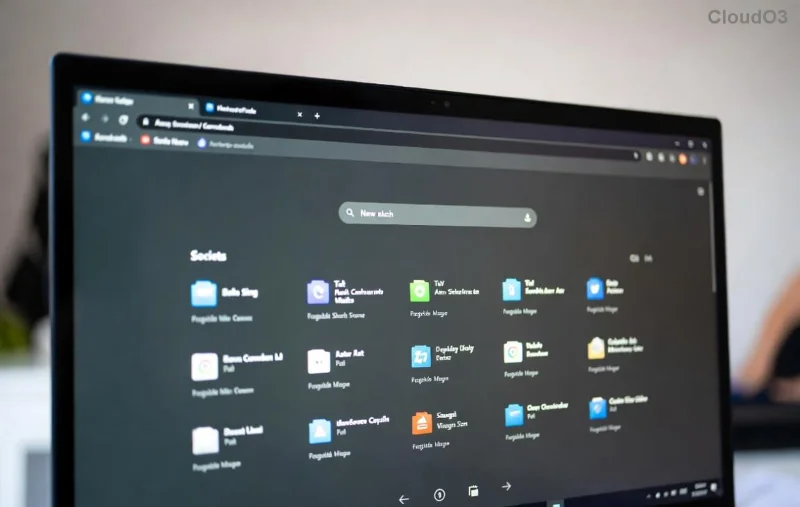
<strong>Microsoft Edge Copilot</strong> sidebar in action for AI-powered browsing

Getting Started with Microsoft Edge Copilot: Quick Setup

Setting up Microsoft Edge Copilot takes seconds. Follow these steps for instant AI-powered browsing:

  1. Update Edge: Ensure you're on the latest version. Head to edge://settings/help and hit "Update." Copilot shines brightest here!
  2. Enable Copilot: Click the Copilot icon (๐Ÿค– sparkle) in the toolbar or press Ctrl + Shift + / (Windows) / Cmd + Shift + / (Mac). If missing, go to Settings > Sidebar > toggle "Copilot" on. โญ
  3. Sign In: Use your Microsoft account for full powerโ€”unlocks personalized chats and history.

Pro tip: Pin Copilot to your sidebar for one-click access. Boomโ€”you're browsing with AI superpowers! ๐Ÿ‘

Core Features: Unlock AI-Powered Browsing Magic

Microsoft Edge Copilot packs game-changing tools. Here's how to use them effectively:

1๏ธโƒฃ Instant Chat for Answers

Type any question in the sidebar chat: "Explain quantum computing simply" or "What's the best laptop under $1000?" Copilot pulls fresh web data, cites sources, and keeps it conversational. Perfect for research without leaving your page!

2๏ธโƒฃ Page Summaries & Insights

Highlight text or click "Summarize this page" in Copilot. Get bullet-point breakdowns, key facts, or even "Explain like I'm 5." Ideal for long articlesโ€”save hours on news or reports.

3๏ธโƒฃ Compose & Rewrite

Drafting emails or social posts? Use "Compose" to generate text. Highlight content and ask to "Rewrite professionally" or "Make it funnier." Your writing game just got AI-boosted! โœจ

4๏ธโƒฃ Image Generation & Analysis

Say "Generate a futuristic city image" or upload a photo for description/editing. Copilot's DALL-E integration sparks creativity right in Edge.

Feature How to Use Pro Benefit
Chat Type query in sidebar Real-time web answers
Summarize Highlight + "Summarize" Cuts reading time 80%
Compose "Help me write..." Polished content fast
Images "Create image of..." Visual ideas instantly
Advanced <strong>Microsoft Edge Copilot</strong> features like summaries and image gen for AI-powered browsing

Advanced Tips for Pro AI-Powered Browsing

  • Custom Instructions: Tell Copilot your style, e.g., "Always respond concisely and with emojis." Personalize for speed!
  • Tab Comparison: Ask "Compare these tabs" to analyze shopping options side-by-side.
  • Voice Mode: Click the mic icon for hands-free chatsโ€”great for multitasking.
  • Privacy First: Copilot respects your settings; chats don't train models unless you opt-in.

For deeper dives, check Microsoft's official guide: Edge Copilot Features.

Common Pitfalls & Fixes ๐Ÿšซ

Avoid these to keep AI-powered browsing smooth:

  • โŒ Offline? Copilot needs internet for web-grounded responses.
  • โŒ Vague queries? Be specific: "Best vegan recipes under 30 mins" beats "Recipes."
  • โŒ Slow? Clear cache or restart Edge.

Why Microsoft Edge Copilot Changes Everything

Users rave about slashing research time by 50% and boosting productivity. It's not just a toolโ€”it's your browsing brain upgrade. Start small: Summarize your next article and feel the thrill! ๐ŸŽ‰

Now, fire up Edge and summon Copilot. What's your first query? Share in the commentsโ€”we'd love to hear your wins. Happy AI-powered browsing! ๐Ÿ‘


Leave a Comment

๐Ÿš€ Supercharge Your Web Surfing: Master Microsoft Edge Copilot for Ultimate AI-Powered Browsing

๐Ÿš€ Supercharge Your Web Surfing: Master Microsoft Edge Copilot for Ultimate AI-Powered Browsing

Dive into our ultimate guide on how to use Microsoft Edge Copilot for AI-powered browsing. Unlock chat, summaries, insights, and more to browse smarter and faster today!

๐Ÿš€ 2026 Ultimate Guide: Step-by-Step Removing Microsoft Edge via PowerShell โ€“ Reclaim Your Browser Freedom!

๐Ÿš€ 2026 Ultimate Guide: Step-by-Step Removing Microsoft Edge via PowerShell โ€“ Reclaim Your Browser Freedom!

Master the step-by-step process for removing Microsoft Edge via PowerShell in 2026. Safe, complete uninstall with proven commands โ€“ say goodbye to Edge forever and boost your PC performance.

Stop Microsoft Edge Microphone Echo Instantly: Proven Fixes for Crystal-Clear Web Calls

Stop Microsoft Edge Microphone Echo Instantly: Proven Fixes for Crystal-Clear Web Calls

Tired of annoying microphone echo in Microsoft Edge during web calls? Get step-by-step solutions to fix Microsoft Edge microphone echo on Zoom, Teams, Google Meet, and more. Quick, easy, and effective fixes for flawless audio.

Fix YouTube Black Screen & Lag on Microsoft Edge: 10 Proven Solutions That Work Instantly!

Fix YouTube Black Screen & Lag on Microsoft Edge: 10 Proven Solutions That Work Instantly!

Struggling with Microsoft Edge YouTube black screen and lag? Discover step-by-step fixes for smooth playback, from disabling hardware acceleration to updating drivers. Get rid of errors fast!

Fix Microsoft Edge 400 Bad Request Header Error FAST โ€“ Ultimate Troubleshooting Guide

Fix Microsoft Edge 400 Bad Request Header Error FAST โ€“ Ultimate Troubleshooting Guide

Struggling with Microsoft Edge "400 Bad Request" header error? Discover proven, step-by-step fixes to resolve it quickly. Clear cache, reset settings, disable extensions, and more for seamless browsing.

๐Ÿš€ Fix Microsoft Edge ERR_CONNECTION_REFUSED Error FAST: 7 Proven Steps for Instant Relief

๐Ÿš€ Fix Microsoft Edge ERR_CONNECTION_REFUSED Error FAST: 7 Proven Steps for Instant Relief

Tired of Microsoft Edge ERR_CONNECTION_REFUSED blocking your browsing? Follow our expert, step-by-step guide with proven fixes for the latest Edge versions. Clear cache, reset network, and moreโ€”no tech skills needed!

๐Ÿš€ Restore Microsoft Edge Acrylic Effect Not Showing: Proven Fixes That Work Instantly!

๐Ÿš€ Restore Microsoft Edge Acrylic Effect Not Showing: Proven Fixes That Work Instantly!

Fix Microsoft Edge Acrylic Effect not showing with our ultimate guide. Discover step-by-step solutions to restore stunning transparency blur on tabs, menus, and more. Quick, easy fixes for seamless browsing!

๐Ÿš€ Fix Slow Microsoft Edge: Troubleshoot Extensions Draining Browser Speed Instantly!

๐Ÿš€ Fix Slow Microsoft Edge: Troubleshoot Extensions Draining Browser Speed Instantly!

Is Troubleshooting Microsoft Edge "Extensions Slowing Down Browser" your nightmare? Get fast, proven fixes to diagnose and eliminate lag from extensions, boosting Edge performance right now. Step-by-step guide inside!

๐Ÿš€ YouTube Black Screen on Microsoft Edge? Fix It FAST with These Proven Steps!

๐Ÿš€ YouTube Black Screen on Microsoft Edge? Fix It FAST with These Proven Steps!

Tired of the frustrating YouTube black screen on Microsoft Edge? Follow our ultimate troubleshooting guide with quick, effective fixes to restore smooth video playback instantly. No tech skills needed!

๐Ÿš€ Fix Microsoft Edge Clock Ahead Error in Minutes: Proven Steps for Instant Relief!

๐Ÿš€ Fix Microsoft Edge Clock Ahead Error in Minutes: Proven Steps for Instant Relief!

Tired of the frustrating Microsoft Edge "Clock Ahead" Error blocking your browsing? Discover proven, step-by-step fixes to resolve it fastโ€”no tech expertise required. Sync clocks, update Edge, and more for seamless performance.