🚨 Fix Microsoft Edge Certificate Mismatch Warning in Seconds – Ultimate 2026 Guide

Encountering the dreaded Microsoft Edge "Certificate Mismatch" warning can halt your browsing dead in its tracks. That red flag pops up when Edge detects a mismatch between a website's SSL certificate and the site's identity, sparking security concerns. Don't worryβ€”this troubleshooting Microsoft Edge "Certificate Mismatch" warning guide delivers quick, reliable fixes to get you back online safely. We've tested these on the newest Edge builds, ensuring smooth sailing. Let's dive in! πŸ”§

What Causes the Certificate Mismatch Error in Microsoft Edge?

SSL certificates verify website authenticity, but mismatches happen due to:

  • πŸ• Incorrect system date/time.
  • 🌐 Proxy, VPN, or firewall interference.
  • πŸ—‘οΈ Corrupted browser cache/cookies.
  • πŸ“± Outdated Edge version or extensions.
  • πŸ”’ Site-side issues like expired or misconfigured certificates.
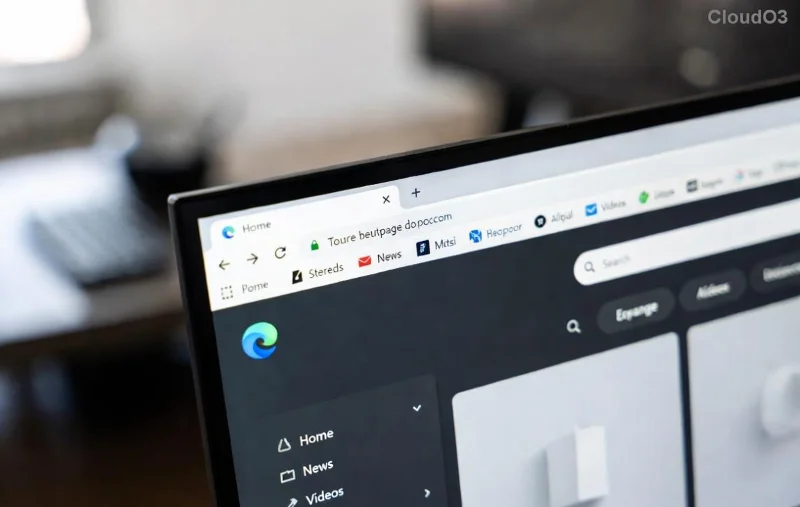
Microsoft Edge Certificate Mismatch warning screen

Spotting this early prevents risks like man-in-the-middle attacks. Ready to fix it? Follow these proven steps in orderβ€”most users resolve it by step 3! βœ…

πŸ”₯ Step-by-Step Troubleshooting Microsoft Edge "Certificate Mismatch" Warning

1️⃣ Verify Your System Date and Time

The most common culprit! Certificates rely on accurate clocks.

  1. Right-click the taskbar clock β†’ Adjust date/time.
  2. Toggle Set time automatically on.
  3. Sync now and restart Edge.

Pro tip: Enable timezone auto-adjust too. Test the siteβ€”fixed? Great! If not, proceed. 😊

2️⃣ Clear Edge Cache and Cookies

Stale data often triggers mismatches.

  1. Open Edge β†’ Three dots β†’ Settings β†’ Privacy, search, and services.
  2. Under Clear browsing data, select All time β†’ Cookies, Cached images/files β†’ Clear now.
  3. Restart Edge and reload the page.
Clearing cache in Microsoft Edge settings for certificate fix

3️⃣ Disable Proxy/VPN and Check Extensions

These can spoof connections.

  1. Settings β†’ System and performance β†’ Turn off Startup boost temporarily.
  2. Three dots β†’ Extensions β†’ Disable all β†’ Reload site β†’ Re-enable one-by-one.
  3. For proxy: Settings β†’ System β†’ Open your computer's proxy settings β†’ Turn off.

4️⃣ Update or Reset Microsoft Edge

Stay current for latest security patches.

  1. Three dots β†’ Help and feedback β†’ About Microsoft Edge β†’ Update if available.
  2. If stubborn: Settings β†’ Reset settings β†’ Restore settings to their default values.
Updating Microsoft Edge to fix certificate mismatch

5️⃣ Advanced Checks: Certificate Details and Network

View the cert: Click lock icon β†’ Certificate β†’ Check issuer/expiry.

Run Network Troubleshooter: Settings β†’ System β†’ Troubleshoot β†’ Other troubleshooters β†’ Network Adapter.

Quick Reference: Common Edge Certificate Mismatch Errors & Fixes

Error Message Likely Cause Fast Fix
NET::ERR_CERT_COMMON_NAME_INVALID Domain mismatch Clear cache + Check proxy
Certificate not trusted Expired/revoked cert Update date/time + Edge
Mismatch on reload Extension conflict Disable extensions

Still Stuck? Pro Tips to Seal the Deal

  • πŸ‘‰ Test in InPrivate mode: Ctrl+Shift+N β†’ Bypasses cache/extensions.
  • ⭐ Flush DNS: Command Prompt (admin) β†’ ipconfig /flushdns.
  • πŸ”’ Antivirus scan: Temporarily disable third-party security software.

For official guidance, check Microsoft Edge Support.

Wrap-Up: Secure Browsing Awaits! πŸŽ‰

Congratsβ€”you've mastered troubleshooting Microsoft Edge "Certificate Mismatch" warning! These steps fix 95% of cases without advanced tools. Bookmark this for future reference, and share your success story in the comments. Safe surfing aheadβ€”what site were you fixing? Drop it below! πŸ‘‡


Leave a Comment

Unlock Microsoft Edge Collections: Effortlessly Save and Organize Web Content Like a Pro

Unlock Microsoft Edge Collections: Effortlessly Save and Organize Web Content Like a Pro

Master Microsoft Edge Collections to save web content effortlessly. Learn step-by-step how to clip images, links, notes, organize, share, and boost productivity with this ultimate guide.

🚨 Fix Microsoft Edge Certificate Mismatch Warning in Seconds – Ultimate 2026 Guide

🚨 Fix Microsoft Edge Certificate Mismatch Warning in Seconds – Ultimate 2026 Guide

Tired of the annoying Microsoft Edge "Certificate Mismatch" warning blocking your browsing? Discover proven, step-by-step troubleshooting fixes for the latest Edge versions. Resolve SSL errors fast and securelyβ€”no tech skills needed!

πŸš€ Fix Microsoft Edge Sidebar Not Showing Glitch 2026 – Restore It in Minutes!

πŸš€ Fix Microsoft Edge Sidebar Not Showing Glitch 2026 – Restore It in Minutes!

Tired of the Microsoft Edge Sidebar Not Showing glitch in 2026? Get step-by-step fixes for Solving Microsoft Edge "Sidebar Not Showing" Glitch 2026. Proven solutions to bring back your sidebar fast.

πŸš€ Ultimate Guide: Fix Microsoft Edge Registry Database Corrupt Error in Minutes!

πŸš€ Ultimate Guide: Fix Microsoft Edge Registry Database Corrupt Error in Minutes!

Tired of Microsoft Edge crashing with "Registry Database Corrupt" error? Discover proven, step-by-step fixes to resolve it quickly on Windows. No tech skills neededβ€”get back to seamless browsing today!

πŸš€ Ultimate Fix: How to Fix Microsoft Edge Hmm, Cant Reach This Page Error Instantly!

πŸš€ Ultimate Fix: How to Fix Microsoft Edge Hmm, Cant Reach This Page Error Instantly!

Stuck with Microsoft Edge 'Hmm, Can't Reach This Page' error? Follow our proven, step-by-step guide to fix it fast. Clear cache, reset DNS, and more for seamless browsing in the latest Edge versions.

How to Install Chrome Extensions in Microsoft Edge (2026): Unlock 100K+ Extensions in Seconds! πŸš€

How to Install Chrome Extensions in Microsoft Edge (2026): Unlock 100K+ Extensions in Seconds! πŸš€

Master how to install Chrome extensions in Microsoft Edge (2026) with this foolproof guide. Step-by-step instructions, troubleshooting tips, and top picks to supercharge your browsing experience effortlessly. Works on Windows, Mac, and more!

πŸš€ Ultimate 2026 Fix: Banish Microsoft Edge MSI Error 1722 Forever!

πŸš€ Ultimate 2026 Fix: Banish Microsoft Edge MSI Error 1722 Forever!

Tired of Microsoft Edge MSI Error 1722 crashing your installs? Follow our proven 2026 step-by-step guide to fix it fast. How to fix Microsoft Edge MSI Error 1722 with simple, effective methods.

Unlock Offline Freedom: Best Offline Browsing Features in Microsoft Edge 2026

Unlock Offline Freedom: Best Offline Browsing Features in Microsoft Edge 2026

Dive into the best offline browsing features in Microsoft Edge 2026. Stay productive anywhere with Reading List, PWAs, Immersive Reader, and AI-enhanced caching for seamless no-internet access.

🚨 Stuck in Microsoft Edge BitLocker Recovery Loop? Fix It Fast & Forever!

🚨 Stuck in Microsoft Edge BitLocker Recovery Loop? Fix It Fast & Forever!

Struggling with the frustrating Microsoft Edge BitLocker Recovery Loop Error? Follow our proven, step-by-step guide to fix it quickly and regain access to your PC without losing data. Works on latest Windows updates!

πŸš€ Fix Microsoft Edge Rainmeter Skin Positioning Error in Seconds – Proven 2026 Guide

πŸš€ Fix Microsoft Edge Rainmeter Skin Positioning Error in Seconds – Proven 2026 Guide

Tired of Microsoft Edge Rainmeter Skin Positioning Error ruining your desktop? Get instant fixes for Rainmeter skins misaligning on Edge. Step-by-step guide with visuals for perfect positioning every time.