Fix Microsoft Edge Multiple Profiles Sync Conflict in Minutes: Proven 2026 Guide

🚨 Tired of seeing the frustrating "Multiple Profiles" error blocking your Microsoft Edge sync? You're not alone. This common glitch disrupts bookmarks, passwords, and settings across your profiles, leaving you scrambling. But don't worry—we've got your back with a straightforward, battle-tested guide to fix Microsoft Edge Multiple Profiles Sync Conflict fast. By the end, your browsing will be smooth and synchronized again. Let's dive in! πŸ‘‡

What is the Microsoft Edge Multiple Profiles Sync Conflict?

When you use multiple profiles in Microsoft Edge—like one for work and one for personal—syncing data with the same Microsoft account can trigger conflicts. Edge detects "multiple profiles" trying to sync simultaneously, halting the process to avoid data overwrites. Result? Incomplete syncs, missing tabs, or error messages like "Sync is experiencing a problem."

This issue spikes with recent Edge updates emphasizing enhanced profile isolation for privacy. But fear not—resolving it restores harmony without losing data.
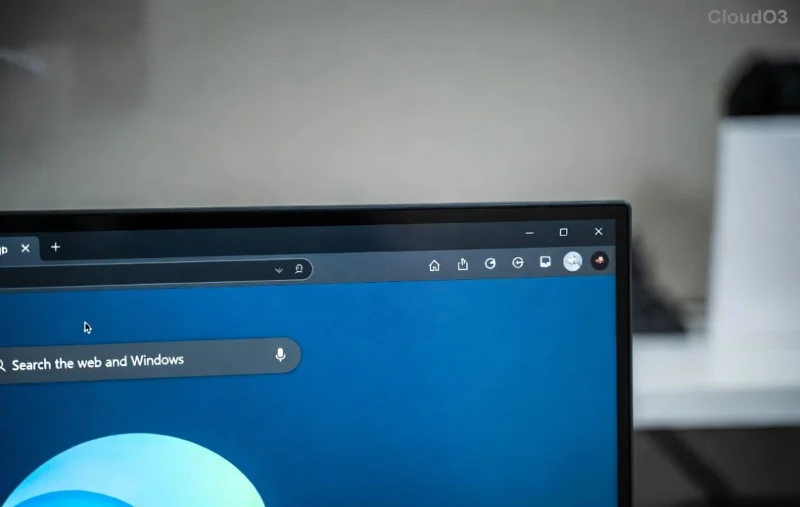
Microsoft Edge Multiple Profiles Sync Conflict error screenshot

Common Causes of Edge Multiple Profiles Sync Conflict

  • πŸ”’ Signing into the same Microsoft account across multiple profiles.
  • βš™οΈ Corrupted local sync cache from abrupt shutdowns or extensions.
  • 🌐 Network glitches or VPN interference during sync.
  • πŸ“± Cross-device sync overload (PC, phone, etc.).
  • πŸ›‘οΈ Outdated Edge version lacking latest sync fixes.

Step-by-Step: How to Fix Microsoft Edge Multiple Profiles Sync Conflict

Follow these proven steps in order. Most users fix it in under 10 minutes. Pro Tip: Back up important data first via Edge's export tools.

  1. Sign Out from All Profiles πŸ‘†
    • Open Microsoft Edge.
    • Click your profile icon (top-right) > Manage profile settings.
    • For each profile: Go to edge://settings/profiles/sync > Turn off "Sync" > Sign out.

    Do this for every profile. Restart Edge.

  2. Clear Sync Data and Cache ⭐
    • Press Ctrl + Shift + Delete for Clear browsing data.
    • Select "Cookies and other site data" and "Cached images/files" (All time).
    • Head to edge://settings/profiles/sync > Manage sync data > Clear data.
  3. Update Microsoft Edge ➑️
    • Go to edge://settings/help.
    • Click "Check for updates" – install the latest version for sync stability fixes.
  4. Re-Sign In Strategically βœ…
    • Start with your primary profile: Sign in at edge://settings/profiles/sync.
    • Turn on Sync > Choose what to sync (e.g., bookmarks, passwords).
    • For secondary profiles: Sign in with the same account but disable sync initially. Wait 5 minutes, then enable.

    Edge will now merge data without conflict!

  5. Test and Restart πŸ”„
    • Open bookmarks/passwords across profiles.
    • Restart Edge and your device.
Successful Microsoft Edge sync after fixing multiple profiles conflict

Advanced Troubleshooting for Stubborn Edge Sync Conflicts

If basic steps fail, level up:

Issue Solution Time Estimate
Persistent error post-signout Reset Edge: edge://settings/reset > Restore settings 5 mins
Extension interference Disable all at edge://extensions/, re-enable one-by-one 10 mins
Account-level issue Visit account.microsoft.com > Security > Advanced security options > Review sync devices 15 mins
Cross-device sync fail Pause sync on other devices via Edge mobile app settings 3 mins

For official guidance, check Microsoft's latest support: Microsoft Edge Help.

Prevent Future Microsoft Edge Multiple Profiles Sync Conflicts ⭐

  • Use separate Microsoft accounts for distinct profiles (ideal for work/personal).
  • Enable selective sync: Only sync essentials to reduce load.
  • Regularly update Edge and clear cache monthly.
  • Monitor sync status at edge://sync-internals/.
  • πŸ‘ Bonus: Use Edge's "Profile Switcher" for quick toggles without sign-ins.

You're All Set! πŸš€

Congratulations—your Microsoft Edge Multiple Profiles Sync Conflict is history! Syncing should now flow effortlessly, keeping your digital life organized. If issues persist, drop a comment below or hit Microsoft's forums. Happy browsing! 😊

Quick Bookmark: Pin this guide for future reference. Share with friends facing the same snag!


Leave a Comment

πŸš€ Fix Microsoft Edge Startup Boost High Disk Usage FAST – Proven 2026 Guide!

πŸš€ Fix Microsoft Edge Startup Boost High Disk Usage FAST – Proven 2026 Guide!

Tired of Microsoft Edge Startup Boost causing sky-high disk usage? Discover simple, step-by-step fixes to boost your PC speed and end lag forever. Works on Windows 11/10 instantly!

πŸ”§ Instant Fix: Solve Microsoft Edge Chipset Driver Install Failed Error in Minutes!

πŸ”§ Instant Fix: Solve Microsoft Edge Chipset Driver Install Failed Error in Minutes!

Tired of the frustrating Microsoft Edge "Chipset Driver" Install Failed error? Discover proven, step-by-step fixes to get your drivers updated smoothly. Works on latest Windows versions – no tech skills needed!

Fix Microsoft Edge Multiple Profiles Sync Conflict in Minutes: Proven 2026 Guide

Fix Microsoft Edge Multiple Profiles Sync Conflict in Minutes: Proven 2026 Guide

Struggling with Microsoft Edge Multiple Profiles Sync Conflict? Discover step-by-step fixes to resolve sync errors, restore seamless browsing across profiles, and prevent future issues. Quick, easy solutions for all users.

πŸš€ Fix Microsoft Edge WebView2 Runtime Error in Citrix – Proven Steps to Resolve It Fast!

πŸš€ Fix Microsoft Edge WebView2 Runtime Error in Citrix – Proven Steps to Resolve It Fast!

Tired of the frustrating Microsoft Edge WebView2 Runtime Error in Citrix? Discover step-by-step troubleshooting fixes, from quick checks to advanced solutions, to restore seamless performance. Works for latest versions!

πŸš€ Fix Microsoft Edge Context Menu Slow Error: Ultimate Speed Boost Guide

πŸš€ Fix Microsoft Edge Context Menu Slow Error: Ultimate Speed Boost Guide

Tired of the Microsoft Edge "Context Menu Slow" error ruining your browsing? Discover proven, step-by-step troubleshooting fixes to restore lightning-fast right-click menus. Works on the latest Edge versions!

πŸš€ Fix Microsoft Edge Stream Deck App Not Opening: Ultimate Troubleshooting Guide 2026

πŸš€ Fix Microsoft Edge Stream Deck App Not Opening: Ultimate Troubleshooting Guide 2026

Struggling with Microsoft Edge Stream Deck App Not Opening? Discover proven troubleshooting steps to resolve crashes, freezes, and launch failures instantly. Get your Elgato Stream Deck integration back online fast!

πŸ”’ Ultimate 2026 Guide: How to Set Up Microsoft Edge Parental Controls in Minutes!

πŸ”’ Ultimate 2026 Guide: How to Set Up Microsoft Edge Parental Controls in Minutes!

Step-by-step tutorial on how to set up Microsoft Edge parental controls for 2026. Empower parents with Microsoft Family Safety to block harmful content, track activity, and ensure safe browsing for kids. Latest features included!

πŸš€ Fix Microsoft Edge Status_Stack_Overflow Error in Seconds – Ultimate 2026 Guide!

πŸš€ Fix Microsoft Edge Status_Stack_Overflow Error in Seconds – Ultimate 2026 Guide!

Tired of Microsoft Edge crashing with Status_Stack_Overflow? Follow our proven, step-by-step fixes to resolve the error fast, restore smooth browsing, and prevent future issues. Latest solutions included.

πŸ”§ Instant Fix: Banish Microsoft Edge PowerShell ISE Error 2026 Forever!

πŸ”§ Instant Fix: Banish Microsoft Edge PowerShell ISE Error 2026 Forever!

Tired of the frustrating Microsoft Edge 'PowerShell ISE' Error 2026 blocking your workflow? Discover proven, step-by-step fixes that work on the latest Windows builds. Get your browser running smoothly in minutesβ€”no tech expertise needed!

Fix Microsoft Edge Privacy Error & Connection Not Private Instantly – Proven 2026 Guide

Fix Microsoft Edge Privacy Error & Connection Not Private Instantly – Proven 2026 Guide

Struggling with Microsoft Edge "Privacy Error" or "Connection Not Private"? Discover step-by-step fixes to resolve these issues quickly and securely. Get back online without frustration.









