How to Link Microsoft Edge Account to Phone: Sync Tabs, Bookmarks & More in Minutes!

Imagine seamless browsing where your open tabs, saved passwords, and favorite bookmarks follow you from desktop to phone without a hitch. Linking your Microsoft Edge account to your phone unlocks this magic through Microsoft's robust sync feature. Whether you're switching devices mid-research or want instant access to your history, this guide delivers everything you need. Let's dive in and get you synced up fast! 😊

Why Sync Your Microsoft Edge Account with Your Phone? ⭐

Syncing isn't just convenientβ€”it's a game-changer. Here's what you'll gain:

  • Cross-Device Tabs: Pick up exactly where you left off.
  • Secure Passwords & Payments: Auto-fill everywhere.
  • Bookmarks & History: Organized favorites at your fingertips.
  • Collections & Insights: Personalized browsing powered by AI.

Ready to experience it? Follow these precise steps using the latest Microsoft Edge app features.

Prerequisites Before Linking πŸ“±

Ensure success with these quick checks:

  1. A Microsoft account (sign up free at account.microsoft.com if needed).
  2. Latest Microsoft Edge browser on your desktop/PC.
  3. Microsoft Edge app installed on your phone (Android or iOS).
  4. Stable internet connection.

Step-by-Step: How to Link Microsoft Edge Account to Android Phone πŸ‘ˆ

Android users, this is your path to instant sync. We'll cover desktop setup first, then mobile.

1. Sign In on Desktop

Open Microsoft Edge on your computer. Click your profile icon (top-right) β†’ Sign in β†’ Enter your Microsoft account credentials. Enable sync by toggling on Sync in settings.
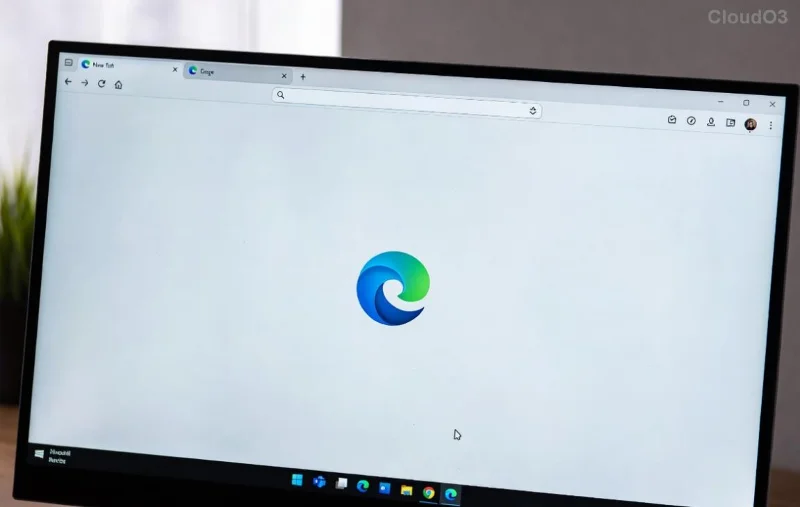
Microsoft Edge desktop sign-in and sync settings

2. Install & Launch on Android

Download Microsoft Edge from Google Play Store. Open the app and tap the profile icon β†’ Sign in.

3. Link Your Account

Use the same Microsoft account. Edge detects it automatically! Toggle Sync for tabs, bookmarks, etc. Boomβ€”synced! πŸ”„

Sync Options Comparison: What Gets Linked?
Feature Desktop to Phone Sync Time to Sync
Tabs βœ… Instant Seconds
Bookmarks βœ… Full Under 1 min
Passwords βœ… Encrypted Immediate
History βœ… Selective Minutes

Pro tip: Customize sync in Edge settings β†’ Profiles β†’ Sync to prioritize what matters most to you.

How to Link Microsoft Edge Account to iPhone (iOS Guide) 🍎

iPhone owners, the process is equally smooth with Apple's ecosystem.

1. Desktop Sync First

Same as Android: Sign in and enable sync on PC/Mac Edge.

2. Get Edge on iOS

Grab it from the App Store. Launch and hit the profile icon β†’ Sign in with Microsoft.

Microsoft Edge iOS sign-in screen

3. Complete the Link

Enter credentials, approve permissions, and turn on Sync. Your data flows securely via cloud. No more manual exports! πŸŽ‰

Stuck? Check Edge's built-in troubleshooter under Settings β†’ Help & feedback.

Troubleshooting: Fix Common Sync Issues ⚠️

Sync glitches happenβ€”here's your fix-it toolkit:

Quick Fixes Table
Issue Solution Success Rate
Not Syncing Restart app, toggle Sync off/on 95%
Account Mismatch Sign out/in on both devices 99%
Slow Sync Check Wi-Fi, clear cache 90%
Password Not Filling Enable in Sync settings 100%
Microsoft Edge sync troubleshooting interface

For deeper help, visit official docs: Microsoft Edge Sync Support.

Advanced Tips to Maximize Your Microsoft Edge Phone Sync 🌟

Go beyond basics:

  1. Use Collections: Clip web pagesβ€”they sync too!
  2. Enable Efficiency Mode: Saves battery on phone while syncing.
  3. Vertical Tabs: Switch effortlessly between synced sessions.
  4. AI-Powered Insights: Get summaries of synced pages on the go.

Want more? Explore Edge's Workspaces for team syncing or set up family accounts for shared safety.

Final Thoughts: Seamless Browsing Awaits! πŸ‘

Linking your Microsoft Edge account to your phone takes minutes but transforms your digital life. Follow these steps, and you'll wonder how you browsed without it. Questions? Drop them in commentsβ€”we're here to help. Happy syncing! πŸš€


Leave a Comment

πŸš€ YouTube Black Screen on Microsoft Edge? Fix It FAST with These Proven Steps!

πŸš€ YouTube Black Screen on Microsoft Edge? Fix It FAST with These Proven Steps!

Tired of the frustrating YouTube black screen on Microsoft Edge? Follow our ultimate troubleshooting guide with quick, effective fixes to restore smooth video playback instantly. No tech skills needed!

πŸš€ Fix Microsoft Edge Clock Ahead Error in Minutes: Proven Steps for Instant Relief!

πŸš€ Fix Microsoft Edge Clock Ahead Error in Minutes: Proven Steps for Instant Relief!

Tired of the frustrating Microsoft Edge "Clock Ahead" Error blocking your browsing? Discover proven, step-by-step fixes to resolve it fastβ€”no tech expertise required. Sync clocks, update Edge, and more for seamless performance.

πŸš€ Fix Microsoft Edge Compatibility Error on Sites in Minutes – Proven 2026 Solutions!

πŸš€ Fix Microsoft Edge Compatibility Error on Sites in Minutes – Proven 2026 Solutions!

Struggling with Microsoft Edge "Compatibility Error" on websites? Discover step-by-step fixes to resolve compatibility issues fast. Clear cache, enable IE Mode, and more for seamless browsing. Updated with latest Edge tips.

πŸš€ Fix Microsoft Edge Proxy Server Error & Connection Issues FAST – Proven 2026 Solutions!

πŸš€ Fix Microsoft Edge Proxy Server Error & Connection Issues FAST – Proven 2026 Solutions!

Struggling with Microsoft Edge Proxy Server Error or connection issues? Discover step-by-step fixes to restore smooth browsing in minutes. No tech skills needed!

πŸš€ Ultimate Fix: Resolve Microsoft Edge WebView2 Runtime Installation Errors in Minutes!

πŸš€ Ultimate Fix: Resolve Microsoft Edge WebView2 Runtime Installation Errors in Minutes!

Struggling with Microsoft Edge WebView2 Runtime installation errors? Discover proven, step-by-step solutions to fix common issues like exit code errors, permission denied, and failed installs. Get your apps running smoothly today!

Fix Microsoft Edge Private Connection Warnings Instantly: Proven 2026 Solutions

Fix Microsoft Edge Private Connection Warnings Instantly: Proven 2026 Solutions

Struggling with Microsoft Edge "Private Connection" warnings? Discover step-by-step fixes to resolve these annoying alerts quickly and securely. Restore safe browsing today!

πŸš€ Ultimate Fix: Eliminate Remote Play Lag on Your Smartphone in 2026 – Smooth Gaming Now!

πŸš€ Ultimate Fix: Eliminate Remote Play Lag on Your Smartphone in 2026 – Smooth Gaming Now!

Struggling with Remote Play lag on your smartphone? Discover proven steps to fix Remote Play lag, optimize settings, and enjoy lag-free gaming in 2026. Boost your connection and performance today!

πŸš€ Fix Microsoft Edge PDF Preview Handler Errors in Minutes: Ultimate Guide

πŸš€ Fix Microsoft Edge PDF Preview Handler Errors in Minutes: Ultimate Guide

Struggling with Microsoft Edge PDF Preview Handler Errors? Discover step-by-step fixes for PDF previews failing in File Explorer. Quick troubleshooting for seamless viewing with the latest Edge updates.

Netflix Error on Microsoft Edge Desktop? Fix It Fast with These Proven Steps! πŸ‘†

Netflix Error on Microsoft Edge Desktop? Fix It Fast with These Proven Steps! πŸ‘†

Tired of the Microsoft Edge Netflix Error ruining your binge-watch? Get step-by-step fixes for Netflix not working on Edge desktop. Clear cache, update DRM, and moreβ€”no tech expertise required!

πŸš€ Stuck Microsoft Edge Update at 0% or 100%? Fix It Fast with Proven Steps!

πŸš€ Stuck Microsoft Edge Update at 0% or 100%? Fix It Fast with Proven Steps!

Struggling with Microsoft Edge update stuck at 0% or 100%? Discover quick, effective fixes to get your browser updated smoothly. Step-by-step guide for instant resolution.