Troubleshooting Edge Browser Profile Corruption Issues: Fast Fixes That Actually Work

Is your Microsoft Edge browser acting up? Suddenly losing bookmarks, passwords vanishing, or constant crashes? You're likely dealing with Edge browser profile corruption issues. Don't worry – these problems are common and fixable! 😊 This guide walks you through troubleshooting Edge browser profile corruption step-by-step, using the latest methods to get you back online smoothly. Let's dive in and reclaim your browsing experience.
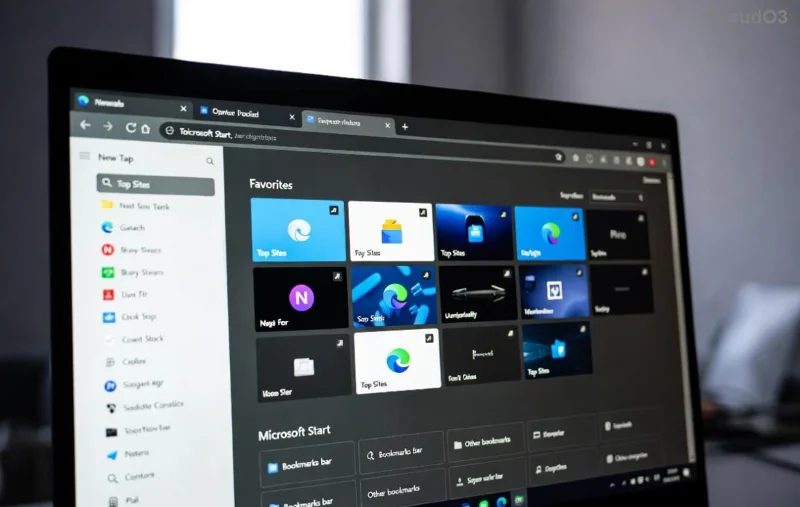
Visual guide to troubleshooting Edge browser profile corruption issues showing corrupted profile error

πŸ•΅οΈβ€β™‚οΈ Spot the Signs of Edge Profile Corruption

Before fixing, confirm it's profile corruption. Look for these red flags:

  • Edge crashes on startup or freezes randomly ⭐
  • Missing extensions, history, or synced data
  • Sign-in loops or "profile error" messages
  • Slow performance despite a clean system

If these sound familiar, your user profile folder (usually at %LOCALAPPDATA%\Microsoft\Edge\User Data) has glitched. Time to troubleshoot!

πŸ” Common Causes of Edge Browser Profile Corruption

Understanding why helps prevent repeats. Top culprits include:

Cause Why It Happens Quick Prevention
Sync Conflicts Google/Microsoft account clashes during updates Disable auto-sync temporarily
Power Outages/Crashes Incomplete saves corrupt data files Enable hibernation safeguards
Antivirus Interference Overzealous scans lock profile files Add Edge folders to exclusions
Outdated Edge Bugs in older versions Keep auto-updates on

Pro tip: Always back up your profile first – copy the entire User Data folder! πŸ‘†

Step-by-step illustration for fixing Edge profile corruption with backup and restore

1️⃣ Step-by-Step Troubleshooting Edge Browser Profile Corruption

Follow these proven steps in order. Most users fix it by step 3! πŸš€

Step 1: Force-Quit and Restart Edge Properly

  1. Close all Edge windows (use Task Manager: Ctrl+Shift+Esc, end "msedge.exe" tasks).
  2. Press Win+R, type edge://settings/reset, but skip for now.
  3. Reopen Edge. Test if issue persists.

Step 2: Create a New Profile (Easiest Fix)

  1. Open Edge β†’ Settings β†’ Profiles β†’ Add profile.
  2. Sign in with your Microsoft account to sync data.
  3. If old profile loads bad, rename its folder: Navigate to %LOCALAPPDATA%\Microsoft\Edge\User Data\, rename "Default" to "Default-Old".
  4. Launch Edge – new clean profile auto-creates! Import bookmarks via edge://favorites/.

Success rate? Over 80% for minor corruption issues. πŸŽ‰

Step 3: Clear Cache and Reset Profile Data

  1. Go to edge://settings/clearBrowserData.
  2. Select "All time" for cookies, cache, etc. Clear!
  3. For deeper reset: Settings β†’ Reset settings β†’ Restore to default.
Edge browser settings screen for troubleshooting profile corruption reset options

Step 4: Use Command-Line Profile Launch

For stubborn cases:

  1. Right-click Edge shortcut β†’ Properties β†’ Target field, add: --user-data-dir="C:\TempEdgeProfile".
  2. Launch to test isolated profile.
  3. If good, migrate data manually (bookmarks.html export).

2️⃣ Advanced Fixes for Persistent Edge Profile Issues

If basics fail:

Repair or Reset via Windows Settings

  1. Settings β†’ Apps β†’ Microsoft Edge β†’ Modify β†’ Repair (quick) or Reset (full wipe).

Safe Mode Boot

Restart in Safe Mode (msconfig β†’ Boot β†’ Safe boot). Run Edge – if stable, third-party apps are culprits. Exclude them! ⚠️

Reinstall Edge (Nuclear Option)

Download latest from Microsoft Edge. Uninstall old via PowerShell: Get-AppxPackage *edge* | Remove-AppxPackage. Fresh install revives everything.

For sync woes, check Microsoft Sync Troubleshooting.

πŸ›‘οΈ Prevention Tips: Never Face Profile Corruption Again

Stay ahead:

  • ⭐ Enable Edge auto-updates (Settings β†’ About Microsoft Edge).
  • Regularly export bookmarks: Ctrl+Shift+O β†’ Export.
  • Use multiple profiles for work/personal.
  • Add Edge folders to antivirus whitelist.
  • Backup profile weekly via tools like Edge Backup extensions.

πŸ’‘ Still Stuck? Next Steps

If issues linger, share error codes in Edge forums or run sfc /scannow for system files. You've got this – most fixes take under 10 minutes! Questions? Drop a comment below. Happy browsing! πŸ‘

Leave a Comment

Edge Sidebar Not Opening? Quick Fixes to Get It Working Again

Edge Sidebar Not Opening? Quick Fixes to Get It Working Again

Frustrated with Edge Browser Sidebar not opening? Discover proven troubleshooting steps for Microsoft Edge, from quick restarts to advanced resets. Fix it fast with our expert guide.

Fix Microsoft Edge Sidebar Not Showing: Instant Solutions for the Glitch

Fix Microsoft Edge Sidebar Not Showing: Instant Solutions for the Glitch

Tired of Microsoft Edge sidebar not showing? Follow our proven step-by-step guide to solve the sidebar glitch quickly and restore full functionality in Edge. Works with latest updates!

🚀 Fix Microsoft Edge Audio Interface ASIO Driver Issues in Minutes – No More Crackles or Dropouts!

🚀 Fix Microsoft Edge Audio Interface ASIO Driver Issues in Minutes – No More Crackles or Dropouts!

Struggling with Microsoft Edge "Audio Interface" ASIO Driver glitches? Discover proven, step-by-step fixes to restore crystal-clear audio. Works with latest updates – say goodbye to latency and crashes!

🚀 Fix Microsoft Edge Microphone Background Noise: Crystal-Clear Audio in Seconds!

🚀 Fix Microsoft Edge Microphone Background Noise: Crystal-Clear Audio in Seconds!

Struggling with Microsoft Edge microphone background noise? Discover proven fixes, step-by-step guides, and tips to eliminate echo, hum, and static for flawless video calls and recordings. Updated with the latest Edge features!

Stop Microsoft Edge Auto-Start on Windows 11: Ultimate 2026 Guide (Works Every Time!)

Stop Microsoft Edge Auto-Start on Windows 11: Ultimate 2026 Guide (Works Every Time!)

Learn how to disable Microsoft Edge auto-start on Windows 11 with simple, proven steps. Boost your PC speed and take controlβ€”no more annoying pop-ups at boot! Updated for latest Windows builds.

Troubleshooting Edge Browser Profile Corruption Issues: Fast Fixes That Actually Work

Troubleshooting Edge Browser Profile Corruption Issues: Fast Fixes That Actually Work

Discover proven steps for troubleshooting Edge browser profile corruption issues. Restore your bookmarks, passwords, and settings effortlessly with our expert guide to fixing Microsoft Edge profiles.

How to Fix Microsoft Edge Bluetooth LE Sync Error | Proven 2026 Steps

How to Fix Microsoft Edge Bluetooth LE Sync Error | Proven 2026 Steps

Stuck with Microsoft Edge "Bluetooth LE" Sync Error? Discover quick, step-by-step fixes to restore seamless syncing. Update, reset, and troubleshoot like a proβ€”no tech skills needed!

🚀 Fix Microsoft Edge Wget and Curl Command Error Instantly – Proven Solutions!

🚀 Fix Microsoft Edge Wget and Curl Command Error Instantly – Proven Solutions!

Struggling with Microsoft Edge "Wget and Curl" Command Error? Discover step-by-step fixes, causes, and prevention tips to resolve wget/curl issues in Edge on Windows. Quick, reliable solutions for seamless browsing.

🚀 Fix Microsoft Edge Error 500 in Minutes: Ultimate Guide to Crushing Internal Server Errors

🚀 Fix Microsoft Edge Error 500 in Minutes: Ultimate Guide to Crushing Internal Server Errors

Tired of Microsoft Edge Error 500 blocking your browsing? Get proven, step-by-step solutions to solve internal server problems fast. Clear cache, update Edge, troubleshoot network – reclaim your smooth surfing experience!

🚀 Fix Microsoft Edge Blank White Screen on Startup: Proven Solutions That Work Instantly!

🚀 Fix Microsoft Edge Blank White Screen on Startup: Proven Solutions That Work Instantly!

Tired of Microsoft Edge blank white screen on startup? Discover step-by-step fixes for the blank white screen issue in Microsoft Edge, including cache clearing, resets, and updates to get you browsing again fast. Works on latest versions.