Upgrading to Windows 11 can breathe new life into your PC, offering a sleek interface, enhanced security, and productivity boosts that make every task feel effortless. If you're excited to get started but unsure where to begin, you're in the right place! This guide walks you through downloading the official Windows 11 ISO file and securing a product key – all without the headaches. We'll keep it straightforward, focusing on safe, legitimate methods to ensure your system runs smoothly. Let's dive in and get your device powered up! 🚀
Why Choose Windows 11? A Quick Peek at the Benefits
Before we jump into the how-to, let's quickly highlight what makes Windows 11 worth the download. With its centered taskbar, AI-driven features like Copilot, and better multitasking via Snap Layouts, it's designed for modern workflows. Plus, robust security like TPM 2.0 integration keeps your data safe. Downloading the ISO gives you full control for clean installs or upgrades, avoiding bloatware from third-party sources. Ready to experience it? Follow these steps for a seamless Windows 11 download.
Step 1: Check Your PC's Compatibility for Windows 11
👆 First things first – not every PC is ready for Windows 11. Microsoft requires specific hardware to ensure optimal performance. Run the PC Health Check tool from Microsoft's official site to verify:
- Processor: 1 GHz or faster with 2+ cores on a compatible 64-bit processor (e.g., Intel 8th Gen or AMD Ryzen 2000 series).
- RAM: At least 4 GB.
- Storage: 64 GB or larger.
- Graphics: DirectX 12 compatible with WDDM 2.0 driver.
- TPM: Version 2.0 (enabled in BIOS).
- Secure Boot: Capable and enabled.
If your setup meets these, great! If not, consider hardware upgrades or sticking with Windows 10 for now. This check saves you time and frustration later.
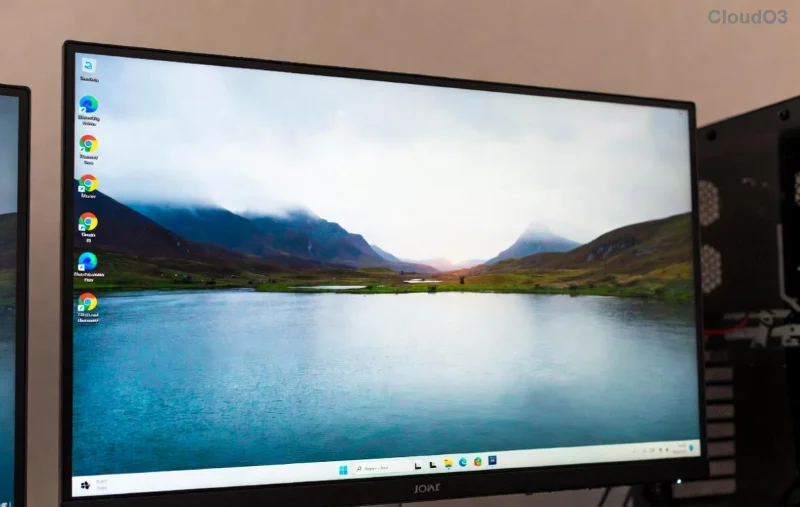
Step 2: Download the Official Windows 11 ISO for Free
Downloading the Windows 11 ISO is straightforward and free from Microsoft's site. No need for shady torrents – stick to official channels to avoid malware. Here's how:
- Visit the Official Microsoft Download Page: Head to the Windows 11 download page. This is the most reliable source for the latest ISO builds.
- Select Download Options: Choose "Download Windows 11 Disk Image (ISO) for x64 devices." Pick your preferred language and edition (Home or Pro – more on editions below).
- Confirm and Download: Verify you're downloading for installation media, then hit "Download." The file is around 5-6 GB, so ensure a stable internet connection. It typically takes 30-60 minutes depending on your speed.
- Verify the File: Once downloaded, check the SHA256 hash against Microsoft's provided value to confirm integrity. Tools like HashCalc can help.
Pro Tip: If you're on an older Windows version, use the Media Creation Tool for an even easier process. It creates a bootable USB directly. This method ensures you're getting the freshest Windows 11 ISO without compatibility issues.
Understanding Windows 11 Editions and Product Keys
Windows 11 comes in editions like Home, Pro, Education, and Enterprise, each suited for different needs. Home is ideal for everyday users, while Pro adds business features like BitLocker encryption.
A product key is your license to activate Windows 11 legally. Without it, you'll face limitations like watermarks and restricted personalization. Here's a quick breakdown:
| Edition |
Best For |
Example Product Key Format |
Cost Estimate |
| Home |
Personal use, families |
XXXXX-XXXXX-XXXXX-XXXXX-XXXXX (25 characters) |
$139 (retail) |
| Pro |
Professionals, small businesses |
Same format, starts with 'VK' or similar |
$199 (retail) |
| Education |
Schools and institutions |
Volume licensing |
Varies (institutional) |
Feeling overwhelmed? Don't worry – obtaining a product key is simpler than it sounds, and we'll cover legit options next. This ensures your Windows 11 download leads to full activation. 😊
![Windows 11 product key activation screen]()
Step 3: Get a Legitimate Windows 11 Product Key
Securing a product key keeps everything above board and unlocks all features. Avoid free key generators – they're often invalid or risky. Instead:
- Buy from Microsoft Store: The safest bet. Visit the Microsoft Store for digital keys starting at $139 for Home. Instant delivery via email!
- Retailers like Amazon or Best Buy: Search for "Windows 11 key" on trusted sites. Look for OEM or retail versions – retail allows transfers between PCs.
- If Upgrading from Windows 10: Eligible devices get a free digital license. No key needed – activation happens automatically if your hardware qualifies.
- Volume Licensing for Businesses: Use Microsoft's Volume Licensing Service Center for bulk keys.
💡 Insider Tip: During the Windows 11 ISO installation, enter the key when prompted. If you skip it, activate later via Settings > System > Activation. Always store your key safely in a password manager.
Step 4: Install Windows 11 from the ISO File
With your ISO and product key ready, installation is a breeze. Choose your method:
- USB Bootable Drive: Use Rufus (free tool) to create a bootable USB from the ISO. Insert, restart your PC, enter BIOS (usually F2/Del), set USB as first boot device, and follow on-screen prompts.
- Upgrade from Current OS: Mount the ISO as a virtual drive (right-click > Mount), run setup.exe, and select "Upgrade" to keep files/apps.
- Clean Install: Boot from USB/DVD, delete old partitions if desired, and install fresh. Enter your product key during setup.
The process takes 20-60 minutes. Post-install, connect to the internet for updates – Windows 11 will auto-activate with your key. If issues arise, troubleshoot via the Activation Troubleshooter in Settings.
Common Pitfalls and How to Avoid Them
Even smooth sails hit bumps. Here's how to sidestep errors:
- Error 0x80070002: Missing files? Redownload the ISO from official sources.
- Product Key Not Working: Double-check format and edition match. Contact Microsoft Support if bought directly.
- BIOS Issues: Ensure Secure Boot and TPM are enabled – guides abound on Microsoft's support pages.
By sticking to these tips, your Windows 11 download and activation will be error-free. Pat yourself on the back – you're now running the latest OS! 👏
Final Thoughts: Elevate Your PC Experience Today
Congratulations! You've mastered how to download Windows 11 ISO with product key, setting the stage for a faster, more secure computing life. Whether for work, gaming, or creativity, Windows 11 delivers. If you run into snags, Microsoft's community forums are goldmines for help. What's your first task on the new OS? Share in the comments below – let's keep the conversation going! For more tech guides, explore our site. Happy upgrading! 🌟