Imagine diving into your favorite game without the frustration of endless loading screens. That's the magic of DirectStorage on Windows 11 – a game-changer designed to supercharge your gaming experience. If you're tired of waiting around while textures load sluggishly, this guide will show you exactly how to use Windows 11 DirectStorage for games. We'll keep it straightforward, focusing on practical steps to get you up and running with faster, more immersive gameplay. Ready to level up? Let's jump in! 🚀
What is DirectStorage and Why It Matters for Gamers
DirectStorage is Microsoft's innovative API that lets games pull data straight from your SSD to the GPU, bypassing the CPU bottleneck. Introduced as part of the Windows 11 ecosystem, it dramatically cuts load times – think seconds instead of minutes – and reduces CPU overhead, freeing up resources for smoother frame rates.
For gamers, this means worlds load instantly, open-world adventures feel seamless, and competitive edges sharpen. Whether you're exploring vast RPG landscapes or battling in fast-paced shooters, DirectStorage for games ensures you're in the action faster. It's not just tech jargon; it's the key to frustration-free fun. Excited yet? Stick around as we break down the setup.
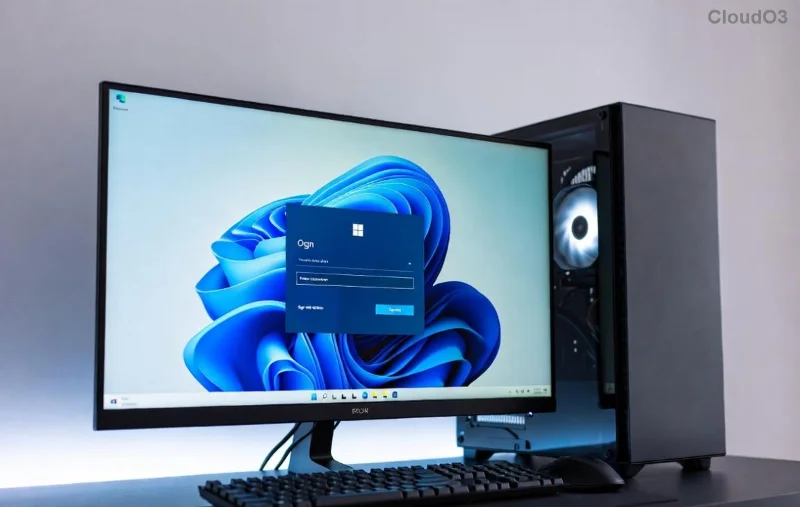
System Requirements: Do You Have What It Takes?
Before enabling DirectStorage, ensure your rig is ready. Windows 11 is the foundation – it's optimized for this feature out of the box. Here's what you need:
- 🖥️ Operating System: Windows 11 (version 22000 or later; check via Settings > System > About).
- 💾 Storage: NVMe SSD (PCIe 3.0 or faster). Traditional HDDs or SATA SSDs won't cut it for full DirectStorage benefits.
- 🎮 GPU: DirectX 12 Ultimate compatible graphics card (NVIDIA RTX 20-series or newer, AMD RX 6000-series or newer).
- 🔧 CPU: Modern processor with good PCIe lanes, like Intel 11th Gen or AMD Ryzen 5000 series and up.
- 📱 RAM: At least 16GB recommended for peak performance.
Pro tip: Run the DirectX Diagnostic Tool (type "dxdiag" in the search bar) to verify your hardware. If you're missing pieces, upgrading your SSD is often the quickest win – and it's worth every penny for those buttery-smooth loads. Feeling confident? Let's move to installation.
Step-by-Step: How to Enable DirectStorage on Windows 11
Enabling DirectStorage for games is simpler than you think. Follow these steps to get it humming:
- 1️⃣ Update Windows 11: Head to Settings > Windows Update > Check for updates. Install any available patches – the latest builds enhance DirectStorage compatibility.
- 2️⃣ Install the Latest GPU Drivers: For NVIDIA, download from NVIDIA's site. AMD users, grab from AMD's support page. Outdated drivers can sabotage performance, so stay current!
- 3️⃣ Ensure NVMe SSD Setup: In Disk Management (right-click Start > Disk Management), confirm your game drive is an NVMe SSD. If not, migrate games to one for optimal results.
- 4️⃣ Enable in Windows Features: DirectStorage is built-in, but verify via Optional Features (Settings > Apps > Optional features > Add a feature > Search for "DirectStorage"). It's usually pre-enabled on supported hardware.
That's it! No complex tweaks needed. Once set up, Windows 11 DirectStorage works automatically with compatible titles. Test it by launching a supported game – you'll notice the difference immediately. But wait, which games actually use it? Let's explore.
Best Games That Harness DirectStorage Power
Not every game supports DirectStorage yet, but adoption is growing fast. Here's a curated list of top titles optimized for it on Windows 11, showcasing reduced load times and enhanced visuals:
| Game Title |
Why It Shines with DirectStorage |
Load Time Improvement |
| Forspoken |
Epic open-world magic with seamless traversal. |
Up to 35% faster loads. |
| Ratchet & Clank: Rift Apart |
Dimensional jumps without hitches. |
Near-instant portal transitions. |
| Starfield |
Vast space exploration feels fluid. |
Reduced planet loading by 50%+. |
| Diablo IV |
Quick dungeon dives in dark fantasy. |
Faster zone transitions. |
These gems demonstrate DirectStorage's potential. Developers are rolling out support in updates, so check patch notes for your library. Playing one? You'll feel the speed boost – it's like your PC got a turbo upgrade! 😊
![Gamer enjoying fast load times in a DirectStorage-enabled game on Windows 11]()
Tips to Maximize DirectStorage Performance in Games
Setup is half the battle; optimization seals the deal. Here are actionable tips to squeeze every ounce from Windows 11 DirectStorage for games:
- ⭐ Store Games on NVMe: Move your library to a fast NVMe drive. Tools like Steam's built-in mover make it easy – expect load times to plummet.
- ⭐ Monitor with Task Manager: During gameplay, watch CPU/GPU usage. DirectStorage should keep CPU low; if not, tweak game settings for higher GPU reliance.
- ⭐ Disable Background Apps: Close resource hogs via Task Manager. Fewer interruptions mean purer DirectStorage flow.
- ⭐ Update BIOS and Firmware: Ensure your motherboard's BIOS supports PCIe 4.0+ for NVMe speeds. Check your manufacturer's site for the latest.
- ⭐ Test and Benchmark: Use tools like CrystalDiskMark to benchmark your SSD pre- and post-setup. Share your results in gaming forums – it's rewarding to see the gains!
One gamer I know slashed their load times from 45 seconds to under 10 in Forspoken just by switching to NVMe. Your turn to shine! If issues arise, like compatibility glitches, the Microsoft DirectStorage docs are a goldmine.
Troubleshooting Common DirectStorage Hiccups
Even with the best setup, glitches happen. Don't sweat it – here's how to fix them quickly:
- ❌ No Support Detected: Verify hardware in dxdiag. If your GPU lacks DirectX 12 Ultimate, it's a no-go – time for an upgrade.
- ❌ Slow Loads Persist: Ensure games are installed on NVMe, not a secondary drive. Reinstall if needed.
- ❌ Driver Conflicts: Roll back or clean-install GPU drivers using Display Driver Uninstaller (DDU) for a fresh start.
- ❌ Game Crashes: Update the game and Windows. Community forums like Reddit's r/Windows11 often have workarounds.
Most issues stem from outdated software, so regular updates keep things smooth. Pat yourself on the back – troubleshooting like a pro builds that gamer resilience! 👏
The Future of Gaming with DirectStorage on Windows 11
As DirectStorage matures, expect more titles to embrace it, pushing boundaries in VR, ray tracing, and massive worlds. It's paving the way for next-gen experiences where immersion trumps waiting. By mastering how to use Windows 11 DirectStorage for games now, you're ahead of the curve.
We've covered the essentials to transform your setup. Dive into a supported game today and feel the difference – your adventures await without delay. Got questions or wins to share? Drop a comment below; let's build a faster gaming community together!