Are you ready to elevate your PC experience with the sleek, powerful features of Windows 11 Pro 64-Bit? Whether you're upgrading from an older version or setting up a fresh install, getting Windows 11 Pro 64-Bit for free might sound too good to be true—but it's absolutely possible through official channels. In this guide, we'll walk you through legitimate, secure ways to download Windows 11 Pro 64-Bit for free, ensuring you avoid risks and enjoy a smooth process. Let's dive in and get your system future-proofed! 🚀
Why Choose Windows 11 Pro 64-Bit?
Before we jump into the how-to, let's quickly highlight what makes Windows 11 Pro 64-Bit a game-changer. This edition offers advanced security like BitLocker encryption, remote desktop capabilities, and Hyper-V virtualization—perfect for professionals and power users. Running on 64-bit architecture, it handles modern apps and multitasking effortlessly, with AI-powered features like Copilot enhancing productivity. Plus, it's optimized for the latest hardware, ensuring your PC runs like a dream. If you're on Windows 10, the free upgrade path is still your best bet for seamless access.
Official Ways to Download Windows 11 Pro 64-Bit for Free
Microsoft provides straightforward, legal methods to download Windows 11 Pro 64-Bit for free, especially if you're eligible for an upgrade. No shady torrents or third-party sites needed—stick to the source for peace of mind. Here's how:
1. Use the Windows 11 Installation Assistant for Upgrades
If your current Windows 10 PC meets the requirements (like TPM 2.0 and Secure Boot), you can upgrade to Windows 11 Pro 64-Bit for free directly. This tool downloads and installs everything automatically.
- Visit the official Microsoft site: Windows 11 Download Page.
- Select the Installation Assistant option under "Windows 11 Installation."
- Run the tool—it checks compatibility and downloads the Windows 11 Pro 64-Bit files (around 4-5 GB).
- Follow on-screen prompts to upgrade. Your files and apps stay intact!
Pro tip: Back up your data first with OneDrive or an external drive. This method is ideal if you're already activated on Windows 10 Pro—your license transfers over. 😊
2. Download the Windows 11 ISO for Clean Installs
For a fresh start or virtual machine setup, grab the ISO file. This is the purest way to download Windows 11 Pro 64-Bit for free and customize your installation.
- Head to the same Microsoft Download Page.
- Choose Download Windows 11 Disk Image (ISO).
- Select "Windows 11" from the dropdown, then pick your language and edition (Pro is available if eligible).
- Download the 64-Bit ISO (about 5.2 GB in the latest build).
- Use tools like Rufus or the built-in Media Creation Tool to create a bootable USB.
During installation, if you have a valid digital license, Windows 11 Pro activates automatically. No product key? It runs in unactivated mode with minor limitations, but you can add a key later. This flexibility keeps things exciting for tinkerers!
![Step-by-step ISO download process for Windows 11 Pro]()
3. Leverage Free Trials and Evaluation Versions
Microsoft offers evaluation versions of Windows 11 Pro 64-Bit for testing—perfect if you're exploring before committing. These are time-limited but fully functional.
- Go to the Microsoft Evaluation Center (note: Enterprise edition is similar to Pro; convert if needed).
- Download the 64-Bit ISO for a 90-day trial.
- Install and activate the eval mode—no key required.
Once the trial ends, upgrade to full Pro with a license. It's a smart way to test features like Windows Hello and Snap Layouts risk-free. ⭐
System Requirements for Windows 11 Pro 64-Bit
To ensure a smooth download Windows 11 Pro 64-Bit for free experience, verify your PC's compatibility. Microsoft updated requirements in recent builds, so double-check:
| Requirement |
Details |
| Processor |
1 GHz or faster with 2+ cores on a compatible 64-bit processor |
| RAM |
4 GB minimum (8 GB recommended for Pro features) |
| Storage |
64 GB or larger |
| Graphics |
DirectX 12 compatible with WDDM 2.0 driver |
| TPM |
Version 2.0 (check via PC Health Check app) |
| Display |
720p resolution, 9" diagonal minimum, 8 bits per color channel |
Run the PC Health Check tool from Microsoft to scan your setup. If you're short, consider hardware tweaks—it's worth it for the enhanced security and performance!
Safety Tips: Avoiding Risks When Downloading
While official methods are safe, the web is full of pitfalls. To keep your Windows 11 Pro 64-Bit free download secure:
- Stick to Microsoft.com: Avoid third-party sites promising "cracked" versions—they often bundle malware. ⚠️
- Use antivirus like Windows Defender during downloads.
- Verify file integrity with SHA-256 hashes from Microsoft's site.
- If upgrading, create a system restore point.
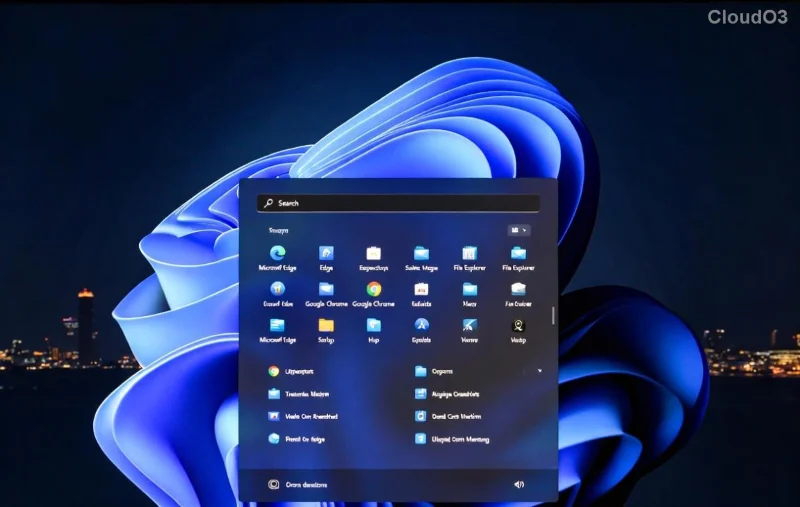
By following these, you'll enjoy a worry-free install. Imagine booting into that beautiful centered taskbar—pure bliss!
Post-Download: Activating and Optimizing Windows 11 Pro
After downloading, activation is key for full Windows 11 Pro perks. If you don't have a key, purchase one from Microsoft or authorized retailers (starting around $199). For free users, the unactivated version still shines, but activation unlocks everything.
Optimize further:
- Update via Settings > Windows Update for the latest patches.
- Customize with themes and widgets for a personal touch.
- Explore Pro exclusives like domain joining for work setups.
Stuck? Microsoft's support forums are goldmines—search for "Windows 11 Pro activation" for quick fixes.
Final Thoughts: Get Started Today!
Downloading Windows 11 Pro 64-Bit for free is easier than ever with these official steps. Whether upgrading or installing fresh, you'll unlock a world of innovation without spending a dime upfront. Follow this guide, and you'll be snapping apps and securing your data in no time. Ready to transform your PC? Head to Microsoft's site now and begin—your upgraded future awaits! 👏
For more tech tips, stick around our site. What's your favorite Windows 11 feature? Share in the comments below!