Home
» News
»
Daylight Saving Time 2026: How to Prepare Your Devices and Schedule Before November 1
Daylight Saving Time 2026: How to Prepare Your Devices and Schedule Before November 1
For most people in the United States, the most important daylight saving time task this fall is simple: make sure your connected devices are set to update time and time zone automatically, then review anything that could be sensitive to a one-hour shift. In 2026, daylight saving time ends on Sunday, November 1, at 2:00 a.m. local time. At that moment, clocks move back to 1:00 a.m., creating a repeated hour. The federal rule and the 2026 dates are confirmed by the National Institute of Standards and Technology.
That advice applies to most of the country, not every location. The U.S. Department of Transportation states that Hawaii, most of Arizona, Puerto Rico, the U.S. Virgin Islands, American Samoa, Guam, and the Northern Mariana Islands do not observe daylight saving time. If you live in or are traveling through a place that does not change clocks, do not “correct” a device just because someone in another state changed theirs.
The fastest preparation plan
For a typical household, four checks are enough: confirm automatic time on your phone, confirm automatic time on your computer, review calendar events that cross time zones, and identify clocks or appliances that still need a manual adjustment. Do this the day before the transition, then verify the result the next morning.
1. Check automatic time and time-zone settings on your phone
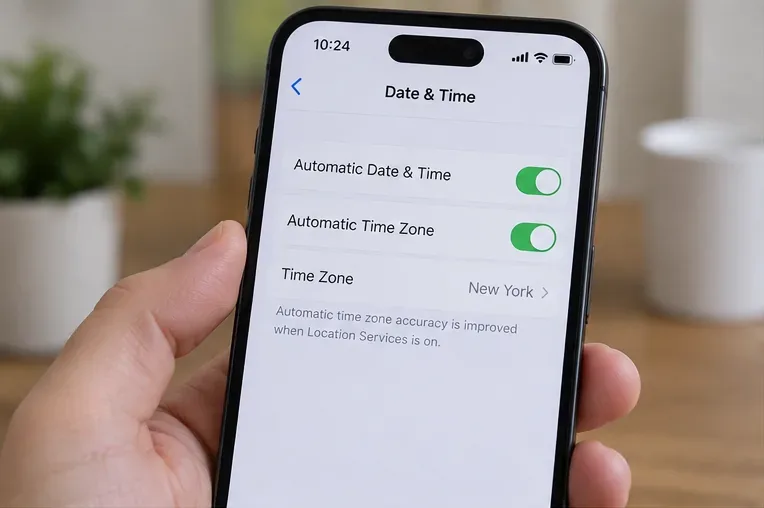
Modern smartphones normally handle the DST change without you moving the clock by hand, but only if the phone is allowed to obtain the correct time and time zone. On iPhone, Apple’s current support guidance places date and time controls under Settings > General > Date & Time; Apple also notes that time-zone detection can depend on location services or network availability. See Apple’s date and time instructions for iPhone.
On Pixel phones, Google documents automatic date/time and automatic time-zone controls in its clock and system settings. See Google’s Pixel time and time-zone guidance. Other Android manufacturers may label or place these settings differently.
Example phone time settings with automatic time and time-zone options enabled. Menu wording and layout can vary by device and operating-system version.
What success looks like: the device shows the correct local time zone before the transition and the correct local time after the transition without manual editing. If the phone is showing the wrong city or zone, fix the zone before you start changing the clock itself.
2. Verify automatic time on your computer, especially work laptops
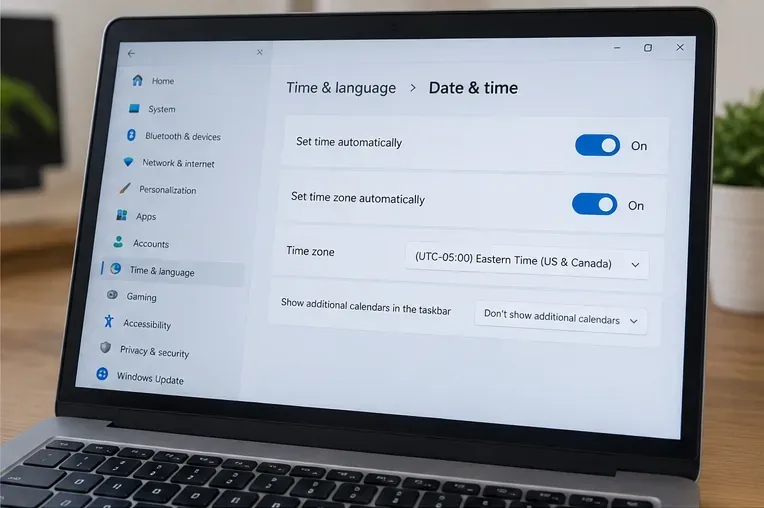
On Windows 11 and Windows 10, Microsoft says date, time, time zone, and daylight-saving settings are controlled in Settings > Time & language > Date & time. When automatic time-zone detection is enabled, daylight-saving adjustment is handled automatically. Microsoft also documents a separate “Adjust for daylight saving time automatically” option when the time zone is set manually. See Microsoft’s Windows date and time guidance.
Example Windows date and time settings. The important check is that the computer is using the intended time zone and is configured to handle time changes automatically where appropriate.
Corporate computers deserve extra attention because organization policies, VPNs, virtual desktops, or manually assigned time zones can affect what you see. If your work computer is correct but a remote desktop or virtual machine is one hour off, treat that as a separate configuration issue rather than changing your physical computer to match it.
3. Review meetings, travel, and recurring calendar events
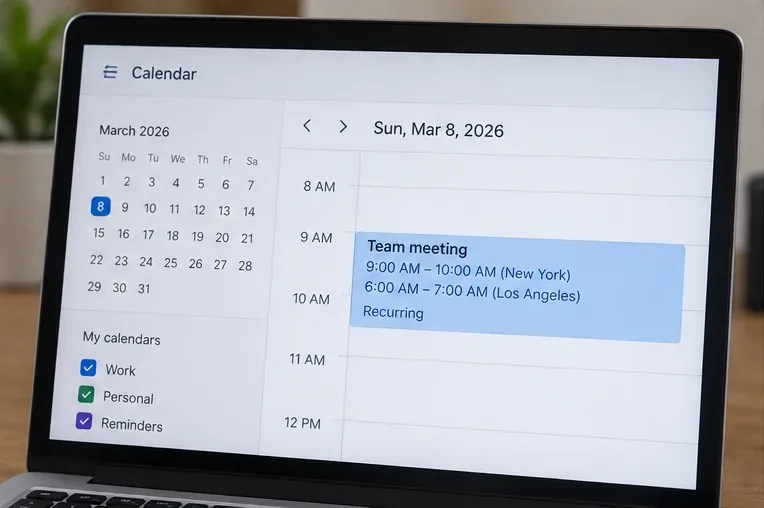
The clock change matters most when schedules span locations. A 9:00 a.m. meeting in New York and a 6:00 a.m. meeting in Los Angeles remain three hours apart when both places switch on the same U.S. schedule. The risk appears when participants are in regions that change clocks on different dates, do not observe DST, or when an event was created with a fixed or incorrect time zone.
Google explains that Calendar stores and displays events using time-zone information and lets users assign a specific time zone to an event. It also warns that historical or far-future events can be affected when governments change time-zone rules. See Google Calendar’s time-zone guidance.
A recurring meeting shown with city-specific times. For cross-time-zone events, verify the event’s assigned time zone rather than relying only on the displayed hour.
Prioritize these events: flights, airport pickups, medication reminders, school or childcare handoffs, live broadcasts, international meetings, server maintenance windows, and anything scheduled between roughly midnight and 3:00 a.m. local time on the transition night. Those are the situations where a repeated hour or a mistaken time zone can create real confusion.
4. Find the clocks that will not update themselves
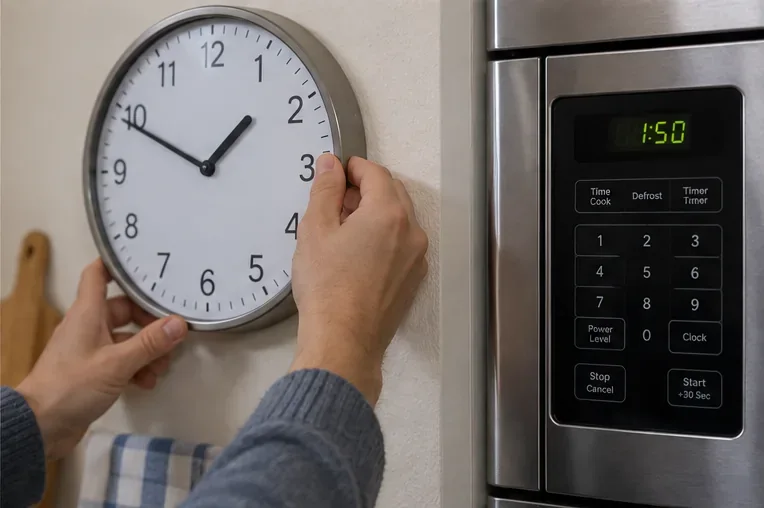
Automatic updates do not help a wall clock, oven, microwave, older car clock, battery-powered alarm clock, irrigation controller, camera, or standalone appliance that has no reliable network time source. Make a quick room-by-room pass and note anything you still set by hand.
Manual clocks and appliances are easy to miss because they are not connected to a time server. Check them separately after the DST transition.
For the November 1, 2026 transition, a manual clock in an observing U.S. location should be moved back one hour. If the clock is part of a security, heating, irrigation, or access-control system, consult the device’s own manual before changing settings, because schedules may be stored separately from the display clock.
What to check the night before
Confirm your phone shows the correct time zone and is allowed to update automatically.
Check your primary computer, especially if you manually selected its time zone in the past.
Open your calendar and inspect Sunday and Monday events after the transition.
For international meetings, verify the other city’s local time instead of assuming its DST date matches yours.
Set critical alarms only after confirming the device’s time-zone setting.
Write down any manual clocks or appliances that will need attention the next morning.
What to verify on Sunday morning
Do not judge success by one clock alone. Compare at least one network-connected phone or computer with another reliable connected device. Then check your next alarm and your first few calendar events. If those agree, your main schedule is likely in good shape.
If one device is exactly one hour off while the others are correct, the most likely place to investigate is its time-zone or DST setting. If every connected device is wrong in the same way, confirm your actual local time zone and whether your location observes daylight saving time before making manual changes.
Common mistakes to avoid
Manually moving a phone clock before the change. If automatic settings are enabled, a manual correction can leave the device wrong after the network updates it. Change the underlying time-zone setting only when it is actually incorrect.
Assuming every U.S. location changes clocks. Federal law allows states to exempt themselves from DST, and several U.S. jurisdictions do not observe it. The correct action depends on where you are.
Checking only the displayed meeting time. For travel and international work, open the event details and inspect its time zone. A meeting that “looks right” on one device can still be tied to the wrong zone.
Forgetting systems with stored schedules. A thermostat or irrigation controller may display the right clock but still have a program that behaves unexpectedly after a transition. Test the next scheduled action if timing matters.
What daylight saving time does not change
DST changes civil clock time, not the actual duration of a flight, commute, meeting, or medication interval. If you take something every eight hours, for example, the elapsed-time requirement is different from simply taking it at the same wall-clock hour. For medical dosing or other safety-critical timing, follow the instructions from your clinician, pharmacist, manufacturer, or other qualified authority rather than improvising around the clock change.
Likewise, a calendar event with a properly assigned time zone should continue to represent the intended instant even when its displayed local time changes. That is why time-zone data matters more than manually editing hours.
Bottom line
For most U.S. users, preparing for the November 1, 2026 end of daylight saving time is mainly a verification job, not a manual clock-reset job. Let connected devices manage time automatically, confirm that each device is using the correct time zone, review events that cross regions, and reserve manual adjustments for clocks and appliances that cannot update themselves. If your location does not observe DST, keep your local settings correct and avoid copying the clock change made elsewhere.