หน้าแรก
» How To
»
How to Clean AirPods Pro Ear Tips Safely: Apple’s Water-Only Method
How to Clean AirPods Pro Ear Tips Safely: Apple’s Water-Only Method
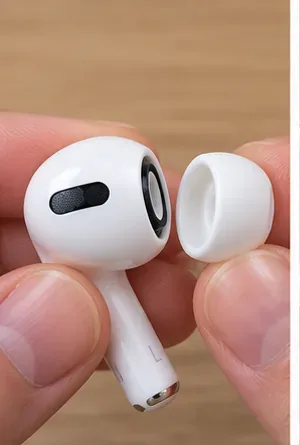
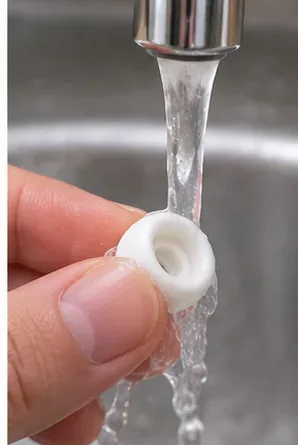
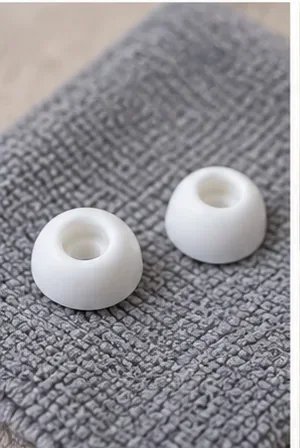
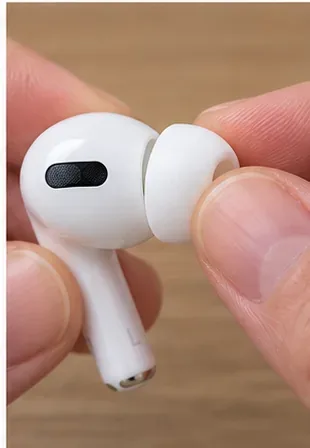
The safest way to clean AirPods Pro ear tips is simple: remove the silicone tips, rinse the detached tips with plain water, dry them completely with a soft lint-free cloth, and click them back onto the oval connectors. Apple specifically says not to use soap or household cleaners on the ear tips. That distinction matters because some cleaning instructions for other parts of AirPods Pro use different materials.
Apple’s current AirPods Pro cleaning guidance, published February 2, 2026, separates ear-tip cleaning from mesh and body cleaning. If your goal is only to remove earwax, sweat residue, or everyday grime from the removable tips, you do not need alcohol, detergent, a brush, or a special cleaning solution. You need water, a clean lint-free cloth, and enough drying time for the tips to be completely dry before they go back on the earbuds.
Do you need soap to clean AirPods Pro ear tips?
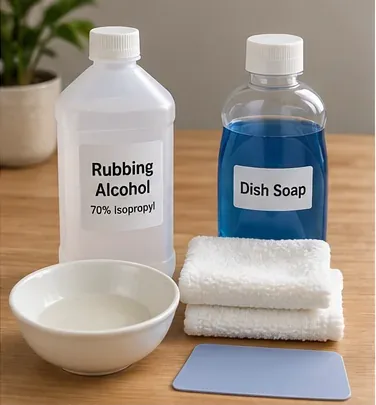
No. Apple’s instructions for AirPods Pro ear tips say to rinse the removed tips with water and not to use soap or other household cleaners. This is one of the most important points to get right because detergent residue can remain on a soft tip and later contact your skin.
There is an easy source of confusion here. Apple also publishes a separate procedure for cleaning certain AirPods Pro 2 and AirPods Pro 3 meshes that can involve micellar water and distilled water. That procedure is for specific meshes on the earbud body, not for the removable ear tips. For the silicone ear tips themselves, follow the simpler water-only method described in Apple’s AirPods Pro cleaning instructions.
Should you remove the ear tips before washing them?
Yes. Remove each tip from the AirPod before rinsing it. Do not put the AirPod itself under running water just because the removable tip can be rinsed.
If there is already water trapped inside an attached tip, Apple says to hold the ear-tip opening downward and tap the AirPod gently on a soft, dry, lint-free cloth to help remove the water before proceeding. Once the tip is off, you can clean it separately without exposing the earbud body to the rinse.
How do you remove an AirPods Pro ear tip without stretching it?
Grip the ear tip at its base, where it connects to the AirPod, and pull it straight off with steady pressure. Avoid pulling only on the thin outer silicone edge. If the tip feels slippery, Apple suggests rolling the soft edge slightly inside out or using a clean lint-free cloth for extra grip. The company’s current guide also notes that AirPods Pro ear tips are model-specific, so replacement tips are not interchangeable across all AirPods Pro generations. See Apple’s guide to removing and attaching AirPods Pro ear tips.
จุกหูฟังและตัวเชื่อมต่อของ AirPods Pro มีรูปทรงวงรี ไม่ใช่ทรงกลมสนิท ให้จัดรูปทรงให้ตรงกัน แล้วกดจุกหูฟังลงบนตัวเชื่อมต่อจนกระทั่งมีเสียงคลิก Apple แนะนำให้ลองดึงจุกหูฟังที่ติดอยู่เบาๆ เพื่อตรวจสอบว่าแน่นสนิทแล้ว