Home
» Android
»
Galaxy S27 Ultra and Windows: The Seamless Ecosystem Upgrades That Actually Make Sense
Galaxy S27 Ultra and Windows: The Seamless Ecosystem Upgrades That Actually Make Sense
The most believable answer is not a brand-new S27 Ultra feature that suddenly turns Windows into a Galaxy desktop. It is deeper integration with the Windows features Samsung and Microsoft are already building together. As of September 14, 2026, Samsung has not announced the Galaxy S27 Ultra on the official sources reviewed for this article. The company’s current flagship is the Galaxy S26 series, introduced in February 2026. That means any S27-specific Windows feature remains unconfirmed.
What is already clear, however, is the direction of travel. Samsung has moved away from DeX for PC on newer Galaxy phones and is increasingly relying on Link to Windows, Microsoft Phone Link, Windows 11 mobile-device integration, Quick Share, cross-device resume features, and Samsung’s own Windows apps. If the S27 Ultra arrives on the expected annual flagship cycle, the safest expectation is that it will make those existing workflows feel faster, less fragmented, and more automatic rather than replacing them with an entirely new ecosystem.
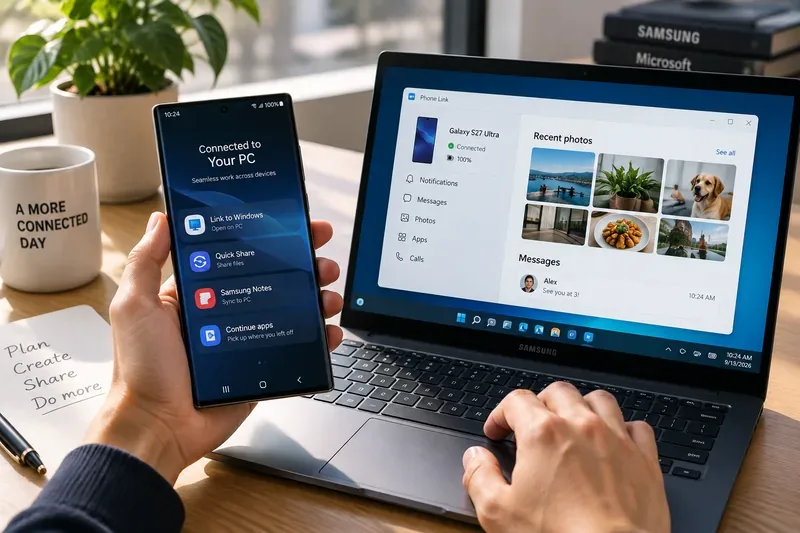
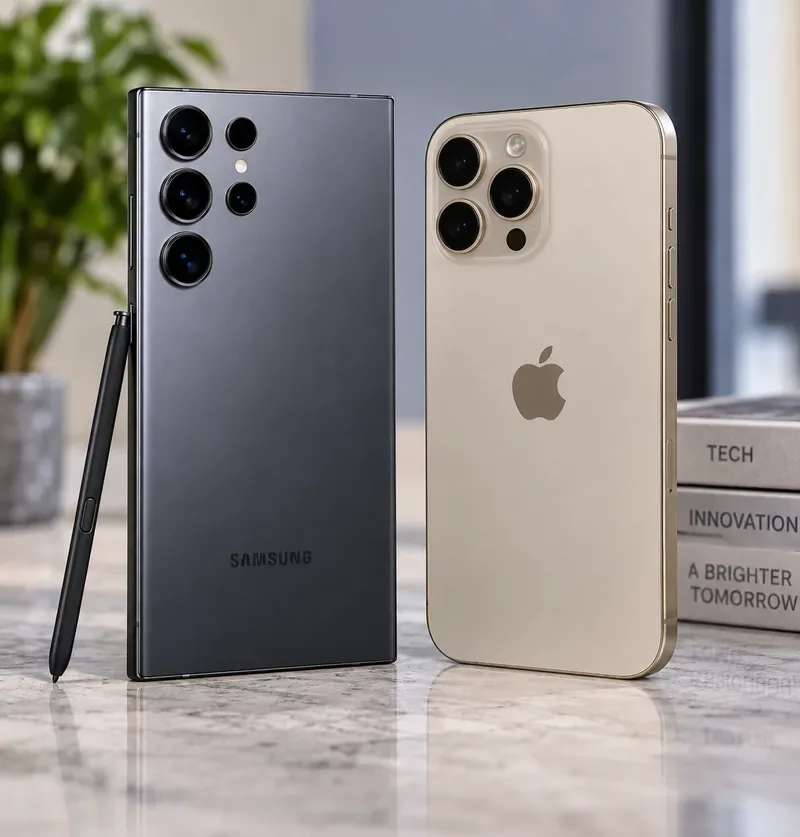
A Galaxy phone and a Windows 11 PC represent the type of cross-device workflow discussed here. Samsung has not announced the Galaxy S27 Ultra or this exact future interface.
The clearest signal: Windows is becoming the Galaxy phone’s desktop companion
Samsung already ships Link to Windows as an integrated part of the Galaxy experience. On supported devices, Microsoft Phone Link can surface messages, calls, notifications, recent photos, phone apps, screen mirroring, and file transfers on a Windows PC. Samsung’s current support documentation describes this workflow directly and notes that available functions can vary by model, region, and software version. See Samsung’s official Phone Link and Link to Windows guide.
That matters because it changes what “better Windows integration” should mean for the S27 Ultra. The biggest opportunity is no longer simply adding another connection app. It is reducing the number of moments when users have to think about the connection at all.
For example, imagine taking several RAW and JPEG photos on a future Galaxy Ultra during a client visit. A truly better Windows workflow would not require emailing the files to yourself or opening a separate Samsung utility. Your PC should already know the phone is yours, let you find its storage in File Explorer, expose recent images in Phone Link, and offer a nearby transfer path when you want the original files. Much of that foundation already exists today.
Five Windows improvements that are genuinely plausible for the S27 Ultra
1. More direct access to phone files through File Explorer
Windows 11 can already display a linked Android phone inside File Explorer. Microsoft says the feature requires Android 11 or later, a recent Link to Windows version, and Windows 11. Once enabled under the Mobile devices settings, users can browse and manage phone files from the PC. Microsoft documents the current requirements in its File Explorer mobile-device support page.
For an S27 Ultra owner, the believable upgrade is not a completely different file system. It is smoother discovery, fewer permission prompts after initial setup, better reliability when a phone sleeps, and clearer handling of large photo or video transfers. Those are exactly the kinds of refinements that would matter to creators moving 4K or high-resolution media between devices.
Who benefits most: photographers, video creators, students, and office users who frequently move original files rather than just viewing recent photos. If you mostly use cloud storage, the improvement would be convenient but less transformative.
2. Better “continue on PC” behavior instead of simple screen mirroring
Cross-device continuity is moving beyond merely displaying the phone screen on a PC. Microsoft’s current Cross-device Resume documentation explains how supported Android activities can surface on the Windows taskbar so the user can continue on the PC. Microsoft has also expanded the feature through Windows updates and has specifically included Samsung among Android brands supported for some resume scenarios.
Samsung is moving in the same direction on its own. In March 2026, the company officially launched Samsung Browser for Windows, with cross-device continuity that can let a user pick up a webpage on a PC after browsing on a phone.
Put those two trends together and one of the most credible S27 Ultra improvements is broader activity handoff: a web page, cloud document, media session, or supported app state could move from phone to Windows with less manual searching. The key condition is app support. Windows cannot magically resume every Android app unless the app or service exposes a compatible handoff path.
3. Phone features will appear in more places inside Windows itself
Phone Link is no longer confined to one app window. Microsoft now integrates linked mobile-device information into Windows surfaces such as the Start menu. Its Mobile device in Start Menu documentation lists access to messages, calls, photos, recent activity, battery and connectivity status, and file sending for connected Android phones.
This is important because it suggests the S27 Ultra does not need an exclusive Samsung shell on Windows to feel more integrated. The phone can become more useful simply because Windows keeps exposing Android-device functions in native places.
A practical future example would be starting your PC, opening Start, seeing that the S27 Ultra is connected, grabbing the latest photo, and sending a file back to the phone without opening a separate ecosystem dashboard. That exact S27 workflow has not been announced, but it is a reasonable extension of the Windows functionality that already exists.
4. The S27 Ultra could become an even better Windows webcam
Windows 11 can already use a linked Android phone as a connected camera for PC applications. Microsoft lists Windows 11, Android 10 or later, and a compatible Link to Windows version among the requirements in its connected mobile camera guide.
That makes camera integration especially relevant to an Ultra-class phone. Samsung’s flagship cameras are typically far more capable than the built-in webcams on many laptops. A future S27 Ultra could therefore improve the experience through better switching between lenses, lower latency, more stable wireless connections, or smarter framing. Those specific upgrades are not confirmed, but the use case itself is already real.
Who benefits most: people who spend hours in Teams, Zoom, Meet, or other desktop video-call apps and do not want to buy a separate webcam. If your company blocks mobile-device access through IT policy, this may not apply.
5. Faster everyday connectivity: hotspot, sharing, and clipboard
Several small features can make an ecosystem feel more seamless than one headline feature. Microsoft already offers Instant Hotspot for supported Samsung phones, allowing a Windows 11 PC to reconnect to the phone’s hotspot without repeatedly typing the password. Phone Link also supports cross-device copy and paste on select Samsung devices, while file sharing can be handled through Phone Link or Quick Share.
Google’s official Quick Share for Windows documentation also supports nearby transfers between Android and Windows, with Samsung PCs using Samsung’s Quick Share application. These parallel systems may sound redundant, but they cover different situations: Phone Link is useful for a paired personal phone-PC relationship, while Quick Share is convenient for nearby transfer and ad hoc sharing.
For the S27 Ultra, the best improvement would be less confusion over which route to use. If Samsung can make sharing destinations, paired-PC status, and transfer progress more consistent across One UI and Windows, that would be more valuable than adding another branded transfer protocol.
What will probably remain better on a Galaxy Book
Not every Windows PC will offer the same Galaxy experience. Samsung reserves some deeper cross-device features for its own PCs. Multi Control, for example, allows a Galaxy Book keyboard and pointing device to control supported Galaxy phones and tablets, with clipboard and file-transfer capabilities. Samsung documents those functions in its Multi Control support guide.
That creates an important distinction for buyers. If your PC is a Dell, Lenovo, HP, ASUS, or another Windows machine, the S27 Ultra should still benefit from Microsoft-led features such as Phone Link, File Explorer integration, connected camera support, Start-menu phone access, and cross-device resume where supported. If you use a Galaxy Book, Samsung can layer Multi Control and other Galaxy-specific conveniences on top.
Workflow
Already available today
Believable S27 Ultra direction
Important condition
Calls, messages, notifications
Phone Link / Link to Windows
Faster access and deeper Windows surfaces
Permissions, compatible software, Microsoft account
Phone files on PC
Windows 11 File Explorer integration
More reliable browsing and transfer
Windows 11 and supported Link to Windows version
App or content handoff
Cross-device Resume and Samsung Browser continuity
More supported apps and activities
App/service must support handoff
Phone as webcam
Windows connected camera
Better camera controls or stability
Windows 11; enterprise policy may restrict access
Keyboard/mouse across devices
Samsung Multi Control
Potential refinements
Best fit is a Galaxy Book plus supported Galaxy devices
What is less believable: a return of DeX for PC
If you are hoping the S27 Ultra will revive the old DeX-for-PC model, current evidence points the other way. Samsung states that DeX for PC is not supported on Galaxy phones running One UI 7 or later, including the S25 and S26 series, and recommends Link to Windows instead. Samsung still supports other forms of DeX, such as connecting compatible phones to external displays, but the Windows-PC app path has been deprioritized. See Samsung’s official DeX compatibility and usage page.
That makes a sudden S27-only resurrection of DeX for PC much less plausible than continued investment in Phone Link and Windows-native integration. The strategy is cleaner: let Windows handle the Windows experience and let Galaxy provide the phone-side capabilities.
Windows 11 matters more than the phone model
For anyone planning an S27 Ultra purchase specifically for PC integration, the PC operating system may matter as much as the phone. Windows 10 support ended on October 14, 2025, and Microsoft recommends moving to Windows 11 for ongoing support. Microsoft’s Windows 10 end-of-support page explains the current status.
Many of the most interesting phone-PC features are Windows 11-first or Windows 11-only. File Explorer mobile-device access, connected camera support, newer Start-menu integration, and Cross-device Resume are all strongest in Microsoft’s current Windows 11 stack. So if your plan is to buy an S27 Ultra but keep an aging Windows 10 machine, you may not see the ecosystem improvement you expect.
Should Windows users wait for the S27 Ultra for ecosystem reasons?
Wait specifically for the S27 Ultra only if you were already planning to upgrade your phone. Windows integration by itself is not a strong reason to postpone a purchase, because most of the important cross-device features are software services that already work on current supported Galaxy phones.
If you own a recent Galaxy flagship and a Windows 11 PC, you can already get most of the experience that points toward the future: Phone Link, file transfers, notifications, calls, app access, File Explorer integration, Quick Share, connected camera functionality, instant hotspot, and increasingly capable continuity features. The S27 Ultra may improve reliability and add supported scenarios, but there is no official evidence yet that it will introduce a Windows feature unavailable to all prior Galaxy generations.
If you are coming from an older Galaxy device, use a Galaxy Book, or regularly move between phone and PC for work, the next Ultra generation could be more meaningful. The combined direction from Samsung and Microsoft suggests that the ecosystem is becoming less about launching a special companion app and more about making the phone appear naturally throughout Windows.
The bottom line
The most credible vision for the Galaxy S27 Ultra is not “a phone that becomes Windows.” It is a Galaxy phone that Windows recognizes as a first-class companion: its files appear where you expect them, its camera can become your webcam, its notifications and communications live close to your desktop workflow, and supported activities can move between screens with fewer steps.
That future is believable because the foundations are already shipping today. What remains unknown is how much of the next step Samsung will market as an S27 Ultra advantage, how much will arrive through One UI updates for older Galaxy devices, and how much will simply be delivered by Windows 11. Until Samsung officially announces the S27 Ultra, those distinctions should be treated as open questions rather than confirmed specifications.