Home
» News
»
What Is a Data Breach? How It Happens and How to Protect Your Data
What Is a Data Breach? How It Happens and How to Protect Your Data
A data breach happens when sensitive, protected, or confidential information is accessed, disclosed, copied, acquired, or used by someone who is not authorized to have it. The National Institute of Standards and Technology (NIST) uses a broad definition that includes both unauthorized access and cases in which an authorized person uses data for an unauthorized purpose. In other words, a breach does not have to look like a dramatic movie-style “hack.” It can result from stolen credentials, a software flaw, a misconfigured database, a malicious insider, or even an accidental disclosure. See the NIST definition of breach.
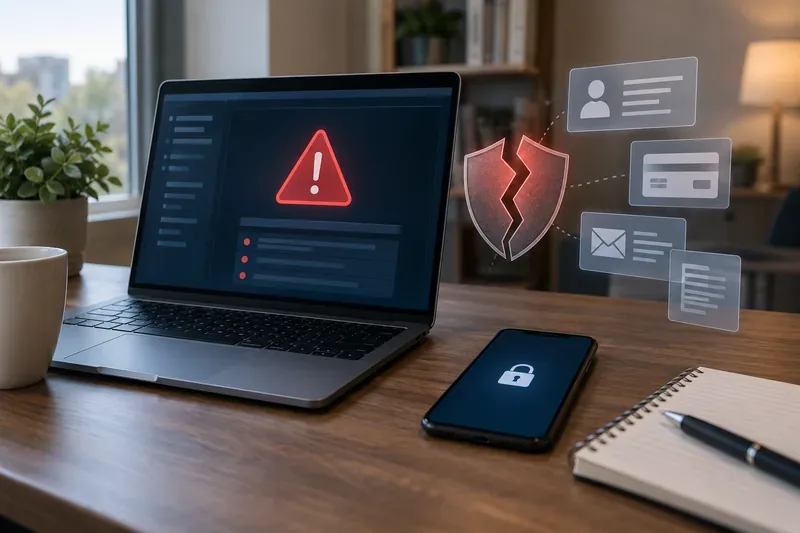
A security warning, a broken shield, and exposed data symbols illustrate how a breach can put account, payment, email, and personal information at risk.
What information can be exposed in a data breach?
The answer depends on the organization, service, and incident. A breach may involve a single category of information or several at once. NIST defines personally identifiable information, often shortened to PII, as information that can distinguish or trace a person’s identity on its own or when combined with other linked information. That can include obvious identifiers as well as information that becomes identifying when paired with other data. See the NIST PII definition.
Attackers may try to take over the affected account or reuse the same credentials elsewhere.
Identity information
Name, address, date of birth, Social Security number
Some combinations can support identity theft, fraudulent applications, or convincing impersonation.
Financial information
Payment card numbers, bank details, billing data
Exposure may lead to fraudulent transactions or attempts to access financial accounts.
Health or employment information
Medical, insurance, payroll, or workplace records
These records can be sensitive even when they cannot directly be used to spend money.
Private communications
Email, messages, documents, photos, support tickets
The risk may involve privacy loss, targeted scams, blackmail, or further social engineering.
The seriousness of a breach is therefore not determined only by the number of records involved. The type of information, whether it was encrypted, whether credentials were reusable, how long the exposure lasted, and whether attackers actually obtained the data can all affect the practical risk to an individual.
How do data breaches happen?
1. Stolen or reused passwords
If a password is stolen in one incident and the same password is used on another service, attackers may try it elsewhere. This is one reason security agencies recommend unique passwords for each account. A password manager can make that realistic by generating and storing long, random passwords instead of asking you to remember dozens of them.
2. Phishing and other social engineering
Some breaches begin with a deceptive email, text message, phone call, or fake login page. The goal may be to trick someone into entering a password, approving a sign-in, opening a malicious attachment, or revealing information that helps an attacker get deeper access. CISA’s consumer guidance specifically recommends learning to recognize phishing and being cautious with unexpected messages that ask for personal information or prompt you to open links or attachments. See CISA Secure Our World.
3. Unpatched software vulnerabilities
Operating systems, browsers, apps, routers, and business software periodically receive security fixes. If a known weakness remains unpatched, an attacker may be able to exploit it before the organization or user installs the fix. CISA recommends installing updates promptly and enabling automatic updates where practical.
4. Misconfigured systems or cloud storage
A database, file store, backup, development server, or administrative panel can expose data when access controls are configured incorrectly. In these cases, there may be no stolen password and no malware. The problem may simply be that information was reachable by people who should never have been able to see it.
5. Malware and ransomware
Malicious software can steal saved credentials, copy files, monitor activity, or provide remote access to a system. Ransomware incidents may also involve data theft before files are encrypted, which means the risk can include both operational disruption and exposure of confidential information.
6. Third parties and supply chains
Organizations often share information with payment processors, payroll vendors, cloud providers, analytics services, contractors, and other partners. A breach at one of those providers can affect customers of many organizations even when the organization you directly deal with was not itself compromised.
7. Lost devices, mistakes, and insiders
A lost laptop, a spreadsheet sent to the wrong person, excessive access permissions, or a worker intentionally taking data can also create a breach. That is why “data breach” is broader than “hacking”: the defining issue is unauthorized exposure or use, not the technique that caused it.
What can happen after your data is breached?
Not every exposed record leads to fraud, and a breach notice does not mean someone has already stolen your identity. Still, exposed information can create opportunities for account takeover, impersonation, targeted phishing, payment fraud, or new-account fraud. The risk depends heavily on what was exposed.
A leaked email address alone may mainly increase spam and phishing risk. A leaked password becomes more urgent if it is still active or reused. A Social Security number, combined with other identity information, deserves a different response because it may be useful in fraudulent credit applications long after the original incident.
How to reduce your risk before a breach happens
You cannot prevent every company you use from suffering a breach, but you can make stolen data less useful and reduce the chance that one compromised account becomes many compromised accounts. CISA’s current public guidance emphasizes four practical habits: strong passwords, multifactor authentication, phishing awareness, and timely software updates. The guidance referenced here was reviewed on September 20, 2026.
Use a unique password for every important account. A password manager can create and store random passwords so one breach does not automatically expose several accounts.
Turn on multifactor authentication (MFA). MFA requires an additional proof of identity beyond a password. When available, prefer stronger, phishing-resistant options such as passkeys or security keys. CISA notes that not all MFA methods provide the same level of protection. See CISA guidance on multifactor authentication.
Keep devices and apps updated. Enable automatic updates when they are reliable for your device and workflow.
Treat unexpected login links cautiously. Instead of signing in through a message, open the company’s app or type the known website address yourself.
Protect your email account especially well. Email is often the recovery channel for other accounts, so a compromised inbox can help an attacker reset additional passwords.
Store less sensitive data when you have a choice. If an account does not need a saved payment method, old identity document, or unnecessary profile detail, removing it can reduce what is available to expose later.
What to do if you receive a data breach notice
Start with the notice itself, but verify it independently. A legitimate breach notice can be copied by scammers, so avoid using a link in an unexpected message until you have confirmed the incident through the organization’s official website, app, or customer-service channel.
Match your response to the information exposed
Password exposed: Change it immediately on the affected service and anywhere else you reused it. Turn on MFA.
Email address or phone number exposed: Expect more targeted phishing. Be skeptical of urgent requests that reference the breached company.
Payment card exposed: Review transactions, contact the card issuer if the notice tells you the card was affected, and follow the issuer’s replacement or monitoring instructions.
Social Security number or identity data exposed: Review your credit reports and consider a credit freeze or fraud alert.
Existing account activity looks suspicious: Contact the provider through a trusted channel, change credentials, review recovery information and active sessions, and document unauthorized activity.
The U.S. Federal Trade Commission says a credit freeze can make it harder for identity thieves to open new credit accounts in your name. A freeze is free to place or lift, does not affect your credit score, and remains until you lift it. The FTC advises contacting all three major credit bureaus to freeze your reports. A fraud alert works differently: it tells businesses to verify your identity before opening new credit, while still allowing creditors to see your report. See the FTC’s credit freeze and fraud alert guidance.
If a breach involved your Social Security number or you find signs of identity theft, the FTC also directs consumers to IdentityTheft.gov’s data breach recovery guidance. The site tailors recovery steps to the type of information exposed. The FTC’s general breach advice also recommends checking credit reports for accounts you do not recognize and using legitimate free monitoring offered by an affected company when appropriate. See FTC guidance on what to do after a data breach.
Quick data-breach response checklist
Confirm that the breach notice is genuine using an official channel.
Write down exactly which data types were exposed.
Change any affected password and every reused copy of that password.
Enable MFA, preferably a phishing-resistant option when the service supports it.
Check bank, card, and credit activity when financial or identity data was involved.
Consider a credit freeze when Social Security numbers or similar identity data were exposed.
Save the breach notice and records of calls, account changes, and fraud reports.
Watch for follow-up phishing that uses real details from the incident to sound convincing.
Data breach, data leak, hack, and identity theft are not the same thing
These terms overlap, but they describe different ideas. A data breach focuses on unauthorized access, disclosure, acquisition, or use of information. A data leak is commonly used for information that becomes exposed, sometimes through accidental publication or misconfiguration. A hack describes a method of unauthorized technical access and may or may not result in a data breach. Identity theft is the misuse of someone’s identifying information, and it can happen after a breach but is not an automatic consequence of one.
This distinction matters because the right response depends on what actually happened. If a company says only email addresses were exposed, freezing your credit may not be necessary for that incident alone. If Social Security numbers were exposed, credit protections become much more relevant. If a password was stolen, changing that password and eliminating reuse is the immediate priority.
Bottom line
A data breach is an unauthorized loss of control over sensitive information, whether caused by an external attacker, a technical flaw, a third party, an insider, or a simple mistake. You cannot eliminate the possibility that a service you use will be breached, but you can limit the damage by using unique passwords, enabling MFA, keeping software updated, recognizing phishing, and responding according to the specific information exposed.
When a breach notice arrives, focus on verified facts: which organization was affected, what data was involved, whether the exposed credentials are still active, and what the organization and trusted authorities recommend. Those details are more useful than the headline alone and will tell you which protective steps are actually worth taking.