Home
» How To
»
How to Clean a PS5 Fan Without Taking It Apart: Sony-Safe Dust Removal
How to Clean a PS5 Fan Without Taking It Apart: Sony-Safe Dust Removal
You can reduce dust around a PS5 cooling fan without removing the fan, screws, metal shielding, or internal components. Sony's current maintenance guidance tells owners to disconnect power, remove dust from the vents with a handheld or low-powered vacuum, and recommends removing the console's outer covers so trapped dust underneath can also be vacuumed.
That distinction matters: if by “without taking it apart” you mean no internal disassembly, Sony provides a useful maintenance path. If you mean do not remove even the tool-free outer covers, you can still vacuum the external vents, but you cannot fully clean the fan blades themselves from outside the console. This guide keeps the work at the exterior and removable-cover level only.
Hypothetical example: imagine a PS5 that has been sitting on an open TV stand for about a year. Its owner notices visible dust around the vents and thinks the fan sounds louder during a few demanding games, but the console has not displayed an overheating warning and there is no burning smell or abnormal behavior. This example is only an illustration, not a report of an actual test. We will use it to show what safe home maintenance can and cannot accomplish.
First, Know What “Fan Cleaning” Means Without Disassembly
The PS5 safety and instruction manuals do not tell ordinary users to remove the cooling fan for routine cleaning. In fact, the current CFI-21XX instruction manual says there are no user-serviceable components inside the console and warns against disassembling or modifying it. The same manual does, however, treat the removable covers as part of normal maintenance and specifically recommends vacuuming dust from the vents and from underneath the covers.
For the hypothetical dusty PS5, that means the realistic goal is not to make every fan blade look new. The goal is to restore unobstructed airflow by removing accessible dust from the ventilation path without opening the enclosure or removing internal hardware.
A low-powered handheld vacuum or small vacuum suitable for electronics-area dust pickup
A soft, clean, dry cloth
A soft cloth or mat to protect the console while it is laid down
Optional: a very soft, dry detailing brush for loose dust on exposed exterior vent slats only
You do not need compressed air, alcohol, liquid cleaner, a screwdriver, or a fan-removal tool for the method in this article. Sony's current maintenance guidance specifically calls for a handheld or low-powered vacuum for dust buildup. The reviewed Sony cleaning instructions also warn against volatile substances such as alcohol on the console's plastic exterior.
Step 1: Fully Turn Off the PS5, Unplug It, and Let It Cool
Do not clean the console in Rest Mode. Use the Power menu to turn the PS5 completely off, wait until the power indicator has stopped flashing and gone dark, then disconnect the AC power cord and other cables.
Sony says to unplug the AC power cord when caring for the console. If you plan to remove the outer covers, Sony also says to wait for the console to cool because the main unit can remain hot immediately after use.
In our hypothetical example, the owner had just finished a game when they noticed the louder fan. The correct next move is not to start vacuuming immediately. They shut the system down, unplug it, and wait until the console is cool enough to handle comfortably.
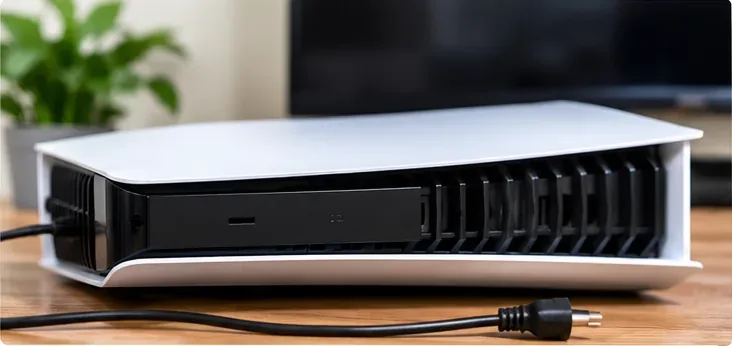
Power the PS5 off completely, unplug the cables, and let the console cool before any dust-cleaning work.
Step 2: Vacuum Dust From the External Air Vents
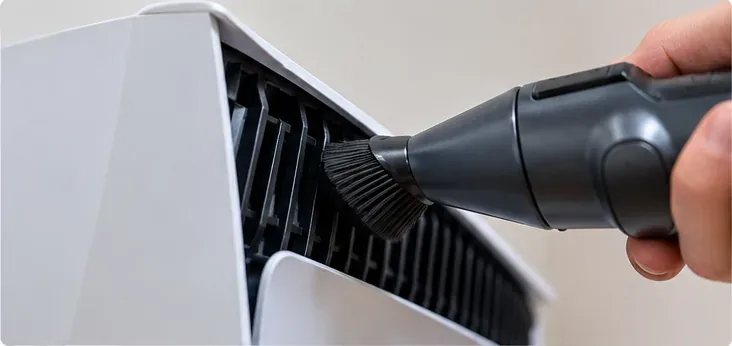
Start with the least invasive option. Use a low-powered vacuum to remove visible dust from the air vents around the console. Keep the nozzle at the vent surface rather than forcing it deep inside. Move slowly along the openings so loose dust is drawn outward.
This step is directly supported by PlayStation Support. Sony's current PS5 noise guidance says to disconnect the AC power cable and use a low-powered vacuum to remove dust accumulated in and around the air vents. The CFI-21XX manual similarly recommends a handheld vacuum for vent dust.
For the hypothetical PS5, suppose the owner can see gray dust along the vent openings. They vacuum those areas first and stop to inspect. If the visible buildup is gone and the console was only mildly dusty, this may be all the maintenance needed.
A low-powered vacuum is Sony's recommended tool for dust that has accumulated in and around the PS5 air vents.
Step 3: Decide Whether to Stop or Remove Only the Outer Covers
If you do not want to remove any part of the console at all, stop after the external vent cleaning. That is the limit of a true zero-removal method. You can improve airflow by clearing the vent openings, but you should not claim that the fan itself has been fully cleaned.
If you are comfortable removing only the PS5's tool-free outer covers, Sony explicitly recommends this for maintenance. This is not the same as removing the fan or opening the internal enclosure. The exact cover-removal motion depends on the PS5 model group, so check your model number and follow Sony's illustrated instructions rather than copying a video for a different chassis.
For current CFI-2000/2100/7000-style systems, Sony tells users to turn the console off, unplug it, let it cool, place it on a soft cloth, remove the feet where applicable, then release the cover clips. Older CFI-1000-series covers use a different orientation and sliding motion. Reinstall the correct cover until it seats or clicks as described in the model instructions.
Once the approved outer cover is off, Sony recommends using a handheld vacuum to remove dust trapped underneath. Stay at this maintenance level. Do not remove the fan, unplug fan cables, remove internal screws, or open metal shielding merely to chase a little more dust.
What About a Soft Brush?
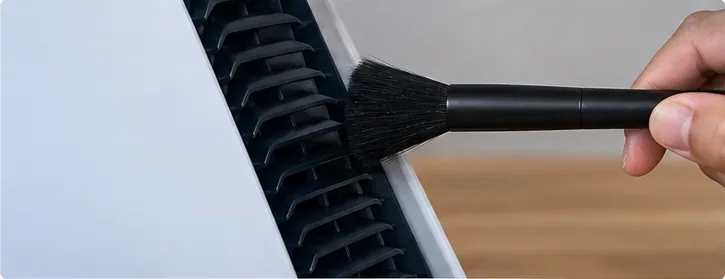
Sony's official maintenance method does not require a brush. If loose dust remains on an exposed exterior vent slat after vacuuming, a very soft, dry brush can be used cautiously at the surface to lift it so the vacuum can collect it. Do not push the brush inward toward the fan or use it as a substitute for internal disassembly.
If you use a soft brush for loose surface dust, keep it on the accessible vent slats and avoid pushing debris or the brush deeper into the console.
Step 4: Reattach the Covers Correctly and Restore Proper Clearance
If you removed the covers, put them back on before powering the PS5. Sony warns not to use the console without its covers and says incorrectly installed covers can contribute to overheating.
Then return the console to a well-ventilated location. Current Sony guidance says to keep the console at least 10 cm (4 inches) away from a wall surface, avoid long-fiber carpet or rugs, avoid narrow or cramped spaces, and never cover the console with cloth while it is operating.
In our hypothetical example, the owner discovers that the console was only a few centimeters from the back of a media cabinet. Cleaning the vents is useful, but moving the PS5 so the air path has proper clearance is just as important. A perfectly clean vent cannot work well if it is pressed against an obstruction.
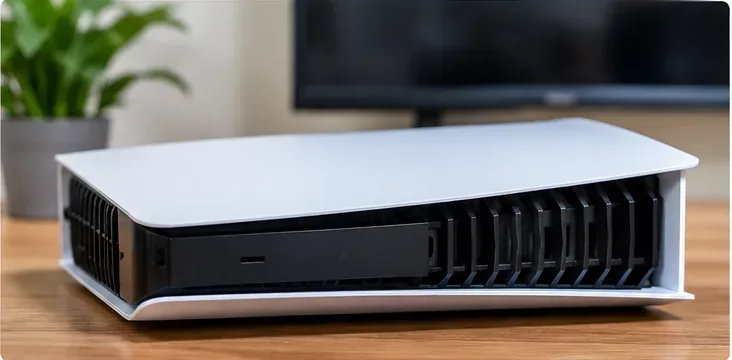
After cleaning, reinstall every cover correctly and place the PS5 in an open area with the ventilation clearance Sony specifies.
How Do You Know the Cleaning Helped?
Do not judge the result by fan noise alone. Sony notes that the PS5 cooling fan may temporarily run faster and sound louder during some games and applications because the system is increasing cooling. A louder fan under load is not automatically evidence that something is wrong.
A better post-cleaning check is to confirm that:
the visible vents are free of heavy dust mats;
the covers are installed correctly;
nothing blocks the side or rear airflow;
the console has the recommended clearance around it;
there is no overheating warning during normal use;
there are no unusual smells, abnormal sounds, or shutdowns.
For the hypothetical PS5, suppose the vents are now visibly clear and the console has proper space around it. The owner then plays the same demanding game. The fan may still ramp up, and that can be normal. The useful result is that the console has a clear air path and is operating without temperature warnings or abnormal symptoms.
What Not to Do
Do Not Remove the Fan Just for Routine Cleaning
That crosses from cover-level maintenance into internal disassembly. Sony's current manual says there are no user-serviceable components inside the console. If vent and under-cover cleaning do not solve a genuine thermal or mechanical problem, use PlayStation Support rather than continuing deeper.
Do Not Run the Console With the Covers Off
Sony warns against using the console without the covers. Reinstall them correctly before reconnecting power.
Do Not Pour or Spray Cleaner Into the Vents
The console's exterior should be cleaned with a soft, dry cloth. Sony warns against volatile substances including paint thinner, benzene, and alcohol on the plastic surfaces. Liquids do not belong in the vent openings.
Do Not Assume Compressed Air Is Required
The current Sony maintenance sources reviewed for this article specify vacuuming dust from vents and from underneath removable covers. They do not require compressed air for this procedure. A low-powered vacuum gives you a manufacturer-documented method without deliberately blowing debris farther into the console.
Do Not Treat Every Loud Fan as a Fault
Fan speed changes with cooling demand. If the console is otherwise normal and only gets louder in certain games, Sony says that can be expected behavior.
When Cleaning Is Not Enough
Stop troubleshooting at home if the console displays a high-temperature message, shuts down unexpectedly, produces an unusual smell, makes a clearly abnormal mechanical sound, or becomes unusually hot to the touch. Sony's instruction manual says to stop use and unplug the AC power cord if the product behaves abnormally, produces unusual sounds or smells, or becomes too hot to touch.
If ordinary vent cleaning does not resolve a persistent problem, contact PlayStation Support. Dust is only one possible cause of noise or thermal behavior; a home vacuum cannot diagnose a failing fan motor, damaged connector, power issue, or other internal fault.
Quick Decision Guide
Your situation
Recommended action
Light dust visible around external vents
Turn off, unplug, cool, then use a low-powered vacuum on the vents
You want zero cover removal
Stop after external vent cleaning; accept that the fan blades are not being directly cleaned
Dust remains trapped under the removable covers
Follow Sony's model-specific cover-removal guide, then vacuum the accessible dust underneath
You are tempted to remove fan screws or cables
Stop; that is internal disassembly, not routine cover-level maintenance
Fan is louder only during demanding games
Check airflow and dust, but recognize that temporary higher fan speed can be normal
Overheat warning, shutdowns, smell, or abnormal mechanical noise
Turn the console off and contact PlayStation Support
The Practical Limit of a No-Disassembly Clean
A no-disassembly PS5 cleaning routine can remove the dust most likely to obstruct normal airflow: buildup at the vents and, if you choose the Sony-supported cover-removal route, dust trapped immediately underneath the removable outer panels. It cannot guarantee that every fan blade, heatsink fin, or internal passage is spotless.
That limitation is useful rather than frustrating. It gives you a clear stopping point. For the hypothetical owner, the job is complete when the accessible dust is removed, the covers are correctly reinstalled, and the console has proper ventilation. If the machine still shows a real fault after that, deeper home disassembly is not the next step—professional support is.