Home
» How To
»
How to Clean AirPods Max Cushions Safely: Apple’s Verified Method
How to Clean AirPods Max Cushions Safely: Apple’s Verified Method
If your AirPods Max ear cushions look dingy, smell stale, or have picked up skin oils and everyday grime, the safest starting point is not alcohol, a washing machine, or a deep soak. Apple has a specific cushion-cleaning method: remove the cushions, use a dilute liquid-laundry-detergent solution on a lint-free cloth, wipe again with fresh water, dry carefully, and wait at least a full day before reattaching them.
This guide follows Apple Support's current AirPods Max cleaning instructions, which Apple lists with a published date of September 13, 2024 and which were checked again for this article in September 2026. Where Apple is explicit, the advice below is labeled as verified. Where the result depends on the condition of your cushions, that is called out separately. Where Apple does not publish a stronger cleaning method, this guide does not invent one.
The most important answer first
Verified: Apple tells users to mix 1 teaspoon (5 mL) of liquid laundry detergent into 1 cup (250 mL) of water. After removing the cushions, dampen a lint-free cloth with that solution, wring it slightly, and gently rub each cushion for 1 minute. Then wipe with a separate cloth slightly dampened with fresh water, dry with a soft dry lint-free cloth, and leave the AirPods Max flat to dry for at least a day before reattaching the cushions and using the headphones.
Action: If you want to stay within Apple's published procedure, use that exact sequence rather than escalating immediately to stronger solvents or soaking.
Common misunderstandings: what is verified and what is not
Myth: 70% isopropyl alcohol is the best cleaner for the cushions
Verified: Apple allows a 70% isopropyl alcohol wipe, a 75% ethyl alcohol wipe, or Clorox Disinfecting Wipes on the exterior surfaces of AirPods Max, but explicitly says not to use them on the knit mesh canopy or ear cushions. Apple also says not to use products containing bleach or hydrogen peroxide.
Action: Keep alcohol and disinfecting wipes off the cushions. Use the detergent-and-water cloth method instead.
Myth: because the cushions detach, they can be soaked or rinsed under running water
Verified: Apple's cushion instructions use a dampened, wrung-out cloth. The official page does not tell users to soak the cushions, run them under water, or machine-wash them. Apple also states that AirPods Max and the Smart Case are not waterproof or water resistant.
What is not established: Apple does not publish a separate water-resistance rating for a detached cushion on the cleaning page. That means a claim that soaking is safe would go beyond the official guidance.
Action: Apply moisture with a cloth rather than immersing the cushion.
Myth: more detergent should remove more grime
Verified: Apple specifies a particular dilution: 1 teaspoon (5 mL) of liquid laundry detergent in 1 cup (250 mL) of water. It does not instruct users to make the mixture stronger for stubborn marks.
Action: Measure the solution rather than guessing. If one cleaning does not fully restore the appearance, do not automatically increase detergent concentration.
Myth: if the cushion feels dry on the surface, you can put it back immediately
Verified: Apple says to lay the AirPods Max flat to dry for at least a day before reattaching the cushions and using the headphones.
Action: Plan the cleaning when you can leave the headphones unused for at least 24 hours. Do not shorten the drying period just because the outer fabric feels dry.
What you need
A clean container
Liquid laundry detergent
Fresh water
At least two clean lint-free cloths
A soft, dry, lint-free cloth for the final drying pass
A flat, clean place where the headphones can remain undisturbed for at least a day
Action: Gather everything before removing the cushions so you are not handling the exposed ear cups while searching for supplies.
How to clean AirPods Max cushions step by step
1. Remove the ear cushions
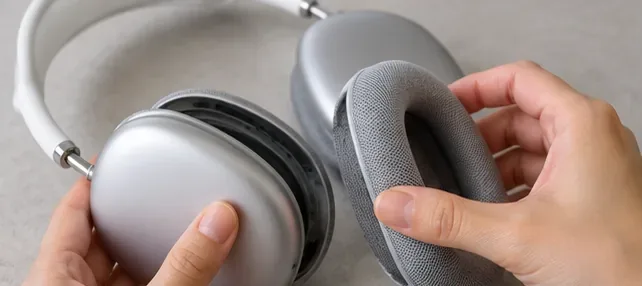
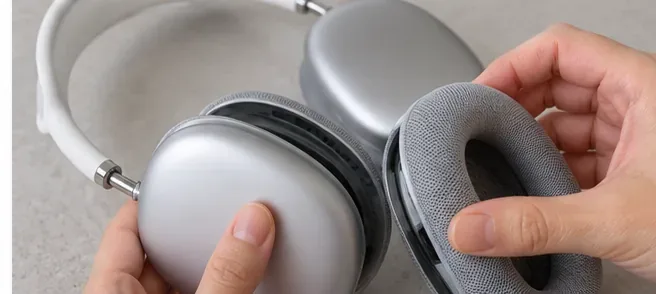
Verified: Apple instructs you to remove the cushions from the ear cups before cleaning them. The cushions are designed to detach from the cups, so you can clean the fabric separately while keeping the ear cups away from the cleaning solution.
Action: Work over a clean, dry surface and set the exposed headphones aside where they will not be splashed.
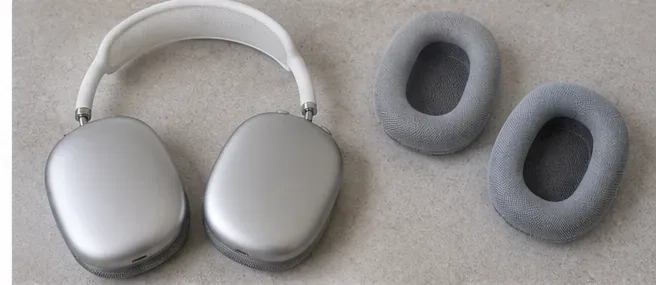
Remove each cushion from the ear cup before applying the cleaning solution.
2. Mix Apple's specified cleaning solution
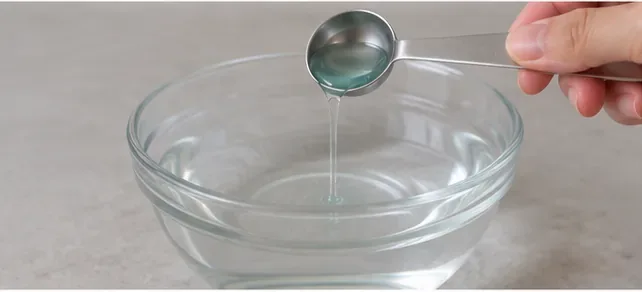
Verified: In a clean container, mix 1 teaspoon (5 mL) of liquid laundry detergent into 1 cup (250 mL) of water.
Action: Measure both amounts. The goal is a dilute solution, not a bowl of concentrated detergent.
Use the measured detergent-to-water ratio in Apple's published cleaning method.
3. Wet a lint-free cloth, then wring it out slightly
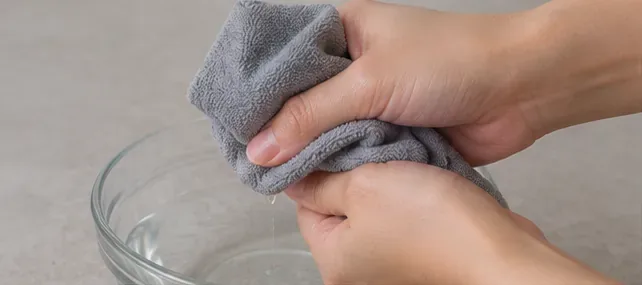
Verified: Apple says to dip a lint-free cloth into the soapy water solution and wring it out slightly before it touches the cushions.
This matters because the cleaning step is based on controlled moisture. A cloth that is dripping wet is not what Apple describes.
Action: Wring the cloth until it is damp enough to clean but not releasing excess liquid.
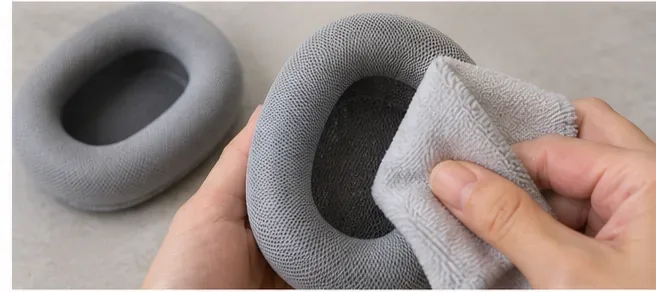
Wring out the lint-free cloth slightly so the cushion is cleaned with controlled moisture rather than excess liquid.
4. Gently rub each cushion for 1 minute
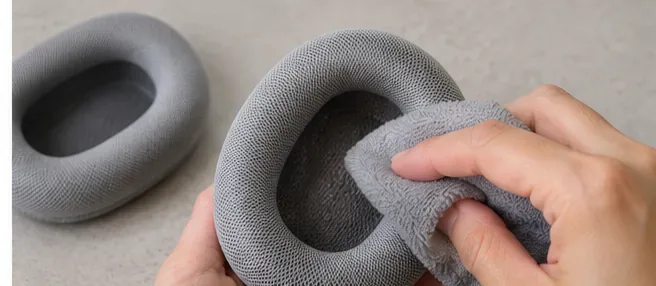
Verified: Apple directs users to rub the cloth on the cushions gently for 1 minute each. The instruction is time-based and emphasizes gentle cleaning rather than aggressive scrubbing.
Action: Work around the fabric surface with light, even pressure for about 1 minute per cushion. Avoid sharp tools and abrasive materials; Apple specifically warns against them for AirPods Max cleaning.
Gently rub each detached cushion with the wrung-out soapy cloth for 1 minute.
5. Wipe away detergent with a separate fresh-water cloth
Verified: The next Apple step is to wipe the cushions clean with a separate cloth that is slightly dampened with fresh water.
Action: Do not reuse the soapy cloth for this pass. Use a clean cloth so you are removing detergent residue rather than spreading more of it back onto the fabric.
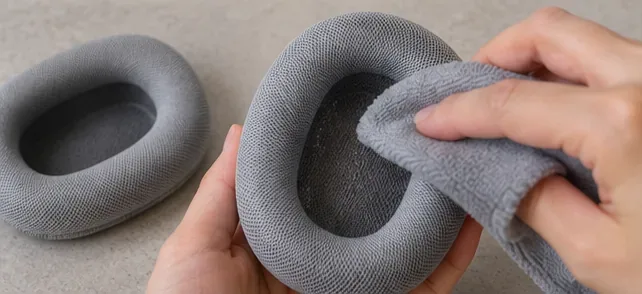
Use a separate cloth slightly dampened with fresh water to wipe away the cleaning solution.
6. Remove excess moisture with a dry cloth
Verified: Apple says to dry the cushions with a soft, dry, lint-free cloth and to make sure excess moisture is removed.
Action: Blot and wipe the cushion with a clean dry cloth until there is no obvious surface moisture. This is a drying pass, not a reason to apply heat.
Use a soft, dry, lint-free cloth to remove excess moisture after the fresh-water wipe.
7. Leave the AirPods Max flat to dry for at least a day
Verified: Apple's instruction is to lay the AirPods Max flat to dry for at least a day before the cushions are reattached and the headphones are used again.
What depends on conditions: Room temperature, humidity, how damp the cloth was, and how much moisture the cushions retained can affect how dry they seem after 24 hours. Apple gives a minimum period, not a promise that every cushion will feel identical in every environment.
Action: Wait at least a full day. If anything still feels damp, continue drying rather than treating 24 hours as a deadline that forces reassembly.
Keep the headphones flat and the detached cushions in a clean, dry area for at least a day before reassembly.
8. Reattach the cushions only after the drying period
Verified: Reattachment comes after Apple's minimum one-day drying period. The cleaning page does not instruct users to operate the headphones while the cushions are still drying.
Action: Once the minimum drying time has passed and the cushions are dry, reattach them to the ear cups and check that each cushion is seated evenly before use.
Reattach the cushions only after the full drying period and once no dampness remains.
What if the cushions still smell or look stained?
What is known: Apple's public cleaning page gives one cushion-cleaning formula and does not publish a ladder of progressively stronger chemicals for odor, sweat discoloration, cosmetics, hair products, or deeply set stains.
What depends on the cushion: A removable surface residue may improve with the official cleaning process, while permanent discoloration, fabric wear, compression, or physical damage may not. Without inspecting the cushion, it is not possible to promise that cleaning will restore the original color or texture.
Action: If the official method does not produce an acceptable result, avoid improvising with bleach, peroxide, alcohol, abrasive cleaners, or soaking. Apple currently sells replacement AirPods Max ear cushion sets, including versions listed as compatible with AirPods Max 2, AirPods Max, and AirPods Max with Lightning Connector. You can verify current compatibility on the Apple AirPods Max Ear Cushions product page.
What about the aluminum ear cups while the cushions are off?
Verified: Apple says not to run AirPods Max under water, not to get liquid in openings, and not to use sharp objects or abrasive materials. If the headphones are exposed to substances that could stain or damage them, Apple says to wipe them with a cloth slightly dampened with fresh water and then dry them with a soft, dry, lint-free cloth.
Action: Keep the detergent solution focused on the removed cushions. If the ear cup exterior needs cleaning, follow the separate exterior guidance rather than letting the cushion solution enter openings.
A quick self-check before you use them again
Did you use 1 teaspoon (5 mL) of liquid laundry detergent in 1 cup (250 mL) of water?
Did you remove the cushions before cleaning them?
Did you wring out the soapy lint-free cloth before wiping?
Did you clean each cushion gently for about 1 minute?
Did you use a separate cloth slightly dampened with fresh water for the second wipe?
Did you remove excess moisture with a dry lint-free cloth?
Did you keep alcohol and disinfecting wipes off the cushions?
Did you wait at least a full day before reattaching the cushions and using the headphones?
If the cushions still seemed damp after that minimum period, did you give them more drying time?
If every answer is yes, you have followed the core steps Apple currently publishes for cleaning AirPods Max cushions. The main principle is simple: controlled moisture, mild detergent at the specified dilution, no disinfectant on the cushions, and patience during drying.