Home
» iOS
»
Apple Intelligence on iPhone 18 Pro: The 5 Best AI Features to Try First
Apple Intelligence on iPhone 18 Pro: The 5 Best AI Features to Try First
If you searched for “Apple Intelligence on iPhone 18,” there is one naming detail worth clearing up first. As of September 14, 2026, Apple has officially announced the iPhone 18 Pro and iPhone 18 Pro Max, but it has not announced a standard model called simply “iPhone 18.” Apple says the Pro models will be available beginning September 18. That means the most accurate version of this topic today is Apple Intelligence on the iPhone 18 Pro family, not a generic iPhone 18 lineup.
There is another common misunderstanding: Apple Intelligence is not exclusive to the newest Pro phones. Apple’s compatibility documentation says Apple Intelligence works on iPhone 15 Pro models and iPhone 16 models or later, while the next generation of features arrives with iOS 27 on supported hardware. The iPhone 18 Pro matters because it ships into that new software era with the A20 Pro, but buying the latest phone is not the only way to use many Apple Intelligence tools. You can verify compatibility and setup requirements in Apple’s Apple Intelligence setup guide.
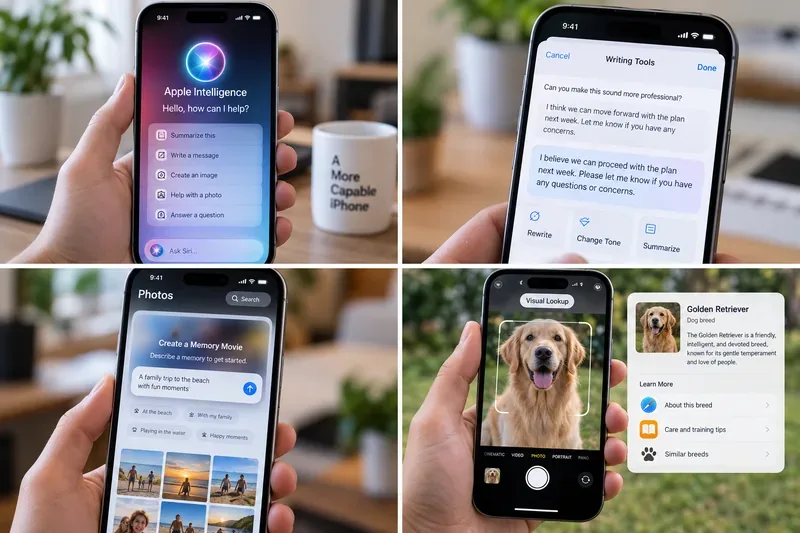
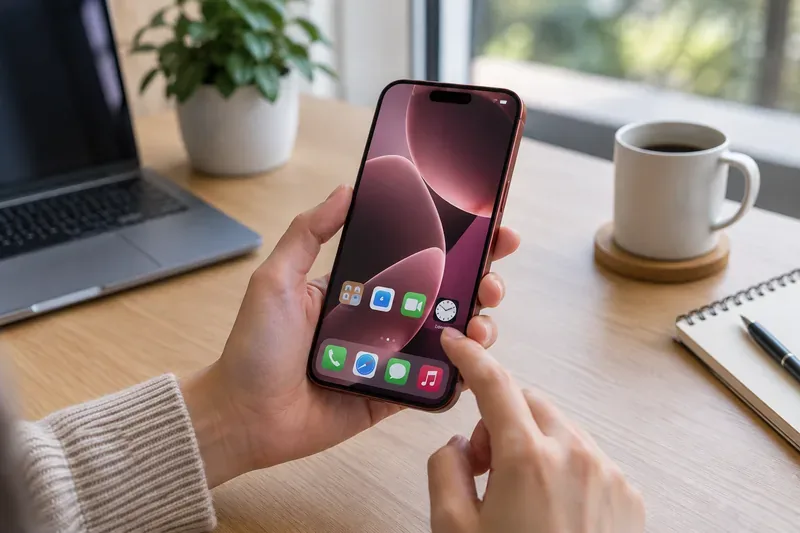
An illustrative four-panel view of everyday Apple Intelligence tasks on iPhone, including Siri assistance, Writing Tools, photo features, and visual identification.
What Is Actually Confirmed for the iPhone 18 Pro?
Apple announced the iPhone 18 Pro and iPhone 18 Pro Max on September 9, 2026, and specifically highlighted Siri AI as part of the iOS 27 experience. Apple says Siri AI begins rolling out in beta in English, while other Apple Intelligence capabilities support a broader set of languages. Availability can still vary by feature, language, and region. Siri AI is not initially available on iOS in the European Union, and Apple says new Apple Intelligence features remain unavailable in China while it works through regulatory requirements. The freshest product details are in Apple’s iPhone 18 Pro announcement and the Apple Intelligence overview.
Feature
Confirmed status
Best for
Main caveat
Siri AI
Rolling out in beta with iOS 27
Personal context, cross-app actions, broad questions
English first; regional restrictions apply
Visual Intelligence
Confirmed for supported iPhones
Understanding objects, text, places, and on-screen content
Results depend on what the camera or screen can interpret
Intelligent Photo Editing
Confirmed in Photos
Reframing, extending, and cleaning up images
Some server-backed features may have usage limits
Write with Siri
Confirmed in the new Apple Intelligence experience
Drafting, editing, proofreading, and tone adjustment
Some advanced communication features launch in English
Live Translation
Available on supported Apple Intelligence iPhones
Messages, Phone, FaceTime, and supported AirPods
Language coverage differs by app and accessory
1. Siri AI: The Biggest Upgrade, but Treat “Available” as a Beta Claim
What is verified: Siri AI is the headline change. Apple describes it as a more personal and conversational assistant that can use personal context to find information across messages, email, photos, notes, and other apps. It can also understand what is on your screen, answer broader web-based questions, and take actions in supported apps. Apple has even introduced a dedicated Siri app for continuing and revisiting conversations. Those capabilities make Siri AI far more ambitious than the older voice-assistant model of setting timers and launching apps.
What depends on your situation: Siri AI is rolling out as a beta and starts in English. Apple says it is not initially available on iOS in the EU, and feature availability may differ by language or country. A beta label also matters: it means interface details, supported actions, reliability, and limits can change.
What is still unknown: Apple has not established a single public number that tells every user exactly how many Siri AI requests they can make each day under all conditions. Apple has said some server-backed Apple Intelligence features can be subject to usage limits, and those limits can depend on the feature and system demand.
Useful action: When your iPhone 18 Pro is updated and Siri AI is available in your region, start with a low-risk cross-app request such as asking Siri to find a non-sensitive email or photo you already know exists. That lets you judge whether personal-context retrieval works reliably for your own data before you trust it with more consequential tasks.
2. Visual Intelligence: Use the Camera and Screen as Search Inputs
What is verified: Visual Intelligence is designed to help iPhone understand what is in front of you and what is already on your screen. Apple says Siri mode in Camera can search, answer questions, and take actions based on the scene. Apple also documents practical actions such as identifying plants, animals, and places, turning a poster into a calendar event, interacting with text, and searching supported services. In the 2026 Apple Intelligence preview, Apple showed additional smart actions such as getting nutrition information from food and importing a card into Apple Wallet.
What depends on your situation: Visual results are only as good as the available image, text, lighting, network access when required, supported language, and the service used for a particular lookup. Some actions may depend on Siri AI or third-party search integrations, so the exact menu you see can differ.
What is still unknown: Apple does not promise that every object, document, menu, product, or landmark will be identified correctly. Generative and visual systems can make mistakes, especially with ambiguous or specialized material.
Useful action: Try Visual Intelligence first on something easy to verify, such as a well-known plant, a printed event poster, or a restaurant menu. Compare the result against the original source before using it for health, travel, financial, or safety decisions.
3. Spatial Reframing, Extend, and Clean Up: The Most Interesting Photo Tools
What is verified: Apple’s new Photos tools go beyond removing a small distraction. Spatial Reframing can change the apparent viewpoint, angle, or zoom of a photo after capture. Extend can expand the edges of an image, which is useful when straightening a horizon or changing aspect ratio without cropping important content. Clean Up has also been upgraded to remove larger distractions with more natural-looking fill. Apple says photos altered with the new intelligent editing tools include a hidden SynthID watermark to identify AI editing.
What depends on your situation: These tools work best when the model has enough surrounding visual information to infer plausible content. A simple landscape with clean edges is a very different problem from reconstructing a crowded scene with overlapping people, signs, or detailed architecture. Apple also says some server-based Apple Intelligence experiences can have usage limits.
What is still unknown: There is no guarantee that a reframed or extended image will preserve every small factual detail from the original scene. A generated edge can look convincing while still being synthetic.
Useful action: Duplicate an important photo before experimenting. Try Spatial Reframing and Extend on a casual image first, then zoom in and compare faces, hands, signs, repeating patterns, and background geometry with the original before sharing the edited version as a record of what actually happened.
4. Write with Siri: More Useful Than a Standalone “Rewrite” Button
What is verified: The new writing experience is broader than the earlier Writing Tools concept. Apple says Siri AI can draft text from scratch, give feedback on what you have written, and help compose, edit, and send text in places where you type. In Messages and Mail, Siri AI can adapt to your writing style, punctuation, and tone. Apple Intelligence also adds automatic proofreading and context-based suggestions that can turn a conversation into useful next actions, such as creating a reminder or finding a photo.
What depends on your situation: Some of the newest suggestions in Mail and Messages are initially English-only. The quality of a draft also depends heavily on the prompt, context, and whether the assistant correctly understands the audience and intent.
What is still unknown: A polished draft is not evidence that its facts are correct. Apple itself warns in support documentation that generative model outputs can be inaccurate, unexpected, or offensive.
Useful action: Use Write with Siri first for a low-stakes email or message. Ask it to shorten the text, clarify the tone, or produce a first draft, then manually verify names, dates, amounts, links, and commitments before you send it.
5. Live Translation: Not New to iPhone 18 Pro, but Still One of the Most Practical AI Features
What is verified: Live Translation is already part of Apple Intelligence on supported iPhones, so it is not an iPhone 18 Pro exclusive. It can translate messages automatically in Messages, show translated captions in FaceTime, and provide spoken translation in the Phone app. Supported AirPods can also be used for translated conversations. Apple’s support documentation lists broader language support in Messages than in Phone, FaceTime, and AirPods, so the exact experience depends on the communication method.
What depends on your situation: Language pairs are not identical across every Apple app. AirPods translation also requires compatible AirPods with current firmware. Proper names, regional slang, specialized technical terms, and fast conversational speech can be harder than simple everyday language.
What is still unknown: No automated translation system should be assumed to preserve every nuance in legal, medical, financial, or safety-critical conversations.
Useful action: Test Live Translation with a short, non-critical conversation in a language pair Apple officially supports. If the translated meaning matters, repeat important details in simpler language and confirm them with the other person.
A Privacy Point Worth Understanding: Apple Intelligence Is Not “All On-Device”
One more misconception deserves a clear answer. Apple Intelligence does use on-device models, but not every request stays on the phone. Apple says its next-generation architecture also uses servers running Private Cloud Compute for more demanding tasks. According to Apple, when Private Cloud Compute handles a request, personal data is not stored or made accessible to Apple or anyone else, and the system can be independently inspected by security researchers. Apple explains this architecture in its June 2026 Apple Intelligence technical announcement.
Useful action: If privacy is central to your decision, review which features operate on device and which may call server-side models before putting confidential material into them. Also remember that optional external integrations can have their own terms and privacy rules.
Should You Upgrade to iPhone 18 Pro Just for Apple Intelligence?
For someone with an older, unsupported iPhone, the iPhone 18 Pro offers the cleanest entry into Apple’s newest AI generation, plus the hardware benefits of the A20 Pro platform. For someone already using an iPhone 16, iPhone 17, or another Apple Intelligence-compatible model, the upgrade decision is less obvious because many AI features are software-driven and are not exclusive to the 18 Pro.
The practical recommendation is to separate “new phone” value from “new AI” value. If Siri AI, Visual Intelligence, photo editing, writing assistance, and Live Translation are the main reason you are considering an upgrade, first check which of those features your current device receives with the latest software. If the answer is “most of them,” camera, battery, performance, display, and other hardware changes should carry more weight in the buying decision.
Bottom Line
The most compelling Apple Intelligence features on the iPhone 18 Pro are not flashy demos in isolation; they are tools that reduce friction across apps you already use. Siri AI has the greatest upside because it combines personal context, screen awareness, web knowledge, and app actions. Visual Intelligence makes the camera and screen actionable inputs. The new Photos tools can rescue composition after the shutter click. Write with Siri can accelerate everyday communication. Live Translation remains one of the easiest benefits to understand immediately.
But the status labels matter. The iPhone 18 Pro and Pro Max are confirmed; a standard “iPhone 18” is not. Siri AI is a beta rollout, not a finished universal service. Availability varies by region and language, some server-backed features can have limits, and Apple Intelligence output still needs human verification when accuracy matters. Treat those constraints as part of the product, and these five features become much easier to evaluate on their real usefulness rather than on the hype around the word “AI.”