If you are seeing posts or headlines claiming that “early adopters” have already discovered an iPhone 18 Pro overheating problem, the first thing to check is the calendar. As of September 14, 2026, Apple has announced the iPhone 18 Pro and iPhone 18 Pro Max, and preorders opened on September 12, but general availability does not begin until September 18. That means there is not yet a meaningful pool of ordinary retail owners who have used the phones for several days and can report repeatable thermal behavior.
So the practical answer is simple: there is not enough verified post-release evidence yet to say that iPhone 18 Pro has an overheating defect, nor enough evidence to say that it never will. What can be checked right now is Apple’s thermal design, Apple’s own guidance on normal iPhone warmth, and the specific warning signs that matter once customers actually receive their phones.
Quick Reference: What Is Verified Right Now?
| Question |
Verified answer as of September 14, 2026 |
| Has iPhone 18 Pro been officially announced? |
Yes. Apple announced iPhone 18 Pro and iPhone 18 Pro Max on September 9, 2026. |
| Can normal retail buyers already be reporting several days of ownership? |
No. Apple says availability begins September 18, 2026. |
| Does the phone have a new thermal system? |
Yes. Apple says A20 Pro works with a next-generation vapor chamber with three times the surface area of the previous generation’s chamber. |
| Does a warm phone automatically mean “overheating”? |
No. Apple says iPhone can feel warmer during setup, restore, software updates, charging, and other demanding activity. |
| What is a more meaningful warning sign? |
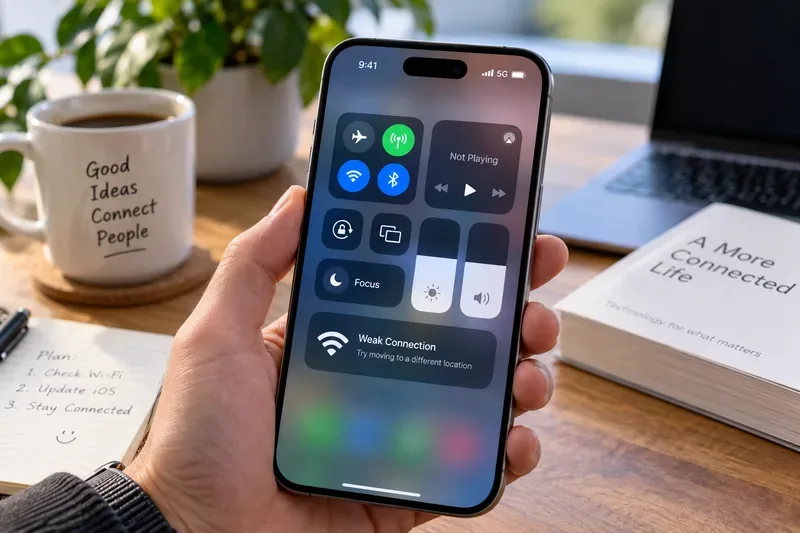
Charging being put on hold for temperature, the display dimming because of heat, reduced performance, disabled camera features, or a temperature warning screen. |
The Most Important Fact: Early Adopters Do Not Have a Real Track Record Yet
Apple’s official September 9 announcement says iPhone 18 Pro and iPhone 18 Pro Max become available on Friday, September 18. Apple’s Vietnam product page gives the same September 18 availability date.
That timing matters because thermal problems are easy to mischaracterize during a launch. A preorder customer is an early adopter in the purchasing sense, but before the phone arrives that person cannot provide an ownership-based thermal report. A short demo or controlled preview is also different from several days of real use involving setup, photo libraries, cellular data, navigation, gaming, charging, camera work, and background indexing.
For now, claims that “iPhone 18 Pro owners are all saying it runs hot” should be treated as unverified unless they are clearly dated after retail availability and include enough context to evaluate what the phone was doing at the time.
What Apple Changed Inside the iPhone 18 Pro
Apple is explicitly marketing thermal management as part of the iPhone 18 Pro performance story. On the official iPhone 18 Pro product page, Apple says the A20 Pro chip uses packaging inspired by M-series chips. The company says the silicon die is placed next to memory in a way that improves heat flow, while the chip connects to a next-generation vapor chamber.
Apple also says the new vapor chamber has three times the surface area of the one used in iPhone 17 Pro and works with more thermally conductive materials. The claimed result is up to 40 percent better sustained performance than iPhone 17 Pro.
That does not prove the phone will always feel cool. In fact, a better cooling system can move heat away from the processor more effectively, which means some of that heat still has to travel through the device and ultimately into the surrounding air. Surface warmth alone therefore is not a reliable diagnosis of a thermal defect.
Warm vs. Overheating: Use the Symptoms, Not Your Hand Alone
Apple’s support documentation draws an important distinction between a device feeling warm and a device crossing thermal limits. In its temperature management guidance for iPhone and iPad, Apple says a device may feel warmer while you set it up for the first time, restore from a backup, or complete a software update.
Those are especially relevant to launch-day buyers. The first hours with a new phone can involve downloading apps, restoring photos and messages, indexing data, updating software, and keeping the display active while the owner explores new features. A warm phone during that period is not automatically evidence of abnormal overheating.
Usually less concerning
- The phone becomes warm during initial setup or restore and cools down after background work finishes.
- The phone warms while fast charging or using wireless charging.
- The phone becomes warm during sustained gaming, long camera sessions, navigation, or other processor-intensive activity.
- The phone cools reasonably after the demanding task stops.
- No temperature warning, charging pause, display shutdown, or persistent performance reduction appears.
More useful signs to investigate
- “Charging On Hold” appears repeatedly in a normal indoor environment during ordinary charging.
- The display regularly dims substantially or goes black because the phone is too warm.
- Camera flash or camera functions become temporarily unavailable because of temperature.
- Performance repeatedly drops during light workloads, not only during sustained high-performance tasks.
- A temperature warning screen appears during ordinary use in a reasonable ambient temperature.
- The same problem is reproducible after setup, restoring, and software updating have finished.
What Apple Says Happens When an iPhone Gets Too Hot
Apple says iPhone and iPad are designed for use in ambient temperatures from 32°F to 95°F (0°C to 35°C). In hotter conditions, the device can change its behavior to regulate temperature.
According to Apple, if internal temperature exceeds the normal operating range, charging can slow or stop, the display can dim or turn black, cellular radios may enter a lower-power state, camera flash or other camera functions can be disabled, and some apps may run at lower frame rates or take longer to process tasks.
If the device crosses a higher threshold, iOS can show a temperature warning screen. Apple’s recommended response is straightforward: turn the device off, move it to a cooler environment away from direct sunlight, and allow it to cool.
Charging Is a Common Source of Heat, Especially During Launch Week
The iPhone 18 Pro supports faster wired charging, and Apple says it can reach up to 50 percent charge in around 15 minutes with compatible equipment. Faster energy transfer can produce noticeable warmth, particularly if the phone is also restoring data, running demanding apps, or being used with the screen at high brightness.
Apple’s iPhone charging guidance says iPhone may become slightly warmer while charging and can temporarily put charging on hold if temperature becomes too high. Apple also notes that using graphics-intensive apps, processor-intensive features, camera apps, or high-quality video while charging can reduce charging speed.
With MagSafe and other wireless charging, warmth is also not automatically a fault. Apple’s MagSafe support documentation says the iPhone or MagSafe Charger may get slightly warmer while charging and that software can limit charging if the battery gets too warm.
A Practical Launch-Week Thermal Checklist
If you receive an iPhone 18 Pro on or after September 18 and want to judge its thermals fairly, use repeatable conditions instead of relying on a single “it feels hot” impression.
- Finish setup first. Let app downloads, iCloud restore, photo syncing, indexing, and software updates settle before making a final judgment.
- Install the latest public iOS update available for the phone. Launch software can change quickly, and thermal behavior can be affected by software workloads as well as hardware.
- Test in a reasonable indoor temperature. Apple specifies a 0°C to 35°C operating range, but a hot room, direct sun, or a parked car can push any phone closer to thermal limits.
- Write down the workload. Note whether the phone was idle, charging, restoring, gaming, navigating, recording video, using cellular data heavily, or running on-device AI features.
- Record the charger and case. Wired charging, MagSafe, third-party wireless charging, and thick cases can produce different surface temperatures.
- Look for system behavior. A temperature warning, charging pause, major display dimming, or recurring throttling is more informative than simply saying the chassis feels warm.
- Repeat the same test later. A one-time warm event during setup is different from a repeatable problem under light use after the phone has been configured for several days.
Should You Cancel an iPhone 18 Pro Preorder Because of Overheating Claims?
Based on verifiable information available on September 14, there is not enough evidence to justify treating overheating as an established iPhone 18 Pro defect. The phone has not yet reached general retail availability, and Apple has specifically redesigned the Pro model’s thermal system around a larger vapor chamber and a new A20 Pro packaging approach.
That does not mean every future report should be dismissed. Once phones reach buyers, repeated reports involving temperature warnings, charging interruptions, or abnormal throttling under moderate workloads would deserve closer attention. The key is to wait for post-release evidence that includes the task being performed, ambient conditions, software version, charger, and whether the behavior repeats.
If thermal performance is your highest purchase priority and you do not need the phone on launch day, the lowest-risk approach is simple: wait until after September 18 and look for several days of consistent real-owner behavior rather than reacting to pre-release chatter.
How to Evaluate Early-Adopter Reports After September 18
Once actual owners have devices, not all anecdotes should carry equal weight. Use this checklist when reading a report:
- Does the person clearly own a retail iPhone 18 Pro or Pro Max?
- Is the report dated after September 18, 2026?
- Was the phone still restoring, indexing, or updating?
- Was it charging at the same time?
- Was it in direct sunlight, a hot car, or another high-temperature environment?
- Was the workload demanding, such as gaming, 4K video, navigation, or intensive AI processing?
- Did iOS show a thermal warning or “Charging On Hold” message?
- Did the behavior repeat after setup was complete?
- Are multiple owners reproducing the same issue under similar conditions?
A report that answers those questions is much more useful than a post that simply says “my new iPhone feels hot.”
Bottom Line
The truth about iPhone 18 Pro overheating, as of September 14, 2026, is that there is no credible early-adopter verdict yet because retail availability does not begin until September 18. What is confirmed is that Apple redesigned the phone’s thermal architecture with a larger vapor chamber and A20 Pro packaging intended to improve heat flow and sustained performance.
When the first retail units arrive, expect some launch-day warmth during setup, restore, updates, charging, camera use, gaming, and other demanding tasks. Judge a possible thermal problem by repeatable system symptoms—charging pauses, temperature warnings, persistent throttling, or features being disabled—not by surface warmth alone.
The best self-check is simple: wait until setup is finished, test under known conditions, watch for iOS thermal protections, and repeat the same workload. If the phone only warms during demanding tasks and cools afterward, that is a different pattern from a device repeatedly hitting thermal protections during ordinary use.