Home
» iOS
»
Hidden Features in the iPhone 18 Pro You Probably Missed
Hidden Features in the iPhone 18 Pro You Probably Missed
If you are searching for “hidden features in the iPhone 18,” there is one important detail to get right first. As of September 14, 2026, Apple has announced the iPhone 18 Pro and iPhone 18 Pro Max, but it has not announced a standard iPhone 18. The Pro models were unveiled on September 9 and are scheduled to reach customers on September 18. That means this article is based on Apple’s published specifications and software documentation, not on a claimed hands-on test of retail hardware. You can verify the launch details in Apple’s official iPhone 18 Pro announcement.
To make these less obvious features easier to understand, consider a clearly hypothetical example. Maya has preordered an iPhone 18 Pro and plans to use it for commuting, family photos, travel, calls, and everyday browsing. This scenario is only an illustration of how the confirmed features could fit into normal life; it is not a testimonial, benchmark, or real-world review.
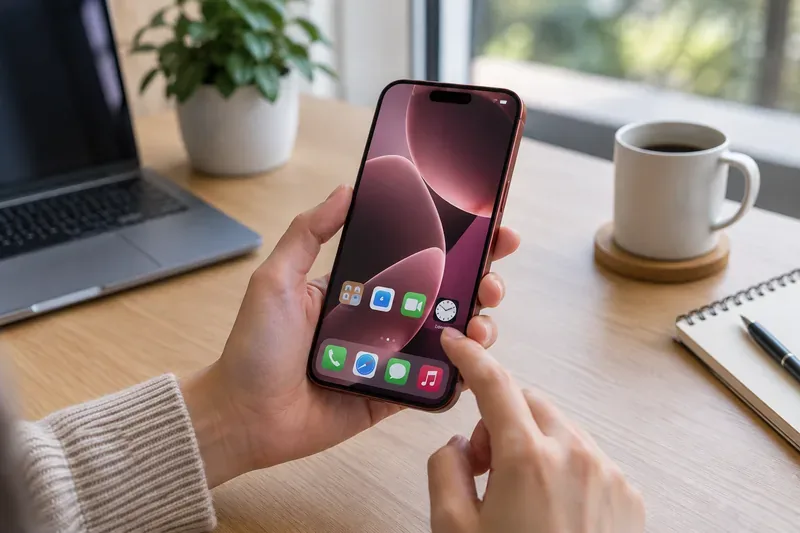
A person explores a burgundy smartphone at a home-office desk, illustrating the everyday settings where less obvious iPhone 18 Pro features can be easy to overlook.
1. The camera has real manual controls, not just automatic modes
The most obvious iPhone 18 Pro camera headline is the new 48MP Fusion Main camera with variable aperture. The less obvious part is how much direct control Apple is putting into the Camera app. According to Apple, the new Pro controls can expose lens aperture, shutter speed, white balance, and a live histogram. That is a meaningful change for people who want more control without immediately switching to a third-party camera app.
In the hypothetical scenario, Maya is photographing a busy street at night. Instead of accepting whatever motion treatment the automatic mode chooses, she could use a slower shutter speed for deliberate motion blur, check the histogram to avoid clipping highlights, and adjust white balance to keep streetlights from looking excessively warm.
The variable aperture itself is also more nuanced than a single new specification. Apple says the Main camera can widen to f/1.48 for low-light scenes, use f/1.8 for portraits, and narrow to f/4 when more depth of field is useful, such as keeping more people in a group sharp. That makes the aperture system both automatic and manually controllable depending on how you shoot. Apple documents these camera changes in its official launch release.
2. Apple Reference Image can preserve a verifiable original
One of the easiest iPhone 18 Pro features to miss is Apple Reference Image. It is not primarily a prettier-photo feature. It is about authenticity.
When a photo is captured in the optional Reference mode, Apple says the Main camera records signed sensor data. Private Cloud Compute can then develop that data into an unalterable reference image that sits alongside the regular photo in Photos. The two can be visually compared later to help determine whether an image has been edited.
For Maya, imagine she photographs a damaged rental car before returning it. She may still edit the main image for brightness or cropping, but a reference image could provide a separate record of what the sensor originally captured. The value is not that every casual photo needs forensic verification; it is that the feature exists when authenticity matters.
There are important availability limits. Apple says Reference Image is opt-in, will not be available at launch in China, and Reference Image capture will not be available at launch in the European Union. Those regional caveats matter if you are buying the phone specifically for documentary or professional workflows.
3. Dynamic Island can juggle three Live Activities at once
The iPhone 18 Pro’s Dynamic Island is physically smaller, but the more useful change is behavioral: Apple says it can display up to three Live Activities at once.
In our hypothetical day, Maya could be following a rideshare arrival, a sports score, and a food delivery at roughly the same time. Previous Dynamic Island behavior made overlapping live information feel more constrained; the iPhone 18 Pro redesign is intended to surface more of that information at a glance without forcing the user to keep reopening apps.
This is exactly the kind of feature that can disappear behind a hardware headline. A smaller cutout sounds cosmetic, while three simultaneous Live Activities can change how often you need to jump between apps.
4. Siri Mode in Camera turns the camera into a question-and-action tool
iOS 27 adds a Camera experience that Apple calls Siri mode. Paired with Visual Intelligence, it lets you ask questions or take actions based on what the camera sees. Apple’s current iOS 27 feature page shows the feature being used to identify and explain information about objects in view.
Suppose Maya is traveling and points the camera at a packaged food item. Instead of taking a picture, closing Camera, opening another app, and starting a separate search, Siri mode is designed to let her ask about what is in front of her from the camera experience itself.
This should not be confused with a guarantee that every object will be identified correctly. Apple describes the capability, but recognition quality can vary by subject, language, region, network conditions, and the availability of supporting services. Treat it as a faster entry point for visual questions, not as an infallible scanner.
5. Siri AI can use personal context and act across apps
Siri AI is one of the largest iOS 27 changes, but some of its smaller behaviors are easy to miss. Apple says Siri AI can use personal context to find information across messages, email, photos, notes, and other sources, and can take actions in apps such as Messages, Music, and Reminders.
In the hypothetical example, Maya remembers that a friend sent the name of a restaurant several weeks ago but cannot remember whether it arrived by text or email. Apple says Siri AI is designed to search across personal information and surface relevant results without requiring Maya to know which app holds the original detail.
There is also a dedicated Siri app that keeps conversations in one place and can continue them across supported Apple devices. Another subtle option is voice customization: iOS 27 lets users adjust aspects such as Siri’s voice expressivity and pace.
Availability matters here. Apple says Siri AI begins rolling out in beta with iOS 27 for supported devices set to English, with additional language support following later. Feature availability can also vary by country or region. If Siri AI is a major reason you are considering the phone, check Apple’s current availability information rather than assuming every capability is active everywhere on day one.
6. Call Context can surface useful information during business calls
Another low-profile Apple Intelligence feature is Call Context. Apple says it can proactively surface relevant information from your apps while you are on a call with a business.
Imagine Maya calls an airline about a reservation. Instead of leaving the call screen, opening Mail, searching for the itinerary, and copying a confirmation number, Call Context is designed to recognize what information may be useful and present it during the call.
The important distinction is that this is not the same as the phone automatically completing the entire conversation. It is better understood as contextual assistance: the iPhone tries to put the right information in front of you at the moment you need it.
7. Safari can organize tabs and watch pages for changes
Safari in iOS 27 gets two features that may be more useful than they initially sound. First, it can automatically group tabs into topics. Second, Safari Notify Me can monitor a page for a change, such as a price update or an item coming back in stock, and alert you.
For Maya, that could mean saving a sold-out travel bag or concert-related product page and letting Safari watch for a change instead of manually refreshing the same page every few hours. Likewise, automatic tab grouping can help when a research session turns into dozens of open tabs spread across travel, shopping, work, and personal topics.
These are iOS 27 features, not exclusive hardware functions of the iPhone 18 Pro. That distinction matters because some buyers may already get them on other compatible iPhones after updating.
8. The phone quietly improves network handoffs behind the scenes
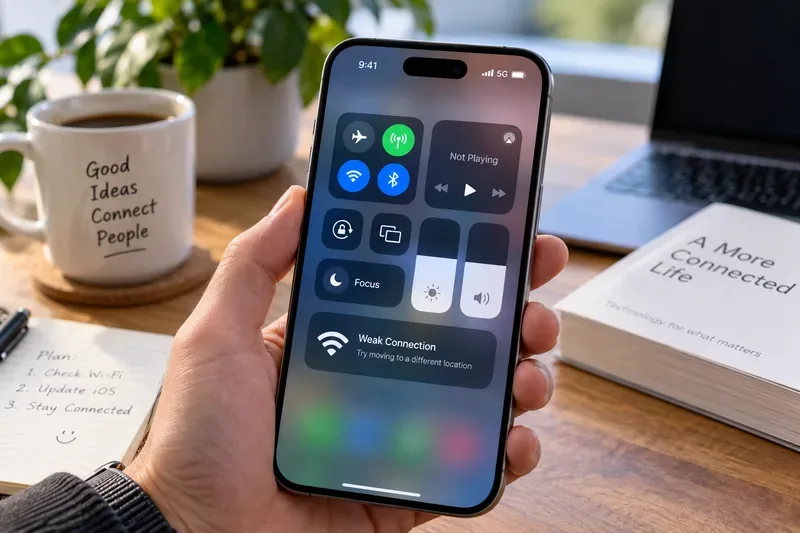
Some of the most useful “hidden” improvements are the ones you do not actively turn on. Apple says iOS 27 improves how iPhone transitions between Wi-Fi and cellular connections so calls, directions, and other activity can continue more smoothly as the best available network changes.
The iPhone 18 Pro also includes Apple’s N1 wireless networking chip for Wi-Fi 7, Bluetooth 6, and Thread, plus the new C2 cellular modem system. Apple says C2 uses AI-powered improvements for cellular quality and reliability, offers meaningfully faster uploads than C1X, uses 15 percent less energy, and supports mmWave in the United States.
In Maya’s hypothetical commute, this is the type of upgrade she may notice only indirectly: a FaceTime call that holds together as she leaves a building, navigation that continues as Wi-Fi drops away, or uploads that recover more gracefully after a network transition. Those experiences are difficult to evaluate before independent testing, so it is best to treat Apple’s performance statements as manufacturer claims until real-world measurements are available.
9. Several camera and media tools work after capture
Another cluster of easy-to-miss features appears after you press the shutter. Apple says iPhone 18 Pro can apply Cinematic effects after capture to video shot at up to 60 frames per second. Time-lapse can now record in 4K with Dolby Vision HDR, while updated Audio Mix algorithms can improve voices and isolate music.
Photographic Styles also gains new texture and grain controls. That matters because the iPhone 18 Pro camera is not just adding more shooting-time controls; Apple is also expanding the amount of creative adjustment available after the moment has already been captured.
For Maya, this means she does not need to make every creative choice while recording a family event. Some choices can be refined later, which is especially useful when there is no opportunity for a second take.
Which hidden features are exclusive to iPhone 18 Pro?
Feature
Where it comes from
iPhone 18 Pro-specific?
Variable aperture and new Pro camera controls
iPhone 18 Pro camera hardware and Camera app
Yes, as announced
Apple Reference Image capture
New Main camera sensor plus iOS 27 services
Yes for capture, with regional limits
Up to three Dynamic Island Live Activities
Redesigned iPhone 18 Pro Dynamic Island
Yes, as announced
Siri mode in Camera
iOS 27 and Apple Intelligence
No; availability depends on supported hardware and software
Call Context
Apple Intelligence in iOS 27
No
Safari tab grouping and Notify Me
iOS 27
No
C2 modem and N1 wireless chip
iPhone 18 Pro hardware
Yes, as announced
What to check when your iPhone 18 Pro arrives
Using Maya’s hypothetical setup day as a final checklist, the smartest approach is not to hunt for every new option at once. Start with the features that match how you actually use your phone. If photography matters, explore Pro controls, variable aperture behavior, the histogram, and Reference Image. If you live in Safari, look for automatic tab organization and Notify Me. If you rely on Siri, verify that Siri AI is available in your language and region before building workflows around it. And if you frequently keep multiple apps running in the background, watch how the redesigned Dynamic Island handles concurrent Live Activities.
Most importantly, separate three kinds of claims: hardware features Apple has officially announced, iOS 27 features shared with other supported iPhones, and real-world performance that still needs independent testing. As of September 14, 2026, iPhone 18 Pro and iPhone 18 Pro Max have been announced but are not scheduled for general availability until September 18. That makes Apple’s own documentation the right baseline today, while battery life, camera behavior, thermals, modem performance, and AI reliability should be revisited once production devices have been tested outside launch demos.