🔧 Instant Fix: How to Fix Microsoft Teams Camera Not Working in Meetings (Proven 2026 Tips!)

Nothing derails a crucial work meeting like a blank Microsoft Teams camera not working screen. 😩 You've prepped your slides, but your video feed? Crickets. Don't panic—this common glitch hits millions, but it's fixable in minutes with the right steps. We'll walk you through proven solutions, from quick toggles to deeper tweaks, so you can shine in your next virtual huddle. Let's get your camera live! 🚀
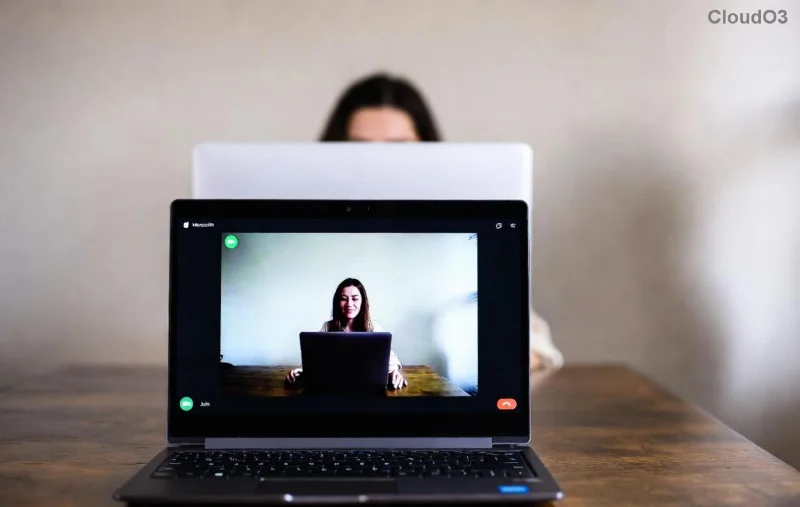
Microsoft Teams camera troubleshooting interface showing settings menu

Why Is Your Microsoft Teams Camera Not Working? Quick Diagnosis

Before diving in, pinpoint the culprit. Common causes include:

  • ❌ Permissions blocked by your OS or browser.
  • ❌ Outdated Teams app or camera drivers.
  • ❌ Hardware conflicts (another app hogging the camera).
  • ❌ Cache glitches or network hiccups.

Grab a coffee ☕—most fixes take under 5 minutes. Start with basics and escalate if needed.

1️⃣ Fix #1: Toggle Camera Permissions (Fastest Win!)

The #1 reason for Microsoft Teams camera not working in meetings? Permissions. Here's how to unlock it:

  1. Open Microsoft Teams > Click your profile icon > Settings > Devices.
  2. Select your camera from the dropdown. If it's grayed out, proceed to OS settings.
  3. Windows: Settings > Privacy > Camera > Allow apps to access. Toggle Teams ON. ✅
  4. Mac: System Preferences > Security & Privacy > Camera > Check Teams. 🔒
  5. Mobile: App Settings > Permissions > Camera > Allow.

Test in a new meeting. Boom—video flowing? You're done! Still black? Next fix.

2️⃣ Fix #2: Update Teams and Camera Drivers

Outdated software = instant frustration. Latest Teams versions squash camera bugs.

  1. In Teams: Profile > Check for updates. Install if available.
  2. Windows Device Manager: Right-click Start > Device Manager > Cameras > Right-click your webcam > Update driver > Search automatically.
  3. Pro tip: Download latest drivers from your camera maker (e.g., Logitech, Dell). 🎯

Restart Teams post-update. 80% of users report success here!

Step-by-step guide to updating Microsoft Teams camera drivers on Windows

3️⃣ Fix #3: Restart and Clear Conflicts

Sometimes, it's just a temporary snag. Quick resets work wonders:

Step Windows Mac
1. Quit hogging apps Task Manager > End Zoom/Skype Activity Monitor > Quit others
2. Restart Teams Alt+F4 > Relaunch Cmd+Q > Relaunch
3. Clear cache %appdata%\Microsoft\Teams > Delete contents ~/Library/Application Support/Microsoft/Teams > Delete

Rejoin meeting. Camera preview should pop! ✨

4️⃣ Fix #4: Advanced Tweaks for Stubborn Issues

If basics fail, go pro:

  • Antivirus clash: Temporarily disable (e.g., Norton, McAfee) and test. Whitelist Teams.
  • Network fix: Switch Wi-Fi/mobile hotspot. VPN? Turn off.
  • Browser mode: If web Teams, try Edge/Chrome incognito. Clear site data for teams.microsoft.com.
  • Hardware test: Plug in external webcam. Works? Internal issue—update BIOS or contact IT.

5️⃣ Mobile-Specific Fixes for Teams Camera Not Working

On phone/tablet?

  1. Force close Teams > Reopen.
  2. Settings > Apps > Teams > Clear cache/storage.
  3. Update via App Store/Play Store.

Pro move: Flip phone orientation during test call. 📱

Prevention Tips: Never Let It Happen Again ⭐

Stay ahead:

  • Enable auto-updates in Teams Settings.
  • Run weekly camera tests: New meeting > Test call feature.
  • Use Microsoft's troubleshooter tool.
  • Backup plan: Share screen with static image if desperate. 😎

Congrats—you're now a Microsoft Teams camera master! Next meeting, you'll be the crisp video star everyone envies. 👏 Still stuck? Drop your OS/version in comments—we've got more tricks. Share this guide to save a colleague's day! 🚀



Leave a Comment

🚀 Ultimate Fix: How to Fix Microsoft Teams Whiteboard Error Login in Minutes!

🚀 Ultimate Fix: How to Fix Microsoft Teams Whiteboard Error Login in Minutes!

Frustrated by Microsoft Teams "Whiteboard Error" Login? Follow our proven, step-by-step guide to resolve it quickly and seamlessly collaborate again. Updated with the latest fixes.

🚀 Fix Microsoft Teams VDI Error in Citrix: Ultimate Optimization Guide 2026

🚀 Fix Microsoft Teams VDI Error in Citrix: Ultimate Optimization Guide 2026

Tired of Microsoft Teams VDI Error crashing your Citrix sessions? Get proven Citrix Optimization steps to restore crystal-clear video calls and seamless collaboration. Latest fixes for smooth performance!

🔧 Fix Microsoft Teams Breakout Rooms Not Erstellen: Instant Solutions That Work!

🔧 Fix Microsoft Teams Breakout Rooms Not Erstellen: Instant Solutions That Work!

Troubled by Microsoft Teams Breakout Rooms not erstellen? Get step-by-step fixes for this common issue. Restore seamless breakout rooms in meetings with our proven, up-to-date guide – no tech skills needed!

🚀 Fix Microsoft Teams Restart Error 2026: Proven Steps to End the Endless Loop Now!

🚀 Fix Microsoft Teams Restart Error 2026: Proven Steps to End the Endless Loop Now!

Struggling with Microsoft Teams "Restart Error" in 2026? Discover step-by-step fixes for the endless restart loop, clear cache, reset app, and more. Get back to seamless collaboration fast!

🔧 Instant Fix: How to Solve Microsoft Teams Error O Offline in Under 5 Minutes!

🔧 Instant Fix: How to Solve Microsoft Teams Error O Offline in Under 5 Minutes!

Frustrated by Microsoft Teams "Error O" offline? Discover proven, step-by-step fixes to get you back online fast. No tech skills needed – simple solutions for immediate results!

🚀 Instant Fix: How to Fix Microsoft Teams Planner Error in Channels (Proven 2026 Solutions)

🚀 Instant Fix: How to Fix Microsoft Teams Planner Error in Channels (Proven 2026 Solutions)

Tired of the frustrating Microsoft Teams Planner Error in Channels? Discover step-by-step fixes to resolve it fast, restore your tabs, and boost productivity—no tech skills needed!

🚀 Fix Microsoft Teams Recording Error: Permission Required in Minutes – Ultimate 2026 Guide!

🚀 Fix Microsoft Teams Recording Error: Permission Required in Minutes – Ultimate 2026 Guide!

Tired of the frustrating "Permission Required" error in Microsoft Teams? Discover proven, step-by-step fixes to enable recording instantly. Solve Microsoft Teams recording error today!

🚀 Fix Microsoft Teams Error AADSTS70008: Security Token Expired in Minutes [Proven Steps]

🚀 Fix Microsoft Teams Error AADSTS70008: Security Token Expired in Minutes [Proven Steps]

Tired of Microsoft Teams Error AADSTS70008 blocking your workflow? Discover proven, step-by-step fixes for the Security Token Expired issue and regain seamless collaboration instantly.

Fix Microsoft Teams Mac Keychain Error Fast: Ultimate Troubleshooting Guide 2026

Fix Microsoft Teams Mac Keychain Error Fast: Ultimate Troubleshooting Guide 2026

Stuck with Microsoft Teams Mac Error Keychain Issues? Discover proven, step-by-step troubleshooting fixes to resolve Keychain problems on Mac, restore smooth collaboration, and avoid future glitches. Expert tips inside!

Fix Microsoft Teams Bị Lỗi in Seconds: Ultimate Troubleshooting Guide 2026

Fix Microsoft Teams Bị Lỗi in Seconds: Ultimate Troubleshooting Guide 2026

Tired of Microsoft Teams "Bị lỗi" crashes and glitches? Follow this expert troubleshooting guide for instant fixes on sign-in errors, audio issues, and more. Get back to seamless teamwork today!





