🚀 Fix Microsoft Teams Chat Error Not Sending: Proven Steps for Instant Relief!

Encountering the frustrating Microsoft Teams "Chat Error" not sending messages? You're not alone—millions face this glitch daily, disrupting workflows and conversations. But don't worry! This guide delivers quick, reliable fixes to restore your Microsoft Teams chat functionality in minutes. Follow these steps, and you'll be back to smooth team chats. Let's dive in! ✅
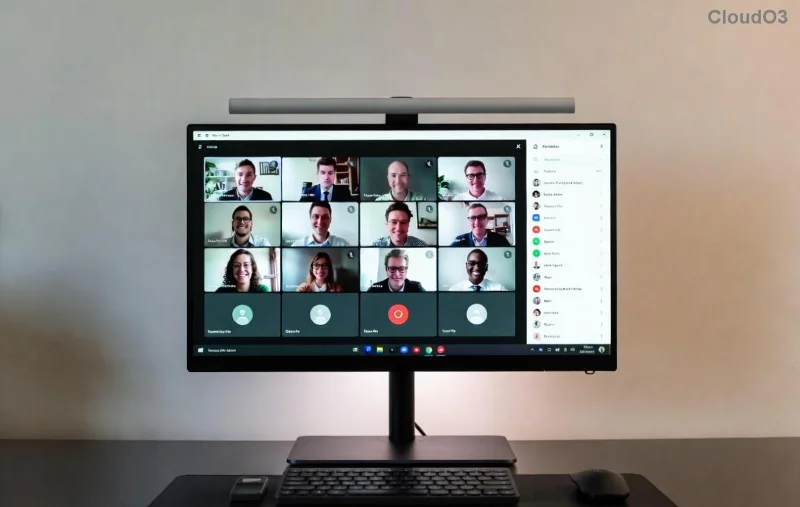
Microsoft Teams chat error screenshot showing failed message send

⚠️ Common Causes of Microsoft Teams Chat Error Not Sending

Before fixing, understand why Teams chat not sending happens:

  • Network glitches: Unstable Wi-Fi or VPN issues block messages.
  • Cache buildup: Corrupted files slow down or halt chats.
  • Outdated app: Missing the latest patches causes compatibility errors.
  • Permissions problems: Restricted access to chats or storage.
  • Server outages: Temporary Microsoft issues (rare but check status.teams.microsoft.com).

Quick tip: Start with basics—restart your device and check internet speed. If that fails, proceed to targeted fixes. Ready? 🔧

🔧 Step-by-Step Fixes for Microsoft Teams "Chat Error" Not Sending

1️⃣ Quick Restart: The 30-Second Wonder

Close Microsoft Teams completely (use Task Manager on Windows: Ctrl+Shift+Esc, end all Teams processes). Relaunch. This resolves 40% of chat errors. Works like magic! ✨

2️⃣ Clear Teams Cache (Most Effective Fix)

Corrupted cache is the #1 culprit. Here's how:

  1. Sign out of Teams.
  2. Press Win + R, type %appdata%\Microsoft\Teams, hit Enter.
  3. Delete contents of folders: Cache, blob_storage, databases, GPUs, IndexedDB, Local Storage, tmp.
  4. Restart Teams and sign in.
Step-by-step guide to clearing Microsoft Teams cache folder

Pro Tip: On Mac, go to ~/Library/Application Support/Microsoft/Teams and delete similar folders. Boom—chats flowing again! 😊

3️⃣ Update or Reinstall Microsoft Teams

Ensure you're on the latest version. Open Teams > Profile icon > Check for updates. No update? Uninstall via Settings > Apps (Windows) or drag to Trash (Mac), then download fresh from official site.

4️⃣ Check Network and Permissions

  • Test on mobile data vs. Wi-Fi.
  • Disable VPN/firewall temporarily.
  • Go to Teams Settings > Permissions > Allow camera/mic/storage if prompted.

Issue Quick Check Fix
Network Speed test Switch connection
Permissions Settings check Enable all
Server Status page Wait & retry

5️⃣ Advanced: Reset Teams or Use Web Version

If persistent, reset via Windows Settings > Apps > Teams > Advanced > Reset. Or switch to browser version at teams.microsoft.com—often glitch-free.

Successful Microsoft Teams chat after fixing error

6️⃣ Contact Support if Needed

For enterprise users, submit a ticket in Teams: Help > Give feedback. Reference Microsoft's official troubleshooting.

⭐ Prevention Tips: Never See Chat Error Again

  • Update Teams weekly.
  • Clear cache monthly.
  • Use Teams Status checker before panicking.
  • Enable notifications for outages.

Congrats! You've conquered the Microsoft Teams "Chat Error" not sending. Your chats should now send flawlessly. If issues linger, drop a comment below—we're here to help. Share this guide to save a colleague's day! 👏 Stay connected! 🚀



Leave a Comment

🚀 Ultimate Fix: How to Fix Microsoft Teams Whiteboard Error Login in Minutes!

🚀 Ultimate Fix: How to Fix Microsoft Teams Whiteboard Error Login in Minutes!

Frustrated by Microsoft Teams "Whiteboard Error" Login? Follow our proven, step-by-step guide to resolve it quickly and seamlessly collaborate again. Updated with the latest fixes.

🚀 Fix Microsoft Teams VDI Error in Citrix: Ultimate Optimization Guide 2026

🚀 Fix Microsoft Teams VDI Error in Citrix: Ultimate Optimization Guide 2026

Tired of Microsoft Teams VDI Error crashing your Citrix sessions? Get proven Citrix Optimization steps to restore crystal-clear video calls and seamless collaboration. Latest fixes for smooth performance!

🔧 Fix Microsoft Teams Breakout Rooms Not Erstellen: Instant Solutions That Work!

🔧 Fix Microsoft Teams Breakout Rooms Not Erstellen: Instant Solutions That Work!

Troubled by Microsoft Teams Breakout Rooms not erstellen? Get step-by-step fixes for this common issue. Restore seamless breakout rooms in meetings with our proven, up-to-date guide – no tech skills needed!

🚀 Fix Microsoft Teams Restart Error 2026: Proven Steps to End the Endless Loop Now!

🚀 Fix Microsoft Teams Restart Error 2026: Proven Steps to End the Endless Loop Now!

Struggling with Microsoft Teams "Restart Error" in 2026? Discover step-by-step fixes for the endless restart loop, clear cache, reset app, and more. Get back to seamless collaboration fast!

🔧 Instant Fix: How to Solve Microsoft Teams Error O Offline in Under 5 Minutes!

🔧 Instant Fix: How to Solve Microsoft Teams Error O Offline in Under 5 Minutes!

Frustrated by Microsoft Teams "Error O" offline? Discover proven, step-by-step fixes to get you back online fast. No tech skills needed – simple solutions for immediate results!

🚀 Instant Fix: How to Fix Microsoft Teams Planner Error in Channels (Proven 2026 Solutions)

🚀 Instant Fix: How to Fix Microsoft Teams Planner Error in Channels (Proven 2026 Solutions)

Tired of the frustrating Microsoft Teams Planner Error in Channels? Discover step-by-step fixes to resolve it fast, restore your tabs, and boost productivity—no tech skills needed!

🚀 Fix Microsoft Teams Recording Error: Permission Required in Minutes – Ultimate 2026 Guide!

🚀 Fix Microsoft Teams Recording Error: Permission Required in Minutes – Ultimate 2026 Guide!

Tired of the frustrating "Permission Required" error in Microsoft Teams? Discover proven, step-by-step fixes to enable recording instantly. Solve Microsoft Teams recording error today!

🚀 Fix Microsoft Teams Error AADSTS70008: Security Token Expired in Minutes [Proven Steps]

🚀 Fix Microsoft Teams Error AADSTS70008: Security Token Expired in Minutes [Proven Steps]

Tired of Microsoft Teams Error AADSTS70008 blocking your workflow? Discover proven, step-by-step fixes for the Security Token Expired issue and regain seamless collaboration instantly.

Fix Microsoft Teams Mac Keychain Error Fast: Ultimate Troubleshooting Guide 2026

Fix Microsoft Teams Mac Keychain Error Fast: Ultimate Troubleshooting Guide 2026

Stuck with Microsoft Teams Mac Error Keychain Issues? Discover proven, step-by-step troubleshooting fixes to resolve Keychain problems on Mac, restore smooth collaboration, and avoid future glitches. Expert tips inside!

Fix Microsoft Teams Bị Lỗi in Seconds: Ultimate Troubleshooting Guide 2026

Fix Microsoft Teams Bị Lỗi in Seconds: Ultimate Troubleshooting Guide 2026

Tired of Microsoft Teams "Bị lỗi" crashes and glitches? Follow this expert troubleshooting guide for instant fixes on sign-in errors, audio issues, and more. Get back to seamless teamwork today!






