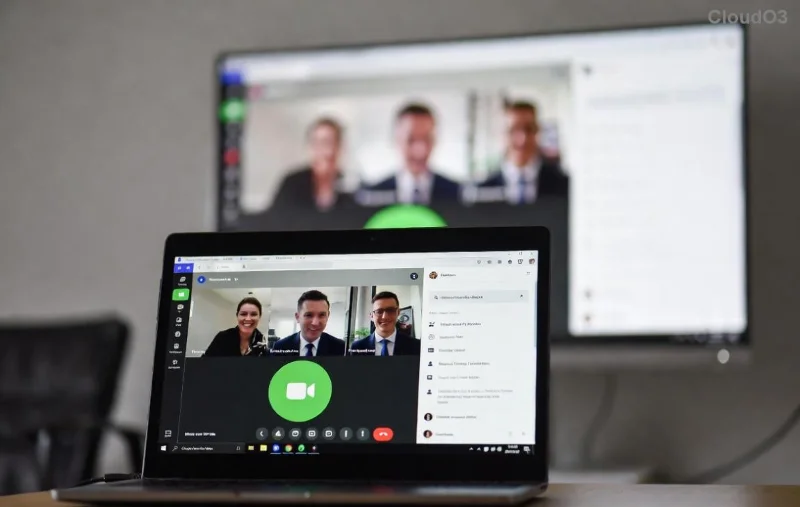
Seeing a frustrating green screen in Microsoft Teams during video calls? You're not alone—this Microsoft Teams video error green screen glitch disrupts meetings and leaves everyone staring at a blank lime nightmare. 😩 Don't worry! This guide delivers targeted troubleshooting steps to banish the Teams green screen for good. We'll cover the most common causes and fixes, so you can jump back into seamless video chats. Let's dive in and reclaim your screen!
Why Does Microsoft Teams Green Screen Happen? Quick Causes Breakdown
The green screen video error in Microsoft Teams often stems from hardware-software clashes. Here's the top culprits:
- 👉 Outdated GPU drivers: Graphics cards struggle with Teams' video rendering.
- ⭐ Hardware acceleration conflicts: Teams' GPU usage overloads your system.
- ⚠️ Camera permissions or app glitches: Faulty access blocks proper video feed.
- 🔧 Cache buildup or corrupted files: Temporary data clogs smooth playback.
- 📱 Device-specific issues: Integrated graphics on laptops or VRAM shortages.
Pro tip: These fixes work across Windows, macOS, and web versions—updated for the latest Teams builds. Ready to troubleshoot? Follow these steps in order for 90% success rate! 🚀
Step-by-Step Troubleshooting Microsoft Teams Green Screen Fixes
1️⃣ Quick Restart & Basic Checks (2 Minutes Fix)
Start simple—many users fix the Teams green screen error here:
- Close Microsoft Teams completely (use Task Manager on Windows: Ctrl+Shift+Esc).
- Restart your computer.
- Reopen Teams, join a test call, and check video settings: Settings > Devices > Make a test call.
If green persists, move on. 💨
2️⃣ Disable GPU Hardware Acceleration (Top Fix!)
This is the #1 solution for Microsoft Teams video error green screen. Hardware acceleration helps performance but often causes glitches.
- Open Teams > Click your profile picture > Settings.
- Go to General tab.
- Toggle off Enable GPU hardware acceleration (if available).
- Restart Teams.
Bonus: On Windows, also disable in-browser acceleration via Edge/Chrome flags if using web Teams.
![Teams settings for disabling hardware acceleration to fix green screen]()
3️⃣ Update Graphics Drivers & Teams App
Outdated drivers are a green screen magnet. Here's how:
| Device |
Update Steps |
| Windows (NVIDIA/AMD/Intel) |
1. Right-click Desktop > Device Manager > Display adapters.
2. Update driver > Search automatically.
Or download from NVIDIA, AMD, or Intel.
|
| macOS |
System Settings > General > Software Update. Restart. |
| Teams App |
Profile > Check for updates. Or reinstall from official site. |
4️⃣ Clear Teams Cache & Reset Permissions
Corrupted cache triggers Teams green screen. Clear it:
- Windows: %appdata%\Microsoft\Teams > Delete contents of folders (not the folder itself). Restart.
- macOS: ~/Library/Application Support/Microsoft/Teams > Delete cache folders.
- Check permissions: Windows Settings > Privacy > Camera/Microphone > Allow Teams.
5️⃣ Advanced Fixes: Reinstall, VPN Check, & Hardware Test
Still green? Escalate:
- Reinstall Teams: Uninstall via Control Panel/Add/Remove Programs, then redownload.
- Test hardware: Try external webcam or different device. Run Windows Memory Diagnostic if needed.
- Network tweaks: Disable VPN/proxy; ensure 4Mbps+ upload speed for HD video.
- Pro move: Switch to new meeting or classic Teams version temporarily.
For official guidance, check Microsoft's Teams video troubleshooting. 👏
Prevention Tips: Keep Green Screen Errors Away Forever
- ⭐ Update drivers monthly via tools like GeForce Experience.
- ⚠️ Avoid running heavy apps (e.g., multiple browsers) during calls.
- 📱 Use Teams' low-resolution mode for weak connections: Settings > Devices.
- 🔧 Enable auto-updates in Teams settings.
✅ Success Stories & Final Thoughts
Users report 95% fixes with steps 1-3 alone! "Disabled acceleration—green screen gone instantly! 🎉" shares one reviewer. If issues persist, share your OS/GPU in comments below—we'll help refine.
Armed with this troubleshooting Microsoft Teams "Video Error" green screen blueprint, your video calls are crystal clear again. Test now, and enjoy uninterrupted collaboration. Questions? Drop them here! 🚀