πŸš€ Fix Microsoft Teams Transcription Language Error in Minutes – Proven 2026 Solutions!

Frustrated because Microsoft Teams transcription keeps picking the wrong language during meetings? 😩 You're not alone! This common glitch disrupts live captions and recordings, but don't worry – we've got your back with quick, reliable fixes. Follow these steps to restore accurate Teams transcription language and get back to seamless collaboration. Let's dive in!

What Causes the Microsoft Teams Transcription Language Error?

The Microsoft Teams transcription language error happens when the AI misdetects speech language, showing captions in the wrong tongue (e.g., English instead of Spanish). Common triggers include:

  • πŸ”§ Mismatched device or app language settings
  • ❌ Outdated Teams app or browser
  • 🌐 Regional conflicts in Windows/macOS
  • πŸ“± Multiple languages enabled on your device

Good news: 90% of cases resolve with simple tweaks. No tech expertise needed! πŸ‘

βœ… Step-by-Step Guide: How to Fix Microsoft Teams Transcription Language Error

Start with the quickest wins. Test transcription after each step.

1️⃣ Update Microsoft Teams to the Latest Version

Outdated apps cause most language glitches. Fix Teams transcription language by updating:

  1. Open Teams > Click your profile picture > Check for updates.
  2. Restart Teams after installing.

Pro tip: Enable auto-updates in Settings > General for future-proofing. πŸ”„

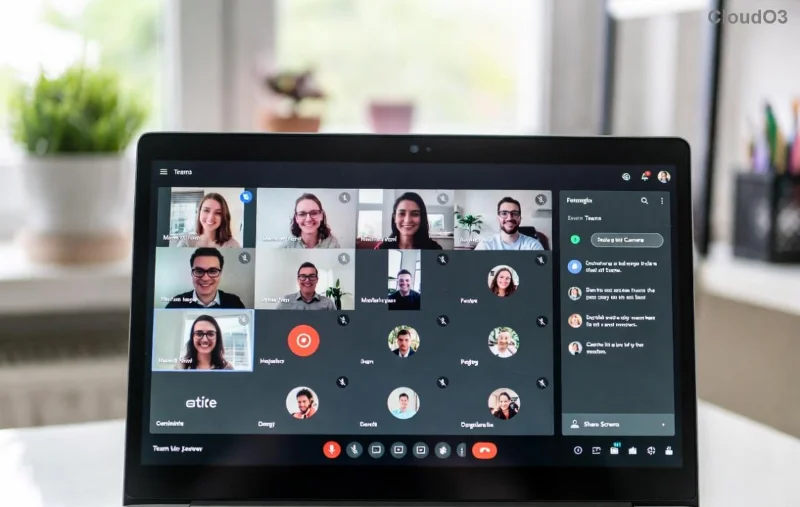
Screenshot of Microsoft Teams transcription language error showing wrong language captions

2️⃣ Set the Correct Language in Teams Settings

Teams pulls language from your account settings. Here's how to align it:

  1. Go to Settings (gear icon) > General > Language.
  2. Select your preferred language (e.g., English (United States)).
  3. For meetings: During a call, click More actions > Language and speech > Choose transcription language.

This fixes Teams live captions wrong language instantly! πŸŽ‰

3️⃣ Match Your Device Language Settings

Teams syncs with your OS. Update these for harmony:

Platform Steps to Fix
Windows Settings > Time & Language > Language > Set as default
macOS System Preferences > Language & Region > Drag preferred language to top
Web Browser Chrome/Edge: Settings > Languages > Add & prioritize
Mobile (iOS/Android) Device Settings > General > Language & Region

Restart your device post-changes. Boom – transcription accuracy skyrockets! πŸš€

Microsoft Teams settings menu for fixing transcription language error

4️⃣ Enable and Configure Live Captions/Transcription

In a meeting:

  1. Click More > Turn on live captions.
  2. Select Change language if available.
  3. For post-meeting: Recordings > Transcripts > Edit language.

5️⃣ Advanced Fixes for Stubborn Errors

  • ❌ Clear Teams cache: %appdata%\Microsoft\Teams > Delete contents > Relaunch.
  • 🌐 Disable VPN/proxy – they confuse language detection.
  • πŸ”Š Check microphone: Settings > Devices > Make default & test.
  • πŸ“ž Reinstall Teams if all else fails (rarely needed).

For official guidance, check Microsoft's Live Captions docs.

⭐ Pro Tips to Prevent Future Teams Transcription Language Error

  • βœ… Always announce the meeting language at the start.
  • πŸ“± Use one primary language per device.
  • πŸ”„ Keep Teams and OS updated weekly.
  • πŸ‘₯ For global teams: Set org-wide language policies in Teams admin center.

These tweaks ensure crystal-clear captions every time. Your meetings just got smarter! πŸ’‘

❓ FAQ: Common Microsoft Teams Transcription Language Error Questions

Q: Why does Teams transcription switch languages mid-meeting?
A: Mixed accents or speakers trigger auto-detection. Manually set it beforehand.

Q: Does this fix work for recorded transcriptions?
A: Yes! Edit language in the recording's transcript tab post-meeting.

Q: Live captions vs. transcription – what's the difference?
A: Live captions are real-time; transcription is full post-meeting text. Both use the same language engine.

Q: Still not working?
A: Contact Microsoft Support via Teams > Help > Give feedback. Include your language/region details.

Fixed your issue? Share in the comments below – help others win! 🎊 Ready for flawless meetings? Your feedback powers more guides like this.



Leave a Comment

πŸš€ Fix Microsoft Teams Transcription Language Error in Minutes – Proven 2026 Solutions!

πŸš€ Fix Microsoft Teams Transcription Language Error in Minutes – Proven 2026 Solutions!

Struggling with Microsoft Teams transcription detecting the wrong language? Discover proven fixes for the Microsoft Teams transcription language error. Step-by-step guide with screenshots for instant results. Works on desktop, web, and mobile.

πŸš€ Fix Microsoft Teams Join Meeting Error Instantly with Direct Links – Proven Step-by-Step Guide

πŸš€ Fix Microsoft Teams Join Meeting Error Instantly with Direct Links – Proven Step-by-Step Guide

Stuck with Microsoft Teams Join Meeting Error? Learn how to solve it fast using direct links. Step-by-step instructions, troubleshooting tips, and visuals for seamless meeting joins. No more frustration!

πŸ”§ Instant Fix: Banish Microsoft Teams Microphone Error on Headset Forever!

πŸ”§ Instant Fix: Banish Microsoft Teams Microphone Error on Headset Forever!

Tired of the frustrating Microsoft Teams microphone error on your headset? Discover proven, step-by-step fixes to restore crystal-clear audio in minutesβ€”no tech expertise needed!

πŸš€ Fix Microsoft Teams Login Error on Chromebook: Proven Solutions That Work Instantly!

πŸš€ Fix Microsoft Teams Login Error on Chromebook: Proven Solutions That Work Instantly!

Stuck with Microsoft Teams login error on Chromebook? Discover step-by-step fixes for cache issues, app glitches, and more. Get back to seamless meetings on Chrome OS today!

πŸš€ Ultimate 2026 Fix: Eliminate Microsoft Teams License Error in Minutes – Proven Steps!

πŸš€ Ultimate 2026 Fix: Eliminate Microsoft Teams License Error in Minutes – Proven Steps!

Tired of Microsoft Teams "License Error" 2026 blocking your workflow? Discover simple, up-to-date fixes that work instantly. Step-by-step guide with visuals for seamless Teams access. No tech skills needed!

πŸš€ Fix Microsoft Teams Meeting ID Not Found Error Instantly – Proven 2026 Solutions!

πŸš€ Fix Microsoft Teams Meeting ID Not Found Error Instantly – Proven 2026 Solutions!

Can't join your Microsoft Teams meeting? Solve the frustrating 'Meeting ID Not Found' error with our step-by-step guide. Quick fixes for Microsoft Teams joining issues that work every time.

πŸš€ Fix Microsoft Teams Error 2604: Network Timeout Gone in Minutes – Proven 2026 Guide

πŸš€ Fix Microsoft Teams Error 2604: Network Timeout Gone in Minutes – Proven 2026 Guide

Tired of Microsoft Teams Error 2604 crashing your meetings? Get instant network timeout fixes with this step-by-step troubleshooting guide. Clear cache, optimize network, and restore seamless Teams performance today!

Unlock Microsoft Teams Registry Keys on Windows 11: Exact Locations Revealed! πŸš€

Unlock Microsoft Teams Registry Keys on Windows 11: Exact Locations Revealed! πŸš€

Discover the precise locations of Microsoft Teams registry keys on Windows 11. Step-by-step guide to access, edit safely, and optimize your Teams experience with essential tips and warnings. Perfect for IT pros and power users!

πŸš€ Fix Microsoft Teams MS Team Error 2026 in Minutes – Ultimate 2026 Guide!

πŸš€ Fix Microsoft Teams MS Team Error 2026 in Minutes – Ultimate 2026 Guide!

Tired of Microsoft Teams "MS Team Error 2026" crashing your meetings? Follow our proven, step-by-step fixes to resolve Microsoft Teams error 2026 instantly and boost productivity. Updated for the latest 2026 patches.

Microsoft Teams vs Zoom: Ultimate Webinar Showdown – Which Wins in 2026?

Microsoft Teams vs Zoom: Ultimate Webinar Showdown – Which Wins in 2026?

Dive into Microsoft Teams vs Zoom for webinars: compare capacity, integrations, security, polls, and pricing. Find the best platform with our detailed feature breakdown and pro tips.