πŸš€ How to Update Microsoft Teams to the Latest Version in 2026 – Super Fast Guide!

Staying on the latest version of Microsoft Teams in 2026 means accessing cutting-edge AI features, enhanced security, and smoother collaboration. Whether you're in a hybrid meeting or chatting with global teams, an outdated app can cause glitches. Don't worryβ€”this guide delivers how to update Microsoft Teams step-by-step, keeping you ahead without hassle. Let's dive in! πŸ‘

Why Update Microsoft Teams Right Now?

  • ⭐ New Teams in 2026 brings Copilot integrations, better performance, and reduced battery drain.
  • πŸ›‘οΈ Critical security patches protect against emerging threats.
  • ⚑ Faster video calls and intelligent noise suppression for pro-level meetings.

Ready to upgrade? Most users enjoy auto-updates, but manual checks ensure you're on the Microsoft Teams latest version 2026. We'll cover all platforms.

1️⃣ How to Update Microsoft Teams on Desktop (Windows & Mac)

The new Teams app (fully rolled out by 2026) handles updates seamlessly. Here's the quickest way:

  1. Open Microsoft Teams and click your profile picture (top right) πŸ‘€.
  2. Select Check for updates from the dropdown.
  3. If available, hit Update now or Download and install. Restart when prompted.
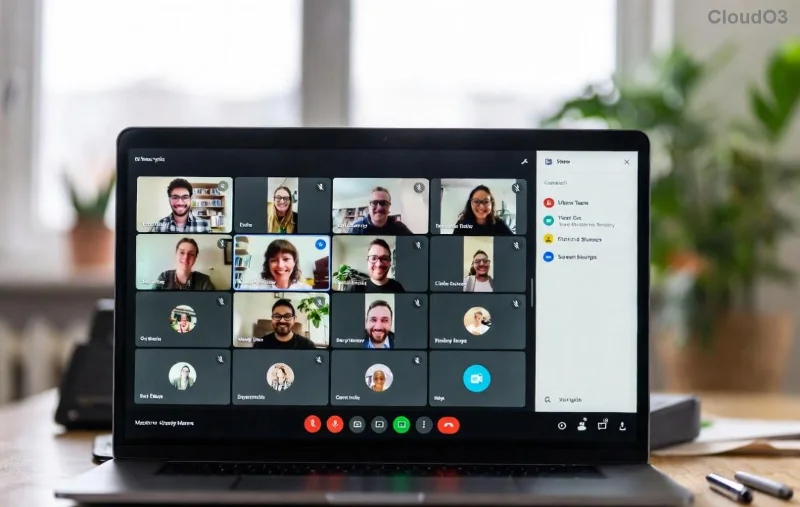
Microsoft Teams desktop update screen showing Check for updates option

Pro Tip: Enable auto-updates in Settings > General > Application. For IT admins, use Microsoft's deployment guide for bulk updates.

Manual Download for Latest Teams Version 2026

Method Windows Mac
Microsoft Store/Apple Silicon Search "Teams" in Store > Update App Store > Updates tab
Direct Download teams.microsoft.com Same link > Mac installer
Classic Teams (Legacy) Help > Check for updates Same

If stuck, uninstall via Control Panel (Windows) or Applications (Mac), then reinstall the new Teams. Boomβ€” you're on the freshest build! πŸš€

2️⃣ Update Microsoft Teams on Mobile (iOS & Android)

Mobile updates are a breeze via app stores. Ensure automatic updates are on for zero effort.

Android:

  1. Open Google Play Store > Profile icon > Manage apps & device.
  2. Tap Updates available > Find Microsoft Teams > Update.

iOS:

  1. App Store > Profile > Scroll to Available Updates.
  2. Hit Update next to Teams or tap Update All.

Mobile app store showing Microsoft Teams update button

Bonus: In-app check: Teams > Settings (bottom right) > About Teams > Check for updates. Perfect for spot-checking the Teams latest version 2026!

3️⃣ Web Version: Always Latest Microsoft Teams

No install needed! Visit teams.microsoft.com in Chrome, Edge, or Safari. Your browser's cache auto-refreshes to the newest features. Clear cache if issues arise: Ctrl+Shift+R (Windows) or Cmd+Shift+R (Mac). Effortless! 😊

Troubleshooting Common Teams Update Issues in 2026

Encounter hurdles? Quick fixes:

  • ❌ Update stuck? Restart app/device, check internet, disable VPN.
  • ❌ Not seeing updates? Verify admin policies or switch to new Teams via toggle in profile.
  • ❌ Enterprise? Use Winget (Windows): winget upgrade Microsoft.Teams.

For deeper dives, check Teams status at status.teams.microsoft.com.

Unlock Hidden Gems in Latest Teams Version 2026

Post-update, explore:

  • AI meeting notes with real-time translation.
  • Custom emojis and reactions for fun vibes.
  • Loop components for dynamic workspaces.

Updating keeps your workflow magical. Share this guide if it helped! πŸ‘

Final Thoughts: Stay Updated, Stay Connected

Mastering how to update Microsoft Teams takes minutes but pays off daily. With these steps, you're set for peak productivity in 2026. Bookmark this, update now, and watch your teams thrive. Questions? Drop a comment belowβ€”we've got your back! 🌟


Leave a Comment

πŸš€ Fix Microsoft Teams Error Z Zone Instantly: Proven 2026 Solutions!

πŸš€ Fix Microsoft Teams Error Z Zone Instantly: Proven 2026 Solutions!

Tired of Microsoft Teams "Error Z" Zone crashing your meetings? Follow our expert, step-by-step guide with the latest fixes to resolve Microsoft Teams Error Z fast and get back to productive collaboration without frustration.

πŸ”§ Instant Fix: How to Fix Microsoft Teams Proxy Error Connection in 2026

πŸ”§ Instant Fix: How to Fix Microsoft Teams Proxy Error Connection in 2026

Struggling with Microsoft Teams Proxy Error? Discover proven steps to fix Microsoft Teams "Proxy Error" Connection instantly. Get seamless collaboration back online with our expert guide.

πŸš€ Fix Microsoft Teams Unexpected Error on Startup: Quick & Proven Solutions

πŸš€ Fix Microsoft Teams Unexpected Error on Startup: Quick & Proven Solutions

Tired of the frustrating Microsoft Teams Unexpected Error at startup? Follow our step-by-step guide to solve Microsoft Teams Unexpected Error Startup issues fast and get back to productive meetings. Works with latest updates!

πŸš€ Instant Fix: Banish Microsoft Teams Error AADSTS70011 Forever – Proven Steps!

πŸš€ Instant Fix: Banish Microsoft Teams Error AADSTS70011 Forever – Proven Steps!

Tired of Microsoft Teams Error AADSTS70011 blocking your login? Follow our expert, step-by-step guide to fix this Azure AD invalid scope error fast and resume seamless collaboration. Works on Windows, Mac & Web!

Stuck on Microsoft Teams Welcome Screen Startup Loop? Fix It in Minutes! πŸš€

Stuck on Microsoft Teams Welcome Screen Startup Loop? Fix It in Minutes! πŸš€

Frustrated by the Microsoft Teams welcome screen startup loop? Follow our proven troubleshooting guide with quick fixes for Windows, Mac, and web. Get back to productive chats instantlyβ€”no tech expertise needed.

Troubleshoot Microsoft Teams Version History Errors: Proven Fixes for Instant Relief

Troubleshoot Microsoft Teams Version History Errors: Proven Fixes for Instant Relief

Facing Microsoft Teams version history errors? This ultimate troubleshooting guide delivers step-by-step solutions to common issues like missing versions, sync failures, and access denied errors for seamless file recovery.

Fix Microsoft Teams Error 53003 Access Denied: Ultimate 2026 Troubleshooting Guide

Fix Microsoft Teams Error 53003 Access Denied: Ultimate 2026 Troubleshooting Guide

Stuck with Microsoft Teams Error 53003 Access Denied? Discover proven step-by-step fixes to resolve access issues fast. Clear cache, check policies, and more for seamless teamwork.

Fix Microsoft Teams Rooms Console Disconnected Error Fast – Proven 2026 Solutions

Fix Microsoft Teams Rooms Console Disconnected Error Fast – Proven 2026 Solutions

Struggling with Microsoft Teams Rooms Console Disconnected error? Discover step-by-step fixes, troubleshooting tips, and prevention strategies to get your meeting room back online instantly. Expert guide for IT admins.

How to Set Out of Office in Microsoft Teams: Easy Guide for Desktop & Mobile πŸš€

How to Set Out of Office in Microsoft Teams: Easy Guide for Desktop & Mobile πŸš€

Planning a well-deserved vacation or just stepping away for a few days? Don't let work notifications ruin your break! 🌴 Microsoft Teams makes it super simple to set an out of office status

Fix Microsoft Teams Incorrect Credentials Password Error in Minutes – Ultimate 2026 Guide!

Fix Microsoft Teams Incorrect Credentials Password Error in Minutes – Ultimate 2026 Guide!

Tired of the frustrating Microsoft Teams password error: incorrect credentials? Discover proven, step-by-step solutions to solve Microsoft Teams password error quickly and regain seamless access. Updated for the latest features.