Ever finished a powerhouse Microsoft Teams meeting only to wonder, "Where did that recording go?" 😩 You're not alone! In 2026, Microsoft Teams recordings are smarter and more accessible than ever, stored securely in the cloud for instant access. This guide cuts through the confusion, revealing exact locations, step-by-step access methods, and pro tips to keep your videos flowing. Let's dive in and reclaim your files! ⭐
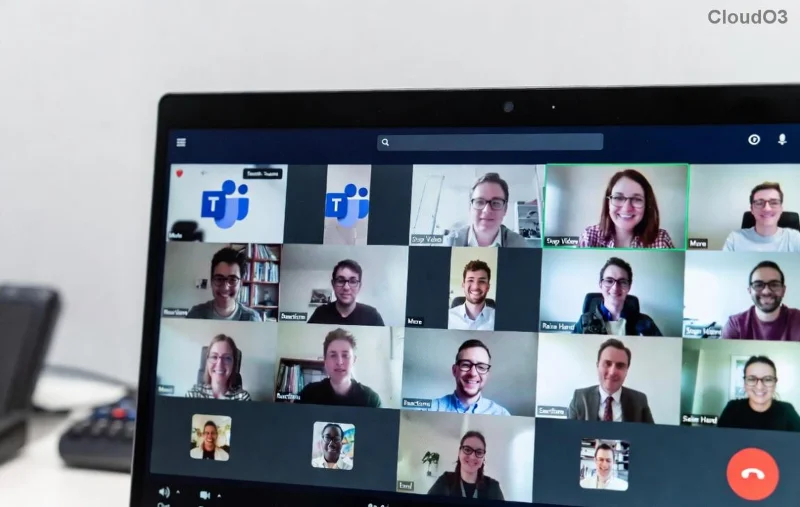
1️⃣ Core Locations: OneDrive vs. SharePoint – Know Your Storage Spots
The magic happens based on your meeting type. Microsoft Teams recordings automatically land in dedicated folders, making retrieval a breeze. Here's the breakdown:
| Meeting Type |
Storage Location |
Who Owns It? |
Access Method |
| Personal or Private Meetings |
OneDrive of the meeting organizer (Recordings folder) |
Organizer |
Teams app > OneDrive |
| Channel Meetings |
SharePoint site of the Team (Recordings folder in channel) |
Team members |
Teams > Files tab > Recordings |
| Teams Premium / Cloud Recordings |
OneDrive/SharePoint + Stream integration |
Admin-configured |
Stream portal or Teams |
Pro Tip: No more hunting! Recordings auto-organize into a Recordings folder, timestamped for easy spotting. 👍
2️⃣ Step-by-Step: How to Find Your Microsoft Teams Recordings Instantly
Ready to grab your files? Follow these foolproof steps tailored for 2026's latest Teams updates:
- In the Teams App: Open your meeting chat > Click the More actions (...) menu > Select "Open in SharePoint" or "Download recording". Boom! 📥
- Via OneDrive: Go to OneDrive > Navigate to Recordings folder under your profile. Search by meeting name for lightning speed.
- SharePoint for Channels: In Teams, hit the Files tab in your channel > Scroll to Recordings. Permissions sync automatically for team collab.
- Stream Hub (If Enabled): Head to Microsoft Stream > My content > Videos tab. Legacy access still works seamlessly.
![Screenshot of OneDrive folder with Microsoft Teams recordings in 2026]()
Feeling empowered? These paths ensure where Microsoft Teams recordings are saved is never a mystery again! 🚀
3️⃣ What's New in 2026: Smarter Storage & Permissions
Microsoft has leveled up! Recordings now feature:
- Auto-Expiration: Set retention policies via admin center – no clutter! ⏰
- Enhanced Permissions: Organizers control views/downloads, perfect for sensitive sessions.
- AI Transcripts Integration: Recordings link directly to transcripts in OneDrive/SharePoint.
- Multi-Device Sync: Access from desktop, mobile, or web – everywhere you Teams.
For admins: Check Teams Admin Center under Meetings > Meeting Policies to customize cloud recording paths. Game-changer for enterprises! 👏
4️⃣ Troubleshooting: Fix Common "Where's My Recording?" Issues
Stuck? Here's your rescue kit:
- No Recording Folder? Ensure recording was enabled pre-meeting (host only). Refresh OneDrive/SharePoint.
- Permission Denied? 🚫 Ask organizer for share link or check guest access in Teams settings.
- Missing After 24 Hours? Processing complete? Wait or search globally in Teams search bar with "from:recordings".
- Storage Full? Upgrade OneDrive plan – recordings count toward quota.
Still lost? Hit Teams support chat – responses in minutes! 😊
5️⃣ Pro Tips to Master Teams Recordings Storage Forever
Stay ahead:
- Backup Routine: Download key recordings to local drive weekly.
- Share Smartly: Use Teams links for collab – no email attachments needed.
- Delete Safely: Remove from storage AND recycle bin to free space.
- Monitor Usage: Teams analytics dashboard shows recording stats at a glance.
Wrap-Up: Conquer Microsoft Teams Recordings Locations Today!
Now you know precisely where Microsoft Teams recordings are saved in 2026 – OneDrive for personal power, SharePoint for team triumphs! With these steps, you'll save hours and boost productivity. Bookmark this, share with your crew, and never lose a meeting moment again. What's your go-to Teams hack? Drop it below! 🎉
Stay tuned for more 2026 Teams tips – your productivity partner.