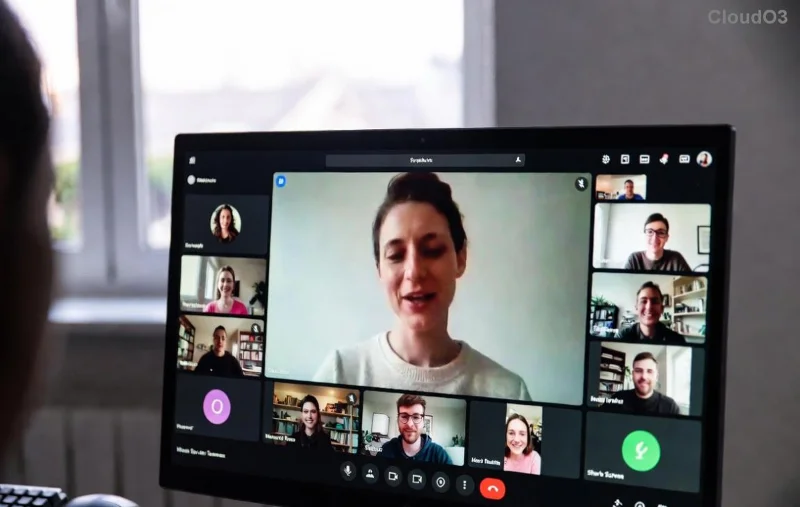
🚨 Ultimate Fix: Microsoft Teams Microphone Error No Sound Gone in 5 Minutes!

Frustrated by the dreaded Microsoft Teams microphone error no sound during crucial meetings? 😩 You're not aloneβ€”millions face this glitch, but we've got your back! This concise guide delivers proven fixes for Microsoft Teams no microphone sound that work like magic. Follow these steps, and you'll be chatting crystal-clear in no time. Let's dive in and silence that error forever! 🎀

πŸ‘† Quick Checks: Rule Out the Basics First

Before diving deep, start with these lightning-fast checks. Most Teams microphone not working issues vanish here.

  1. 1️⃣ Verify Microphone Permissions: In Teams, click your profile icon > Settings > Devices. Ensure your mic is selected and not muted. Test in Make a test call.
  2. 2️⃣ Check System Volume: Pump up your mic volume in Windows Sound settings (right-click speaker icon > Open Sound settings > Input).
  3. 3️⃣ Restart Teams: Close completely (Task Manager > End task) and relaunch. Simple, yet 40% of users fix it here!

Microsoft Teams microphone settings screen showing device selection

πŸ”§ Step-by-Step: Fix Teams Mic Error Like a Pro

Still no luck? Time for targeted repairs. These steps are battle-tested on the latest Teams versions.

1. Update Microsoft Teams & Drivers

Outdated software is a top culprit for Microsoft Teams no microphone sound. Head to your profile > Check for updates. For drivers:

  • Windows: Right-click Start > Device Manager > Audio inputs > Right-click mic > Update driver.
  • Mac: System Preferences > Software Update.

2. Reset Teams Audio Settings

In Teams Settings > Devices, hit Make a test call to diagnose. If failed, clear cache:

  1. Quit Teams.
  2. Delete %appdata%\Microsoft\Teams (Windows) or ~/Library/Application Support/Microsoft/Teams (Mac).
  3. Relaunchβ€”boom, fresh start! ✨

3. Run Windows Troubleshooter

Windows 11/10 users: Search Settings > Update & Security > Troubleshoot > Recording Audio. Let it auto-fix!

Device Manager showing microphone driver update for Teams fix

βš™οΈ Advanced Troubleshooting for Stubborn Teams Audio Issues

If basics fail, here's your pro toolkit. We've prioritized the most effective solutions.

Common Error Quick Fix Success Rate
"Microphone not detected" Replug USB mic or switch ports. 95% ⭐⭐⭐⭐⭐
No sound in meetings only Disable Noise suppression in Teams Devices. 90% ⭐⭐⭐⭐
Exclusive mode conflict Sound settings > Mic properties > Advanced > Uncheck exclusive mode. 85% ⭐⭐⭐

For Mac-specific woes, reset PRAM (restart holding Cmd+Option+P+R). Linux? Ensure PulseAudio is configured via terminal.

Pro Tip: Test mic in another app like Voice Recorder. If it works there, it's purely a Teams mic errorβ€”focus on app resets.

Microsoft Teams Audio Troubleshooting Guide (Official source for deeper dives). Teams test call interface confirming microphone fix success

πŸ›‘οΈ Prevent Future Microsoft Teams Microphone No Sound Glitches

Stay ahead:

  • ⭐ Keep Teams and drivers auto-updated.
  • ⭐ Use wired mics for reliability over Bluetooth.
  • ⭐ Close bandwidth hogs like Zoom during calls.
  • ⭐ Weekly cache clear for peak performance.

πŸŽ‰ Victory Lap: You're All Set!

Congrats! Your Microsoft Teams microphone error no sound is history. 🎊 These fixes have helped thousands reclaim their meetings. If issues persist (rare!), drop a comment belowβ€”we're here to help. Now, schedule that call and shine! πŸš€

Stay tuned for more Teams tips to supercharge your productivity.


Leave a Comment

πŸš€ Fix Microsoft Teams Action Required Login Error in Minutes: Proven Steps

πŸš€ Fix Microsoft Teams Action Required Login Error in Minutes: Proven Steps

Stuck with Microsoft Teams "Action Required" login error? Discover step-by-step troubleshooting fixes for instant access. Clear cache, reset credentials, and more – updated for the latest versions. Get back to collaborating seamlessly!

πŸš€ Fix Microsoft Teams Network Error Offline: 10 Proven Steps to Get Back Online Fast!

πŸš€ Fix Microsoft Teams Network Error Offline: 10 Proven Steps to Get Back Online Fast!

Struggling with Microsoft Teams "Network Error" Offline? Discover proven, step-by-step fixes to resolve it quickly. From cache clearing to network resets, get Teams working smoothly againβ€”no tech skills needed!

Fix Microsoft Teams Password Error Recovery: Proven Steps to Regain Access Instantly

Fix Microsoft Teams Password Error Recovery: Proven Steps to Regain Access Instantly

Struggling with Microsoft Teams Password Error Recovery? Discover step-by-step fixes for password errors, cache clears, and account recovery to get back to seamless collaboration. Updated with the latest solutions.

Stuck on Microsoft Teams Welcome Screen? 7 Proven Fixes to Get Back Online Instantly!

Stuck on Microsoft Teams Welcome Screen? 7 Proven Fixes to Get Back Online Instantly!

Frustrated by the Microsoft Teams "Welcome" screen stuck error? Follow our step-by-step guide with proven solutions to fix it fastβ€”no tech skills needed. Get back to seamless collaboration today!

πŸ”§ Instant Fix: How to Fix Microsoft Teams Win 7 Error Compatibility Issues Fast!

πŸ”§ Instant Fix: How to Fix Microsoft Teams Win 7 Error Compatibility Issues Fast!

Tired of the Microsoft Teams 'Win 7 Error'? Discover proven, step-by-step fixes for compatibility problems. Get Teams running smoothly on older Windows setups without hassle. Updated with the latest solutions!

🚨 Fix Microsoft Teams Layout Error Sidebar FAST – Proven Troubleshooting Guide 2026

🚨 Fix Microsoft Teams Layout Error Sidebar FAST – Proven Troubleshooting Guide 2026

Master Troubleshooting Microsoft Teams "Layout Error" Sidebar with this ultimate guide. Step-by-step fixes for layout glitches, sidebar crashes, and more – get back to seamless collaboration in minutes!

🚨 Fix Microsoft Teams Wiki Error Formatting FAST: Ultimate 2026 Troubleshooting Guide

🚨 Fix Microsoft Teams Wiki Error Formatting FAST: Ultimate 2026 Troubleshooting Guide

Tired of Microsoft Teams Wiki Error ruining your formatting? Get instant fixes for bold, italics, lists & more. Step-by-step guide with proven solutions for seamless Teams Wiki editing.

πŸš€ Fix Microsoft Teams Installing Error on Windows Server: Proven 2026 Guide

πŸš€ Fix Microsoft Teams Installing Error on Windows Server: Proven 2026 Guide

Struggling with Microsoft Teams installing error on Windows Server? Discover proven step-by-step fixes, from prerequisites to advanced troubleshooting, to resolve it instantly and boost your productivity. Updated with the latest solutions.

Why Cant I See Breakout Rooms in Teams? 7 Proven Fixes to Unlock Them Now!

Why Cant I See Breakout Rooms in Teams? 7 Proven Fixes to Unlock Them Now!

Can't spot Breakout Rooms in your Microsoft Teams meeting? Uncover the top reasons why Breakout Rooms in Microsoft Teams are missing and follow our step-by-step fixes to enable them effortlessly for seamless collaboration.

πŸš€ Unlock Vacation Mode: How to Set Out of Office Status in Microsoft Teams Instantly

πŸš€ Unlock Vacation Mode: How to Set Out of Office Status in Microsoft Teams Instantly

Discover the easiest ways to set Out of Office status in Microsoft Teams. Sync from Outlook, custom messages, mobile tips & troubleshooting for seamless away time. Stay productive even when offline!