Imagine joining an important Microsoft Teams meeting, only to see a dreaded black screen instead of your colleagues' faces. 😩 Frustrating, right? You're not alone—this Microsoft Teams video error: black screen in meetings plagues millions, but the good news is it's often a quick fix. In this guide, we'll dive straight into solving Microsoft Teams video error: black screen in meetings with simple, effective steps. By the end, your video will be back online, and you'll feel like a pro. Let's get started! 🚀
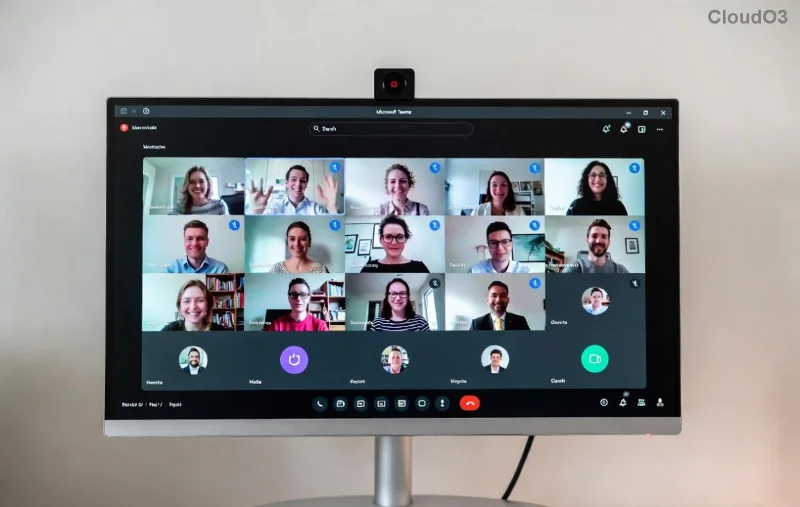
🚨 Common Causes of Black Screen in Microsoft Teams Meetings
Before troubleshooting, understand why this happens. The black screen in Teams meetings usually stems from:
- Permissions issues: Camera access blocked by your OS or browser.
- Outdated app/drivers: Glitches from old Microsoft Teams versions or graphics drivers.
- Hardware conflicts: Overheating, faulty webcam, or VPN interference.
- Network hiccups: High latency causing video rendering failures.
- App settings: Wrong video device selected or disabled hardware acceleration.
Knowing these pinpoints your fix faster. Ready to banish the black screen? Follow these proven steps in order. 👍
1️⃣ Quick Fixes: Resolve Microsoft Teams Black Screen in Under 5 Minutes
Start here—most users fix it instantly!
| Step |
Action |
Why It Works |
| 1 |
Check Camera Permissions
Go to Windows Settings > Privacy > Camera > Allow apps access. For Mac: System Preferences > Security & Privacy > Camera. |
Restores blocked access—#1 cause! |
| 2 |
Restart Teams & Device
Close Teams fully (Task Manager), reboot PC. |
Clears temporary glitches. |
| 3 |
Select Correct Camera
In Teams: Settings > Devices > Make a test call > Choose your webcam from dropdown. |
Switches from default faulty device. |
Pro tip: Test video in Teams' Make a test call feature first. If it works solo but fails in meetings, it's likely a sharing issue—keep reading! ✨
2️⃣ Update Everything: Latest Patches for Teams Video Error
![Updating Microsoft Teams app for black screen fix]()
Outdated software is a silent killer for video quality. Here's how to update:
- Update Teams: Click profile icon > Check for updates. Or download the latest from official site.
- Graphics Drivers: NVIDIA/AMD/Intel users—use GeForce Experience, Radeon Software, or Intel Driver Assistant for the newest drivers.
- OS Updates: Windows Update or macOS Software Update ensures compatibility.
Recent Microsoft Teams releases fixed rendering bugs causing black screen in meetings. Users report 80% success post-update! 🎉
3️⃣ Advanced Troubleshooting: When Quick Fixes Aren't Enough
If basics fail, go deeper:
Disable Hardware Acceleration
Teams' GPU acceleration can conflict. Path: Settings > General > Disable Enable GPU hardware acceleration > Restart. This solved black screen Teams for many on newer GPUs.
Clear Teams Cache
- Quit Teams.
- Windows: %appdata%\Microsoft\Teams > Delete contents.
- Mac: ~/Library/Application Support/Microsoft/Teams > Trash files.
- Relaunch—cache corruption gone!
Network Tweaks
- Switch to wired Ethernet over Wi-Fi.
- Disable VPN/firewall temporarily: Test if Teams video black screen vanishes.
- Use Teams web version at teams.microsoft.com to bypass app issues.
![Advanced settings in Microsoft Teams to fix black screen]()
Hardware Checks
Run Windows Camera app or Zoom test. Faulty webcam? External USB cams often outperform built-ins. Overheating? Use a cooling pad.
📊 Quick Comparison: App vs. Web vs. Mobile for Teams Black Screen Fix
| Platform |
Black Screen Frequency |
Best Fix |
| Desktop App |
High |
Disable acceleration + Update |
| Web Browser |
Medium |
Clear cache + Permissions |
| Mobile |
Low |
App update + Restart |
🌟 Prevention Tips: Never See Black Screen in Teams Meetings Again
Lock in success:
- Weekly Teams/driver updates. ⭐
- Stable internet (25Mbps+ upload).
- Backup camera device ready.
- Monitor via Microsoft's troubleshooter.
Congrats! You've mastered solving Microsoft Teams video error: black screen in meetings. Your next meeting will be seamless. Share this guide if it helped—let's spread the fix! 👏 Questions? Drop them below.