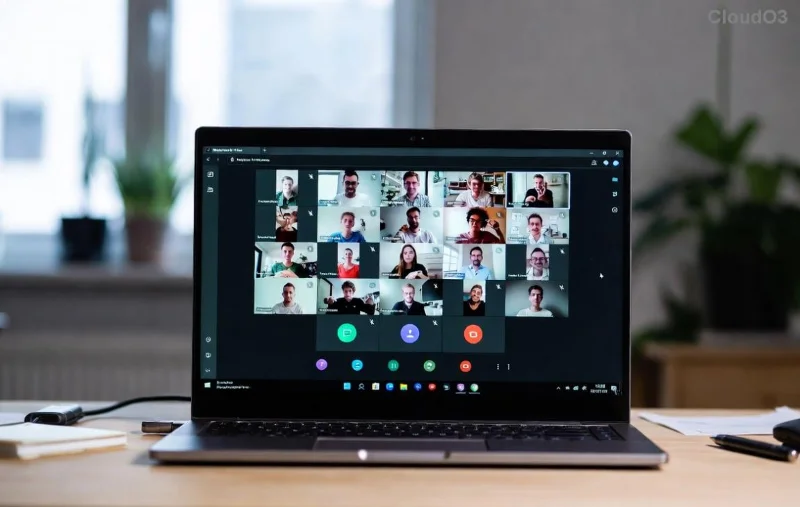
Imagine this: You're in a crucial Microsoft Teams meeting, ready to share files from your channel, but bam—a pesky OneDrive Error halts everything. Files won't sync, uploads fail, and collaboration grinds to a stop. 😩 Don't worry! This guide is your lifeline to solving Microsoft Teams "OneDrive Error" File Sync issues quickly and painlessly. We'll uncover causes, deliver step-by-step fixes, and share pro tips to prevent future headaches. Stick around—you'll be syncing flawlessly by the end! ⭐
Why Does the Microsoft Teams OneDrive Error Happen? 🔍
Teams relies on OneDrive and SharePoint for file storage in channels and chats. When sync fails, it's often due to these top culprits:
- Sync Conflicts: Multiple devices editing the same file.
- Storage Limits: OneDrive quota exceeded.
- App Glitches: Outdated Teams or OneDrive versions.
- Permissions Issues: Restricted access to shared folders.
- Network Hiccups: Unstable internet or firewall blocks.
Recognize these? Great—now let's fix them. Our solutions are battle-tested for the latest Teams updates, ensuring you resolve OneDrive Error File Sync without tech wizardry.

Quick Wins: Basic Troubleshooting for Teams OneDrive Sync Error 👍
Start here for 80% of cases. These take under 5 minutes!
- Restart Everything: Close Teams and OneDrive (right-click taskbar icons > Quit). Relaunch. Sync often resumes automatically. Magic? Sometimes! ✨
- Check OneDrive Status: Click the cloud icon in your system tray. If paused, resume sync. View sync problems for specifics.
- Sign Out & Back In: In Teams, go to Profile > Sign out. Reopen and sign in. Clears cached credentials causing OneDrive Error.
Still stuck? Dive deeper—these advanced steps will nail it.
Step-by-Step Advanced Fixes to Solve Microsoft Teams "OneDrive Error" File Sync 🛠️
Follow sequentially for best results. We'll use Windows/macOS commands where needed.
| Step |
Action |
Expected Outcome |
Pro Tip |
| 1️⃣ Reset OneDrive |
Search "OneDrive" > Settings > Account > Unlink this PC. Relaunch OneDrive and sign in to resync. |
Clears corrupted cache. Files redownload safely. |
Backup local changes first! |
| 2️⃣ Update Apps |
Teams: Profile > Check for updates. OneDrive: Microsoft Store or official download. |
Patches latest file sync errors. |
Enable auto-updates. |
| 3️⃣ Selective Sync |
OneDrive Settings > Choose folders. Deselect non-Teams folders to lighten load. |
Reduces sync queue for Teams files. |
Ideal for large libraries. |
| 4️⃣ Permissions Check |
In Teams channel > Files > Open in SharePoint. Verify edit access. |
Fixes access-denied OneDrive Error. |
Admin? Review guest permissions. |
| 5️⃣ Run Troubleshooter |
Windows: Settings > Update & Security > Troubleshoot > Other > Microsoft OneDrive. |
Auto-detects and repairs. |
macOS: Restart Finder via Activity Monitor. |
Proven combo: Steps 1 + 2 fix most Teams OneDrive sync woes. Test by uploading a file to a Teams channel post-fix.
![Step-by-step guide to resetting OneDrive for Teams file sync]()
Prevent Future OneDrive Error File Sync in Teams: Pro Tips 💡
Don't just fix—future-proof! Here's how:
- Monitor Storage: Keep OneDrive under 80% full. Upgrade via Microsoft plans.
- Use Version History: Right-click files in Teams > Version history to avoid conflicts.
- Network Best Practices: VPN? Switch off temporarily. Use Ethernet over Wi-Fi.
- Teams-Specific Sync: Pin Teams folders in OneDrive for priority sync.
- Admin Tools: For orgs, check Intune policies blocking sync (Microsoft docs).
Bonus: If on mobile, force-close Teams app and clear cache—mirrors desktop fixes!
When to Escalate: Rare Microsoft Teams OneDrive Error Cases ⚠️
Persistent issues? Enterprise proxy or corrupted profile. Contact IT or Microsoft Support via Teams Help > Give feedback. Provide error codes from OneDrive logs (Settings > About).
![Successful file sync in Microsoft Teams after fixing OneDrive Error]()
You're Syncing Smoothly Now! 🎉
Congrats! You've conquered the Microsoft Teams OneDrive Error and restored file sync perfection. Teams collaboration feels effortless again, right? Share this guide with your team to spread the wins. Got a unique twist on these fixes? Drop it in comments below—we're all in this together. Happy syncing! 🚀
Quick recap table for your bookmark:
| Issue |
Fast Fix |
| Sync Paused |
Resume in tray icon |
| Access Denied |
Check SharePoint perms |
| Quota Full |
Delete or upgrade |